Best Workout Plan Apps in 2026: 9 Apps Compared


Free guided workouts and plans · Starting price: Free
How we put this together: we compare official feature and pricing pages, app store listings, privacy policies and public user reviews. Prices change, so check the provider's site before you pay.
Key takeaways
- Nike Training Club is the best free workout plan app for most people, with guided workouts and multi-week programs at no cost.
- Fitbod is the best app for workout plans at the gym, since it builds sessions around your equipment, recovery, and progress.
- FitOn is a strong free alternative for class-style home workouts, while Hevy and Strong suit lifters who mainly want to log and follow a plan.
- Apple Fitness+ and Peloton suit class lovers, while Freeletics suits bodyweight training with little or no equipment.
Quick comparison
| Name | Who it suits | Starting price | Free option | |
|---|---|---|---|---|
| Nike Training Club | Free guided workouts and plans | Free | Yes | Visit |
 Fitbod | Gym strength plans | $15.99 per month | Free trial | Visit |
 FitOn | Free class-style workouts | Free | Yes | Visit |
 Hevy | Strength logging and plans | Free | Yes | Visit |
 Strong | Simple barbell logging | Free | Yes | Visit |
 JEFIT | Gym database and plans | Free | Yes | Visit |
 Apple Fitness+ | Apple Watch classes | $9.99 per month | Free trial | Visit |
 Peloton App | Live and on-demand classes | $15.99 per month | Free trial | Visit |
 Freeletics | Bodyweight HIIT plans | Free | Yes | Visit |
The best workout plan apps
We compared official pricing pages, app store listings, and recent workout app guides, focusing on plan quality, equipment needs, progression, and free value. These apps provide general fitness information, not medical advice. If you have a health condition, injury, or are new to exercise, check with a clinician before starting a new plan, and stop if you feel sharp pain.
Nike Training Club is our pick for most people because it gives away what other apps charge for. The library covers HIIT, strength, yoga, Pilates, endurance, and mobility, with video demos and audio coaching, and multi-week programs give structure to beginners who do not know what to do next. For home training or a first gym routine, that is a lot of value at zero cost.
The limit is adaptation. Workouts are preset rather than built around your last session, recovery, or equipment in the way Fitbod does, so intermediate lifters may outgrow it. Still, start here, train consistently for a month, and only pay for another app when you can name the feature you are missing.
- Fully free with no in-app purchases listed
- Hundreds of guided workouts
- Multi-week programs
- Plans do not adapt as deeply as AI-driven apps
- No advanced strength progression tracking
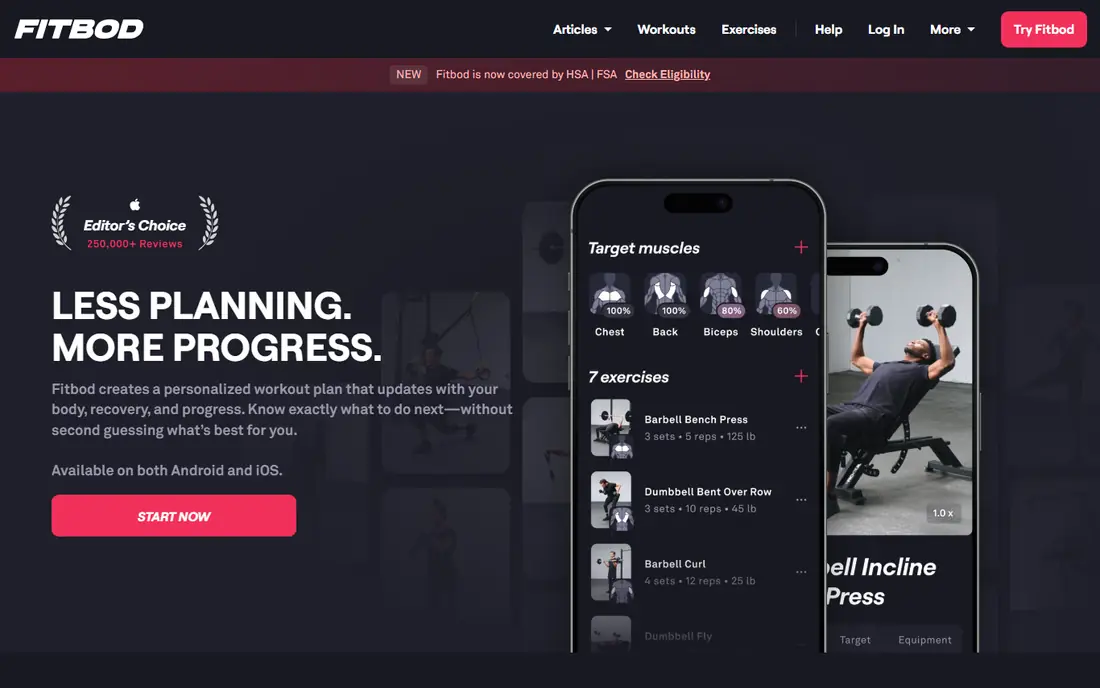
Fitbod is the best app for workout plans if you lift in a gym and do not want to program your own sessions. Tell it your goal, equipment, and schedule, and it generates a session that balances muscle groups, recovery, and progression. As you log sets, it adjusts weights and volume, which is the core of getting stronger over time.
The price is the main barrier, at $15.99 per month or $95.99 per year in recent listings, with only a free trial rather than a lasting free tier. Beginners may also find the options overwhelming at first. If you train with weights three or more times a week and want programming handled for you, Fitbod is worth the trial.
- Builds sessions from your equipment and recovery
- Progressive overload focus
- Tracks strength over time
- Monthly price is high for casual users
- Interface can feel busy for beginners
- Trial only, no ongoing free tier
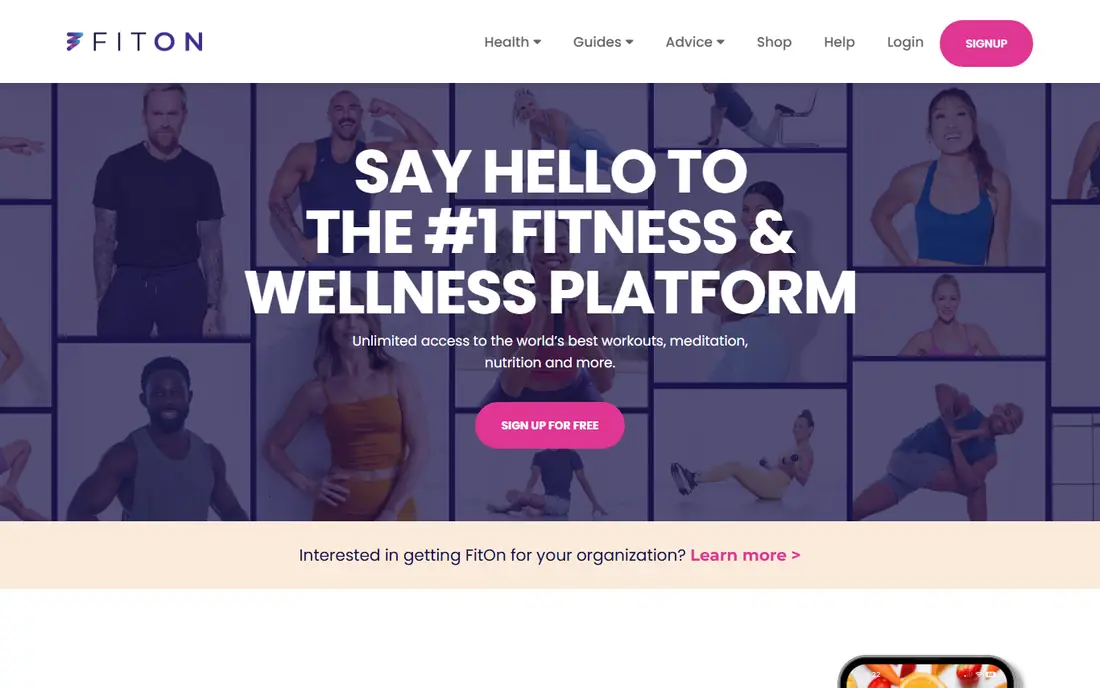
FitOn is a strong free alternative to Nike Training Club for people who like class-style workouts. The free library includes cardio, strength, HIIT, yoga, and Pilates sessions, and plans and challenges add structure without a subscription. For home workouts and weight loss support alongside other healthy habits, the variety helps keep training fresh.
FitOn Pro, listed in recent guides at around $19.99 to $39.99 for different terms, adds premium classes and features, but the free tier is already generous. It is less suited to barbell progression than Fitbod, Hevy, or Strong. If you want guided classes for free and train mostly at home, FitOn is an excellent second app to try.
- Large free class library
- Cardio, strength, yoga, and Pilates
- Plans and challenges
- Pro features and some classes require payment
- Class style suits home training more than heavy gym lifting
Hevy suits lifters who already know their program or follow a coach's plan and mainly need a fast, clear log. You can build routines, track sets, reps, and weights, view progress over time, and share workouts with friends. The interface stays out of the way during a session, which matters when you are between sets.
The free tier covers unlimited logging with limits on routines and custom exercises, so heavy customisers may hit a cap. Pro, at $23.99 per year in recent listings, is relatively affordable and removes those limits. Choose Hevy if you want a simple, social strength log rather than an app that invents each session for you.
- Clean workout logging
- Routine builder
- Social sharing and progress charts
- Free tier caps routines and custom exercises
- Advanced features require Pro at $23.99 per year
Strong is a long-standing favourite for barbell and gym logging because it is fast and uncluttered. You can start a workout in seconds, log sets with minimal taps, and review personal records and volume over time. Templates help beginners start with proven splits, while experienced lifters can build their own routines.
The free tier allows three custom routines, which is enough for a simple push, pull, legs split but tight for varied programs. Pro, listed at around $4.99 per month or $29.99 per year in recent guides, removes that cap. If you want the simplest reliable log and already follow a plan, Strong is a solid pick.
- Fast, focused strength logging
- Routine templates
- Apple Watch support
- Free tier caps custom routines at three
- Pro costs more than Hevy for similar logging
JEFIT is useful for gym users who want a large exercise library and ready-made plans in one place. You can follow community routines, log workouts with detailed exercise instructions, and track body measurements alongside strength. That database helps when you encounter an unfamiliar machine or movement.
The free version shows ads, and the interface packs in more than Hevy or Strong, which can feel busy. Elite, the paid tier, adds more features and removes ads, but pricing varies by term, so check the store listing. Choose JEFIT if exercise variety and plan discovery matter more than a minimal log.
- Huge exercise database
- Workout plans and logging
- Community routines
- Free version is ad-supported
- Elite pricing varies, listed around $12.99 per month in recent guides
Apple Fitness+ is the best workout app for Apple Watch owners who like studio classes. Workouts show your heart rate, calories, and rings on screen, and the library covers strength, HIIT, dance, yoga, Pilates, and mindful cooldowns. New subscribers often get a free month, and the yearly price is $79.99 in recent listings.
Without an Apple Watch, much of the appeal fades, and Android users cannot use it at all. It also does not build progressive barbell plans the way Fitbod does. If you already own an Apple Watch and enjoy classes, Fitness+ is a polished, motivating option.
- Wide class library with Apple Watch metrics on screen
- Strength, HIIT, yoga, and Pilates
- Family sharing
- Needs an Apple Watch for full value
- No Android version
- Less strength programming than Fitbod
Peloton App One, listed at $15.99 per month or $159 per year in recent guides, gives you Peloton classes without Peloton hardware. Strength, HIIT, yoga, running, and cycling classes are available on phone, tablet, and TV, with live classes and leaderboards for motivation. For class lovers, the variety and coaching quality are strong.
The cost is the question. At this price, you should use classes several times a week to justify it over free options such as Nike Training Club or FitOn. Bike and Tread classes are also less useful without the hardware, though strength and floor classes stand alone well. Try the 30-day trial with a real weekly schedule before paying.
- Huge live and on-demand class library
- Strength, cardio, yoga, and running
- Motivating instructors and leaderboards
- Price is high for app-only use
- No Peloton bike needed, but bike classes are less useful without one
- Trial only for new users
Freeletics suits people who train at home, travel often, or have no gym access, since its plans focus on bodyweight HIIT and short sessions. The Coach builds adaptive plans around your fitness, feedback, and schedule, and sessions can fit into 20 to 40 minutes. That structure helps beginners build a habit without equipment.
The full Coach is paid, with recent guides listing terms around $34.99 to $79.99 depending on length, while the free version offers a smaller set of workouts. It is also not the best choice for barbell strength progression. If you want a plan that works anywhere with no equipment, Freeletics is worth a free trial.
- Bodyweight and HIIT plans with little equipment
- Adaptive coach plans
- Short, intense sessions
- Paid coach needed for full adaptive plans
- HIIT focus is not ideal for heavy strength goals
- Free version is limited
How we picked these
We compared official pricing pages, app store listings, and recent workout guides, and we weighted plan quality, free value, equipment needs, and progression. We included gym, home, class, and bodyweight options so different training styles are covered. Where pricing varies by term or platform, we used the most widely listed figure and noted that you should check the store listing before subscribing.
Choosing by training style
Home and no equipment
Start with Nike Training Club or FitOn for free guided workouts, and add Freeletics if you want adaptive bodyweight plans. You do not need a subscription to train well at home, and a simple routine you follow beats a complex plan you skip.
Gym and strength
Fitbod is the best plan builder, while Hevy and Strong are the best logs if you already follow a program. JEFIT adds a large exercise database and community plans. Pick one plan tool and one log habit, rather than running three apps at once.
Classes and motivation
Apple Fitness+ suits Apple Watch owners, and Peloton App suits class lovers who want live energy and variety. Both cost more than free apps, so use the trial period with a fixed weekly schedule and judge them on sessions completed, not on class count alone.
Frequently asked questions
What is the best app for working out?
Nike Training Club is the best free app for working out for most people, with guided sessions and programs at no cost. Fitbod is best for gym strength plans, FitOn is best for free classes, and Apple Fitness+ or Peloton are best for class lovers. The best fitness workout app depends on whether you train at home, in a gym, or in classes.
What is the best fitness app for weight loss?
No app alone causes weight loss, and the best support comes from consistent activity, sleep, and nutrition habits alongside training. Nike Training Club, FitOn, and Freeletics all offer free or low-cost plans that help you stay active regularly. If you have a health condition or a large weight goal, seek advice from a clinician or registered dietitian rather than relying on an app alone.
What is the best app to plan workouts?
Fitbod is the strongest plan builder for gym training, since it adapts sessions to your equipment and recovery. Nike Training Club offers simpler multi-week programs for free, and Runna-style adaptive plans suit runners. For lifters who follow their own program, Hevy and Strong are better logs than plan builders.
Are workout plan apps worth paying for?
Paid apps are worth it when they solve a specific problem, such as programming gym sessions, providing live classes, or keeping you consistent with a coach plan. They are not worth it if a free app already covers your training. Use free tiers and trials for a month first, then pay only for the app you actually open several times a week.
Can beginners use Fitbod or Peloton?
Yes, both offer beginner-friendly options, but beginners should start with easier sessions and learn basic form first. Nike Training Club and FitOn are gentler starting points, since they are free and include beginner programs. Progress gradually, rest between hard sessions, and stop if you feel sharp pain.
How often should I follow an app plan?
Most general plans work well at three to five sessions per week, with rest days built in. More is not always better, especially for strength training, where recovery drives progress. Follow the plan's rest guidance, sleep well, and adjust if you feel constantly tired or sore.
Sources we checked (9)

Online Jobs is an independent blog about careers, online work, learning new skills and the tools that help people earn. More about us.
Keep reading
All posts
Leg Extension Alternatives
We compare leg extension alternatives that build quad strength at home or in the gym, with honest notes on form, equipment, and knee comfort. for 2026.
Best workout apps for women
Compare the best workout apps for women in 2026, from free guided classes to structured strength plans, with current prices, free plans and honest trade-offs.
Best app for counting calories
Find the best app for counting calories in 2026. We compare MyFitnessPal, Cronometer, Lose It and more on food databases, free plans and ease of use today.