Best workout apps for women in 2026: 9 Apps Compared

How we put this together: we compare official feature and pricing pages, app store listings, privacy policies and public user reviews. Prices change, so check the provider's site before you pay.
Key takeaways
- Nike Training Club and FitOn give the strongest free starting point, with guided classes and no monthly fee for the core library.
- Sweat and Ladder suit women who want a set program to follow week by week, rather than picking a new class each day.
- Strong and Fitbod are the better picks for gym training, because they focus on logging, progression and planned strength sessions.
- Peloton and Apple Fitness+ work best when live energy, instructor-led classes and a wide class library matter more than a strict program.
- Check equipment, class length and whether a trial needs payment details before you commit to any paid plan.
Quick comparison
| Name | Who it suits | Starting price | Free option | |
|---|---|---|---|---|
 Nike Training Club Nike Training Club | Free guided classes | Free | Yes | Visit |
 FitOn FitOn | Free home classes and variety | Free | Yes | Visit |
 Sweat Sweat | Trainer-led programs for women | $24.99 per month | Free trial (7 days) | Visit |
 Peloton App Peloton App | Instructor-led studio classes | $12.99 per month | Free trial | Visit |
 Apple Fitness+ Apple Fitness+ | Apple Watch guided classes | $9.99 per month | Free trial | Visit |
 Ladder Ladder | Coach-led strength teams | $29.99 per month | Free trial (7 days) | Visit |
 Strong Strong | Simple strength logging | $4.99 per month | Yes | Visit |
 Hevy Hevy | Social strength tracking | See website | Yes | Visit |
 Fitbod Fitbod | Adaptive strength plans | $12.99 per month | Free trial | Visit |
The best workout apps for women
We compared official feature pages, pricing pages, app store listings and public reviews for apps that offer real training for women, not just step counting. The list below mixes free classes, structured programs and strength tools, so you can match the app to how you actually train.
Nike Training Club remains the easiest free place to start. The app offers strength, HIIT, yoga, mobility and cardio classes at several levels, with trainers guiding each session on video. You can filter by time, equipment and goal, which helps when you only have 20 minutes and no gym access.
The catch is structure. Programs give a path to follow, but the app does not adapt each session to your last workout in the way a paid strength planner does. For many women, that trade-off is fine, because the price is zero and the class quality is high. Start here if cost is the main barrier and you like being led through a class.
- Large free class library
- Programs for set goals
- Wellness and mindset content included
- No personal coach
- Programming is less tailored than a paid plan
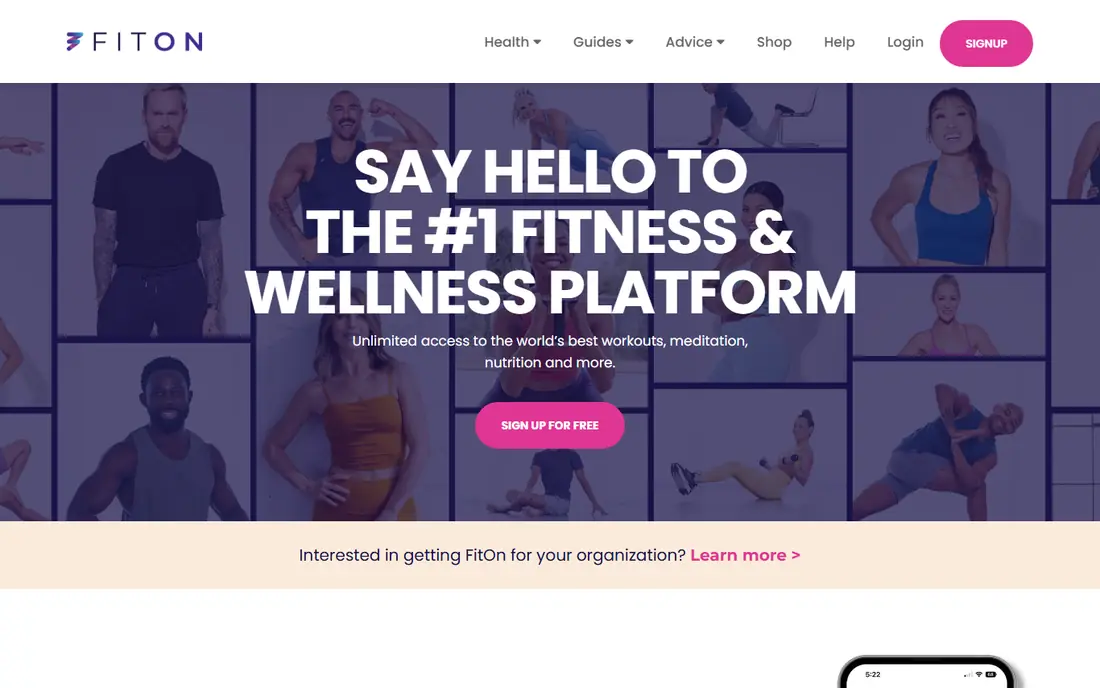
FitOn covers cardio, strength, Pilates, yoga, dance, barre and meditation in one free app. Classes need little or no equipment, which makes it a strong fit for home training. You can also join group workouts with friends, a feature that helps when motivation dips.
FitOn Pro is optional and adds extras such as offline use and casting to a TV, but the core classes stay free. The honest limit is progression. FitOn is excellent for moving often and trying new styles, and weaker if you want a long-term lifting plan with planned weight increases. Use it for variety, and pair it with a logger if strength is your main goal.
- Very wide class range
- Social workouts with friends
- Meal plans and recipes included
- Paid Pro adds music and casting features
- Less depth for serious strength progression
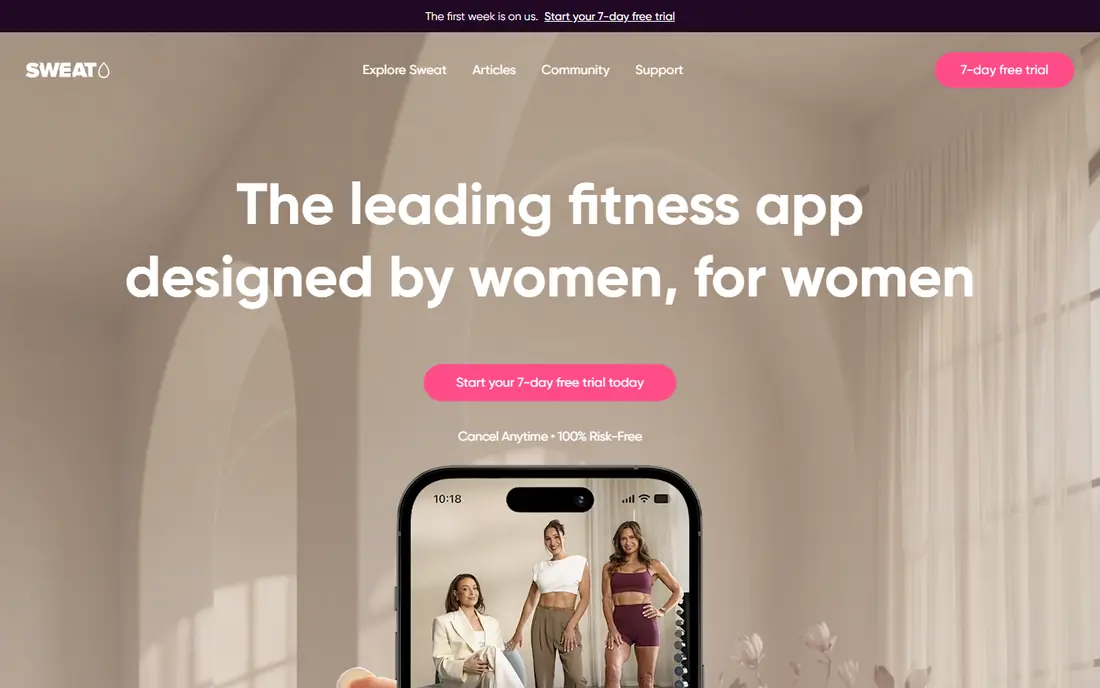
Sweat is built around structured programs led by women trainers, with options for strength, HIIT, Pilates, yoga and low-impact training. Each program runs week by week, so you do not have to decide what to do each morning. You can set the equipment you own, and the app offers swaps when a move does not suit your setup.
The price is the main barrier, and the 7-day trial on the website asks for payment details, so set a reminder if you test it. Sweat suits women who want a clear plan and a community feel, and who will train several times a week. If you only train once or twice a week, a free class app may give better value.
- Programs built for women
- Home and gym options
- Pregnancy and post-pregnancy programs
- Higher monthly price
- Trial needs payment details on the website
Peloton App works without Peloton equipment, and that point matters for this list. The app offers thousands of classes across running, strength, yoga, Pilates, stretching and more, with instructors who build a loyal following. Live classes add a sense of occasion, while on-demand classes fit odd schedules.
Peloton is less useful if you want a coach to set your weights and track your lifts over months. It is a class platform first, and it shines when you enjoy being coached through a session. Our pick for class lovers who want one subscription for many training styles is Peloton App, provided the monthly fee fits your budget.
- Huge class library
- Live and on-demand classes
- Strength, yoga, Pilates and cardio in one place
- No Peloton bike needed, but the app still leans on class energy
- Less focus on personal programming
Apple Fitness+ puts your heart rate, calories and Activity rings on screen during classes when you wear an Apple Watch. The library covers strength, HIIT, yoga, Pilates, dance, cycling and meditation, with sessions from 5 to 45 minutes. That short-session range is a real plus for busy days.
The limit is the ecosystem. Without an Apple Watch, you lose the live metrics that set Fitness+ apart, and Android users cannot use it at all. If you already own an Apple Watch and an iPhone, Fitness+ is a clean, well-made option. If you do not, Nike Training Club or FitOn will serve you better for free.
- Live metrics on screen with Apple Watch
- Wide class range
- New workouts added weekly
- Best experience needs an Apple Watch
- No Android app
Ladder takes a different route from class apps. You join a team led by a coach, follow a weekly strength program, and listen to audio coaching while you lift. That structure suits women who like gym training but want someone to set the plan and keep them accountable. The team chat and check-ins add pressure in a useful way for many members.
The price and iPhone-only limit narrow the audience. Ladder is not a casual pick, and it is not the best choice for yoga or dance fans. It is a strong choice if strength is your priority, you train in a gym, and you know that a coach and a team will help you show up more often.
- Weekly coach-planned strength programs
- Team accountability
- Audio coaching during lifts
- IPhone only
- Highest price on this list
Strong does one job well, and that focus is its strength. You build routines, log sets, reps and weights, and watch your history build over weeks. The interface stays out of the way during a workout, which matters when you are between sets and do not want to tap through menus.
Strong will not teach you a new class or plan your week. It assumes you know, or can find, a program elsewhere. Pair it with a program from a coach, a book or a trusted site, and it becomes a quiet, reliable training log. For women who already lift and want clean tracking, Strong is hard to beat at this price.
- Fast, clear workout logging
- Rest timer and history built in
- Works well in a busy gym
- No video classes
- Free plan limits the number of routines
Hevy blends a strength logger with a social feed, so you can follow friends, see their sessions and share your own progress. The routine builder is quick, and the app supports watches for logging on the go. That mix suits women who train with friends or enjoy light accountability from a feed.
The free plan covers core logging, with limits on routines, while Pro adds more routines and features. If you prefer to train privately, you can ignore the feed, but then Hevy looks much like Strong. Choose Hevy if the social side will genuinely help you train more often, and check the current Pro price on the vendor site before you upgrade.
- Easy routine builder
- Social feed for friends
- Apple Watch and Wear OS support
- Advanced features sit behind Pro
- Social features may not suit private trainers
Fitbod builds each strength session from your available equipment, your past training and the muscle groups you have already worked. That adaptive approach helps when your gym is busy, or when you train at home with limited kit. The app shows which muscles each session targets, so you can spot gaps in your week.
Fitbod is not a class app, and it will not replace yoga or dance sessions. It is a planning and logging tool for strength, and it works best for women who lift two to five times a week. Try the trial with a real week of training before you pay, and check whether the suggested weights and volumes feel right for your level.
- Plans adapt to your equipment and recovery
- Tracks muscle groups trained
- Gym and home options
- Monthly price adds up
- Less suited to class-style training
How we picked these
We compared official feature pages, pricing pages and app store listings for apps that are live in October 2026, and we read public reviews to check where each app falls short. We kept only apps that offer real training content or a clear training tool, and we dropped apps that were discontinued or that only counted steps. Prices in the table come from vendor pages or app store listings where a price was clear, and we wrote See website where a vendor did not publish a simple starting price.
We also weighed fit for women in a practical way. That meant looking for programs for different life stages, home and gym options, class lengths that fit real schedules, and clear safety guidance such as form cues and rest days. We did not claim hands-on testing, and we did not rank apps by star ratings alone, because ratings can hide limits such as a missing Android app or a trial that needs payment details.
Choosing the right app for your training style
Start with how you like to train
If you like being led through a session, pick a class app such as Nike Training Club, FitOn, Peloton App or Apple Fitness+. If you like a set plan, pick Sweat or Ladder. If you already have a plan and need to track it, pick Strong, Hevy or Fitbod. Matching the app to that preference matters more than any single feature list.
Check equipment and time honestly
List the kit you own, the space you have and the minutes you can train on a normal day. A gym app with barbell programs will frustrate you at home with only resistance bands, and a 45-minute class app will sit unused if you only have 20 minutes. Filter by time and equipment during a trial week, and keep the app that fits your normal week, not your ideal week.
Use trials with a calendar reminder
Paid apps often ask for payment details for a trial, and trials can roll into a paid plan. Set a reminder two days before the trial ends, and judge the app on at least three real sessions. Note whether you looked forward to the next session, whether the coaching felt clear, and whether you could find a session that fit your day. Those three answers tell you more than a feature list.
A note on safety and health
This article is general information, not medical advice. If you are pregnant, returning after an injury, or managing a health condition, check with a qualified health professional before starting a new program. Start with lower weights and shorter sessions, use rest days, and stop if a move causes sharp pain. Apps can guide training, but they cannot see your form or your history.
Frequently asked questions
What is the best workout app for women overall?
Nike Training Club is our pick for most people, because it is free, easy to use and covers many training styles. If you want a structured program led by women trainers, Sweat is the stronger paid choice. The best app overall is the one you will open three or more times a week, so a free app you enjoy beats a paid app you avoid.
What is the best free workout app for women?
Nike Training Club and FitOn are the two strongest free options. Nike Training Club offers programs and wellness content alongside classes, while FitOn offers more variety, including dance and meditation. Try both for a week and keep the one whose instructors and class lengths suit you best.
Which workout app is best for strength training?
Ladder and Fitbod lead for planned strength work, with Ladder offering coach-led teams and Fitbod offering adaptive sessions based on your equipment. Strong and Hevy lead for logging, if you already have a program and want clean tracking. Sweat also offers strength programs, with a class and program feel rather than a pure lifting log.
Do I need equipment for these apps?
No, not for most of them. Nike Training Club, FitOn and Sweat all offer no-equipment options, and Apple Fitness+ and Peloton App include bodyweight classes. Strength loggers such as Strong and Hevy work with bodyweight, dumbbells or a full gym, because you set the exercises. Check the equipment filter before you start a program, so you do not hit a session that needs kit you do not own.
Are workout apps safe during pregnancy?
Some apps, including Sweat, offer pregnancy and post-pregnancy programs, but a program label is not a medical clearance. Talk to your clinician about your own situation, choose low-impact options when advised, and avoid moves that cause pain or dizziness. If an app does not offer a pregnancy option, do not adapt a high-intensity program on your own.
Can I use these apps without a gym membership?
Yes, and most of the apps on this list work well at home. FitOn, Nike Training Club and Sweat offer home programs, while Fitbod and Hevy can build sessions from home kit. A gym helps for heavy barbell training, but it is not required to build strength, fitness or mobility with these apps.
Sources we checked (9)

Online Jobs is an independent blog about careers, online work, learning new skills and the tools that help people earn. More about us.
Keep reading
All posts
Best Yoga App
Find the best yoga app for home practice in 2026, with verified prices, free options, class styles, trials and honest limits for 10 yoga apps compared.
Best Workout Tracker App
We compared the best workout tracker app options for gym, home, and running training, checking prices, free plans, and logging tools in detail. See inside.
Best Workout Apps
Looking for the best workout apps? We compared 9 fitness apps for gym, home, running and classes on free plans, pricing and training style in 2026 now.