Best Workout Apps in 2026: 9 Apps Compared

How we put this together: we compare official feature and pricing pages, app store listings, privacy policies and public user reviews. Prices change, so check the provider's site before you pay.
Key takeaways
- Nike Training Club is our pick for free guided workouts, with a full library at no cost.
- Strava suits runners and cyclists best, with route tracking and a social layer that keeps training consistent.
- Fitbod suits gym users who want a session planned for them, while Hevy and Strong suit lifters who already have a programme.
- Free plans cover real training here, so test an app for two weeks before paying for a subscription.
- This guide is general information, not medical advice. If you have an injury or a health condition, check with a clinician before starting a new programme.
Quick comparison
| Name | Who it suits | Starting price | Free option | |
|---|---|---|---|---|
 Nike Training Club Nike Training Club | Free guided workouts | Free | Yes | Visit |
 Strava Strava | Running and cycling | Free | Yes | Visit |
 Fitbod Fitbod | Planned gym sessions | See website | No | Visit |
 Hevy Hevy | Free strength logging | Free | Yes | Visit |
 Strong Strong | Minimal strength logging | Free | Yes | Visit |
 Apple Fitness+ Apple Fitness+ | Studio classes on Apple devices | See website | No | Visit |
 Peloton App Peloton App | Live and on-demand classes | See website | No | Visit |
 JEFIT JEFIT | Large exercise database | Free | Yes | Visit |
 Freeletics Freeletics | Bodyweight training plans | Free | Yes | Visit |
The best workout apps
Workout apps split into four jobs: guided classes, gym logging, planned sessions and outdoor tracking. We compared official feature pages, pricing pages, app store listings and public reviews, and we weighted free plan value, plan quality, logging speed and device support. This guide is general information, not medical advice.

Nike Training Club remains the most generous free app in fitness. The full library of guided workouts costs nothing, covering strength, cardio, yoga and mobility, with plans that progress over weeks rather than offering random sessions. Video coaching and clear cues make it usable at home with little or no equipment.
The app needs a Nike account, and it does not plan gym sessions around your available machines the way Fitbod does. For home workouts, general fitness and anyone who wants to train without a subscription, it is the first app to try, and many users never need another.
- Full workout library at no cost, with no in-app purchases on the store listing
- Guided sessions for strength, cardio, yoga and mobility
- Plans for different levels and equipment
- Requires a Nike account
- No adaptive gym programming like Fitbod
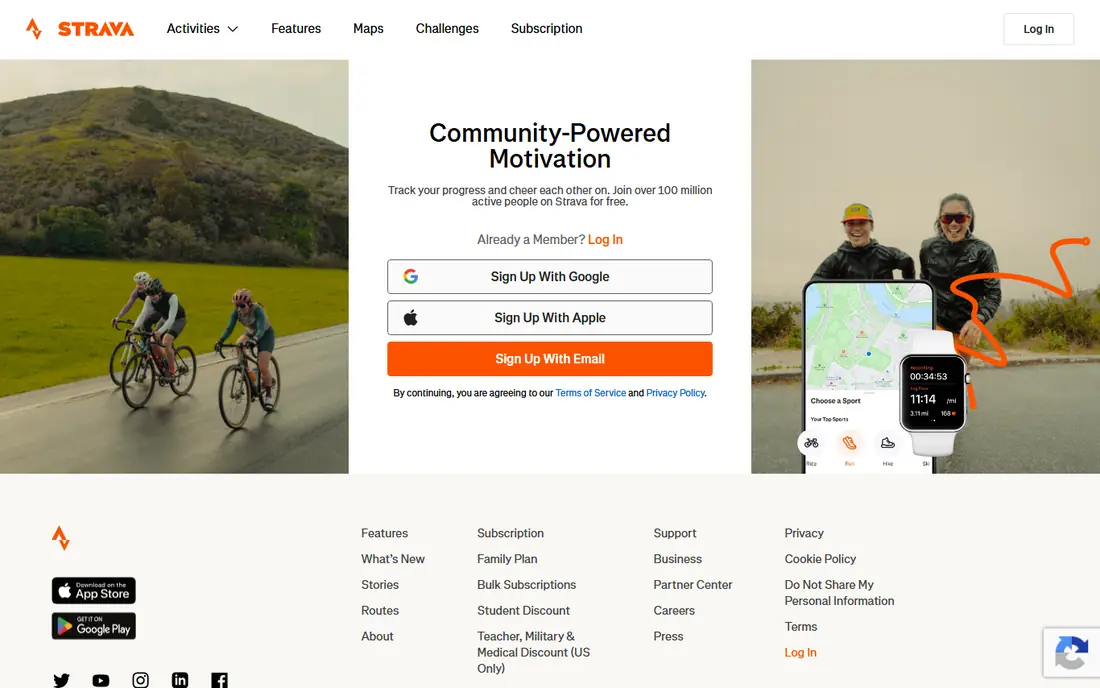
Strava is the social club for outdoor athletes. It tracks runs, rides, walks and hikes, maps routes, and places efforts on segment leaderboards that turn a regular route into a friendly contest. The free plan covers core tracking, while the paid plan adds route planning, deeper training analysis and safety features.
Runners and cyclists who train alone often stay consistent because friends see their activity, and that accountability is Strava's real feature. If you train indoors only, much of its value disappears, but for outdoor athletes it remains the default app to start with.
- Accurate route, pace and elevation tracking
- Segment leaderboards and social feed for motivation
- Syncs with most GPS watches and bike computers
- Route planning and deeper analysis sit behind the paid plan
- Social feed can distract from training for some users
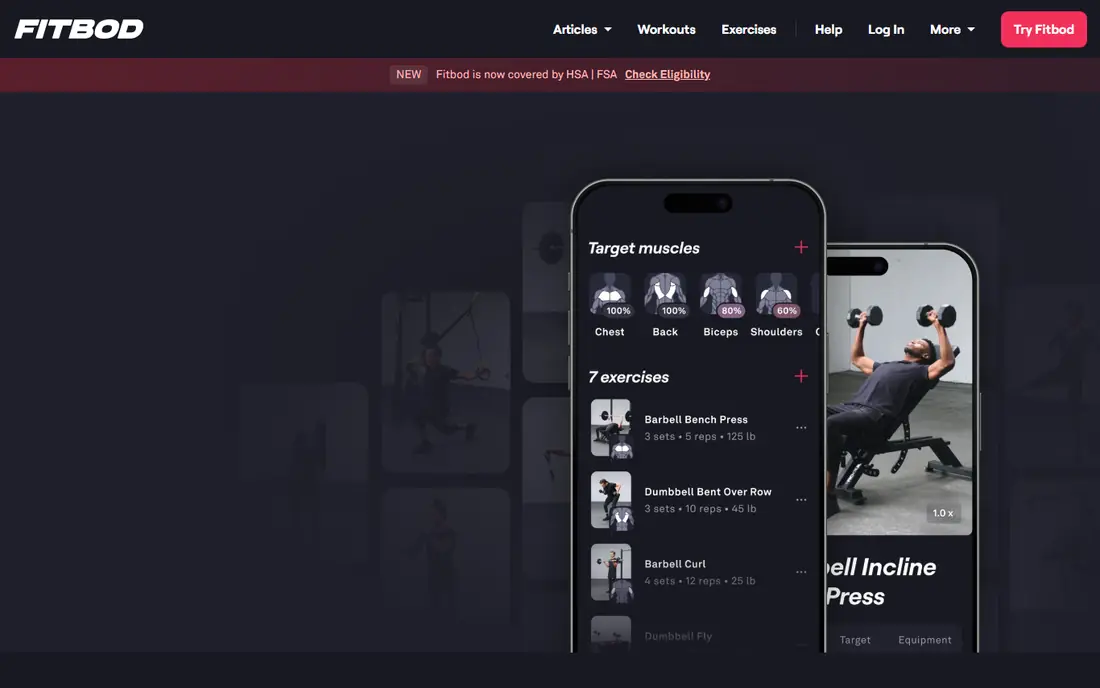
Fitbod answers the question many gym users ask on arrival: what should I do today. You tell it your equipment, goals and experience, and it generates a session with sets, reps and weights, adjusting future sessions based on what you completed. That planning removes decision fatigue, which is a common reason gym visits fade.
There is no lasting free tier, only a trial, so you need to commit to a subscription to keep using it. Lifters who already follow a programme will get less value than beginners or returners who want structure. For gym users who want the plan handled for them, Fitbod is the strongest pick here.
- Generates gym sessions based on equipment, goals and recovery
- Large exercise library with video guidance
- Adapts weights and volume as you progress
- No lasting free tier beyond a trial
- Home users with little equipment get less value
Hevy suits lifters who know their programme and just want to log it fast. The free tier covers logging with sensible limits, the rest timer keeps sessions moving, and routines can be built once and reused. Social features let you follow friends and share routines, which adds motivation without turning the app into a feed.
Custom routine limits on the free plan will bite advanced lifters with many programmes, and Hevy does not generate sessions for you. For most gym users, though, the free tier is enough, and the paid plan is cheap compared with a coach or a generated-plan app.
- Generous free tier for logging workouts
- Fast set logging with rest timer
- Social features for following friends and routines
- Free plan limits custom routines
- No generated programming like Fitbod
Strong is the minimalist rival to Hevy. It opens to logging, records sets with few taps, and keeps history and charts easy to read, without social feeds or extra features competing for attention. Lifters who find other apps noisy often settle here, since the app stays out of the way during a session.
The free plan caps the number of custom routines, so users with many programmes need the paid plan. It also offers no generated workouts or coaching. If you want a quiet, fast logger and you already know what to lift, Strong is hard to beat.
- Very fast, distraction-free set logging
- Clear history and progress charts
- Works well on phone and watch
- Free plan caps custom routines
- No social or generated-plan features
Apple Fitness+ brings studio classes to the living room, with strength, HIIT, yoga, dance and meditation sessions led by trainers. Apple Watch metrics appear on screen during workouts, which helps you pace effort without glancing at your wrist. The library is broad enough that most users find a class that fits their mood and time.
An Apple Watch gives the full experience, and there is no Android version, so households without Apple devices should look elsewhere. For Apple Watch owners who like class-based training, Fitness+ is a polished, convenient option that needs no extra equipment for many sessions.
- Large library of studio classes across training types
- Metrics from Apple Watch shown on screen
- New classes added regularly
- Best experience requires an Apple Watch
- No Android app
Peloton is no longer only about its bikes. The app offers thousands of classes across cycling, running, strength, yoga and meditation, with live sessions and leaderboards that recreate a studio atmosphere at home. Instructor personality drives much of its appeal, and regular users often follow favourite trainers across class types.
The subscription costs more than Nike Training Club, which is free, and more than many single-purpose apps. For users who thrive on live energy and community, that price buys motivation that a solo app cannot match. For self-directed trainers, a free or cheaper app will cover the same exercises without the studio feel.
- Large live and on-demand class library
- Strong instructor-led energy and community features
- Covers cycling, running, strength, yoga and meditation
- Subscription price is higher than many rivals
- No Peloton bike or treadmill needed, but the app still feels built around that ecosystem
JEFIT suits lifters who want detail. The exercise database covers a wide range of movements with instructions, community routines offer starting points for different goals, and logging captures sets, reps and weight in depth. That detail helps users who track progress closely over months.
Ads in the free version and a busier interface make it less pleasant than Hevy or Strong for quick logging. If you want the largest exercise library and community programmes in one free app, JEFIT delivers. If you want the fastest logger, choose Hevy or Strong instead.
- Very large exercise database with instructions
- Community programmes and routines to follow
- Detailed logging for sets, reps and weight
- Free version includes ads
- Interface feels busier than Hevy or Strong
Freeletics built its name on bodyweight training, with plans that adapt based on your feedback after each session. That makes it useful for home, travel and small spaces, where gym equipment is unavailable, and the coach structure gives progression without a human trainer. Short, intense sessions also fit busy schedules.
Paid coach features open the fuller adaptive plans, and lifters focused on heavy barbell strength will need a gym app instead. For general fitness, fat loss and bodyweight strength at home, Freeletics offers a structured path that random workout videos cannot match.
- Bodyweight plans that need little or no equipment
- Coach feature adapts plans to feedback
- Works well for home and travel training
- Full coach features require payment
- Bodyweight focus suits some goals better than heavy strength training
How we picked these
We compared official feature pages, pricing pages, app store listings and public reviews, and we weighted free plan value, plan quality, logging speed and device support. We treated star ratings with caution, since they reflect many factors beyond training quality, and we checked whether paid plans add features you will actually use, such as route planning or generated sessions. Prices vary by store, region and term, so we used See website where a current vendor price was not confirmed.
How to pick an app for your training style
Home, gym or outdoors
Start with where you train most. Home users need guided classes or bodyweight plans, gym users need logging or generated sessions, and outdoor athletes need route tracking. An app built for another setting will feel awkward, even if its ratings are high, so match the app to your main training location first.
Logging versus coaching
Decide whether you want an app to log a programme you already follow, or to tell you what to do each session. Loggers such as Hevy and Strong are fast and cheap, while planners such as Fitbod and Freeletics cost more but remove daily decisions. Many users start with a logger, then move to a planner when decision fatigue becomes the barrier.
Test for two weeks, then decide
Use the free plan or trial for two full weeks, including a busy week and a tired day, and note whether you open the app without prompting. The best app is the one you still use on week three, not the one with the longest feature list. Cancel any subscription you have not used in a month, and keep only the app that fits your routine.
Frequently asked questions
What is the best workout app?
Nike Training Club is our pick for free guided workouts, Strava suits runners and cyclists, and Fitbod suits gym users who want planned sessions. The best app depends on where you train and whether you want classes, logging or planning. Test free plans for two weeks and keep the app you open most.
What is the best fitness app for beginners?
Nike Training Club suits beginners best, with free guided workouts, clear coaching and plans for different levels. Freeletics also suits beginners at home, with bodyweight plans that need little equipment. Start with short sessions, progress slowly, and check with a clinician if you have a health condition or injury.
What is the best app for fitness tracking?
Strava is best for running and cycling tracking, with route, pace and elevation data plus a social layer. Hevy and Strong track gym sessions in detail, while Apple Fitness+ and Peloton track class workouts with heart rate data. Choose the tracker that matches your main activity, rather than one that tries to cover everything.
Is there a free workout app that is actually good?
Yes, Nike Training Club offers a full guided library for free, Strava covers outdoor tracking for free, and Hevy offers generous free strength logging. Free plans cover real training on this list, though paid plans add route planning, generated sessions or fuller class libraries. Start free and pay only when you hit a limit that matters to you.
Can a workout app replace a personal trainer?
An app can replace a trainer for logging, planning and guided classes, but not for form correction, injury management or personal accountability. If you are new to barbell lifts, returning from injury, or training with a health condition, consider a few sessions with a qualified coach to learn movements safely. Apps work best alongside that foundation, not instead of it.
What is the best bodybuilding app?
Hevy and Strong suit bodybuilders who already have a programme and want fast, detailed logging. Fitbod suits bodybuilders who want sessions generated around equipment and recovery, while JEFIT offers a large exercise database and community routines. Pick a logger if you know your programme, and a planner if you want the app to build it for you.
Sources we checked (9)

Online Jobs is an independent blog about careers, online work, learning new skills and the tools that help people earn. More about us.
Keep reading
All posts
Best Workout Tracker App
We compared the best workout tracker app options for gym, home, and running training, checking prices, free plans, and logging tools in detail. See inside.
Best Running App
Best running app compared for 2026, with GPS tracking, training plans, route mapping, and free options for beginners and regular runners across the US.
Best Pregnancy App
Looking for the best pregnancy app? We compare 8 free and paid pregnancy trackers on week-by-week guides, tools, privacy, and cost to help you choose.