Best Web Security Software in 2026: 8 Suites Compared


Most households · Starting price: See website
How we put this together: we compare official feature and pricing pages, app store listings, privacy policies and public user reviews. Prices change, so check the provider's site before you pay.
Key takeaways
- Bitdefender and Norton 360 lead this list for most households, with Bitdefender leaning toward detection and value, and Norton leaning toward a fuller bundle of extras.
- McAfee is the strongest pick for a home with many devices, because its higher plans cover unlimited devices under one subscription.
- Avast Free and Microsoft Defender, which is built into Windows, cover basic protection at no extra cost, so paid software needs to justify itself with extras you will use.
- No security suite can guarantee protection, so keep software updated, use strong unique passwords, and treat unexpected links and attachments with care.
Quick comparison
| Name | Who it suits | Starting price | Free option | |
|---|---|---|---|---|
| Bitdefender Total Security | Most households | See website | Free trial | Visit |
 Norton 360 Deluxe Norton 360 Deluxe | Families wanting a full bundle | See website | Free trial | Visit |
 McAfee+ McAfee+ | Homes with unlimited devices | See website | Free trial | Visit |
 Malwarebytes Premium Malwarebytes Premium | Simple, light malware protection | See website | Free trial | Visit |
 Avast One Avast One | Best free starting point | Free | Yes | Visit |
 ESET Home Security Premium ESET Home Security Premium | Light impact on older PCs | See website | Free trial | Visit |
 TotalAV TotalAV | Simple protection on a budget | See website | Free trial | Visit |
 Surfshark Antivirus Surfshark Antivirus | VPN users wanting antivirus too | See website | Free trial | Visit |
The best web security software
Web security software now means more than a virus scan. The suites below bundle malware protection with web filtering, phishing blocks, VPN access, password tools, and, in some cases, identity monitoring. The right choice depends on how many devices you own, how much you value those extras, and how much slowdown you will tolerate.
Bitdefender is our pick for most people because it balances protection, speed, and price. Its detection engine scores well in independent lab tests, and it tends to stay out of the way during normal use, which matters when a security app runs all day. The Total Security plan covers several devices and adds a firewall, webcam protection, parental controls, and a password manager.
The main catch is the bundled VPN, which is limited in daily data on the base plan unless you upgrade. That limit is fine for occasional use, but it is not a replacement for a full VPN subscription. If you mainly need strong malware protection with a light touch, Bitdefender is a hard pick to beat.
- Strong detection in independent lab tests
- Light system impact
- Covers Windows, Mac, Android, and iOS
- Bundled VPN has a daily data limit on the base plan
- Some advanced features are Windows only
Norton 360 Deluxe is the bundle pick. It combines antivirus with an unlimited VPN, cloud backup, a password manager, parental controls, and dark web monitoring in one subscription. For a family that would otherwise buy several of those tools separately, the bundle can make sense, and the coverage for several devices keeps phones and laptops under one plan.
The price is the honest downside. First year offers look attractive, then renewal pricing rises, so set a renewal reminder and check the price before it renews. Norton can also feel heavier on older machines than Bitdefender or ESET. If you will use the VPN and backup, the bundle is good value. If you only want antivirus, a lighter tool may suit you better.
- Unlimited VPN on paid plans
- Cloud backup included
- Dark web monitoring
- Parental controls
- Renewal price is higher than the first year price
- Can feel heavier than lighter rivals
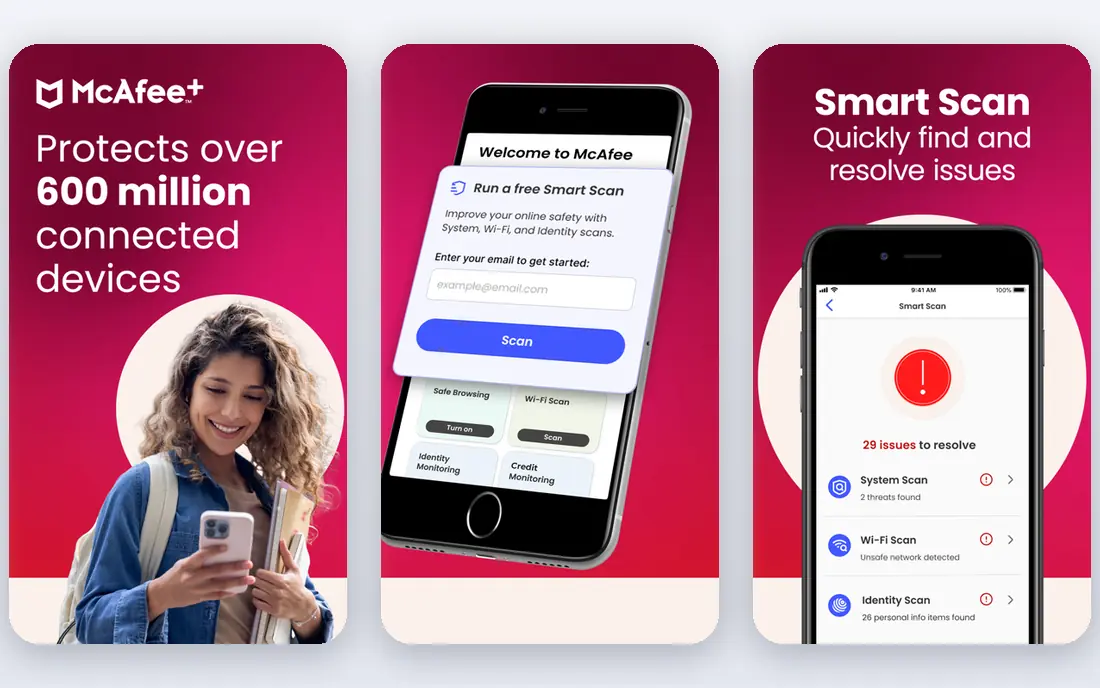
McAfee earns its place for households that have lost count of their devices. Higher McAfee plans cover unlimited devices, which removes the usual maths of counting laptops, phones, and tablets against a five device limit. The mobile apps are also strong, which matters when phones hold as much personal data as computers.
The interface packs in a lot, and new users may need time to find the settings they want. As with Norton, first year pricing and renewal pricing differ, so check both before buying. For a large household, though, unlimited coverage is a real and simple advantage that few rivals match.
- Unlimited device coverage on higher plans
- Strong mobile apps
- Identity monitoring on higher plans
- Interface can feel busy
- Renewal pricing needs checking
Malwarebytes Premium suits users who want protection without a large suite. It focuses on malware, ransomware, and malicious websites, and it has a long record as a cleanup tool when a machine is already infected. The app stays light and the settings are easy to understand, which helps users who do not want to manage a bundle.
The trade off is scope. You do not get a full VPN, cloud backup, or parental controls in the same way Norton or McAfee provide them. If you already have those tools elsewhere, or you simply do not need them, Malwarebytes is a clean and focused choice. If you want one subscription to cover everything, a full suite fits better.
- Light and simple to run
- Good at removing existing infections
- Minimal clutter
- Fewer bundle extras than full suites
- No full VPN or backup included
Avast One has the strongest free tier in this list, because the free version uses the same core protection engine as the paid version. That makes it a sensible first step for a user who wants dedicated antivirus without paying yet, and the modular design lets you switch on only the extras you want.
The downside is the upsell pressure that comes with a free product, and some useful extras remain paid only. Avast also sits inside the same parent group as Norton and AVG, which is worth knowing if you are comparing brands for independence. For a free start with a clear upgrade path, Avast One is still a practical pick.
- Strong free tier with the same core engine as paid
- Modular extras
- Covers several platforms
- Paid features and upsells can be persistent
- Free tier lacks some premium extras
ESET is the pick for an older or slower PC, because it is known for a light footprint and steady detection. It does not slow boot times or file work as much as heavier suites, which matters when the machine itself is already modest. The interface is also calm and easy to navigate, without the bundle clutter of larger suites.
The compromise is extras. ESET focuses on protection rather than VPN, backup, and identity bundles, so users who want those in one plan should look at Norton or McAfee. For a machine where performance matters most, ESET gives strong protection with the least drag.
- Very light system impact
- Strong detection
- Clean interface
- Fewer lifestyle extras than Norton or McAfee
- Device limits are tighter
TotalAV suits a buyer who wants simple protection at a low first year price and does not want to learn a complex suite. The dashboard is straightforward, the core protection covers the main threats, and the plan includes extras such as a VPN and password tools on higher tiers. For a first paid antivirus purchase, that simplicity helps.
Expert users may find the controls thinner than Bitdefender or ESET, and renewal pricing is higher than the introductory offer, so check the renewal terms. TotalAV is best judged as a budget friendly starter suite, not as the deepest technical tool on this list.
- Simple interface
- Covers several devices
- Often discounted for the first year
- Fewer advanced controls for expert users
- Renewal price needs checking
Surfshark Antivirus makes sense only if you already use, or plan to use, Surfshark VPN. The antivirus runs inside the VPN app and blocks phishing, scams, and infected downloads, so you avoid a second subscription and a second background app. For a VPN first household, that consolidation is convenient.
As a standalone antivirus, it is not the leader on this list, and it makes little sense to buy Surfshark only for antivirus when Bitdefender or Norton offer deeper suites. Judge it as a bundle benefit: if the VPN is already in your budget, the antivirus is a useful extra. If not, buy a dedicated suite instead.
- Antivirus inside the VPN app
- Phishing and scam blocking
- Good for existing Surfshark users
- Antivirus is an add on, not a standalone leader
- Tied to the Surfshark subscription
How we picked these
We compared official feature pages, pricing pages, and independent lab results cited in current 2026 guides, including AV-TEST and AV-Comparatives results, for suites that protect Windows, Mac, and mobile devices against malware, phishing, and malicious websites. We mixed full suites, light focused tools, and a strong free option, and we favoured products with current Windows and Mac support. We used See website where a stable public starting price could not be confirmed from the vendor site at the time of writing, since first year offers and renewal prices differ and change often.
How to choose the right suite
Start by counting devices and platforms. A five device plan suits most families, while an unlimited plan suits a home with many phones, tablets, and laptops. Check that the plan covers every platform you actually use, because some features are Windows only, and a Mac or iOS device may get a thinner version of the same suite.
Next, list the extras you will really use. A VPN, password manager, parental controls, and cloud backup are only good value if they replace something you already pay for or genuinely need. If you will not use them, a lighter tool such as Malwarebytes or ESET gives you protection without paying for a bundle you ignore. If you will use them, Norton and McAfee become much better value than their headline antivirus price suggests.
Finally, check renewal pricing before you buy, and set a reminder before renewal. Many suites discount the first year heavily, then renew at a higher rate. A good suite is one you keep running, with updates on, so pick a price you are happy to pay in year two as well as year one, and keep your operating system and browser updated alongside it.
Frequently asked questions
What is the best cybersecurity software?
For most households, Bitdefender Total Security is the best balance of protection and lightness, while Norton 360 Deluxe suits families that want a full bundle with VPN and backup. McAfee is best for unlimited devices. The right answer depends on device count and which extras you will use.
What is the best antivirus and internet security software for free?
Avast Free Antivirus offers a strong free tier with the same core engine as its paid version, and Microsoft Defender is built into Windows at no extra cost. Both cover basic protection well. Paid suites add extras such as VPN, backup, parental controls, and identity monitoring, rather than a wholly different level of basic detection.
Do I still need antivirus software in 2026?
Built in protections have improved, and many users get solid basic coverage from Windows Defender or Mac safeguards. Paid software is still worth it if you want layered protection, phishing and ransomware controls, parental controls, or a bundle of VPN and backup tools in one subscription. It is not a guarantee against every threat.
What is the best website security service for a small business?
For a small business, the suites here protect staff devices, but website security itself, such as a web application firewall and malware scanning for the site, is a separate service. Protect both sides: use a device suite for staff computers, and a dedicated website security service for the site itself, with regular backups.
How much should internet security software cost?
First year prices vary widely with offers, device count, and bundle size, and renewal prices are usually higher. Budget for the renewal price, not only the first year offer, and compare like for like on devices, VPN limits, and backup size before deciding that one suite is cheaper than another.
Sources we checked (8)

Online Jobs is an independent blog about careers, online work, learning new skills and the tools that help people earn. More about us.
Keep reading
All posts
Surfshark Alternatives
Looking for Surfshark alternatives? We compare 8 VPN services on price, privacy, streaming, and device limits to help you find a VPN that fits your needs.
NordPass Alternatives
We compared NordPass alternatives for families, solo users and teams, checking pricing, free plans, passkeys and sharing, so you can switch safely today.
Best background check app
We compared the best background check app options in 2026 for employers, landlords and individuals, with published prices, coverage and compliance notes.