Best Web Hosting Services in 2026: 8 Apps Compared

How we put this together: we compare official feature and pricing pages, app store listings, privacy policies and public user reviews. Prices change, so check the provider's site before you pay.
Key takeaways
- Hostinger gives the lowest entry cost in this list, while SiteGround stands out for support and daily backups.
- Bluehost and DreamHost suit beginners who want a guided setup and a free domain for the first year on many plans.
- Cloudways, Kinsta and WP Engine cost more, but they suit sites that need managed performance and room to grow.
- Always check the renewal price before you pay, because many hosts charge more after the first term ends.
- A free SSL certificate, backups and a clear support route matter more for most small sites than a long feature list.
Quick comparison
| Name | Who it suits | Starting price | Free option | |
|---|---|---|---|---|
 Hostinger Hostinger | Low-cost starter sites | See website | No | Visit |
 SiteGround SiteGround | Support and reliability | See website | No | Visit |
 Bluehost Bluehost | WordPress beginners | See website | No | Visit |
 DreamHost DreamHost | Simple pricing and privacy | See website | No | Visit |
 Cloudways Cloudways | Flexible cloud hosting | See website | Free trial | Visit |
 Kinsta Kinsta | Managed WordPress performance | See website | No | Visit |
 WP Engine WP Engine | Managed WordPress for business | See website | No | Visit |
 IONOS IONOS | Low first-year cost | See website | No | Visit |
The best web hosting services
We compared shared, managed and cloud options that a small business, blogger or freelancer can realistically use. The list below covers low-cost starters and higher-priced managed hosts, so you can match the plan to your traffic and your comfort with technical setup.
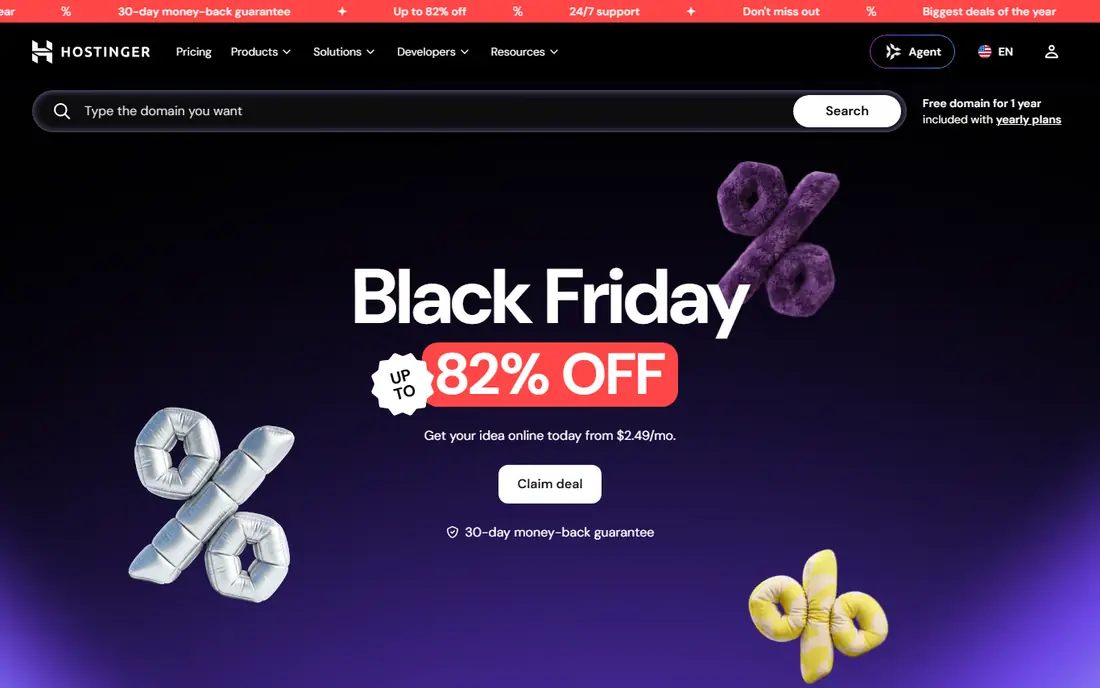
Hostinger is a sensible first stop if you want a site online for as little as possible. Its control panel keeps the main tasks in one place, including domain setup, email, backups and one-click installs for WordPress. For a portfolio, blog or small business site, that simplicity saves time and avoids paying for features you will not use in the first year. The catch is the renewal price, which is higher than the opening offer on most plans. Check the term length, the backup frequency and the limits on storage and sites before you commit. If you plan to grow quickly, look at the next tier up rather than the cheapest plan, because moving later takes more work than starting with a little headroom.
- Low entry prices
- Clear control panel
- Free SSL on most plans
- No phone support on many plans
- Renewal prices rise after the first term

SiteGround appeals to people who want help when something goes wrong. Support is available around the clock, and the platform includes daily backups, a free content delivery network and SSL as standard on most plans. Its WordPress tools cover staging, caching and automatic updates, which reduce the routine work of running a site. Pricing is the main drawback, since renewals sit above the budget hosts in this list. Storage is also more limited, so a media-heavy site may need a higher plan sooner. If support and steady performance matter more than the lowest price, SiteGround is a strong fit for a business site that cannot afford long downtime.
- Daily backups on most plans
- Strong support reputation
- Free CDN and SSL
- Higher renewal prices
- Storage limits are tighter than some rivals
Bluehost has built its name around WordPress beginners, and the onboarding shows it. The setup walkthrough asks a few plain questions, then builds a starter site you can edit. A free domain for the first year on many plans also keeps the first bill simple, and chat support is available at any hour if you get stuck. Read the checkout page carefully, because optional extras can raise the total. Renewals are also higher than the first term, so note the renewal rate in your calendar before you buy. For a first WordPress site, though, the guided start and wide help guides make Bluehost easy to recommend to non-technical owners.
- Guided WordPress setup
- Free domain for the first year on many plans
- 24/7 chat support
- Renewal prices rise sharply
- Some add-ons are easy to add by accident at checkout
DreamHost takes a plainer approach to pricing than many rivals, with month-to-month choices on some plans and fewer surprise add-ons. Domain privacy is included, which keeps personal details out of public domain records. Daily backups on many plans also give a useful safety net for a small site. The control panel is DreamHost's own design, not the panel many hosts share, so it takes a short while to learn if you are moving from another host. Phone support is also more limited than chat and ticket support. If you value clear terms and a host that does not push extras at every step, DreamHost deserves a close look.
- Clear month-to-month options on some plans
- Free domain privacy
- Daily backups on many plans
- Control panel differs from the industry standard
- Phone support is limited
Cloudways is different from the shared hosts above, because it lets you run a site on cloud servers from providers such as DigitalOcean, Amazon Web Services and Google Cloud. You pay monthly, with no long contract, and you can scale server size as traffic grows. That flexibility suits agencies, developers and growing stores that have outgrown shared hosting. The trade-off is that email hosting and domain registration are not part of the package, so you will need separate services for those. Setup also assumes more technical comfort than a shared plan. If you want cloud performance without managing a bare server yourself, Cloudways hits a useful middle ground.
- Choice of cloud providers
- Pay-as-you-go billing
- No long contract required
- Email and domain registration are not included
- Setup suits more confident users
Kinsta is a managed WordPress host built on Google Cloud, and it shows in how fast and stable WordPress sites tend to run on it. Daily backups are automatic, staging is simple, and support staff focus on WordPress, so they can help with plugin conflicts and performance problems rather than generic hosting questions. The dashboard is clean and keeps sites, analytics and billing in one view. The price is the barrier for a new site, since Kinsta starts well above shared hosting. Email hosting is also not included, so you will need a separate mail service. For a business site, membership site or store where speed and uptime directly affect income, that higher cost is easier to justify.
- Google Cloud infrastructure
- Automatic daily backups
- Expert WordPress support
- Higher starting price
- No email hosting included
WP Engine focuses only on WordPress, and that focus shapes the whole service. Updates, security checks and caching are handled for you, and staging tools let you test changes before they reach visitors. Support teams work with WordPress every day, which helps when a theme or plugin causes trouble. Agencies also benefit from tools for moving sites and managing several clients. Costs sit above shared plans, and some plugins are not allowed because they duplicate built-in caching or security features. Check that list before you migrate a site with unusual plugins. If you run a WordPress site for a business and want maintenance taken off your plate, WP Engine is a dependable choice.
- Managed updates and security
- Staging and development tools
- Strong WordPress expertise
- Higher price than shared hosting
- Plugin restrictions apply on some plans
IONOS often wins on first-year price, which makes it tempting for a new site with a tight budget. Plans cover shared hosting, WordPress hosting and virtual servers, so you can stay with the same provider as you grow. Daily backups on many plans and a free SSL certificate cover the basics for a small business site. The interface is less polished than newer rivals, and finding some settings takes more clicks. Renewals also rise after the first term, so confirm the ongoing rate before you sign up for a longer term. If the lowest first-year bill matters most and you are comfortable with a plainer dashboard, IONOS is worth comparing.
- Low opening prices
- Daily backups on many plans
- Wide range of plan types
- Interface can feel dated
- Renewal prices are higher than the opening offer
How we picked these
We started with the official feature pages, pricing pages and support pages for each host, then checked app store listings and public reviews for common complaints. We looked at entry price, renewal price, backup frequency, SSL, support channels, ease of setup and limits on sites and storage. We did not claim hands-on testing that we did not do, and we marked prices as See website where the vendor page varies by term, region or promotion. Hosts were kept only if they offer a current plan for small sites or growing WordPress sites and a clear way to contact support.
What to check before you buy hosting
Choosing a host is easier when you separate the opening offer from the ongoing cost. Note the renewal price, the term that gives the advertised price, and what happens when the term ends. A plan that looks cheap for three years can cost far more in year four, so compare the renewal rate across hosts, not only the first bill.
Match the plan to your site
A single blog or portfolio does well on shared hosting, while a store or membership site benefits from managed hosting with staging and stronger caching. Check how many sites the plan allows, how much storage you get, and whether backups are daily or weekly. If you upload many images or videos, storage and backup frequency matter more than a small price gap.
Check support and migration help
Free migration can save hours if you are moving an existing site, so ask whether the host moves the site for you or only provides a tool. Test the support route before you need it in an emergency, and check whether phone, chat and ticket support are all available. Also confirm whether email is included, because some cloud and managed hosts leave email to a separate provider.
Frequently asked questions
What is the best web hosting service for beginners?
Bluehost and Hostinger suit beginners best, because setup is guided and the control panel keeps common tasks simple. DreamHost is also a good choice if you want plainer terms and month-to-month options. Pick the host whose dashboard feels clear to you, since you will use it for updates, backups and email.
Which web hosting company is best for WordPress?
SiteGround, Kinsta and WP Engine are strong WordPress choices, with SiteGround at the lower price end and Kinsta and WP Engine as managed options. Bluehost also works well for a first WordPress site. Managed hosts handle updates and caching for you, while shared hosts leave more of that work to you.
What is the best hosting service for a small business website?
For most small business sites, SiteGround or DreamHost offer a good balance of support, backups and price. If the site brings in sales or bookings, Kinsta or WP Engine may be worth the higher cost for speed and managed security. Always confirm the renewal price and backup terms before you commit.
Is cheap web hosting good enough?
Cheap hosting is fine for a new blog, portfolio or test site with low traffic. It becomes a problem when traffic grows, storage runs short, or support is slow during an outage. Start cheap if the budget is tight, but choose a host with a clear upgrade path so you are not forced to migrate under pressure.
Do I need a domain and email with my hosting plan?
Many shared hosts include a free domain for the first year and email accounts, while cloud and some managed hosts do not. Check both before you buy, and budget for a separate domain or email service if needed. Keeping domain registration separate can also make a future move simpler.
How much should I pay for web hosting?
Most small sites pay a low monthly rate in the first term and a higher rate on renewal, while managed WordPress hosting costs more from the start. Use the renewal price, not the opening offer, to judge value. If a plan includes daily backups, SSL and helpful support, a slightly higher price is often worth it.
Sources we checked (8)

Online Jobs is an independent blog about careers, online work, learning new skills and the tools that help people earn. More about us.
Keep reading
All posts
Best Web Scraping Tools
Compare the best web scraping tools in 2026, from no-code Octoparse and Browse AI to Apify, Firecrawl, Bright Data, Zyte, ScraperAPI and free Scrapy, with prices.

Best Video Conferencing Software
Looking for the best video conferencing software? We compare 8 meeting apps on price, meeting limits, features, security and ease of use. Read the guide.
Best Tools to Find Company Decision Makers
The best tools to find company decision makers in 2026: LinkedIn Sales Navigator, Apollo, ZoomInfo, Lusha, Hunter and more, with real prices and free plans.