Best video hosting service for website in 2026: 10 Tools Compared

How we put this together: we compare official feature and pricing pages, app store listings, privacy policies and public user reviews. Prices change, so check the provider's site before you pay.
Key takeaways
- Vimeo is the best general choice for embedding clean, ad free video on a business website.
- Wistia leads for marketing video, with lead capture, heatmaps, and CRM integration that YouTube cannot match.
- YouTube is still the best free option for reach, but its ads, branding, and recommended videos make it a weak choice for a professional site embed.
- SproutVideo and Dacast suit private, secure, or live video, while Cloudflare Stream and Bunny Stream suit developers and cost sensitive course sites.
- Choose by job first: marketing, sales, training, live streaming, and public reach each point to a different platform.
Quick comparison
| Name | Who it suits | Starting price | Free option | |
|---|---|---|---|---|
 Vimeo | Professional ad free embedding | $12 per month | Yes | Visit |
 Wistia | Marketing video and lead capture | See website | Yes | Visit |
 YouTube | Free public reach and discovery | Free | Yes | Visit |
 Vidyard | Sales video and personal outreach | See website | Yes | Visit |
 SproutVideo | Secure private and training video | See website | Free trial | Visit |
 Dacast | Live streaming plus on demand video | $39 per month | Free trial | Visit |
 Cloudflare Stream | Developer video delivery by usage | See website | Free trial | Visit |
 Bunny Stream | Low cost course and site video | See website | Free trial | Visit |
 Brightcove | Enterprise streaming at scale | See website | No | Visit |
 Panopto | Internal video knowledge base | See website | Free trial | Visit |
The best video hosting service for website
Embedding video on a website is not the same as uploading to a social network. A good website host gives you a clean player, control over branding and privacy, reliable playback on mobile, and analytics that show what viewers on your site actually do. The platforms below cover that job for different budgets and uses, from a free YouTube embed to an enterprise streaming platform.
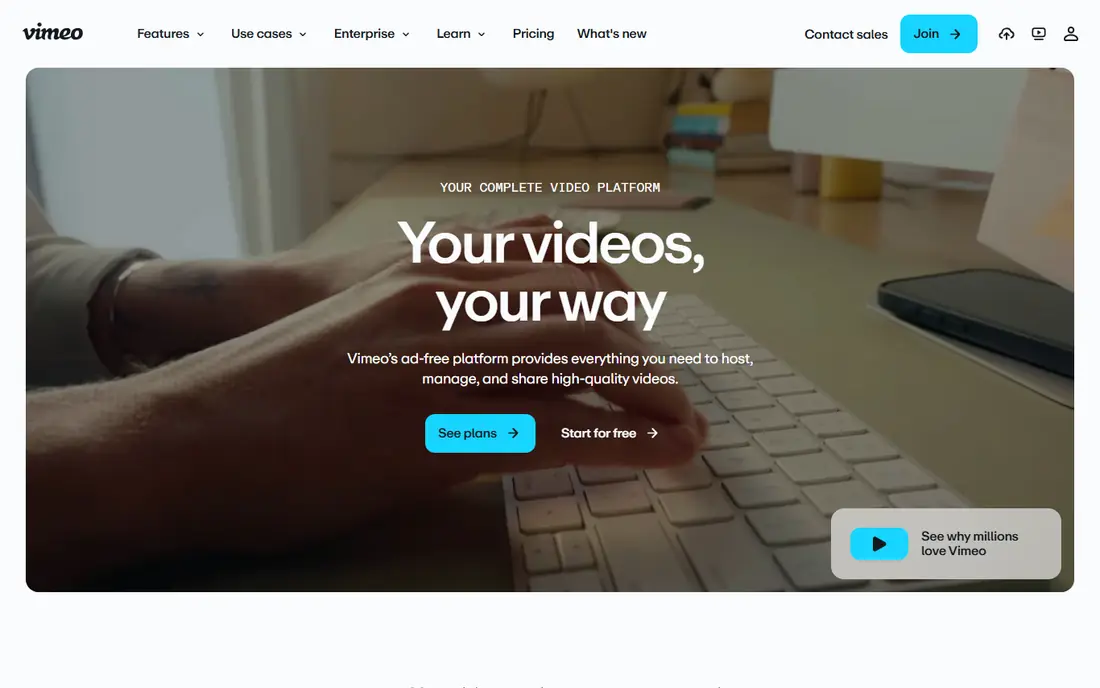
Vimeo is the default recommendation for a business website that needs video to look professional. The player carries no ads, no recommended videos from other creators, and no social branding that pulls viewers away from your site. You can customise colours, add your logo, restrict embedding to your own domain, and control whether viewers can download or share the video.
Vimeo also covers the wider jobs a small business needs: product demos, client review links, screen recordings, and basic editing in one account. The free plan is enough to test embedding, while paid plans add storage, live streaming, and team features. For most websites, Vimeo gives the best balance of appearance, control, and price.
- Clean ad free player with custom colours and branding
- Privacy controls including domain restriction
- Strong creator and editing tools
- Per user pricing adds up for teams
- Marketing analytics are thinner than Wistia

Wistia is built for marketing teams that treat video as a lead channel, not just a media file. Its player can show a lead capture form at a chosen moment, add a call to action, and track exactly which parts of a video each viewer watched. That data syncs with CRMs such as HubSpot, so sales teams can follow up based on viewing behaviour rather than guessing.
That depth costs more than a simple host, and Wistia is overkill if you only need to embed a product demo. For a business that publishes video weekly, runs webinars, or uses video on landing pages, Wistia pays for itself through better conversion data. Start with the free plan to test the player, then upgrade when lead capture becomes part of your funnel.
- Deep viewer analytics including heatmaps
- Lead capture forms and calls to action inside the player
- CRM and marketing integrations
- Higher price than Vimeo for similar storage
- More platform than a simple embed needs
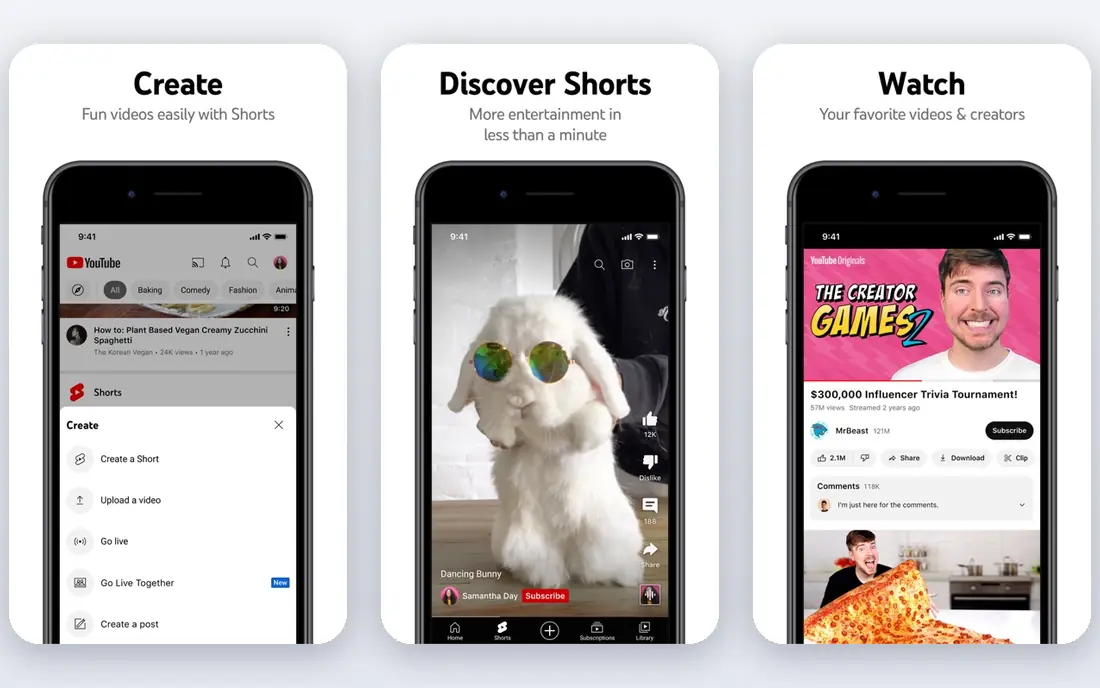
YouTube is the best free video host, and the worst professional embed, at the same time. For public tutorials, product launches, and brand content, its audience and search visibility are unmatched. Embedding is simple, playback is reliable, and there is no storage limit to worry about.
For a business website, the trade offs are real. Viewers see ads, recommended videos that may feature competitors, and YouTube branding that reminds them they are on another platform. You also get no detailed analytics about viewers on your site, only aggregate YouTube data. Many businesses use both: YouTube for discovery, and Vimeo or Wistia for the embed on their own site.
- Free unlimited hosting
- Huge built in audience and search visibility
- Easy embedding on any site
- Ads and recommended videos appear on embeds
- YouTube branding and links pull viewers away
- No site level viewer analytics
Vidyard suits sales teams that send personal videos to prospects. Record a short video in a browser extension, share a tracked link, and get notified when the prospect watches. That feedback loop helps salespeople follow up at the right moment, rather than sending a cold email and hoping.
Vidyard also hosts video for websites, with embedding and analytics, but its strength is outreach, not a large public library. For a business that relies on personal video messages, Vidyard is a strong pick. For a course site or a media library, Vimeo or a usage based host will be more cost effective.
- Easy personal video recording and sharing
- Viewer notifications and CRM integration
- Good for sales outreach at scale
- Less suited to a large public video library
- Higher tiers needed for advanced hosting features
SproutVideo is the choice when video must stay private. Login gated playback, domain restrictions, IP allowlists, and password protection give training teams control over who can watch, which matters for internal courses, paid content, and confidential briefings. Per viewer analytics show who watched what, and for how long, which helps managers track completion.
The player is clean and professional, without ads or social distractions. SproutVideo lacks the marketing depth of Wistia and the creator community of Vimeo, but for secure training and private hosting, that focus is a strength. Use the trial to test login gating on your site before committing.
- Strong privacy controls including login gating and IP restrictions
- Per viewer analytics
- Clean embed player
- Smaller ecosystem than Vimeo or Wistia
- Pricing rises with storage and bandwidth needs
Dacast suits businesses that need both live and recorded video. Stream an event live, then keep the recording on demand in the same player, with the same branding and privacy controls. Monetisation options, including pay per view and subscriptions, help event organisers, churches, sports clubs, and training providers charge for access.
For a site that only needs on demand embeds, Dacast is more platform than needed, and Vimeo or Wistia will be simpler. For live events, webinars, and hybrid live plus recorded libraries, Dacast avoids juggling two separate services. Check bandwidth and storage limits on your plan, since live audiences can use both quickly.
- Live streaming and on demand hosting in one platform
- Monetisation options including pay per view
- White label player
- Interface is more technical than Vimeo
- Live features add cost for sites that only need on demand video
Cloudflare Stream is a developer platform, not a marketing tool. You pay per minute stored and per minute delivered, with encoding included and no separate bandwidth bill. That pricing suits apps and course platforms with variable usage, where a fixed monthly plan would waste money in quiet months and cap growth in busy ones.
Non technical users will struggle, since setup is API driven and there is no polished marketing dashboard. For a development team building video into an app or a custom course site, Cloudflare Stream offers predictable costs and global delivery. For a small business that just wants to embed a video, choose Vimeo instead.
- Usage based pricing with no bandwidth fees
- Global delivery on Cloudflare network
- Signed URLs for secure playback
- Developer focused with no simple dashboard for non technical users
- No built in marketing tools
Bunny Stream, from Bunny CDN, is a low cost option for course creators and site owners with large video libraries. Usage based pricing keeps costs down when videos are watched unevenly, and global CDN delivery keeps playback fast. It suits course platforms, membership sites, and businesses that host hundreds of videos without needing lead capture or heatmaps.
Setup is more technical than a marketing platform, and analytics focus on delivery rather than viewer behaviour. If your main need is affordable, reliable playback for a large library, Bunny Stream is strong value. If you need marketing analytics, pair it with your site analytics or choose Wistia.
- Low usage based pricing
- Global CDN delivery
- Good for course sites with many videos
- More technical than Vimeo or Wistia
- Analytics are basic compared with marketing platforms
Brightcove is the enterprise end of this list. It powers large media, sports, and corporate video operations, with global delivery, monetisation, live streaming, and deep analytics. For a broadcaster or a large company with a video portal, Brightcove offers the scale and support that smaller platforms cannot match.
For a small business website, Brightcove is almost certainly too much. Pricing is quote based, implementation takes time, and the platform assumes a dedicated video team. Include it here for completeness, and for large organisations comparing enterprise hosts, but do not choose it for a simple site embed.
- Enterprise scale delivery and reliability
- Strong monetisation and OTT options
- Advanced analytics and integrations
- Quote based pricing is expensive for small teams
- Implementation needs technical resources
Panopto suits companies and universities building an internal video library. Recordings are captioned, searchable inside the video, and organised into folders with access controls. Integrations with learning systems make it a natural fit for training, onboarding, and lecture capture, where finding a moment inside a long video matters more than a polished public player.
Panopto is not the right host for public marketing video on a business website. Its strength is internal knowledge, not lead capture or public reach. For a training library that staff search daily, Panopto is excellent. For a homepage video, Vimeo or Wistia will look and perform better.
- Searchable video library with captions and inside video search
- Good for training and internal knowledge
- LMS integrations
- Built for organisations and education, not public marketing video
- Pricing is quote based for many plans
How we picked these
We compared official product pages, pricing pages, and public comparisons of video hosts still available in October 2026. We favoured platforms with a working embed player, clear privacy controls, and a track record for website use, and we included free, mid priced, usage based, and enterprise options. We excluded file storage services such as Dropbox and Google Drive, because they store files but do not encode, stream, and track video properly for a website. Prices change often, so confirm the current plan on the vendor site before buying.
Choosing the best video hosting platform for a website
Start with the viewer journey. A marketing video needs a clean player, a call to action, and analytics that connect to your CRM, which points to Wistia. A product demo or portfolio video needs a clean, ad free embed, which points to Vimeo. A training video needs access control, which points to SproutVideo or Panopto. A live event needs live plus on demand in one place, which points to Dacast.
The best video hosting platforms for websites by use
Public reach and discovery point to YouTube, even with its embed drawbacks. Low cost course hosting points to Bunny Stream or Cloudflare Stream, depending on your technical team. Enterprise scale points to Brightcove. Sales outreach points to Vidyard. Naming the job first avoids paying for a platform built for a different job, and it makes the final choice much easier to defend to a team.
Embed quality checks
Test any host on a real page before committing. Check load time on mobile, playback on a slow connection, captions, and how the player looks on your site colours. Check domain restriction and privacy settings, so your video cannot be embedded on other sites without permission. Finally, check analytics: a host that cannot tell you how many site visitors watched, and for how long, will leave your marketing team guessing.
Frequently asked questions
What is the best video hosting service for a website?
Vimeo is the best general choice for a business website, because its player is clean, ad free, and customisable, with privacy controls for embedding. Wistia is better for marketing video with lead capture, and SproutVideo is better for private training video. YouTube is best only when free public reach matters more than a professional embed.
What is the best video hosting platform for a website for marketing?
Wistia is the best video hosting platform for website marketing, because it adds lead capture forms, calls to action, heatmaps, and CRM integration to a clean player. Vimeo is a good second choice for marketing video when budget matters more than lead data. YouTube gives reach, but it does not give site level lead tracking.
What are the best video hosting platforms for websites for courses?
Bunny Stream and Cloudflare Stream offer low cost, usage based hosting for large course libraries. SproutVideo suits paid or private courses that need login gating. Panopto suits internal training libraries that need searchable video. Choose by library size, privacy needs, and whether your team can handle a technical setup.
Can I use YouTube to host video on my website for free?
Yes, YouTube embedding is free and easy, and it works on any site. The trade off is ads, recommended videos, YouTube branding, and links that pull viewers away from your site. For a professional business site, many owners use YouTube for discovery and a paid host such as Vimeo for the on site embed.
How much does video hosting for a website cost?
Costs range from free on YouTube and limited free tiers elsewhere, to around 12 dollars a month for Vimeo Starter, and quote based enterprise pricing for Brightcove. Most small to medium businesses spend 20 to 100 dollars a month. Usage based hosts such as Bunny Stream and Cloudflare Stream can cost less for small libraries and more as viewing grows.
Should I host video on my own server instead?
Hosting video files on your own server usually gives poor playback, because files are not encoded for streaming and delivery is not optimised for different devices and connections. A video host encodes multiple quality levels, delivers through a CDN, and provides a player and analytics. Self hosting makes sense only for a tiny internal file, not for public website video.
Sources we checked (10)

Online Jobs is an independent blog about careers, online work, learning new skills and the tools that help people earn. More about us.
Keep reading
All posts
n8n Alternatives
n8n alternatives compared for 2026, with Zapier, Make, Activepieces, and more, covering visual builders, code steps, self-hosting, and pricing models.

eBay Alternatives
Looking for ebay alternatives? We compared 9 marketplaces for sellers on fees, buyer reach, categories and ease of listing, to help you sell with confidence.

ZoomInfo Alternatives
The best ZoomInfo alternatives in 2026, compared on price, free plans, data coverage, and which tool fits small teams or large sales teams best in detail.