Best Video Chat App in 2026: 10 Apps Compared

How we put this together: we compare official feature and pricing pages, app store listings, privacy policies and public user reviews. Prices change, so check the provider's site before you pay.
Key takeaways
- Zoom remains our pick for work meetings that need reliable large calls, breakout rooms, and webinar options.
- Google Meet and Microsoft Teams give the best free value for work, since each is tied to a widely used office suite.
- FaceTime, WhatsApp, and Signal suit personal calls best, with simple setup and no extra account for most contacts.
- Discord and Telegram suit communities and groups that want video alongside ongoing chat and channels.
- Jitsi Meet suits anyone who wants a quick browser call with no account and no install.
Quick comparison
| Name | Who it suits | Starting price | Free option | |
|---|---|---|---|---|
 Zoom Zoom | Reliable work meetings | See website | Yes | Visit |
 Google Meet Google Meet | Simple browser meetings | See website | Yes | Visit |
 Microsoft Teams Microsoft Teams | Microsoft 365 work teams | See website | Yes | Visit |
 FaceTime FaceTime | Apple device calls | Free | Yes | Visit |
 WhatsApp WhatsApp | Everyday personal calls | Free | Yes | Visit |
 Signal Signal | Private personal calls | Free | Yes | Visit |
 Telegram Telegram | Large group video chats | Free | Yes | Visit |
 Discord Discord | Community video and voice | Free | Yes | Visit |
 Webex Webex | Enterprise meetings | See website | Yes | Visit |
 Jitsi Meet Jitsi Meet | Quick no-account calls | Free | Yes | Visit |
The best video chat app
We judged these apps on call quality, ease of joining, group limits, free tiers, and how well each fits personal use, work use, or community use. The best free video call app for one person may be a poor fit for a 50-person work meeting, so we split our picks by job rather than ranking on one score.
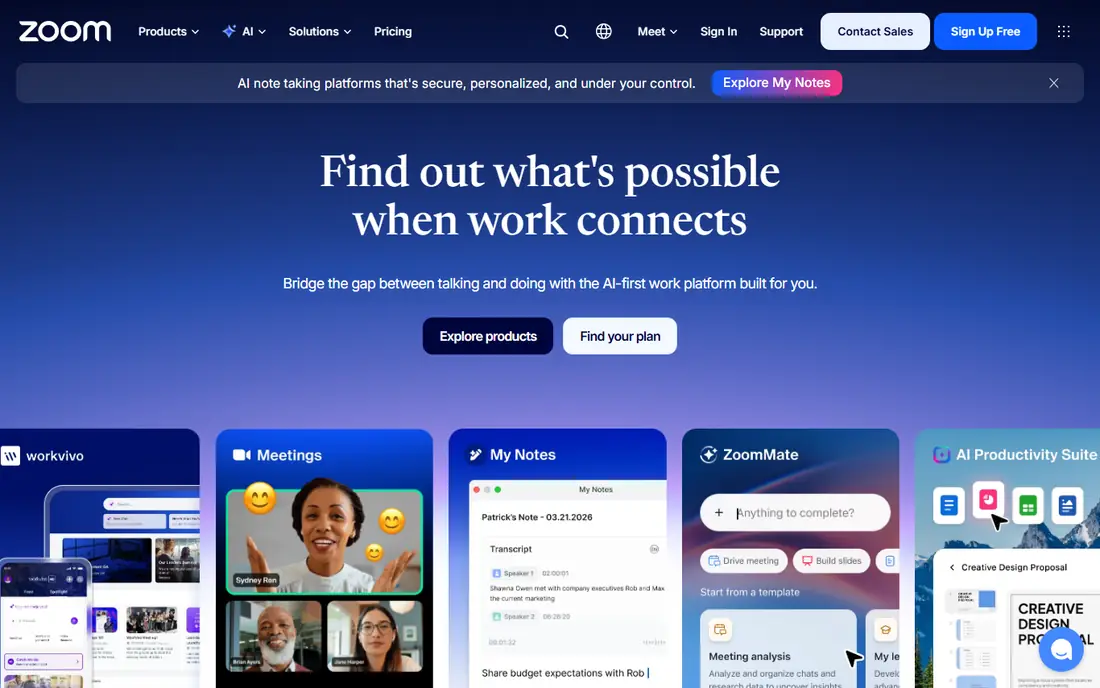
Zoom became the default work meeting app for a reason. Calls stay stable on mixed connections, joining from a link is simple for guests, and hosts get breakout rooms, polls, whiteboards, and recording without extra tools. It also handles webinars and large meetings better than most free-first apps, which matters when a call grows past a small team. The catch is the free tier. Group calls on the free plan are time-limited, so regular team meetings will need a paid plan. If you run daily standups or client calls, budget for that from the start rather than treating the free tier as a long-term plan.
- Stable large meetings
- Breakout rooms and webinars
- Wide device and calendar support
- Free group calls have a time limit
- Paid plans add up for large teams

Google Meet is our pick for teams that want the least friction. Guests can join from a browser link, scheduling from Google Calendar takes seconds, and the free tier covers many small-team needs. Video quality holds up well on average home broadband, and live captions help on calls with mixed audio. The trade-off is depth. Meet lacks a full webinar product and some of the event controls that Zoom and Webex offer, so large public events may need a separate tool. For internal meetings, interviews, and client check-ins, it is often all a team needs.
- Runs in the browser with no install
- Generous free tier
- Tight Google Calendar and Gmail integration
- Fewer webinar and event tools than Zoom
- Full features depend on a Workspace plan
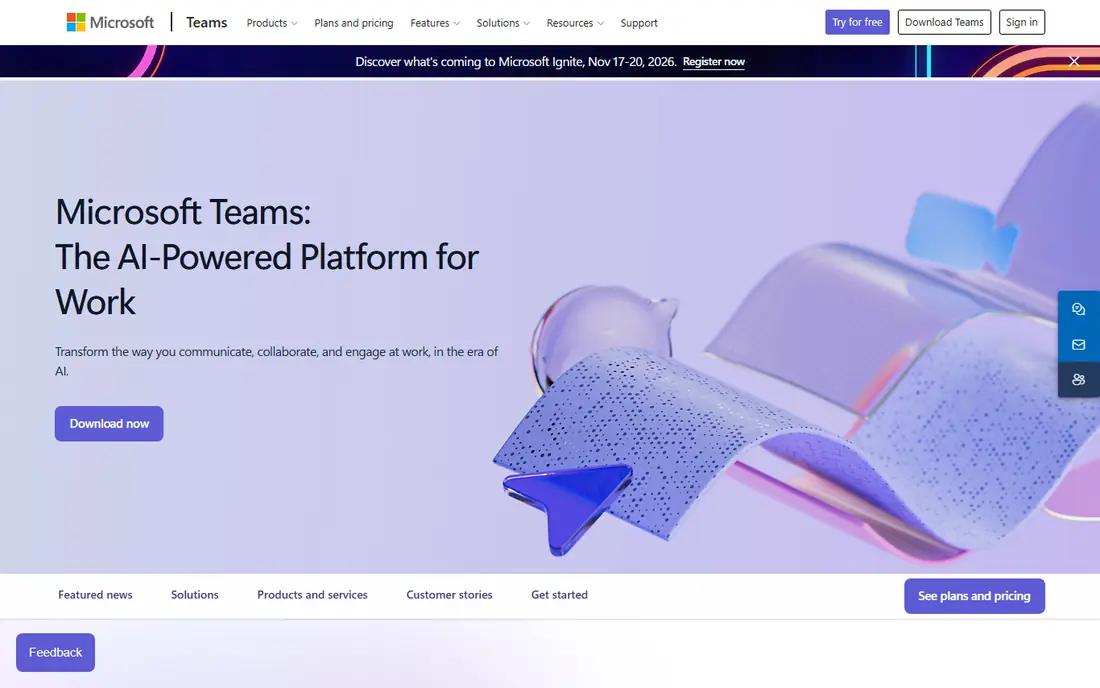
Teams suits workplaces that already use Outlook, Word, and SharePoint. Meetings sit next to team chat, shared files, and task lists, so a call rarely stands alone. The free tier covers basic video calls and chat, while paid Microsoft 365 plans add larger meetings, recording, and admin controls. The honest catch is weight. For a quick two-person call, Teams can feel slower to open and harder to steer than Meet or Zoom. It earns its place when a team uses the full Microsoft stack daily, not when it only needs an occasional video link.
- Chat, files, and meetings in one app
- Strong Microsoft 365 integration
- Free tier for basic calls
- Can feel heavy for simple calls
- Best value needs a Microsoft 365 plan
FaceTime is the easiest video chat app for households and friend groups that use iPhones, iPads, or Macs. There is nothing to install, contacts are already in place, and calls start from a message thread or a phone contact. Group calls and SharePlay-style shared viewing add to the personal appeal. The limit is platform fit. Guests on Android or Windows can join a FaceTime link from a browser, but the full experience still favours Apple devices, and work features such as breakout rooms and webinar controls are thin. For personal calls, that trade is worth it.
- Built into Apple devices
- Simple one-tap calls
- Good video quality on Apple hardware
- Best experience needs Apple devices
- Fewer work meeting controls than Zoom or Teams
WhatsApp wins on reach. Most personal contacts already have it, so a video call rarely needs a new account, a download, or a how-to message. Group video calls work well for family chats and small friend groups, and voice and video sit next to the same message threads people already use. The catch is scale and control. It lacks host controls, breakout rooms, and recording tools that work meetings often need, and group sizes fit personal use better than company events. Use it for people you already message, and pick a work tool for formal meetings.
- Huge existing contact base
- Simple group video calls
- Works well on mobile data
- Group size limits suit personal use more than work events
- Fewer meeting controls
Signal is our pick for callers who care most about privacy. Calls and messages use end-to-end encryption, the app is run by a non-profit, and there are no ads shaping what you see. Group video calls are simple to start, and the interface stays focused on calling and messaging rather than feeds and extras. The trade-off is reach. Fewer contacts may already use Signal, so you may need to ask friends or family to install it. If privacy is the priority, that extra step is a fair price for a calmer, more private app.
- End-to-end encryption by default
- No ads or tracking for profit
- Simple group calls
- Smaller contact base than WhatsApp
- Fewer fun filters and effects
Telegram suits groups that already chat there and want to add video without moving to a new app. Group video chats can run inside a large group, messages sync across phone and desktop, and channels give communities a broadcast option alongside chat. The catch is polish and defaults. Video calls work well for casual groups, but they lack the host controls and meeting structure of a work tool, and privacy settings deserve a careful check before you use Telegram for sensitive talks. For clubs, classes, and fan groups, it is a strong free choice.
- Large groups and channels
- Video chats inside groups
- Fast sync across devices
- Group video can feel less polished than Zoom
- Privacy settings need checking
Discord started with gamers, but it now fits study groups, clubs, and creator communities well. Voice and video channels stay open so members can drop in, screen sharing is easy, and text channels keep the conversation going between calls. That always-on style suits groups that meet often and chat daily. The catch is the learning curve. New users can find servers, channels, and roles confusing at first, and formal meeting tools such as scheduled webinars and breakout rooms are thinner than in Zoom. For a community that lives in Discord already, it is hard to beat.
- Always-on voice and video channels
- Screen sharing and streaming
- Strong community tools
- Interface can overwhelm new users
- Work meeting controls are basic
Webex suits larger organisations and regulated teams that need meeting controls, compliance options, and reliable large calls. It covers meetings, webinars, and messaging, and Cisco hardware support helps offices with dedicated meeting rooms. A free tier covers basic calls, which makes it easy to test before a wider rollout. The trade-off is feel. For a small team that just wants a quick call, Webex can feel more formal and heavier than Meet or Zoom. It earns its place when security, admin control, and room systems matter more than speed of setup.
- Strong security and compliance options
- Good large-meeting tools
- Free tier for basic calls
- Interface can feel formal for casual use
- Paid plans need a sales check for full pricing
Jitsi Meet is our pick when you need a call link in seconds. Open the site, name a room, share the link, and guests join from a browser with no account and no install. That simplicity suits interviews, tutoring, support calls, and any case where asking guests to install an app would lose them. The catch is that quality depends on the server you use and the connection of each caller, and extras such as advanced recording and webinar tools are thinner than in paid apps. Teams that love Jitsi can also self-host it for more control, but most users will be happy with the hosted version.
- No account needed
- Runs in the browser
- Open source and self-hosting options
- Performance depends on the server and connection
- Fewer built-in extras than paid tools
How we picked these
We compared official feature pages, pricing pages, app store listings, privacy pages, and public user reviews for each app. We weighted call stability, joining ease, group limits, free tiers, security defaults, and fit for personal, work, and community use. We did not claim hands-on testing of every plan, and pricing changes often, so we mark business pricing as See website where we could not verify a current vendor price at the time of writing. Check the vendor pricing page and test a real call with your usual group size before you commit.
How to choose the right video chat app
The best video chat app depends on who you call and how often, so match the app to the job rather than chasing the longest feature list.
For family and friends
Pick the app your contacts already use. FaceTime suits Apple households, WhatsApp suits mixed phone groups, and Signal suits callers who want stronger privacy defaults. A perfect app that no one installs is worse than a good app everyone already opens.
For work meetings
Start with the suite you already pay for. Google Meet suits Google Workspace teams, Teams suits Microsoft 365 teams, and Zoom suits teams that need large meetings, webinars, or guest-friendly links. Test screen sharing, captions, and recording on a real meeting before you move a whole team.
For groups and communities
Discord suits always-on communities, Telegram suits large chat groups, and Jitsi Meet suits one-off public calls with no sign-up barrier. Check moderation tools, group size limits, and how guests join before you announce a regular session.
Check call quality before you pay
Test on your real connection, with your real devices, and with the group size you actually use. Check background noise handling, captions, low-bandwidth behaviour, and how the app behaves when someone joins late or drops out. Those daily details matter more than a feature list.
Frequently asked questions
What is the best free video chat app?
Google Meet and Microsoft Teams offer the strongest free tiers for work, while WhatsApp, FaceTime, and Signal lead for personal calls. Jitsi Meet is the best free option when guests should not need an account. Pick based on who you call, not on the longest feature list.
What is the best video call app for large groups?
Zoom and Webex handle large work meetings best, with host controls, breakout rooms, and webinar options. Google Meet and Teams also handle large internal meetings well on paid plans. For casual large groups, Telegram and Discord cover video chats inside communities.
Is there a best video chat app free for international calls?
WhatsApp, Signal, Telegram, and Google Meet all support free video calls over the internet, so the call itself does not add phone charges. You still need a data or Wi-Fi connection, and call quality will depend on each caller's connection.
What is the best video messaging app?
WhatsApp and Telegram lead for video messages inside everyday chats, since contacts already use them. FaceTime also suits short personal video messages on Apple devices. For work, Teams and Zoom chat tools let teams share short video clips alongside meetings.
Do I need to install software to join a video call?
Not always. Google Meet, Jitsi Meet, and FaceTime links can run in a browser, and many Zoom and Teams links also offer a browser option. Installing the app usually gives better quality and more controls, so install it for calls you join every week.
Which video chat app is best for privacy?
Signal leads on privacy, with end-to-end encryption by default and a non-profit model without ads. WhatsApp also encrypts calls end to end. Check each app's privacy page for what metadata it keeps, and use the privacy settings inside the app before sensitive calls.
Sources we checked (10)

Online Jobs is an independent blog about careers, online work, learning new skills and the tools that help people earn. More about us.
Keep reading
All posts
Zoom Alternatives
Zoom alternatives compared for 2026: Google Meet, Microsoft Teams, Webex, Jitsi and more for free calls, large meetings and webinars for teams and classrooms.

Workday Alternatives
We compared the best workday alternatives for HR, payroll, and global hiring, from BambooHR and Gusto to Rippling, Deel, and HiBob for growing teams in 2026.

WordPress Alternatives
WordPress alternatives guide: we compare 8 platforms for builders, designers, stores, and publishers to leave WordPress without losing your full site content.