Best Unbiased News Apps in 2026: 8 Tools Compared


Seeing who covers a story and how framing differs · Starting price: See website
How we put this together: we compare official feature and pricing pages, app store listings, privacy policies and public user reviews. Prices change, so check the provider's site before you pay.
Key takeaways
- No single app is fully unbiased, because every outlet selects stories, frames headlines, and leaves some facts out.
- Ground News and AllSides help most by showing how coverage differs across outlets, rather than by claiming one neutral view.
- Reuters and AP News give direct wire reporting, which is a useful baseline before reading opinion and analysis elsewhere.
- Free plans cover comparison tools well, but deeper bias ratings, alerts, and blind-spot features often sit behind paid tiers.
- The best habit is lateral reading: check the same story in two or three outlets with different leanings before forming a view.
Quick comparison
| Name | Who it suits | Starting price | Free option | |
|---|---|---|---|---|
| Ground News | Seeing who covers a story and how framing differs | See website | Yes | Visit |
 AllSides | Comparing left, centre, and right headlines side by side | See website | Yes | Visit |
 Reuters | Fact-led wire reporting with minimal commentary | See website | Yes | Visit |
 AP News | Free wire reporting for major stories | Free | Yes | Visit |
 SmartNews | Fast mobile scanning with a balance view for US politics | Free | Yes | Visit |
 Flipboard | Building a personal magazine from sources you choose | Free | Yes | Visit |
 Readless | Short summaries drawn from sources you choose | See website | Yes | Visit |
 BBC News | International reporting from a public broadcaster | Free | Yes | Visit |
The best unbiased news apps
Unbiased news is a goal, not a guarantee. A fairer test for an app is whether it shows its sources, labels opinion clearly, and lets readers compare coverage. The apps below do that in different ways: some rate outlet bias, some aggregate many outlets on one story, and some publish direct reporting with minimal commentary. Used together, they give a fuller picture than any one feed alone.
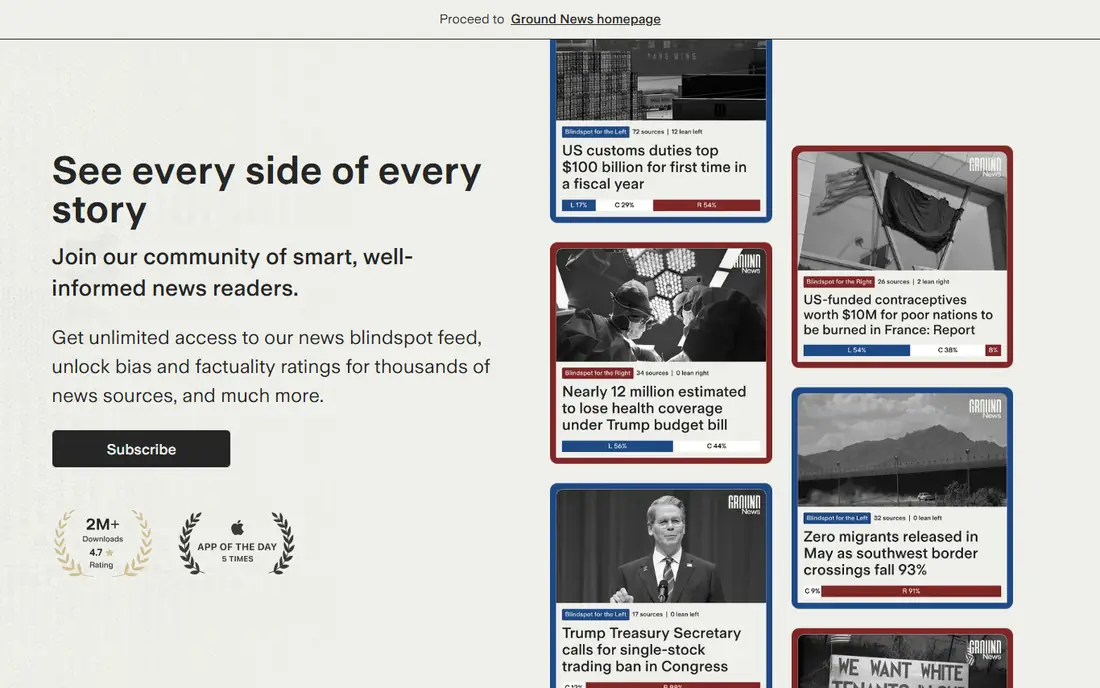
Ground News aggregates the same story across many outlets and shows the mix of left, centre, and right coverage. That view answers a question a single feed cannot: is this story covered widely, or only by one side? The Blindspot feature flags stories that get heavy coverage on one side and little on the other, which helps readers spot gaps in their own feed. Ownership and factuality context add another layer for checking a source before trusting it.
The free tier covers the core comparison well, but fuller publisher ratings and deeper tools sit behind paid plans. New users may also find the interface busy, because each story brings several outlets, ratings, and links. Start with the daily briefing and one or two stories a day, then widen the habit once the layout feels familiar.
- Bias and factuality context, Blindspot feature, coverage comparison across outlets
- Deeper ratings and tools need a paid plan, volume of sources can feel busy at first
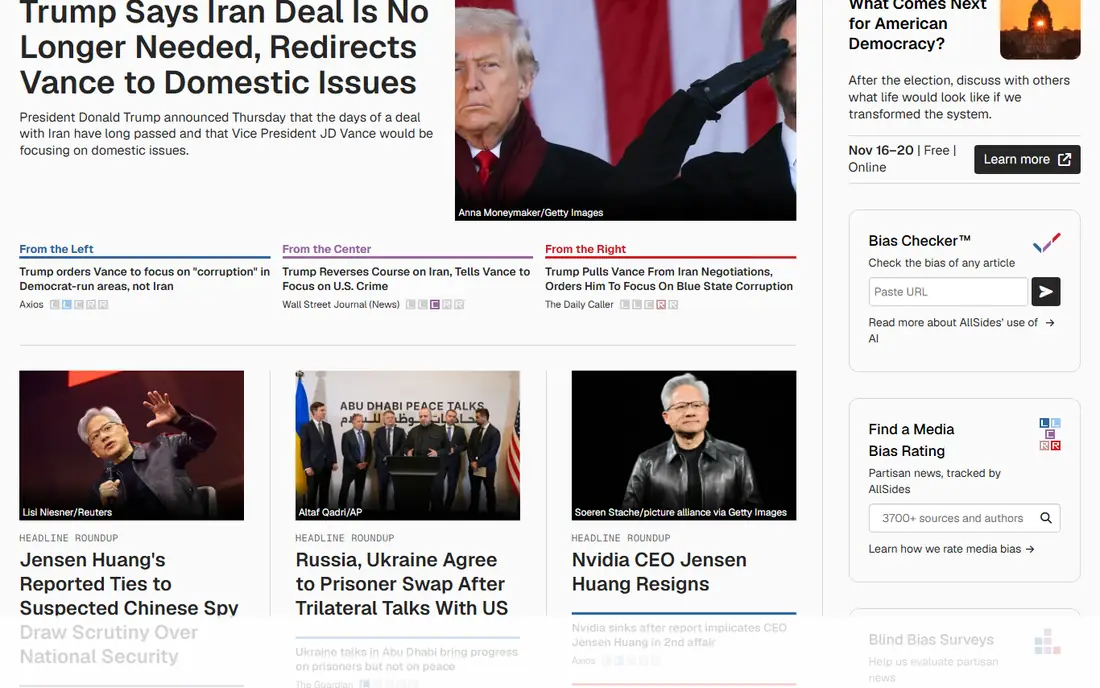
AllSides rates media outlets on a left-to-centre-to-right scale and places headlines from different leanings side by side. That simple layout makes bias visible without asking readers to trust a single summary. A reader can open the same story from three outlets and compare wording, emphasis, and omitted facts in minutes. The method pages explain how ratings are reached, which helps readers judge the ratings themselves.
Selection is the limit. AllSides roundups choose which stories to feature, and clicking through to a full article may hit a paywall at the original outlet. It works best as a comparison starting point, not as a full daily feed. Pair it with a wire source such as Reuters or AP News for the underlying facts.
- Clear bias ratings for many outlets, balanced headline roundups, transparent method
- Roundups are selected, linked outlets may sit behind paywalls
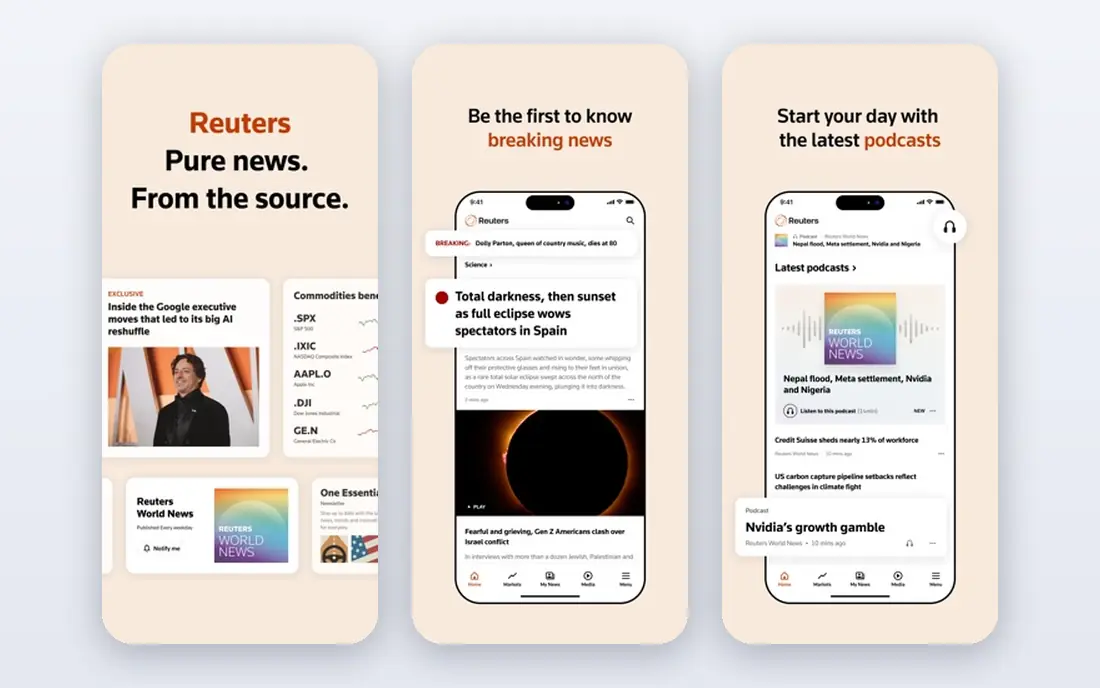
Reuters reports events in a direct wire style, with facts first and commentary labelled separately. That discipline makes it a strong baseline: read the wire report, then check how opinion outlets frame the same facts. Business, markets, and world coverage are particular strengths, with correspondents in many countries filing to a common standard.
Access varies. Some content is free, while fuller access and some features require a subscription that differs by country. Reuters also covers fewer local stories than a regional aggregator, so readers who want neighbourhood news will need a second source. As a daily baseline for major stories, it remains one of the most useful apps on this list.
- Global wire reporting, clear separation of news and analysis, strong business and world coverage
- Subscription rules vary by country, less opinion and local depth than aggregators
AP News offers wire reporting from the Associated Press in a free, ad-supported app. Stories tend to be concise and fact-led, which suits readers who want the core events before turning to analysis. US politics, world news, sports, and business all appear in one feed, and the app is easy to scan on a phone.
The app does not compare outlets or rate bias, so it cannot show how coverage differs on its own. Readers who want that comparison should pair AP News with Ground News or AllSides. Ads also interrupt the feed, though they do not change the reporting itself. For a free daily baseline, it is hard to beat.
- Free access, direct reporting style, broad US and world coverage
- Ad-supported app, no built-in cross-outlet comparison
SmartNews loads quickly and groups headlines by topic, which suits readers who scan news in short bursts. Its balance view for US political stories shows coverage from different leanings, giving mobile readers a comparison tool without opening a separate app. Publisher channels let users shape the feed toward topics they follow.
Edition and availability vary, so the balance feature may not appear the same way in every country. The feed also reflects the channels a user picks, which can narrow the range of views if choices lean one way. SmartNews works best as a fast scanner paired with a wire source, rather than as the only news habit.
- Fast loading, broad publisher mix, balance feature for political stories
- Balance feature availability varies by edition, feed quality depends on chosen channels
Flipboard lets readers build magazines around topics, outlets, and interests, with a clean layout that suits longer reading. That control is a strength for readers who know which outlets they trust and want them in one place. It also covers magazines, culture, and niche topics that wire apps cover lightly.
Control is also the weakness for balance. Flipboard does not score bias, so a feed built only from like-minded outlets will stay narrow. Readers who want balance must deliberately add outlets with different leanings and check the same story across them. Used with that discipline, Flipboard is a pleasant daily reader. Used without it, it can reinforce a single view.
- Flexible topic magazines, wide publisher range, clean reading layout
- No bias scores, source mix depends entirely on user choices
Readless summarises news from sources the reader selects, which helps busy readers catch up without opening many articles. The summaries are short and plain, and the source list stays visible, so a reader can open the full article when a story matters. That transparency matters, because a summary always involves selection and compression.
Readless does not rate outlets for bias, so balance depends on the sources a reader picks. A narrow source list will produce narrow summaries, however well written. It works best as a briefing layer over a balanced source list, with Ground News or AllSides alongside for comparison on major stories.
- Concise summaries, source choice stays with the reader, good for catching up fast
- Does not rate outlet bias, summary quality depends on chosen sources
BBC News draws on a large international correspondent network, which gives it depth on world stories that US-focused apps cover lightly. Reporting is generally direct, with analysis and opinion labelled separately from news. The app is free and easy to navigate, with live pages for breaking stories that update as facts are confirmed.
Coverage still reflects editorial choices, and UK stories get more space than a global reader may need. Like other single publishers, the BBC cannot show how rival outlets frame the same story. Pair it with an aggregator for comparison, and use it as a strong international baseline in the same way Reuters and AP News serve for wire reporting.
- Wide international network, free access, clear labelling of analysis
- UK focus in some coverage, no cross-outlet bias comparison
How we picked these
We compared official feature pages, pricing pages, app store listings, and public documentation on bias methods, source range, and free-versus-paid limits. We favoured apps that show sources, label opinion, or compare coverage, rather than apps that only claim neutrality. We did not claim hands-on testing, and we treated bias ratings as one input among others, because rating methods differ and no rating settles the question alone. Prices and plan limits change, so the vendor page on the day you sign up is the final source.
What to check before you choose
Start by deciding what job the app must do. If you want to compare framing, pick Ground News or AllSides first. If you want direct facts, start with Reuters, AP News, or BBC News. If you want a fast phone feed, SmartNews or Flipboard may suit better, provided you add balance deliberately.
Next, check the free-versus-paid boundary. Free tiers cover headlines and basic comparison well, but deeper ratings, alerts, and blind-spot tools often need payment. Test the free tier for a week on stories you already follow, and note whether the paid features would change any decision you make.
Finally, build a routine, not just an app list. Read the wire report, check the same story in two outlets with different leanings, and note what each outlet omits. That habit does more for balance than any single rating. An app can surface differences, but only the reader can weigh them.
Frequently asked questions
Sources we checked (8)

Online Jobs is an independent blog about careers, online work, learning new skills and the tools that help people earn. More about us.
Keep reading
All posts
n8n Alternatives
n8n alternatives compared for 2026, with Zapier, Make, Activepieces, and more, covering visual builders, code steps, self-hosting, and pricing models.

eBay Alternatives
Looking for ebay alternatives? We compared 9 marketplaces for sellers on fees, buyer reach, categories and ease of listing, to help you sell with confidence.

ZoomInfo Alternatives
The best ZoomInfo alternatives in 2026, compared on price, free plans, data coverage, and which tool fits small teams or large sales teams best in detail.