Best Trading App in 2026: 9 Apps Compared


All-round beginners and long-term investors · Starting price: Free
How we put this together: we compare official feature and pricing pages, app store listings, privacy policies and public user reviews. Prices change, so check the provider's site before you pay.
Key takeaways
- Fidelity and Charles Schwab suit most beginners and long-term investors, with broad accounts, research and support.
- Robinhood and SoFi suit mobile-first beginners who want a simple start, while Webull suits traders who want deeper charts.
- Most major apps charge no commission on US stocks and ETFs, so account features, not headline commission, decide the winner.
- Trading carries risk, and this article is general information, not financial advice.
Quick comparison
| Name | Who it suits | Starting price | Free option | |
|---|---|---|---|---|
| Fidelity | All-round beginners and long-term investors | Free | Yes | Visit |
 Charles Schwab Charles Schwab | Beginners who want full-service support | Free | Yes | Visit |
 Robinhood Robinhood | Mobile-first beginners | Free | Yes | Visit |
 Webull Webull | Active traders and charting | Free | Yes | Visit |
 SoFi Invest SoFi Invest | Hands-off beginners | Free | Yes | Visit |
 E*TRADE E*TRADE | Education and intermediate traders | Free | Yes | Visit |
 Vanguard Vanguard | Passive and retirement investors | Free | Yes | Visit |
 Interactive Brokers Interactive Brokers | Advanced and global traders | Free | Yes | Visit |
 Moomoo Moomoo | Advanced charting on mobile | Free | Yes | Visit |
The best trading apps
This is not financial advice, and trading carries risk, including the risk of losing money you invest. Past performance does not predict future results, and options trading or trading with borrowed money can lose money faster than plain stock investing. With that clear, we compared official feature pages, fee schedules, app store listings and public reviews, focusing on fees, account types, research, tools and how each app treats beginners.
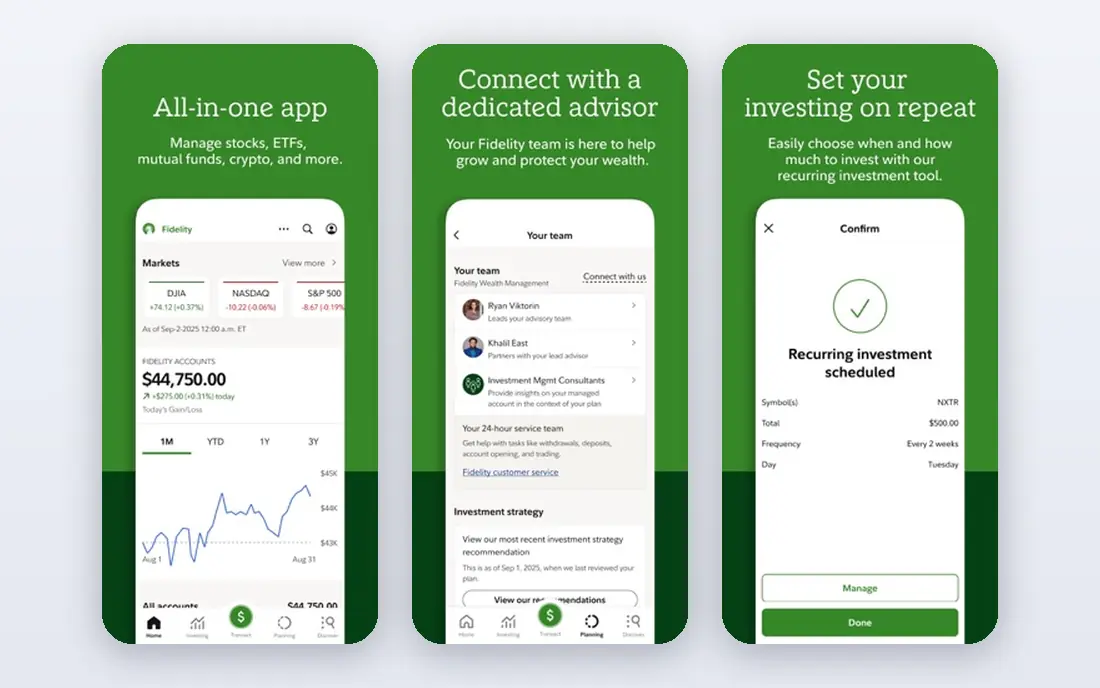
Fidelity is our pick for most beginners who want one account that grows with them. It covers stocks, ETFs, mutual funds and retirement accounts, with fractional shares that let new investors start with small dollar amounts. Research tools, screeners and educational content are stronger than on most mobile-first apps, and support is widely praised.
The app is functional rather than beautiful, and the breadth of options can confuse a first-time investor. That is a fair trade for most people, since the same account can later handle an IRA, a taxable account and long-term index investing without switching platforms. Start with the basic account view, and explore research tools only when you need them.
- No commission on US stocks and ETFs
- Fractional shares from small amounts
- Strong research and retirement accounts
- App feels less sleek than mobile-first rivals
- Sheer number of features can overwhelm new users
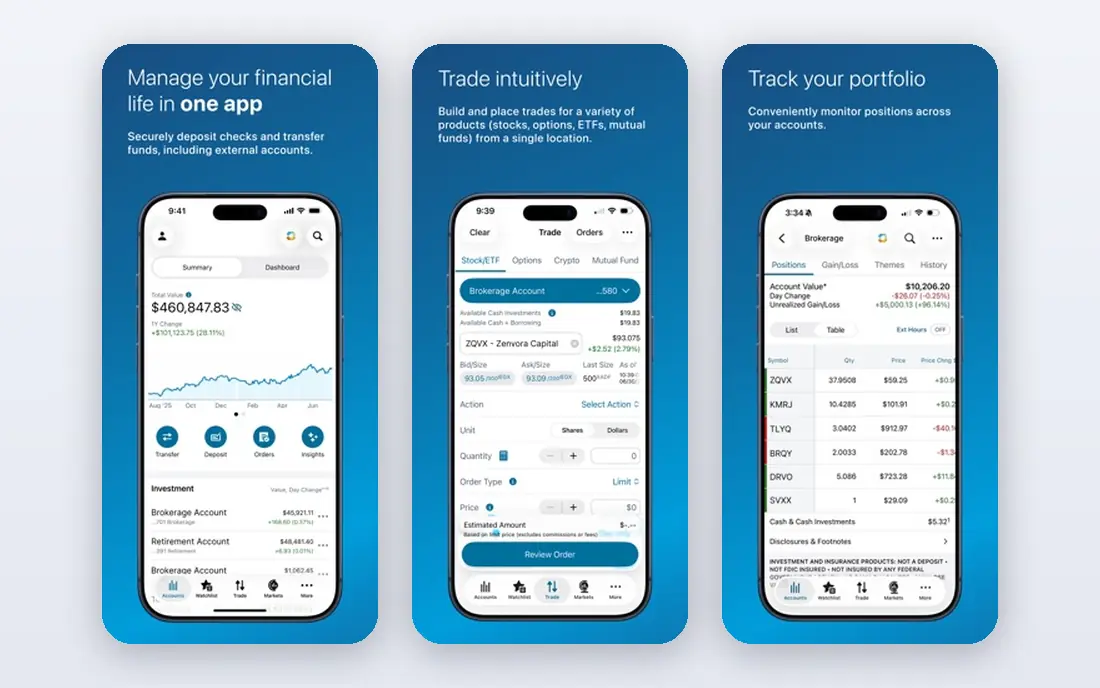
Charles Schwab pairs a beginner-friendly brokerage account with a serious trading platform, thinkorswim, for users who later want deeper charts and analysis. Retirement accounts, education resources and round-the-clock support make it a strong full-service choice, and fractional share options help new investors start small.
Active traders should note options contract fees, which apply on top of the usual regulatory fees, and thinkorswim itself takes time to learn. For most beginners, the standard Schwab app is enough, and the advanced platform stays available for later. Schwab suits investors who want a broker they are unlikely to outgrow.
- No commission on US stocks and ETFs
- Thinkorswim platform for active traders
- Broad retirement options
- Options fees apply per contract
- Advanced platform has a learning curve
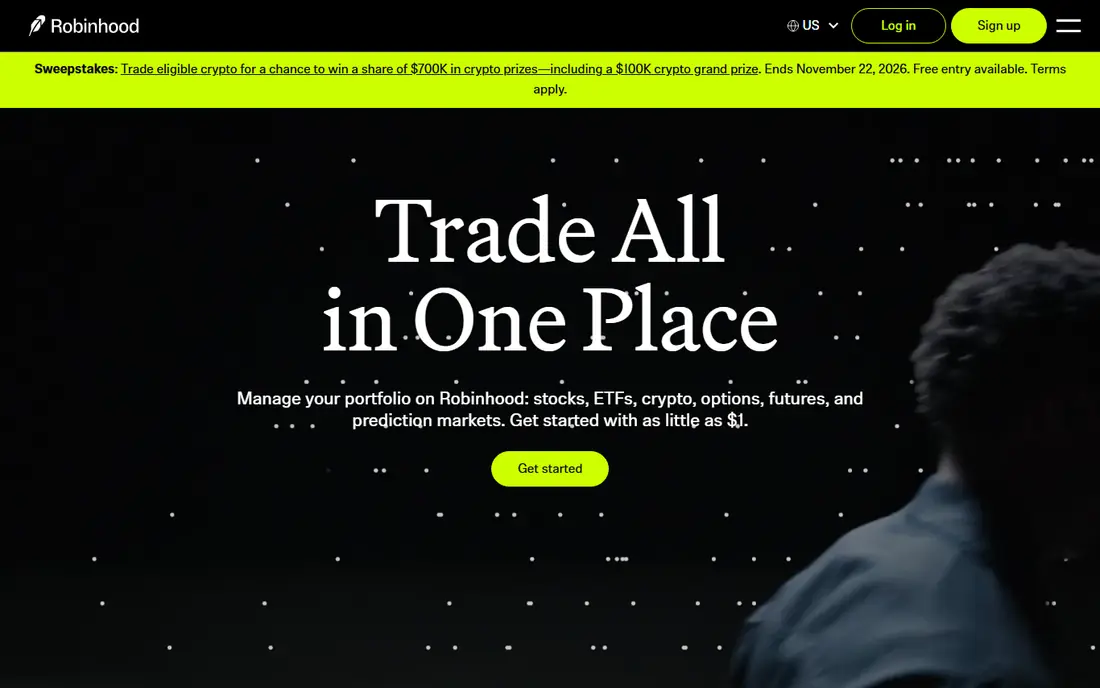
Robinhood remains the easiest trading app to open and use on a phone. The interface is clean, fractional shares lower the entry point, and IRA accounts with a contribution match appeal to beginners starting retirement savings. For a first account focused on stocks and ETFs, the simplicity is a genuine advantage.
Research depth is thinner than Fidelity or Schwab, and there are no mutual funds, so long-term fund investors may need a second account later. Transfer-out fees also apply if you move assets elsewhere, so check the current fee schedule before opening. Robinhood suits beginners who value a simple mobile start above deep research.
- Simple mobile app
- No commission on stocks, ETFs and options trades
- Fractional shares and IRA options
- Research tools are thinner than full brokers
- No mutual funds
- Account transfer fees apply
Webull gives active traders professional-style tools without a commission on US stocks and ETFs. Charts, indicators, screeners and extended-hours trading cover the needs of traders who follow price action closely, and paper trading lets beginners practise with virtual money before risking real funds. That practice mode is one of its best features for new traders.
The interface assumes some market knowledge, and beginners who only want to buy an index fund may find it busy. There are also no mutual funds, which limits passive investors. Webull suits traders who want data and practice tools, and who are comfortable learning a denser app.
- Deep charting and technical indicators
- Extended-hours trading
- Free paper trading
- No mutual funds
- Interface can overwhelm beginners
- Research is chart-led rather than education-led
SoFi Invest suits beginners who do not want to pick individual stocks. Automated investing builds a diversified portfolio from your goals and risk answers, while active investing covers stocks and ETFs for users who want more control. The app sits inside the wider SoFi financial app, which also covers banking and loans for users who want one financial home.
Active traders will find the tools thin, and research is lighter than at Fidelity or Schwab. That is acceptable if the goal is steady, hands-off investing rather than frequent trading. SoFi is a good starting point for beginners who want investing to run quietly in the background.
- Simple app
- Automated investing options
- No commission on stocks and ETFs
- Research and advanced tools are limited
- Active traders will outgrow it quickly
ETRADE, part of Morgan Stanley, balances education for beginners with a stronger platform for intermediate traders. Its learning library, webinars and paper trading help new investors build knowledge, while Power ETRADE offers deeper charting and options tools. A broad mutual fund range also suits investors who want funds alongside stocks.
Running two platforms can confuse, since basic and active tools live in different places, and options traders pay per-contract fees. For intermediate investors who want education plus room to grow, E*TRADE is a solid middle ground between a simple mobile app and a full professional platform.
- No commission on stocks and ETFs
- Strong education library
- Power E*TRADE for active traders
- Options fees apply per contract
- Interface spans two platforms, which can confuse
Vanguard is built for patient investors. Its low-cost index funds and ETFs are the core attraction, and its retirement accounts suit long-term savers who want to set a plan and leave it alone. Trading stocks and ETFs carries no commission, and the fund range is broad enough for most passive portfolios.
Frequent traders should look elsewhere, since the app and charting tools are simpler than Webull or thinkorswim, and the experience favours buy-and-hold investing. Vanguard suits investors who check their portfolio monthly, not hourly, and who value low fund costs over trading features.
- Low-cost index funds and ETFs
- No commission on stocks and ETFs
- Strong retirement focus
- App and trading tools lag active-trading rivals
- Less suited to frequent trading
Interactive Brokers serves traders who need global reach. It covers markets, currencies and asset types far beyond a standard US brokerage, with powerful tools for analysis, order types and portfolio management. Experienced traders value its low margin rates and the depth of its platforms.
Beginners will find the pricing tiers and platform options confusing, and the app assumes market knowledge from the start. This is not a first-account pick for most people. It is the right choice for advanced traders, international investors and professionals who need breadth that simpler apps cannot offer.
- Global markets and many asset types
- Low margin rates
- Powerful desktop and mobile platforms
- Steep learning curve
- Pricing structure is complex for beginners
Moomoo brings desktop-style charting to a mobile app, with detailed indicators, market data and paper trading for practice. It suits traders who follow charts on a phone and want more data than a simple beginner app provides, without moving to a full desktop platform. Community features and market news add context for active traders.
There are no mutual funds, and the social feed can distract from a trading plan if left unchecked. Moomoo sits between Webull and a beginner app: stronger on charts than Robinhood, more mobile-focused than thinkorswim. Active mobile traders who like data will get the most from it.
- Strong mobile charting and data
- Paper trading
- No commission on US stocks and ETFs
- No mutual funds
- Community features can distract
- Research depth varies by market
How we picked these
We compared official feature pages, fee schedules, app store listings and public reviews, focusing on US stock and ETF commissions, account types, research, tools and beginner support. We favoured brokers with no account minimum for a standard account, clear fee schedules, and a working mobile app, and we included passive, active and global options so different investor types each have a relevant pick. Fees and promotions change, so check the broker fee schedule and account terms before opening an account, and confirm transfer fees, options fees and margin rates if those apply to you.
This article is general information, not financial advice. Consider your goals, time horizon and risk tolerance before investing, and speak to a qualified financial adviser if you are unsure. Never invest money you need for essential bills, and be wary of any app feature that encourages frequent trading, since trading costs and taxes can erode returns even when individual trades win.
What to check before you open an account
Start with account type, not the app design. A taxable brokerage account, a Roth IRA and a traditional IRA have different tax rules and withdrawal rules, and the right choice depends on your age, income and goals. Check whether the broker offers the account you need, fractional shares, and automatic investing, since those features matter more over years than a slick first screen.
Fees beyond commission
Zero commission on stocks and ETFs does not mean zero cost. Options contracts, margin interest, account transfers, wire fees and foreign exchange fees can all apply, and fund expense ratios matter for long-term returns. Read the fee schedule for the trades you actually plan to make, and compare fund costs if you plan to hold index funds for years.
Tools, research and support
Beginners benefit most from education, clear portfolio views and responsive support, while active traders need charting, screeners and fast order entry. Paper trading is valuable for both groups: it lets you learn order types and test a plan without risking real money. If you cannot reach support easily or cannot understand the fee schedule, that is a warning sign, not a minor flaw.
Frequently asked questions
What is the best trading app for beginners?
Fidelity and Charles Schwab suit most beginners, thanks to broad accounts, research and support, while Robinhood and SoFi suit mobile-first beginners who want a simple start. Choose Fidelity or Schwab if you want one account for the long term, and Robinhood or SoFi if simplicity matters most right now.
What is the best trading platform for beginners?
A platform with no commission on stocks and ETFs, fractional shares, retirement accounts and education resources is the best starting point for most beginners. Fidelity, Schwab and SoFi all meet that test in different ways, so pick by whether you want full-service depth or a simple mobile experience.
Are trading apps free?
Most major trading apps charge no commission on US stocks and ETFs and no fee to open a standard account, though options fees, margin interest, transfer fees and fund expenses can still apply. Check the broker fee schedule for your planned trades, since free stock trades do not cover every cost.
Do I need a lot of money to start investing?
No. Fractional shares on many apps let you start with small dollar amounts, and several brokers have no account minimum for a standard account. Starting small and investing regularly often beats waiting until you have a large sum, though you should only invest money you can afford to leave invested.
Is trading risky?
Yes. Stock prices fall as well as rise, and options, margin and borrowed-money products can lose money faster than plain stock investing. This article is not financial advice, and trading carries risk. Diversified, long-term investing suits most beginners better than frequent trading, and a qualified adviser can help with personal decisions.
Can I trade on my phone?
Yes, all the apps on this list offer mobile trading, though depth varies. Robinhood, SoFi and Moomoo are mobile-first, while Fidelity, Schwab and Interactive Brokers offer stronger desktop platforms alongside mobile apps. Test order entry and portfolio views on your phone before relying on mobile trading alone.
Sources we checked (9)

Online Jobs is an independent blog about careers, online work, learning new skills and the tools that help people earn. More about us.
Keep reading
All posts
Best Trading Apps for Beginners
Compare the best trading app for beginners, with $0 stock commissions, fractional shares, education, paper trading and account types explained in 2026 now.
Best Tax Software
Compare the best tax software in 2026 for simple returns, investors, freelancers, and preparers, with free options, state fees, and honest limits for filing.
Best Tax Preparation Software
Best tax preparation software compared for 2026, including free filing, guided help, self-employed returns and expert support, pros, cons and pricing notes.