Best Tracking App in 2026: 8 Products Compared

How we put this together: we compare official feature and pricing pages, app store listings, privacy policies and public user reviews. Prices change, so check the provider's site before you pay.
Key takeaways
- This guide covers consent based location sharing for family, friends, and your own devices, not covert tracking of another adult.
- Tracking another adult phone without that person clear consent is not acceptable, and it can also break the law in many places.
- Built in options such as Apple Find My and Google Maps sharing cover many needs for free, with strong privacy controls.
- Life360 is the most complete dedicated family option, while Glympse is best for a short trip share that ends on its own.
- Check who can see location, for how long, and how to pause or stop sharing before you invite anyone.
Quick comparison
| Name | Who it suits | Starting price | Free option | |
|---|---|---|---|---|
 Life360 Life360 | Full family location sharing | See website | Yes | Visit |
 Apple Find My Apple Find My | Apple households and devices | Free | Yes | Visit |
 Google Maps Google Maps | Mixed phone households | Free | Yes | Visit |
 Glympse Glympse | Short temporary trip shares | Free | Yes | Visit |
 GeoZilla GeoZilla | Family alerts on a budget | See website | Yes | Visit |
 iSharing iSharing | Simple setup for relatives | See website | Yes | Visit |
 OtoZen OtoZen | Families with teen drivers | See website | Free trial | Visit |
 HeyPolo HeyPolo | Privacy focused family sharing | See website | No | Visit |
The best tracking app
A tracking app should help people who already trust each other stay in touch, find a lost phone, or share arrival times without constant texting. It should not be used to watch someone in secret. Every app below is built around visible sharing, where the person being located knows sharing is on and can change it. If your need is tracking tools, vehicles, or stock for a business, that is a different category, and you should look for asset and fleet tools rather than these family apps.
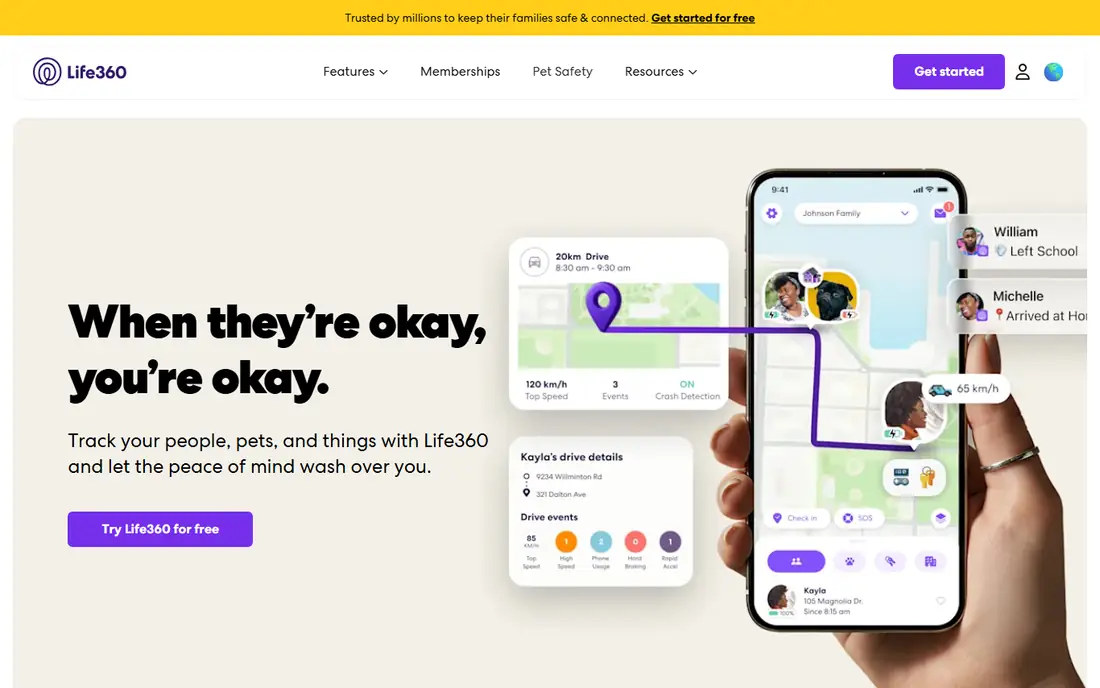
Life360 is the most complete dedicated family locator in this list. A family Circle shows live locations on one map, place alerts tell you when someone arrives home or leaves school, and driving summaries add context for families with teen drivers. Paid plans extend history, add crash detection with emergency dispatch, and add roadside help. That depth is why many families stay with it even when a free built in option would cover basic sharing.
The trade off is cost and privacy care. The free plan covers basic sharing, but history and alerts are limited, so a family that wants longer history will pay. You should also talk through settings as a family: who is in the Circle, what places trigger alerts, and when sharing pauses. Life360 works best when everyone agrees to the setup, not when one person sets it up for others without discussion.
- Family map with place alerts and location history
- Crash detection and SOS features on paid plans
- Works on iPhone and Android
- Best features need a paid plan
- Location history on the free plan is short
Apple Find My is the obvious first try for an all Apple household. You can share your location with family or friends, find a lost iPhone, iPad, Mac, AirPods, or AirTag, and see devices on a map without installing a new app. The Find My network can locate devices even when they are offline, which is a real benefit for a lost phone in a bag or car. Sharing controls are clear, and you can stop sharing at any time.
The limit is ecosystem. Find My is far less useful in a mixed iPhone and Android household, and it does not offer the same driving reports or detailed place history as Life360. If everyone uses Apple devices and your main needs are device finding and simple location sharing, Find My is free, private, and hard to beat.
- Built into iPhone, iPad, Mac, and Apple Watch
- Finds devices even when offline through the Find My network
- No extra subscription for basic sharing
- Works best inside the Apple ecosystem
- Family features are less detailed than Life360 for driving and place history
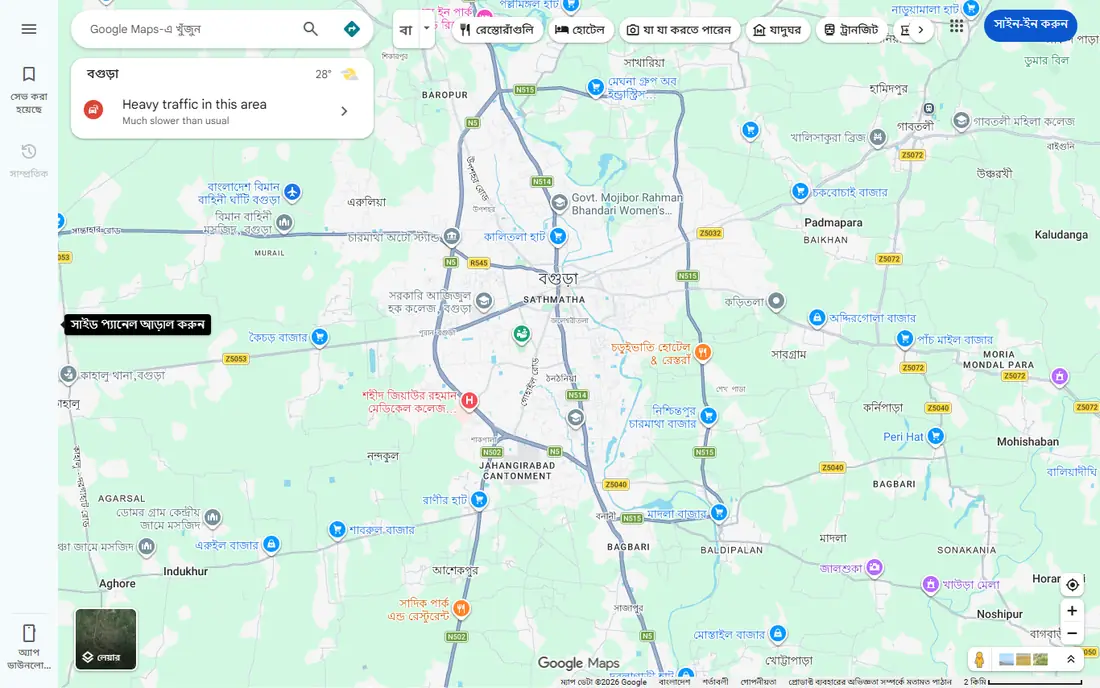
Google Maps location sharing is the best free bridge between iPhone and Android. You share your live location with chosen contacts for a set time, or until you turn it off, and they see you on a map they already know. That is ideal for meeting friends, sharing a trip home, or checking that a relative arrived safely. Because most phones already have Maps, setup is low friction.
Google Maps is not a full family safety app. It lacks Life360 style driving summaries, crash alerts, and long place history. It also needs a conscious check: if you share until you turn it off, remember to stop sharing when the trip ends. Use Maps for everyday sharing between mixed devices, and add a dedicated family app if you need alerts and history.
- Location sharing works on iPhone and Android
- No new app needed for many users
- You can set a time limit on sharing
- No dedicated family driving reports or crash alerts
- Sharing settings need care to avoid leaving sharing on longer than intended
Glympse is built for one trip, not for ongoing monitoring. You share your location for a set period, such as the drive home, and the share ends on its own when the time runs out. The recipient opens a link in a browser, so friends, a taxi pickup, or a relative without the app can still follow your progress. That time limit is a privacy strength, because sharing does not linger by accident.
The same limit makes Glympse a poor family hub. There is no long term map, no place alerts, and no history to review later. Use Glympse when the question is where are you on this trip, and use Life360, Find My, or Maps when the need is ongoing family sharing with agreed controls.
- Time limited shares that end automatically
- Recipients can view in a browser without installing an app
- Simple ETA and trip view
- No ongoing family map or place alerts
- Not suited to long term sharing or history
GeoZilla is a practical middle option for families who want place alerts and safety tools without paying for the full Life360 stack. The family map, alerts for home, school, and work, and basic safety features cover the daily check in needs of many households. It works across iPhone and Android, which helps mixed device families.
The catch is depth. Driving reports, crash response, and history options are not as complete as the top paid family plans, and some features sit behind higher tiers. GeoZilla suits a family that wants alerts and a shared map at a lower price, and is willing to accept simpler driving tools. Check the current plan limits on the GeoZilla site before you rely on a specific alert or history length.
- Family location with place alerts and safety tools
- Works on iPhone and Android
- Lower cost options than some rivals
- Interface and feature depth vary by plan
- Driving features are less complete than Life360 paid plans
iSharing is worth considering when ease of setup matters more than advanced features. Older relatives, or family members who do not like complex apps, can join with fewer steps and see a clear map. Place alerts and real time sharing cover the core need: knowing a parent arrived home, or a child left school, without a phone call each time.
The app is simpler by design, so families who want driving reports, crash dispatch, and long history may find it thin. Paid plans extend those features, so check what the free plan covers for your family size. iSharing is best as a gentle, low friction family locator, especially when one or two members need a very simple experience.
- Simple setup that suits older relatives
- Real time location and place alerts
- Walkie talkie style messaging in some versions
- Paid features needed for longer history and fuller alerts
- Design feels simpler than Life360
OtoZen adds driving context to family location sharing. Families see live location and trip progress, plus ETA, place notifications, and speed and driving safety insights that help parents talk with teen drivers about specific trips rather than general worry. Crash response features on some plans add a safety layer for families with new drivers on the road often.
If nobody in the family drives regularly, much of that value disappears, and a simpler free option may be enough. There is also no permanent free plan, so treat the trial as a test of whether driving insights change how your family talks about trips. OtoZen fits families where driving is the main safety question, not just general location sharing.
- Live location with ETA and place notifications
- Driving safety insights including speed context
- Crash response features on some plans
- No permanent free plan
- Value depends on having regular drivers in the family
HeyPolo positions itself as a privacy first alternative to Life360. It offers live location, place alerts, and crash detection, with a vendor stated policy of not selling user data. For families who read privacy policies and worry about where location data ends up, that stance matters. The app works on both major phone platforms, so mixed households can use one map.
The trade off is cost and network size. There is no free plan to test long term, so you need to use the trial or guarantee terms on the site. Fewer people use HeyPolo than Life360, which matters less for a closed family Circle but more if you hoped friends already had it. Pick HeyPolo when privacy policy and data handling are your top test, and you are willing to pay for that stance.
- Live location, place alerts, and crash detection
- Clear privacy stance with no sale of location data as stated by the vendor
- Works on iPhone and Android
- No free plan, only trial or guarantee terms as listed on the site
- Smaller user base than Life360, so fewer friends may already use it
How we picked these
We compared official feature pages, pricing pages, app store listings, privacy policies, and public reviews for each app. We only included apps built around visible, consent based sharing, and we left out covert monitoring products. We checked platform support, place alerts, history length, crash and SOS features where offered, and how easy it is to pause or stop sharing. We did not test every app in person for this guide, and we did not count a feature unless the vendor page or app listing supported it.
Consent and privacy checks
Agree the rules first
Before you invite anyone, agree who is in the group, what places trigger alerts, and when sharing pauses, such as during work or personal time. Write those rules down in the app settings where possible, and revisit them when children get older or circumstances change. A location app works best when it replaces worry, not when it replaces conversation.
Check the privacy policy
Read how long location data is kept, whether it is sold or shared with third parties, and how to delete history. Free apps pay their bills somehow, so a clear policy matters more than a low price. If a policy is vague about data sale or retention, choose a different app.
For children and older relatives
For children, use parental controls and family settings on the phone itself alongside the tracking app, and explain in plain terms what is shared and why. For older relatives, keep setup simple, test alerts together, and make sure they know how to pause sharing. Consent is not a one time toggle; it is an ongoing agreement you can change.
Frequently asked questions
What is the best tracking app for family?
Life360 is our pick for most families because it combines a live map, place alerts, history, and driving safety features in one app. Apple Find My is best for all Apple households, and Google Maps sharing is best for mixed iPhone and Android households that want a free option.
Is it legal to track another adult phone?
Tracking another adult without clear consent is not acceptable, and it can break the law in many places, including laws on privacy, stalking, and computer misuse. Only share location with adults who have agreed, and use the pause and stop controls openly. If you are worried about someone safety, talk with them and agree a sharing plan, or contact local services for advice.
What is the best free location tracking app?
Apple Find My is free for Apple users, Google Maps sharing is free for mixed devices, and Glympse is free for short trip shares. Life360, GeoZilla, and iSharing also offer free tiers, but history and alerts are limited on those plans. Pick by device mix and by how long you need sharing to last.
How do I stop sharing my location?
In Life360, leave the Circle or pause sharing in settings. In Find My, stop sharing with a person in the Find My app. In Google Maps, stop sharing from the location sharing screen. In Glympse, the share ends when the timer ends, or you can end it early in the app. Check the app after you stop to confirm the change.
Do these apps drain battery?
Location apps use more battery than apps that do not track location, especially with frequent updates and background use. You can reduce drain by allowing location only while using the app where that suits your need, lowering update frequency if the app offers it, and keeping the phone charged on long trips. Test battery use for a few days before a long journey.
What is the difference between family tracking and tool tracking?
Family tracking shares a person location with consent for safety and coordination. Tool tracking, for equipment and inventory, tracks objects, stock, and assets for a business, often with tags, barcodes, or fleet hardware. The apps in this guide are for people and devices with consent, not for covert monitoring or for managing a tool inventory.
Sources we checked (8)

Online Jobs is an independent blog about careers, online work, learning new skills and the tools that help people earn. More about us.
Keep reading
All posts
Zoom Alternatives
Zoom alternatives compared for 2026: Google Meet, Microsoft Teams, Webex, Jitsi and more for free calls, large meetings and webinars for teams and classrooms.

Workday Alternatives
We compared the best workday alternatives for HR, payroll, and global hiring, from BambooHR and Gusto to Rippling, Deel, and HiBob for growing teams in 2026.

WordPress Alternatives
WordPress alternatives guide: we compare 8 platforms for builders, designers, stores, and publishers to leave WordPress without losing your full site content.