Best Tools for Website Optimization in 2026: 8 Tools Compared

How we put this together: we compare official feature and pricing pages, app store listings, privacy policies and public user reviews. Prices change, so check the provider's site before you pay.
Key takeaways
- Website optimization covers speed, testing, behaviour, and analytics, so one tool rarely covers the whole job.
- VWO and Convert suit teams that run experiments, while Optimizely suits larger experimentation programmes with a sales-led purchase.
- Hotjar and Microsoft Clarity show how visitors use pages, which helps teams design tests that address real friction.
- Google Analytics, Search Console style data, and PageSpeed Insights give free baselines before any paid tool is judged.
- GTmetrix adds detailed speed reporting for teams that need to track performance over time.
Quick comparison
| Name | Who it suits | Starting price | Free option | |
|---|---|---|---|---|
 VWO | All-in-one testing and insights | See website | Yes | Visit |
 Optimizely | Enterprise experimentation | See website | No | Visit |
 Convert Experiences | Transparent testing pricing | $299 per month billed annually | No | Visit |
 Hotjar | Heatmaps and session recordings | See website | Yes | Visit |
 Microsoft Clarity | Free behaviour insights | $0 per month | Yes | Visit |
 Google Analytics | Traffic and conversion analytics | $0 per month | Yes | Visit |
 Google PageSpeed Insights | Speed scores and fixes | $0 per month | Yes | Visit |
 GTmetrix | Detailed speed reports | See website | Yes | Visit |
The best tools for website optimization
A website can be fast, clear, and still convert poorly, or it can convert well until a slow page drives visitors away. Optimization therefore needs several views at once: how fast pages load, where visitors click and stall, which version performs better, and which traffic sources bring buyers. The tools below cover those views in complementary ways.
VWO suits teams that want research and testing in the same account. Heatmaps and session recordings show where visitors hesitate, surveys collect reasons, and A/B, split, and multivariate tests check whether a change improves conversions. That loop, from observation to test to result, is the core of a steady optimization programme. The free starter tier covers a limited number of monthly tracked users, which suits a small site testing its first ideas. Larger sites need to check the current pricing page for the tier that matches traffic, since recent comparisons list different growth figures over time. Use the free tier to learn the workflow, then upgrade when test volume justifies it.
- A/B testing, heatmaps, recordings, funnels, and personalization in one platform
- Pricing is quote-based on higher tiers, and traffic limits decide the real cost
Optimizely is built for organisations that run experimentation as a programme, not as occasional tests. Web experimentation, feature experimentation, and personalization sit beside content and analytics features, and governance controls help large teams manage who can launch tests and how results are reported. That breadth suits product and marketing teams working on the same site. The main barrier is access. Recent pricing checks found no public price and no free trial, so a small business cannot compare it on price alone without a sales conversation. It fits best when traffic, team size, and governance needs already justify an enterprise platform, and when a dedicated experimentation owner will run the programme.
- Web and feature experimentation, personalization, and governance for large teams
- No published public pricing in recent checks, and purchase needs a sales process
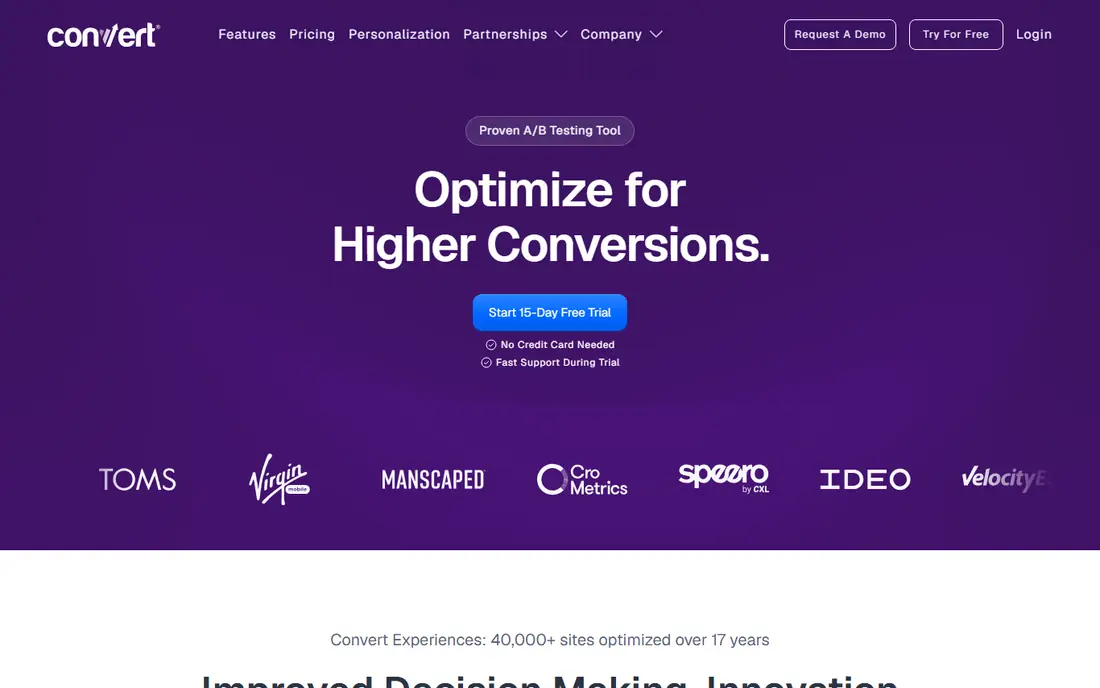
Convert Experiences appeals to teams that want to see the price before a sales call. A/B tests, multivariate tests, split tests, heatmaps, and session recordings cover the main testing jobs, and the published pricing page lists plans by tested users per month. That transparency makes budgeting easier for agencies and mid-sized teams. Recent comparisons list the Growth plan at $299 per month billed annually, with a higher monthly rate when billed monthly, and a 15-day trial. Check the current page for the tested-user limit that matches your traffic, since exceeding it changes the plan you need. Convert fits teams that value clear pricing and privacy controls over a free starter tier.
- Published pricing, A/B and multivariate testing, and privacy-focused positioning
- Higher entry price than a free starter tier, and some features need a higher plan
Hotjar answers a simple question: what do visitors actually do on the page. Heatmaps show clicks, scroll depth, and attention, recordings show real sessions, and surveys collect feedback at the moment of friction. Those views help a team decide what to test, rather than guessing which headline or form field is the problem. Hotjar is now part of Contentsquare, and pricing by sessions has changed over time, so check the current page for the plan that matches your monthly sessions. The limited free plan suits a small site that wants to learn behaviour basics. For testing itself, pair Hotjar with VWO, Convert, or another testing tool.
- Heatmaps, recordings, surveys, and feedback tools in a familiar interface
- Session limits on lower plans, and testing features are not its main strength
Microsoft Clarity stands out because its core behaviour tools are free. Heatmaps and session recordings help a small team see rage clicks, dead clicks, and scroll drop-off without paying for a behaviour tool first. That makes it a strong starting point for sites that have never watched a session recording before. Clarity does not run experiments, so it works best beside a testing tool and an analytics tool. It also lacks some of the advanced filtering and survey depth found in paid tools. For a team on a tight budget, Clarity plus Google Analytics gives a useful picture of behaviour and outcomes before any paid optimization tool is added.
- Free heatmaps and session recordings with no session cap in its core offer
- No built-in A/B testing, and analysis features are lighter than paid behaviour tools
Google Analytics, in its GA4 form, tracks where visitors come from, which pages they view, and which actions they complete. Funnels and conversion reports show where visitors drop out, which helps a team judge whether a test result or a speed fix actually changed outcomes. It is the baseline most optimization work is measured against. Setup is the main effort. Events, conversions, and internal traffic filters need to be configured correctly, or reports will mislead. Privacy rules also matter, especially for sites serving visitors in regions with strict consent rules. Get the basic setup right first, then use Analytics to judge tests, not just to count page views.
- Free traffic, funnel, and conversion reporting for most small sites
- Setup and event configuration take care, and privacy settings need attention
PageSpeed Insights checks a URL and reports performance scores for mobile and desktop, along with field data where available. It lists opportunities such as large images, unused code, and render-blocking resources, and it links each issue to guidance. That makes it a practical first check after a redesign or a speed complaint. Scores should not be chased in isolation. A perfect score on a page that confuses visitors will not fix conversions, and some fixes need developer time that could be spent on a clearer headline or a simpler form. Use PageSpeed Insights to find speed faults, fix the largest ones first, and then check Analytics to see whether behaviour changed.
- Free lab and field data with specific improvement suggestions
- Scores are diagnostic, not a guarantee of better conversions on their own
GTmetrix gives teams a repeatable way to track speed over time. Reports show load times, page structure, and a waterfall view of requests, which helps developers find slow resources and third-party scripts. History and alerts help a team notice when a new plugin, image, or script slows a key page. Free use covers basic reports, while paid plans add more tests, monitoring, and locations. Recent comparisons list paid plans from a low monthly figure, but check the current pricing page for test counts and monitoring limits. GTmetrix fits teams that need to prove speed changes over weeks, not just run a one-off check.
- Detailed waterfall reports, history, and alerts for speed tracking
- Free use is limited, and deeper analysis needs a paid plan
How we picked these
We compared official feature pages, pricing pages, app listings, and public reviews for tools that cover the main optimization jobs: testing, behaviour, speed, and analytics. We looked for tools with a clear job, a usable free or trial option where possible, and a track record with real websites. We favoured tools that can be combined, since optimization work usually needs more than one view. We did not run hands-on tests for this guide, and we did not claim conversion lifts for any tool. Results depend on traffic, test design, and site quality, and a tool alone does not guarantee improvement. Where pricing sources disagreed or pricing was quote-based, we used See website and described the pricing basis, so readers check the vendor page before buying.
Building a practical optimization stack
A practical stack starts with free baselines: Analytics for outcomes, PageSpeed Insights for speed, and Clarity for behaviour. Those three cost nothing for most small sites and show where the real problems sit. Add a testing tool only when you have a clear hypothesis and enough traffic to reach a decision in a reasonable time. Next, keep tests small and focused. Change one element at a time, such as a headline, a form length, or a call to action, and run the test long enough to cover normal weekly traffic patterns. Record the hypothesis, the result, and the next step, so the team learns even when a test shows no change. That record becomes more valuable than any single winning test over time.
Frequently asked questions
What are the best website optimization tools?
The best tools depend on the job: VWO or Convert for testing, Hotjar or Clarity for behaviour, PageSpeed Insights or GTmetrix for speed, and Google Analytics for outcomes. Most teams need a small stack, not one tool, because no single product covers testing, behaviour, speed, and analytics equally well.
What is the best website optimization software for a small business?
A small business should start with free tools, including Google Analytics, PageSpeed Insights, and Microsoft Clarity, then add VWO free starter or Convert trial when testing begins. That order keeps costs low while the team learns which pages need work. Paid testing becomes useful when traffic supports regular experiments.
What is the best tool for website optimization testing?
VWO suits all-in-one testing plus insights, Convert suits teams that want published pricing, and Optimizely suits larger programmes with governance needs. Check traffic limits and trial terms before choosing, since test volume decides the plan you need more than the feature list alone.
What is the best platform for website optimization speed work?
PageSpeed Insights suits a quick diagnostic with field data, while GTmetrix suits ongoing speed tracking with waterfall reports and history. Fix the largest speed faults first, such as heavy images and slow third-party scripts, then check Analytics for changes in behaviour.
How do I choose between free and paid optimization tools?
Use free tools until you hit a clear limit, such as session caps, test limits, or missing reporting. Paid tools earn their cost when they save time, support more traffic, or add testing and governance that free tools lack. Review usage after three months, and keep only the tools that changed a decision.
Sources we checked (8)

Online Jobs is an independent blog about careers, online work, learning new skills and the tools that help people earn. More about us.
Keep reading
All posts
n8n Alternatives
n8n alternatives compared for 2026, with Zapier, Make, Activepieces, and more, covering visual builders, code steps, self-hosting, and pricing models.

eBay Alternatives
Looking for ebay alternatives? We compared 9 marketplaces for sellers on fees, buyer reach, categories and ease of listing, to help you sell with confidence.

ZoomInfo Alternatives
The best ZoomInfo alternatives in 2026, compared on price, free plans, data coverage, and which tool fits small teams or large sales teams best in detail.