Best Tax Preparation Software in 2026: 8 Tools Compared

How we put this together: we compare official feature and pricing pages, app store listings, privacy policies and public user reviews. Prices change, so check the provider's site before you pay.
Key takeaways
- FreeTaxUSA and Cash App Taxes offer the lowest cost for many filers, with free federal filing and low or no state fees.
- TurboTax and H&R Block suit filers who want the most guided help, live expert support or in-person help.
- Free editions often cover only simple returns, so check whether your forms, such as Schedule C or investment forms, are included.
- State filing fees can change the total a lot, so compare federal plus state cost, not just the federal price.
- This article is general information only and is not tax advice; complex returns may need a tax professional.
Quick comparison
| Name | Who it suits | Starting price | Free option | |
|---|---|---|---|---|
 TurboTax TurboTax | Guided filing | See website | Yes | Visit |
 H&R Block H&R Block | Expert and in-person help | See website | Yes | Visit |
 FreeTaxUSA FreeTaxUSA | Low-cost filing | Free | Yes | Visit |
 TaxAct TaxAct | Business and personal returns | See website | Yes | Visit |
 Cash App Taxes Cash App Taxes | Completely free filing | Free | Yes | Visit |
 TaxSlayer TaxSlayer | Budget self-employed filing | See website | Yes | Visit |
 Jackson Hewitt Online Jackson Hewitt Online | Flat predictable price | See website | No | Visit |
 IRS Free File IRS Free File | Eligible free filing | Free | Yes | Visit |
The best tax preparation tools
We compared official feature pages, pricing pages, app store listings and public reviews, focusing on form support, guided help, expert support, state fees and what free editions actually cover.
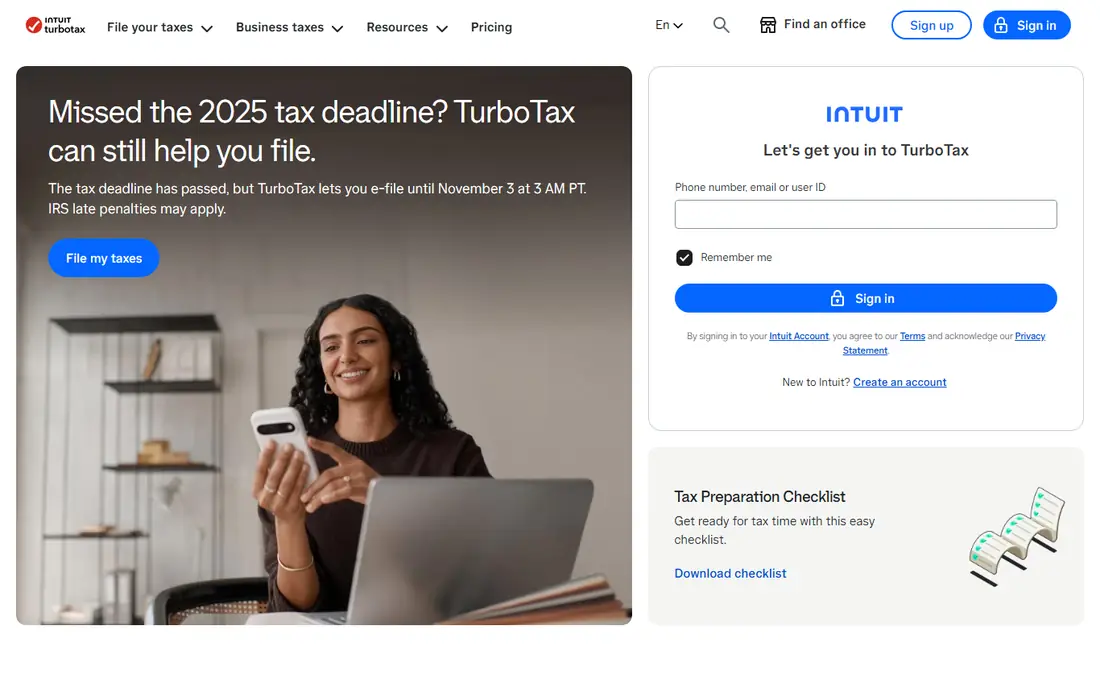
TurboTax is the easiest tax software for most filers to use, because it asks plain questions and fills in forms behind the scenes. You answer questions about income, deductions and life changes, and the software checks for common errors and missed credits. Import options for W-2 forms, banks and brokerages save typing, and paid plans add live expert help by chat or video. For a filer who wants confidence and a smooth interview, TurboTax sets the standard.
The catch is price and free scope. Free Edition covers only qualifying simple returns, and many filers with investments, rental income or self-employment income will need a paid tier. State filing adds a further fee on paid products, so the total can be much higher than the headline federal price. TurboTax suits a filer who values guidance and support and is willing to pay for it. Budget filers should compare FreeTaxUSA or Cash App Taxes for the same return first.
- Clear step-by-step guidance
- Strong import options for W-2 forms, banks and brokerages
- Live expert help on paid plans
- Free Edition covers only simple returns
- Paid tiers and state fees can add up

H&R Block is the best pick if you want the option to talk to a person, in person or online. Its online software offers guided filing, live expert help and an AI assistant on many plans, and its office network means you can take a complex question to a local office if online help is not enough. That mix suits filers who start online but want a safety net, as well as families with changing tax situations who value a familiar brand.
The limits are similar to TurboTax. Free Online covers simple returns, and paid tiers plus state fees raise the total. H&R Block is also not the cheapest option for a straightforward return, so a confident filer may pay more than needed. It is best for a filer who wants expert help close at hand, or who may need to switch from online filing to in-person help in the same season. For a simple, confident return, a free or low-cost tool will save money.
- Free Online for simple returns
- Live expert help and AI tax assist on many plans
- Thousands of in-person offices for extra help
- Paid tiers and state fees add up
- Free plan is limited to simple returns

FreeTaxUSA is our pick for value, because it offers free federal filing for a wide range of forms, not just simple returns. That includes many schedules and forms that other free editions exclude, which makes it useful for filers with investments, rental income or self-employment income. The interface is clear, accuracy checks catch common mistakes, and the state fee is low compared with larger rivals. For a confident filer, the saving over a season can be large.
The trade-off is support. Live professional help and audit defence cost extra, and import options are more limited than TurboTax. FreeTaxUSA suits a filer who is comfortable answering tax questions and does not need live expert help. If you have a complex return and want a professional to review it, H&R Block or TurboTax may be worth the extra cost. For most straightforward and moderately complex returns, FreeTaxUSA is the best balance of price and form support.
- Free federal filing for all major forms
- Low state fee
- Clear interface with accuracy checks
- Professional help and audit support cost extra
- Fewer import options than TurboTax
TaxAct suits filers who also need business returns, or who want a mid-priced option with broad form support. It offers personal filing products alongside separate business products, which helps a freelancer or small business owner who files both types of return. An accuracy guarantee and a maximum refund guarantee are offered on many plans, and form support covers a wide range of personal situations. For a filer who has outgrown a simple free tool, TaxAct is a solid step up.
The weakness is polish and support cost. The interface feels less smooth than TurboTax, and live expert help is an add-on on many plans rather than a core feature. State fees also add to the total, so compare the full price before you choose. TaxAct is best for a small business owner or a filer with a moderately complex return who wants business options in the same system. If you only need a personal return, FreeTaxUSA may be cheaper for the same forms.
- Personal and business return products
- Accuracy guarantee
- Broad form support for individuals and small businesses
- Expert help costs extra on many plans
- Interface feels less polished than TurboTax
Cash App Taxes is the only major tool here that offers completely free federal and state filing for supported returns, with no income cap. That makes it a strong pick for a filer with a single-state return who wants to keep the whole refund. The interface is simple, filing is quick, and audit defence is included in many cases. For a W-2 employee with a straightforward return, Cash App Taxes is hard to beat on price.
The limits matter for some filers. It does not support multiple-state, part-year or nonresident state returns, and it offers no live professional support. Investment and self-employment forms are supported for many cases, but check your exact forms before you start. Cash App Taxes suits a single-state filer who is confident and wants free filing. If you moved states during the year, or you need expert help, choose FreeTaxUSA, TaxAct or H&R Block instead.
- Free federal and one-state filing
- No income cap for free filing
- Simple interface for common returns
- No multiple-state, part-year or nonresident returns
- No live professional support
TaxSlayer is a good budget choice for freelancers and self-employed filers. Its self-employed tier costs less than the equivalent TurboTax or H&R Block tier, while still supporting Schedule C, deductions and common business expenses. The interface is straightforward, and the product covers a wide range of personal forms as well. For a freelancer who files each year and wants to keep software costs down, TaxSlayer offers a useful middle ground.
The catch is the state fee, which can raise the total by a large amount, and support limits on lower tiers. Live help and premium support sit on higher plans, so a filer who needs expert review should check that cost first. TaxSlayer suits a confident freelancer who wants a lower price than the big brands and does not need live help. If you need extensive support, or you file in several states, compare the full total with FreeTaxUSA and TaxAct before you decide.
- Lower-priced self-employed tier than larger rivals
- Broad form support
- Good option for freelancers on a budget
- State fee can raise the total a lot
- Live support is limited on lower tiers
Jackson Hewitt Online suits a filer who wants one predictable price, without working out federal and state fees separately. The online product offers DIY filing for federal and state returns at a flat fee, which makes budgeting easy. The interface is simple, and the office network is available if you want extra help, though that help may cost more than the online product alone. For a filer who dislikes surprise fees at checkout, that clarity is appealing.
The weakness is that there is no free version, so a simple return that could be filed free elsewhere will cost the flat fee here. The online product is also DIY filing, not full preparation by a professional, so check what support is included. Jackson Hewitt Online is best for a filer who wants a simple, predictable price and does not qualify for, or does not want, a free tool. For a simple return, Cash App Taxes or FreeTaxUSA will usually be cheaper.
- Simple flat price for federal and state filing
- Clear DIY online product
- Office network available for extra help
- No free version
- Flat price may cost more than a free tool for a simple return
IRS Free File is a government-supported route to free filing, and it deserves a place on any tax list. Eligible taxpayers, generally with income below a set limit for the filing year, can use partner software to prepare and file federal returns for free, with some partners also offering free state filing. The programme is run through the IRS, which gives it a clear trust advantage, and partner tools cover many common tax situations.
The limits are eligibility and variation. Income limits, age limits and form limits vary by partner, so not every filer will qualify for every partner, and some partners do not cover every state or form. Check the IRS Free File page for the current year rules before you start, and confirm that your chosen partner covers your forms and state. IRS Free File suits an eligible filer who wants a trusted, free route. If you do not qualify, Cash App Taxes or FreeTaxUSA are the next best free or low-cost options.
- Free guided filing for eligible taxpayers through partner software
- Official IRS programme
- Some partners include state filing
- Income limit and partner rules apply
- Not every partner covers every form or state
How we picked these
We compared official feature pages, pricing pages, app store listings and public reviews. We looked for form support, guided help, expert support, state fees and free edition scope, and for tools that cover different filers, from simple W-2 returns to self-employed and business returns. We did not claim hands-on testing that did not happen, and we did not invent prices or guarantees. Where pricing changes by year and plan, we marked it as See website and advise checking the vendor site before filing.
How to choose tax software
Start with your return, not with a brand. List your income types, deductions, credits and states, then check whether a free edition covers all of them. A free tool that excludes one key form will cost more in time and fees than a paid tool that includes it. Compare federal plus state cost for the same return, and check whether expert help, audit support and prior-year import are included or charged extra.
Check forms, imports and support before you start
Import options save time and reduce typing errors, especially for W-2 forms, banks and brokerages. Check whether your bank, brokerage or employer is supported before you buy. Also check support hours during filing season, because a question at the deadline needs a fast answer. If you have rental income, foreign income, crypto sales or a complex business, consider whether software alone is enough, or whether a tax professional should review the return.
Keep records and file early
Good records make any software easier to use. Gather W-2 forms, 1099 forms, deduction receipts and prior-year returns before you start, and keep copies of what you file. Filing early gives time to fix errors, respond to questions and arrange payment if you owe tax. If you cannot file on time, check the rules for an extension, since an extension to file is not an extension to pay. Keep your login and filing confirmation in a safe place for next year.
Frequently asked questions
What is the best tax software?
TurboTax is the best overall for guided help, H&R Block is best for expert and in-person help, and FreeTaxUSA is best for value. The best software for you depends on your return complexity, your need for support and your budget. For a simple return, a free tool is often enough. For a complex return, paid guidance or a professional review may be worth the cost.
What is the best tax app to file taxes?
The best app depends on your phone and your return. TurboTax, H&R Block, FreeTaxUSA and Cash App Taxes all offer mobile filing or mobile-friendly web filing. Check whether the app supports all your forms, since mobile versions sometimes limit complex schedules. For a simple return, a mobile app is convenient. For a complex return, a desktop browser version is often easier to review.
What is the best tax software for individuals?
For most individuals, FreeTaxUSA offers the best value, because federal filing is free for a wide range of forms and the state fee is low. Cash App Taxes is best if you want completely free federal and state filing for a single-state return. TurboTax and H&R Block are best if you want guided help or live expert support. Compare the full federal plus state cost for your exact return.
Is TurboTax or H&R Block better?
TurboTax offers a smoother guided interview and strong imports, while H&R Block offers a similar online product plus a large office network for in-person help. Price and support options are close, so the choice often comes down to whether you want in-person help, which favours H&R Block, or the most polished online guidance, which favours TurboTax. Compare the exact tier you need, including state fees, before you choose.
Can I file taxes for free?
Yes, in many cases. Cash App Taxes offers free federal and state filing for supported single-state returns, FreeTaxUSA offers free federal filing, and IRS Free File offers free filing for eligible taxpayers. Free editions from TurboTax, H&R Block, TaxAct and TaxSlayer cover simple returns only. Check form coverage, state rules and income limits before you start, since a free tool that excludes your forms is not truly free for you.
What is the best tax software for self-employed filers?
TaxSlayer and FreeTaxUSA offer lower-cost self-employed filing, while TurboTax Premium and H&R Block Self-Employed offer more guidance and support at a higher price. The best choice depends on how confident you are with Schedule C, deductions and estimated taxes. A confident freelancer can save money with a budget tool, while a first-time freelancer may benefit from live help or a professional review.
Sources we checked (8)

Online Jobs is an independent blog about careers, online work, learning new skills and the tools that help people earn. More about us.
Keep reading
All posts
Best Trading Apps for Beginners
Compare the best trading app for beginners, with $0 stock commissions, fractional shares, education, paper trading and account types explained in 2026 now.

Best Trading App
We compared the best trading apps for beginners and active traders on fees, tools, accounts and ease of use, so you can pick a platform that fits your plan.
Best Tax Software
Compare the best tax software in 2026 for simple returns, investors, freelancers, and preparers, with free options, state fees, and honest limits for filing.