Best Stretching App in 2026: 8 Apps Compared


Structured flexibility programs · Starting price: $19.99 per month
How we put this together: we compare official feature and pricing pages, app store listings, privacy policies and public user reviews. Prices change, so check the provider's site before you pay.
Key takeaways
- StretchIt is the best stretching app for structured flexibility programs, including splits and mobility training.
- Bend is the best pick for short daily routines that are easy to follow at home or at a desk.
- Pliability suits athletes who want recovery-focused mobility work alongside training.
- GoWOD is a good free starting point for CrossFit-style mobility, with daily routines.
- Stop stretching if you feel sharp pain, and talk to a clinician about persistent pain or injury before starting a new program.
Quick comparison
| Name | Who it suits | Starting price | Free option | |
|---|---|---|---|---|
| StretchIt | Structured flexibility programs | $19.99 per month | Free trial | Visit |
 Bend | Short daily routines | Free | Yes | Visit |
 Pliability | Athlete recovery and mobility | See website | Free trial | Visit |
 GoWOD | Daily mobility for training | Free | Yes | Visit |
 Down Dog | Yoga and stretching routines | See website | Free trial | Visit |
 Glo | Video yoga and stretching classes | See website | Free trial | Visit |
 StretchMinder | Reminders and desk stretches | Free | Yes | Visit |
 Peloton App | Guided stretching and mobility classes | See website | Free trial | Visit |
The best stretching apps
A good stretching app should do more than list poses. It should guide timing, show correct form, progress gradually, and fit into a routine you will actually keep. We compared official app store listings, vendor pages, and public reviews for stretching and mobility apps available today, and we favored apps with structured programs, clear instruction, and a free tier or trial. This article is general information, not medical advice, and it does not replace guidance from a clinician or physical therapist.
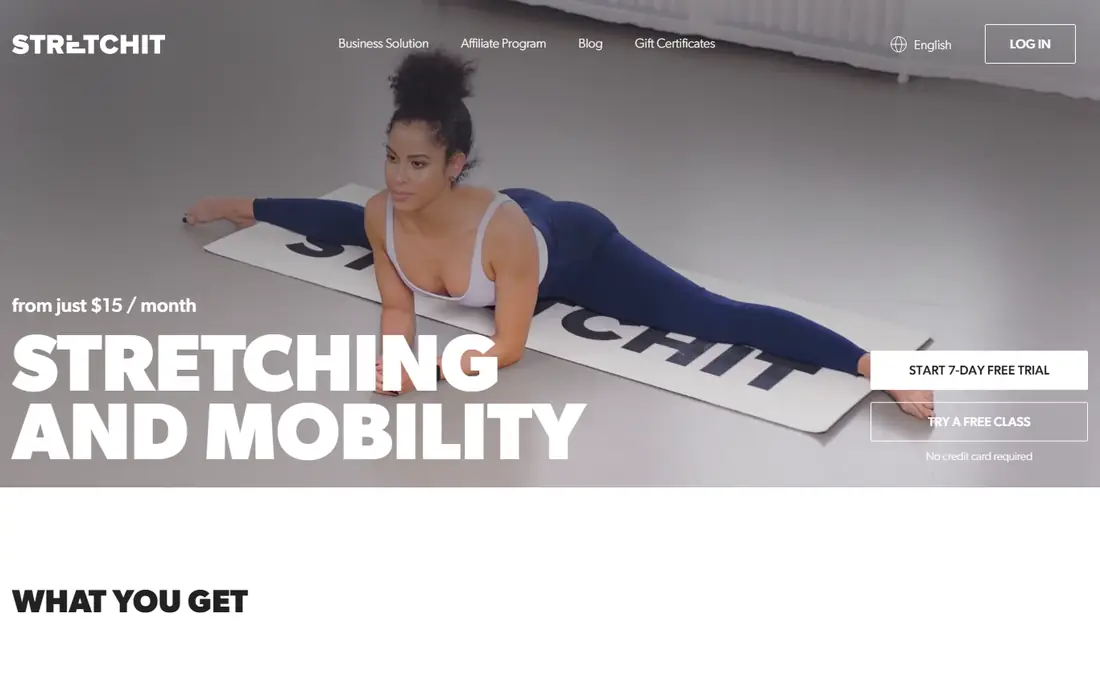
StretchIt is our pick for people with a clear flexibility goal, such as front splits, middle splits, or better backbends. Classes run from short sessions to longer programs, with new classes released regularly, and the app recommends classes based on your goals and feedback. That structure helps beginners progress gradually rather than guessing which stretches to do each day.
The price is higher than a simple timer app, with app store listings showing $19.99 per month or $159.99 per year, plus a 7-day free trial in many listings. If you only want a five-minute daily stretch, Bend or a free app may be enough. If you want a coached program with progression, StretchIt is worth the trial.
- Structured programs for splits and mobility
- Video classes
- Personalized recommendations
- Higher monthly price than simpler apps
- Video-led format needs screen time
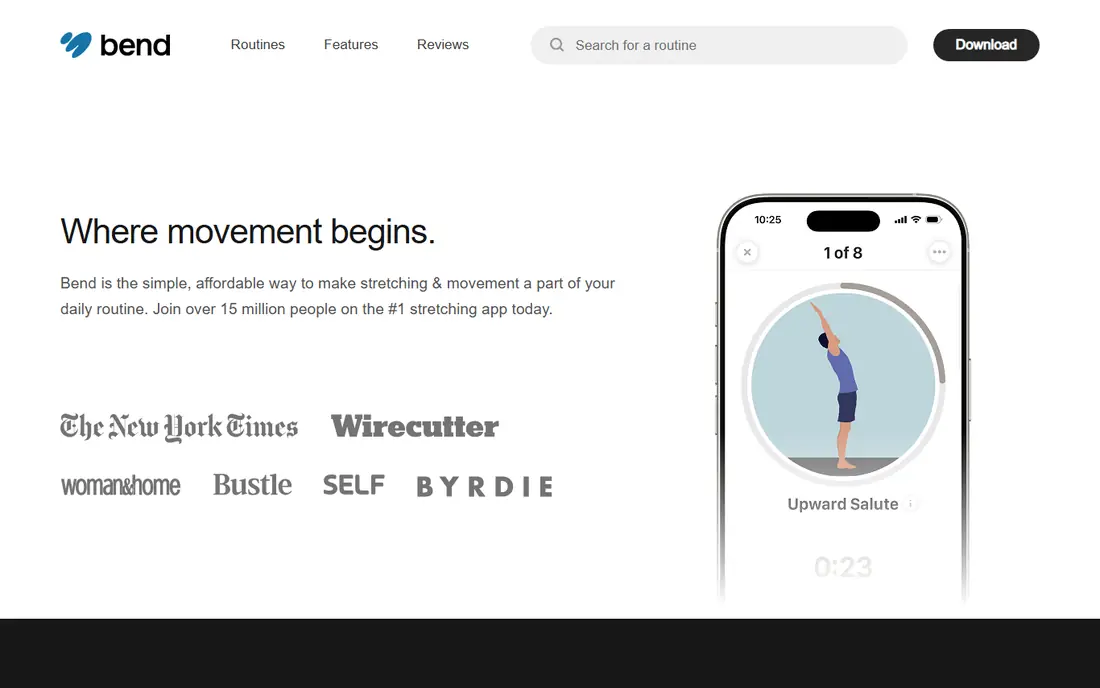
Bend suits people who want a short, daily stretching habit without a long class. Routines are illustrated with timers and written instructions, and you can build routines by body area, level, and goal, including office stretches for neck and shoulders. Daily reminders help turn stretching into a habit, which is often the hardest part.
The illustrated format is a trade-off. Some users prefer video guidance with a real instructor, and Bend free tier includes only a starter routine, with the full library behind a subscription. Pricing varies by promotion, so check the app store listing for current rates. For a simple daily routine, Bend is one of the easiest apps to stick with.
- Short illustrated routines
- Daily reminders
- Routines for desk and post-workout use
- Illustrated format rather than video
- Full library needs a subscription
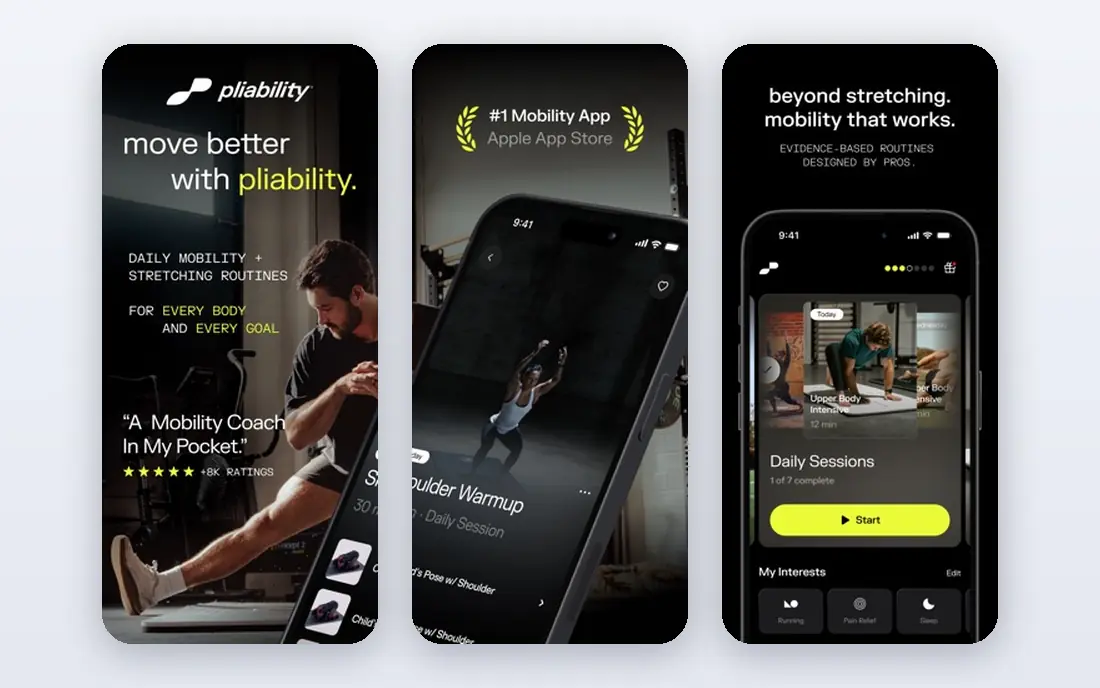
Pliability, formerly known for ROMWOD-style daily mobility, is built for athletes who train hard and need structured recovery work. Routines target mobility, flexibility, and movement quality, with daily sessions that fit around training. That athlete focus makes it useful for CrossFit, running, lifting, and team sport athletes who want mobility as part of recovery, not as a separate hobby.
Casual stretchers may find Pliability more intense or training-focused than they need, and pricing is listed on the vendor site with a trial available. If you train regularly and want mobility work that matches that training load, Pliability is a strong pick. If you mainly want gentle daily stretches, Bend or Down Dog may feel more welcoming.
- Recovery-focused mobility routines
- Athlete-oriented programming
- Progress tracking
- Geared toward athletes
- Pricing by subscription on the vendor site
GoWOD is a good free stretching app for people who train and want a daily mobility routine. It offers movement assessments and daily routines tailored to your mobility scores, with a focus on positions used in functional training. The free tier covers core daily work, which makes it easy to test before paying for extra features.
The training focus is also its limit. If you do not train with barbells or functional movements, some terminology and routines may feel less relevant. Still, the free daily routine is genuinely useful, and the app is a low-risk way to start a mobility habit. Check the app store listing for current subscription options if you want the full feature set.
- Free daily mobility routines
- Movement assessments
- Training-focused design
- CrossFit-oriented language may not suit everyone
- Some features need a subscription
Down Dog is a flexible choice if you like yoga-style stretching with variety. You can customize session length, focus, level, and music, and each session is generated rather than repeated exactly, which keeps daily practice fresh. That variety helps people who get bored with the same routine every day.
It is broader than a pure stretching app, since sessions blend yoga poses, breathing, and stretching, which may not suit users who want only targeted flexibility work. A trial is available, with subscription pricing on the vendor site. If you enjoy yoga and stretching together, Down Dog is one of the best all-round options here.
- Customizable yoga and stretching sessions
- Varied routines
- Offline options in listings
- Yoga focus may be broader than pure stretching
- Subscription needed after trial
Glo suits users who prefer video classes with real teachers over illustrated timers. The library covers yoga, stretching, Pilates, and meditation, with classes for different levels and durations. That breadth makes it useful for a wider wellness routine, not just stretching alone.
Video classes take more time and screen attention than a five-minute Bend routine, and a subscription is needed after the trial. Pricing is on the vendor site. If you learn best by watching a teacher and you want stretching as part of a broader practice, Glo is worth a trial, but if you only want quick daily stretches, a simpler app will fit better.
- Large video class library
- Experienced teachers
- Yoga, Pilates, and meditation options
- Subscription cost
- Video classes need more time than short routines
StretchMinder is a simple habit tool for people who sit at a desk and forget to stretch. It sends reminders and guides short stretches you can do without changing clothes or leaving your desk, which makes it easy to fit into a workday. For office workers with neck, shoulder, and back tightness, that simplicity is the point.
It does not offer the structured programs of StretchIt or the athlete programming of Pliability, and its content library is smaller. Use StretchMinder as a daily nudge alongside a longer program if you want both, or on its own if a short desk routine is all you need. A free tier covers core reminders, with pricing on the vendor or app store listing.
- Simple reminders
- Short desk-friendly stretches
- Low friction habit tool
- Less structured programming than StretchIt or Pliability
- Smaller content library
Peloton App suits users who like guided classes with real instructors and a wide choice of session lengths. Stretching, mobility, yoga, and strength classes sit alongside cardio and strength training, so stretching can become part of a broader fitness routine rather than a standalone habit. Live classes add energy for users who enjoy scheduled sessions, while on-demand classes fit irregular days.
The breadth is also the limit. Peloton is not a stretching-only app, and full class access needs a subscription after a trial, with pricing on the vendor site. If you only want short desk stretches, Bend or StretchMinder are simpler and cheaper. If you already train with Peloton or want instructor-led stretching classes, this is a strong, well-supported option.
- Large stretching and mobility class library
- Live and on-demand classes
- Classes for many levels
- Broader fitness app, not stretching only
- Full access needs a subscription
How we picked these
We compared official app store listings, vendor pages, and public reviews for stretching and mobility apps available today. We kept apps with a clear stretching or mobility focus, structured routines or programs, and a free tier or trial, covering casual, athlete, yoga, and desk use cases. Prices are app store or vendor listings where published, and we used See website where pricing varies by promotion or plan. This is general information, not medical advice, and we did not claim hands-on testing of every program.
How to choose a stretching app
Match the app to your goal and your available time, not to the longest class library. A five-minute habit you keep beats a 45-minute program you skip.
Start with your goal
If you want splits or a specific flexibility goal, choose a program-led app like StretchIt. If you want a daily habit, choose Bend or StretchMinder. If you train hard, choose Pliability or GoWOD. If you enjoy yoga, choose Down Dog or Glo. Writing down one goal before you download will make the choice much easier.
Build a routine you can keep
Pick a session length you can do most days, even on busy days, and set a reminder at the same time each day. Start with shorter sessions and easier levels, and increase gradually, since pushing too hard too fast is a common cause of soreness and setbacks. Track consistency for two weeks before judging an app, since flexibility changes slowly.
Stretch safely
Warm up lightly before deep stretching, move into stretches gradually, and stop if you feel sharp pain, numbness, or tingling. Mild tension is normal, but pain is a signal to ease off. If you have an injury, chronic pain, or a medical condition, talk to a clinician or physical therapist before starting a new stretching program, and tell them about the app and routines you plan to use.
Frequently asked questions
What is the best stretching app?
StretchIt is our pick for structured flexibility programs, Bend for short daily routines, and Pliability for athlete recovery. GoWOD is a good free starting point for training-focused mobility. The best app depends on whether you want a goal-based program, a daily habit, or recovery work alongside training.
What is the best app for stretching free?
Bend free tier, GoWOD free tier, and StretchMinder free tier all offer useful free stretching routines without an upfront payment. Bend free includes a starter routine, GoWOD free covers daily mobility work, and StretchMinder free covers reminders and desk stretches. For a full program library, most apps need a subscription after a trial.
What is the best app for stretching and mobility?
Pliability and GoWOD are the strongest mobility-focused picks for athletes, while StretchIt covers flexibility and mobility programs for a wider audience. Down Dog and Glo blend yoga and mobility, which suits users who want variety. Choose by whether mobility means recovery for training or general flexibility for daily life.
How often should I stretch?
Most people benefit from short daily stretching, even five to ten minutes, rather than one long session per week. Consistency matters more than intensity, and gentle daily work is easier to maintain than occasional intense sessions. If you are new to stretching, start with short sessions and build up gradually.
Can stretching apps help with back pain?
Stretching can help some people with muscle tightness, but back pain has many causes, and stretching is not a treatment for every type. Stop if stretching worsens pain, and talk to a clinician or physical therapist about persistent, severe, or unexplained back pain before relying on an app. Use apps for general flexibility, not as a substitute for medical care.
Is it safe to stretch every day?
Daily gentle stretching is safe for most healthy adults, provided you warm up, move gradually, and avoid forcing joints into painful positions. Avoid aggressive bouncing stretches and deep stretches on cold muscles. If you feel sharp pain, numbness, or tingling, stop and seek advice from a clinician if symptoms persist.
Sources we checked (8)

Online Jobs is an independent blog about careers, online work, learning new skills and the tools that help people earn. More about us.
Keep reading
All posts
Best workout apps for women
Compare the best workout apps for women in 2026, from free guided classes to structured strength plans, with current prices, free plans and honest trade-offs.
Best Yoga App
Find the best yoga app for home practice in 2026, with verified prices, free options, class styles, trials and honest limits for 10 yoga apps compared.
Best Workout Tracker App
We compared the best workout tracker app options for gym, home, and running training, checking prices, free plans, and logging tools in detail. See inside.