Best Streaming Service Bundles in 2026: 9 Products Compared


Households that watch Disney and Hulu · Starting price: $12.99 per month
How we put this together: we compare official feature and pricing pages, app store listings, privacy policies and public user reviews. Prices change, so check the provider's site before you pay.
Key takeaways
- A bundle only saves money if you watch most of the services in it most months.
- Ad-supported bundles cost less, but ad breaks and content limits vary by service and plan.
- Live TV bundles solve a different problem from on-demand bundles, so compare them separately.
- Rotating services by season often beats paying for every bundle all year.
Quick comparison
| Name | Who it suits | Starting price | Free option | |
|---|---|---|---|---|
| Disney Bundle Duo | Households that watch Disney and Hulu | $12.99 per month | No | Visit |
 Disney Bundle Trio with Max | Households that want Disney, Hulu, and Max | $19.99 per month | No | Visit |
 Paramount Plus Premium | CBS, sports, and Showtime fans | $13.99 per month | Free trial | Visit |
 Apple One | Apple households that use several Apple services | See website | Free trial | Visit |
 Amazon Prime | Shoppers who want video plus delivery perks | $14.99 per month | Free trial | Visit |
 Hulu with Live TV | Cord-cutters who want live channels | See website | Free trial | Visit |
 YouTube TV | Live TV fans who want a simple DVR | See website | Free trial | Visit |
 Sling TV | Budget live TV viewers who pick channels | See website | No | Visit |
 Walmart Plus with Paramount Plus | Walmart shoppers who want streaming included | See website | Free trial | Visit |
The best streaming service bundles
Streaming bundles promise fewer bills and a lower total price, but the saving only holds if you use what you pay for. We compared on-demand bundles, premium add-ons, and live TV bundles on content, ads, and price.
The Disney Bundle Duo fits households that split time between family viewing and adult TV. Disney covers franchises and family titles, while Hulu adds current-season TV and adult originals, all under one bill.
It suits families and couples who already use both services, because the bundle price sits below two separate subscriptions. The combined app experience also makes it easier to find shows without switching bills.
The catch is the ad tier. The entry bundle price uses ads, so ad-free viewing costs more, and you should check the current ad-free bundle price before you assume a saving. Before you subscribe, check the vendor pricing page for the current plan, because prices and plan inclusions change, and confirm that the features you need sit on the plan you will actually buy. A short trial with your own data or daily routine will tell you more than a feature list alone.
- Two major libraries in one bill
- Family and adult content
- Simple sign-up
- No free plan
- Ad tier is the entry price
Disney Bundle Trio with Max
Who it suits: Households that want Disney, Hulu, and Max
The Disney Bundle Trio with Max fits households that watch across all three libraries each month. Max adds prestige series and films to the Disney and Hulu mix, which broadens the bundle beyond family viewing.
It suits heavy viewers who would otherwise pay for three separate services. One bill and one account flow make it simpler to manage, and the combined catalog covers many tastes.
The catch is that the entry price uses ads, and the ad-free version is a large step up. Only choose the trio if you use Max regularly, not just for one series. Before you subscribe, check the vendor pricing page for the current plan, because prices and plan inclusions change, and confirm that the features you need sit on the plan you will actually buy. A short trial with your own data or daily routine will tell you more than a feature list alone.
- Three libraries in one bill
- Prestige series plus family content
- One payment
- No free plan
- Ad-free version costs much more
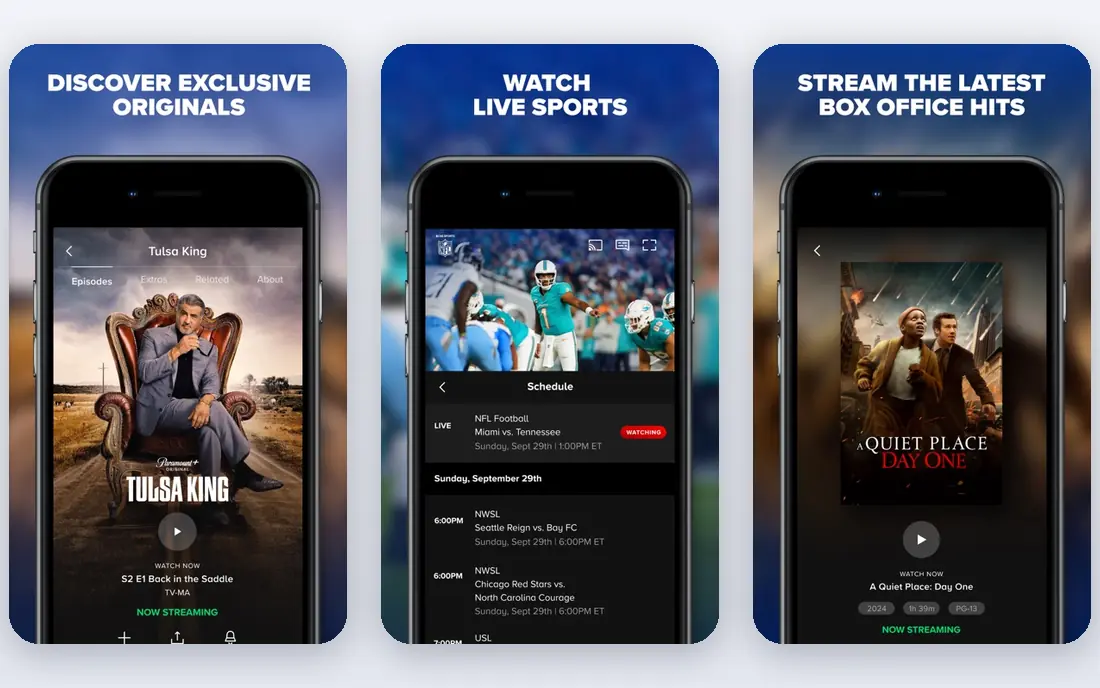
Paramount Plus Premium fits viewers who follow CBS shows, selected sports, and Showtime titles. The Premium tier adds Showtime content and removes most ads, which suits regular viewers.
It suits households that watch live sports and network TV alongside on-demand films. Downloads help for travel, and the catalog covers a mix of drama, comedy, and documentary titles.
The catch is library size. The originals list is smaller than the largest rivals, so check whether your must-watch shows are actually on Paramount Plus before you subscribe. Before you subscribe, check the vendor pricing page for the current plan, because prices and plan inclusions change, and confirm that the features you need sit on the plan you will actually buy. A short trial with your own data or daily routine will tell you more than a feature list alone.
- Includes Showtime content
- Live CBS and sports
- Downloadable titles
- Smaller originals library than larger rivals
- Some titles rotate out
Apple One fits households already deep in Apple services, where TV, music, games, and storage sit under one bill. The bundle is convenient, and family sharing can spread the cost across a household.
It suits Apple users who already pay for two or more Apple services separately. In that case, the bundle can lower the total, and Apple TV adds a focused set of originals.
The catch is that the TV catalog is smaller and more curated than larger libraries. If you mainly want breadth, Apple One alone may not replace a larger bundle. Before you subscribe, check the vendor pricing page for the current plan, because prices and plan inclusions change, and confirm that the features you need sit on the plan you will actually buy. A short trial with your own data or daily routine will tell you more than a feature list alone.
- Bundles Apple TV, Music, Arcade, and storage
- One bill
- Family sharing options
- Value depends on Apple use
- TV catalog is smaller than larger rivals
Amazon Prime fits households that already value fast delivery and shopping perks, with Prime Video as an added benefit. The film and series library is broad, and add-on channels let you extend it without a separate app for each channel.
It suits Prime members who watch a few series a month and rent or buy films occasionally. The bundle value comes from the whole Prime package, not video alone.
The catch is ads. Base Prime Video now includes ads, and ad-free viewing needs an extra payment, so factor that in if ads bother you. Before you subscribe, check the vendor pricing page for the current plan, because prices and plan inclusions change, and confirm that the features you need sit on the plan you will actually buy. A short trial with your own data or daily routine will tell you more than a feature list alone.
- Prime Video plus delivery and shopping perks
- Large film library
- Add-on channels
- Video has ads on the base plan
- Ad-free video costs extra
Hulu with Live TV fits viewers who want to replace cable with live channels plus an on-demand library. News, sports, and entertainment channels sit alongside Hulu originals and current-season TV.
It suits households that watch live TV daily, especially sports and news, and who want one app for live and on-demand viewing. Cloud DVR helps you keep shows you miss live.
The catch is price and local variation. It costs much more than an on-demand bundle, and channel availability can vary by location, so check your local lineup first. Before you subscribe, check the vendor pricing page for the current plan, because prices and plan inclusions change, and confirm that the features you need sit on the plan you will actually buy. A short trial with your own data or daily routine will tell you more than a feature list alone.
- Live channels plus Hulu library
- News and sports
- Cloud DVR
- Higher price than on-demand bundles
- Channel list varies by area
YouTube TV fits live TV fans who want a broad channel list and a simple DVR. Unlimited DVR storage is a clear plus for households that record many shows and sports events.
It suits cord-cutters who watch live sports, news, and network shows, and who share viewing across a household. The interface is familiar to YouTube users, which shortens the learning curve.
The catch is that it is not an originals bundle. You will still need on-demand services for prestige originals, so count both costs together. Before you subscribe, check the vendor pricing page for the current plan, because prices and plan inclusions change, and confirm that the features you need sit on the plan you will actually buy. A short trial with your own data or daily routine will tell you more than a feature list alone.
- Wide live channel list
- Unlimited DVR storage
- Easy household sharing
- No on-demand originals library
- Price is higher than on-demand bundles
Sling TV fits budget-conscious live TV viewers who want to pick channel packs rather than pay for a large bundle. Orange and Blue packs let you match the service to sports, news, or entertainment tastes.
It suits smaller households and viewers who mainly watch a few channels. Add-ons let you extend sports or news coverage without moving to a pricier live TV service.
The catch is fragmentation. Popular channels sit across different packs, so your total can rise quickly if you need channels from both packs plus sports add-ons. Before you subscribe, check the vendor pricing page for the current plan, because prices and plan inclusions change, and confirm that the features you need sit on the plan you will actually buy. A short trial with your own data or daily routine will tell you more than a feature list alone.
- Lower entry price than larger live TV services
- Channel packs you choose
- Flexible add-ons
- Channel list is split across packs
- Some sports need add-ons
Walmart Plus with Paramount Plus
Who it suits: Walmart shoppers who want streaming included
Walmart Plus with Paramount Plus fits Walmart shoppers who want streaming as part of a wider membership. The included Paramount Plus tier adds TV and films to delivery, fuel, and shopping perks.
It suits households that already shop at Walmart regularly, because the membership value comes from several perks together. Streaming alone would not justify the membership for most viewers.
The catch is tier. The included Paramount Plus plan is ad-supported, so ad-free viewing or Premium features need a separate upgrade. Before you subscribe, check the vendor pricing page for the current plan, because prices and plan inclusions change, and confirm that the features you need sit on the plan you will actually buy. A short trial with your own data or daily routine will tell you more than a feature list alone.
- Paramount Plus included with shopping and delivery perks
- One membership
- Paramount Plus tier is ad-supported
- Value depends on Walmart use
How we picked these
We compared bundles sold as a single package or a linked offer, not single services alone, and we checked vendor pricing pages for the starting bundle price shown here. We looked at content breadth, ad tiers, stream limits, and how well each bundle fits different households. Prices change often in streaming, so check the vendor checkout page before you subscribe, and note whether the price is a monthly or annual rate.
How to choose a streaming bundle
Start by listing what you actually watched last month. Write down the services, shows, and sports you used, then match that list to bundles instead of starting from the bundle ads. If a bundle adds a service you rarely open, it is not a saving, even if the per-service price looks low.
Next, decide how much ads bother you. Ad-supported plans cost less and suit casual viewing, while ad-free plans suit households that watch daily or watch with children who skip ads poorly. Check whether the ad-free version covers every service in the bundle, because some bundles mix ad tiers.
Then check the fine print on content and screens. Some bundles limit simultaneous streams, downloads, or 4K access, and sports rights can move between services. If you share an account across a household, stream limits matter as much as the headline price.
Finally, plan a rotation. Keep one or two bundles year-round for shows you follow weekly, and add others for a month when a series or season returns. Set a calendar reminder to cancel a rotating bundle, and review your total streaming spend every few months.
Frequently asked questions
Do streaming bundles really save money?
They can, if you already pay for the services in the bundle separately. Add up what you pay now, compare it with the bundle price, and check whether the bundle uses the same ad tier. If you only watch one service in the bundle, a single subscription is usually cheaper.
Are ad-supported bundles worth it?
Ad-supported bundles suit casual viewers who watch a few hours a week and do not mind breaks. Heavy viewers, families with young children, and sports fans who watch live may find ad-free plans less disruptive. Try the ad tier for a month before committing to a year.
Can I share a bundle with family?
Sharing rules vary by service, and many now limit sharing to a household or charge for extra members. Check the account and profile rules for each service in the bundle, including simultaneous stream limits. A bundle that works for one person may not work for a large household.
What is the difference between a bundle and live TV?
On-demand bundles give you libraries and originals to watch when you like, while live TV bundles replace cable with live channels, news, and sports. Live TV usually costs more and suits viewers who watch live sports and news daily. Compare them as separate categories.
Should I pay annually for a bundle?
Annual billing lowers the monthly equivalent price, but it locks you in for a year. Pay annually only for a bundle you use every month, and pay monthly for bundles you rotate. Check the refund and cancellation terms before you choose annual billing.
Sources we checked (8)

Online Jobs is an independent blog about careers, online work, learning new skills and the tools that help people earn. More about us.
Keep reading
All posts
n8n Alternatives
n8n alternatives compared for 2026, with Zapier, Make, Activepieces, and more, covering visual builders, code steps, self-hosting, and pricing models.

iPhone Alternatives
Looking for iPhone alternatives in 2026? Compare 9 Android phones from Samsung, Google, OnePlus, and more, with cameras, battery life, and honest trade-offs.

eBay Alternatives
Looking for ebay alternatives? We compared 9 marketplaces for sellers on fees, buyer reach, categories and ease of listing, to help you sell with confidence.