Best Stock Trading App in 2026: 9 Apps Compared

How we put this together: we compare official feature and pricing pages, app store listings, privacy policies and public user reviews. Prices change, so check the provider's site before you pay.
Key takeaways
- Most major US apps now offer $0 online stock and ETF commissions, so tools, research, and account types matter more than headline price.
- Fidelity and Charles Schwab suit long-term investors who want retirement accounts, research, and broad fund choices.
- Robinhood and Webull suit mobile-first and active traders, with different strengths in simplicity and charting.
- Options, margin, transfer, and crypto fees still vary, so check the full fee schedule before you trade.
- This is not financial advice; trading carries risk, and you can lose money, especially with margin, options, and short-term trading.
Quick comparison
| Name | Who it suits | Starting price | Free option | |
|---|---|---|---|---|
 Fidelity Fidelity | Long-term investors | Free | Yes | Visit |
 Charles Schwab Charles Schwab | Full-service investing | Free | Yes | Visit |
 Robinhood Robinhood | Simple mobile trading | Free | Yes | Visit |
 Webull Webull | Active traders and charting | Free | Yes | Visit |
 E*TRADE E*TRADE | Options and power tools | Free | Yes | Visit |
 SoFi Invest SoFi Invest | Simple investing in one app | Free | Yes | Visit |
 Interactive Brokers Interactive Brokers | Global and advanced traders | Free | Yes | Visit |
 Public Public | Simple multi-asset investing | Free | Yes | Visit |
 Moomoo Moomoo | Data-heavy mobile trading | Free | Yes | Visit |
The best stock trading app
The best stock trading app depends on whether you invest for retirement, trade often, or want a simple way to start. We compared official feature pages, pricing pages, app store listings, privacy policies, and public reviews, with a focus on commissions, options fees, account types, research, and transfer costs.
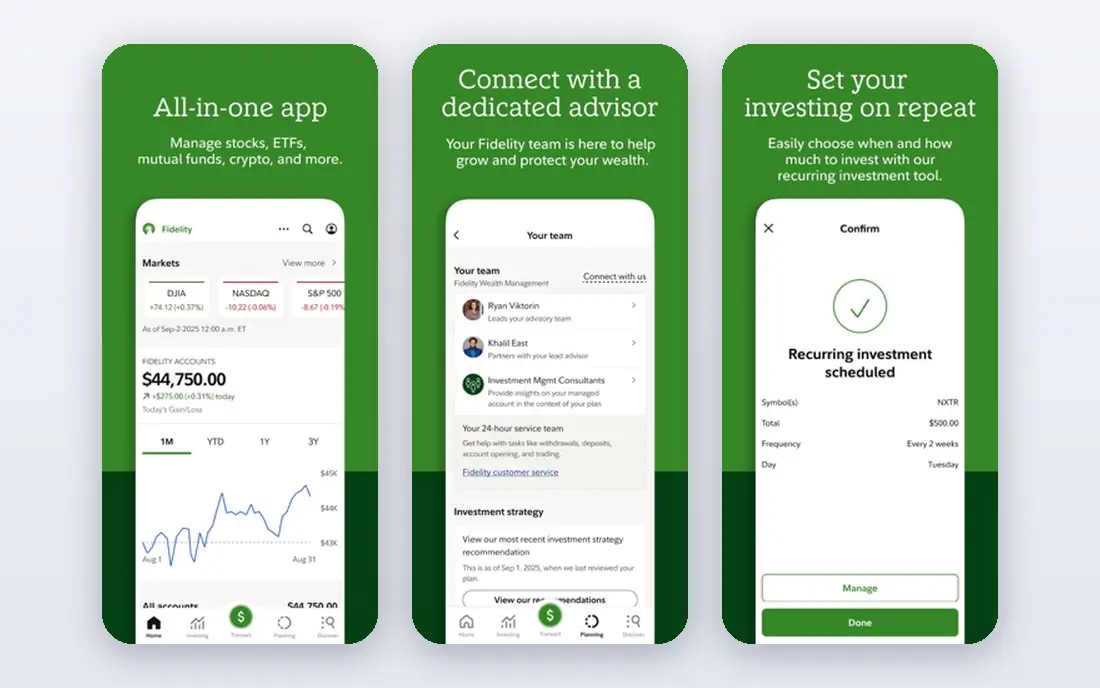
Fidelity is our pick for most long-term investors, because it combines low costs with depth. You can buy stocks, ETFs, and funds with $0 online commissions, start fractional shares from $1, and open retirement accounts such as IRAs in the same app. Research, screeners, and educational content help beginners move beyond a single stock pick.
The app is not as minimal as a mobile-first broker, and the full toolset can feel busy at first. Active Trader Pro adds depth for frequent traders, but casual investors may never need it. If you want one account for investing, retirement, and long-term planning, Fidelity is a strong default.
- $0 online US stock and ETF commissions
- Fractional shares from $1
- Strong research, retirement accounts, and fund choices
- App is less minimal than Robinhood
- Advanced tools take time to learn
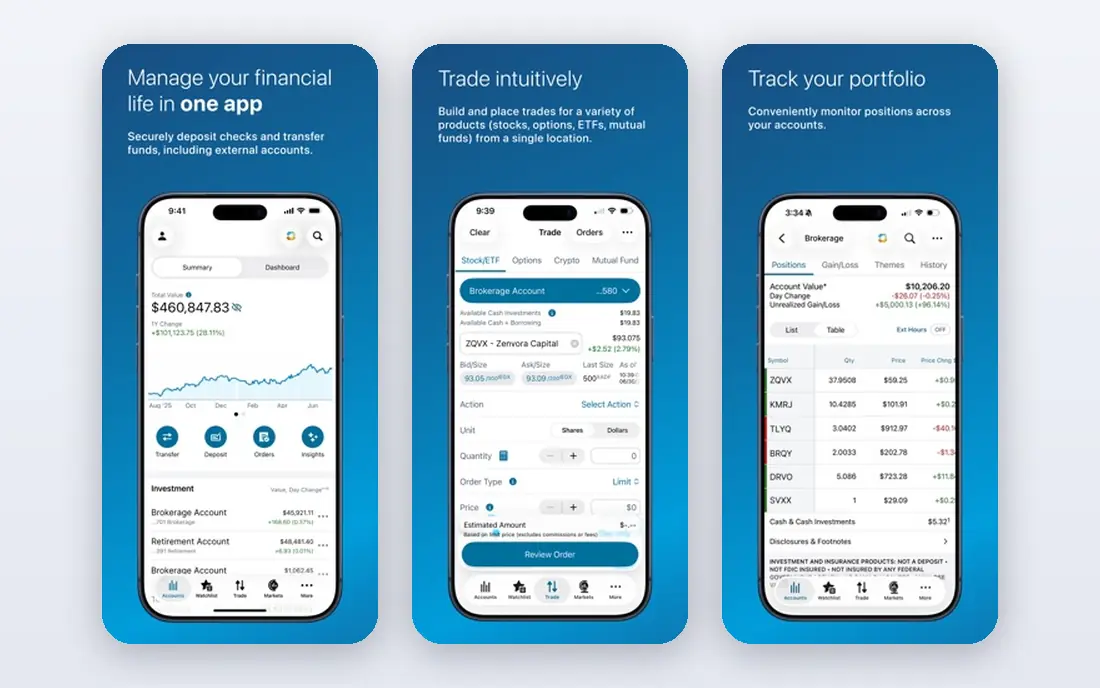
Charles Schwab suits investors who want a full-service broker with both simple and advanced tools. The main app covers stocks, ETFs, funds, and retirement accounts with $0 online commissions, while thinkorswim adds advanced charting, paper trading, and complex order types for active traders. Customer support and planning tools are also strong.
Options traders pay a per-contract fee, which adds up for frequent options trades compared with brokers that charge no contract fee. The breadth of accounts and tools can also feel complex when you first open the app. Schwab is best when you want one broker that can grow from simple investing to active trading.
- $0 online listed stock and ETF commissions
- Thinkorswim platform for active traders
- Broad retirement and planning tools
- Options cost $0.65 per contract
- Platform range can feel complex for beginners
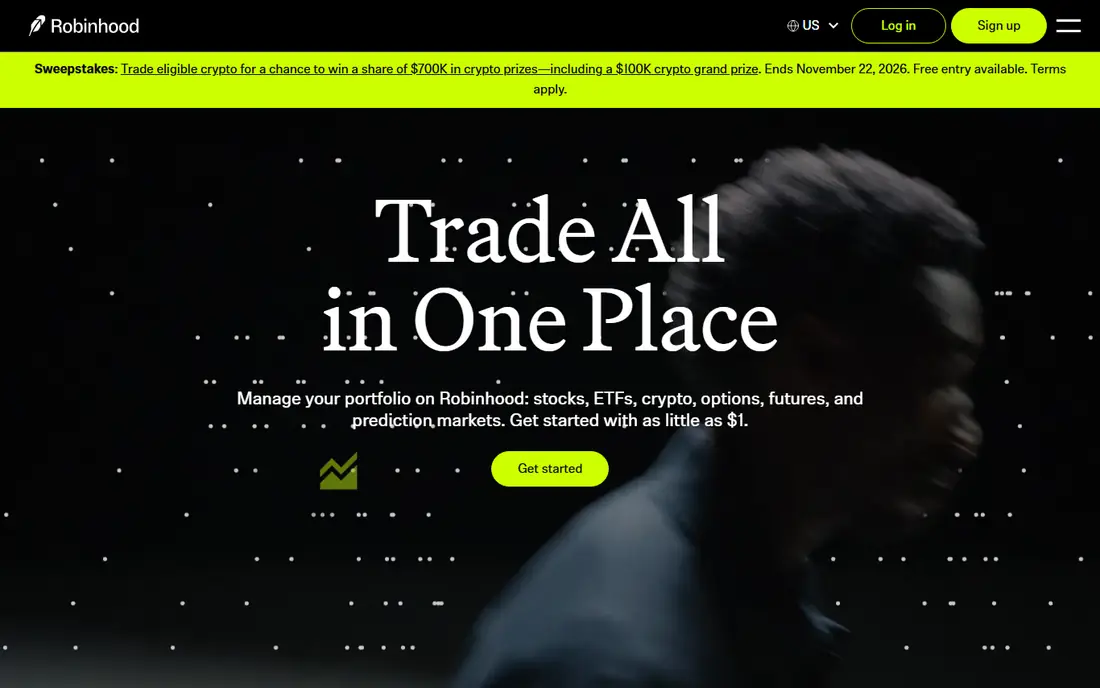
Robinhood is the easiest app here for a first stock purchase. The order flow is short, fractional shares start from $1, and recurring investments help beginners build a habit without timing the market. Stocks, ETFs, and options carry $0 commissions, and the app also offers crypto trading and retirement accounts.
Research is lighter than at Fidelity or Schwab, and there are no mutual funds, so long-term fund investors may need a second account. The interface also makes trading feel easy, which can encourage frequent trades that hurt returns. Use Robinhood for simple mobile investing, and pair it with a plan rather than trading on impulse.
- Simple mobile order flow
- $0 stock, ETF, and options commissions
- Fractional shares from $1 and recurring investments
- Research tools are lighter than full brokers
- No mutual funds
- Transfer-out fee can be high
Webull suits traders who want charting, indicators, and extended-hours trading without paying stock commissions. The desktop and mobile platforms offer detailed charts, screeners, and order types, and paper trading lets you practice with real-time pricing before risking money. Options also carry $0 commissions on many contracts.
The depth that active traders like can overwhelm beginners, and the app is less focused on simple fund-based retirement plans. There are also no mutual funds. Webull is best for people who already know they want to study charts and trade actively, rather than for a first retirement account.
- $0 stock, ETF, and many options commissions
- Strong mobile and desktop charting
- Free paper trading to practice
- Learning curve is steeper than Robinhood
- No mutual funds
- Less suited to simple retirement planning
ETRADE is a solid middle ground for investors who want a full broker plus a capable options platform. The main app covers stocks, ETFs, funds, and retirement accounts, while Power ETRADE adds options chains, strategies, and charting for active traders. Banking features also help if you want cash management in the same brand.
Options fees are standard rather than free, though active traders may qualify for a lower per-contract rate. The range of tools can also feel split across apps and web platforms. E*TRADE suits investors who want options tools and a full-service broker in one account.
- $0 online stock and ETF commissions
- Power E*TRADE for options and active trading
- Broad account and banking options
- Options cost $0.65 per contract, with a lower rate for active traders
- Interface has several separate tools
SoFi Invest suits people who want investing alongside banking, loans, and other money tools in one app. You can choose self-directed investing or automated investing, buy fractional shares from $5, and keep a simple portfolio without learning a complex trading platform. That simplicity helps beginners who want to start and stay consistent.
Trading and research tools are lighter than at Webull, Schwab, or Fidelity, and options are not the focus here. If you plan to trade actively or study charts daily, a specialist broker will fit better. SoFi is best for simple, long-term investing inside a broader money app.
- $0 stock commissions
- Self-directed and automated investing in one app
- Fractional investing from $5
- Research and trading tools are lighter than specialist brokers
- No options trading in the basic app flow
Interactive Brokers suits advanced traders and investors who need global access. It covers stocks, ETFs, options, futures, and markets outside the US, with advanced order types and professional tools. IBKR Lite offers $0 US stock and ETF commissions for eligible clients, while IBKR Pro uses tiered or fixed pricing for traders who need more depth.
The platform is not beginner-friendly, and data, market access, and Pro fees can add complexity. Beginners may find the account setup and interface daunting compared with Robinhood or SoFi. Choose Interactive Brokers when global markets or advanced trading tools are a real need, not just a nice extra.
- Access to many global markets
- $0 US stock and ETF commissions on IBKR Lite for eligible clients
- Advanced order types and tools
- Steep learning curve
- Pro pricing and data fees can add cost for some traders
Public suits beginners who want a simple app that covers more than stocks alone. You can invest in stocks, ETFs, bonds, and Treasuries, set recurring plans, and buy fractional shares. The design is calmer than a gamified trading app, and educational content helps new investors learn basics.
Some features, plans, and asset types carry separate fees, so check the fee schedule for the assets you plan to use. Active traders will also find charting and order tools lighter than Webull or thinkorswim. Public is best for simple, diversified investing with a clear, beginner-friendly flow.
- Stocks, ETFs, bonds, and Treasuries in one app
- Recurring investments and fractional shares
- Educational content for beginners
- Some plans, subscriptions, and asset types carry separate fees
- Trading tools are lighter than active platforms
Moomoo suits mobile traders who want data, charts, and paper trading without a desktop platform. It offers $0 stock commissions, detailed market data, and tools for studying price action, earnings, and news in one app. Paper trading helps new traders test ideas before using real money.
The data-rich interface can overwhelm a first-time investor, and options costs depend on the contract and plan. Moomoo also lacks the retirement planning depth of Fidelity or Schwab. Pick Moomoo when you want a mobile-first trading app with more data than Robinhood, and you are comfortable learning the tools.
- $0 stock commissions
- Free Level 2 data features for many users
- Strong charts and paper trading tools
- Interface can feel data-heavy for beginners
- Options fees vary by contract and plan
How we picked these
We compared official feature pages, pricing pages, app store listings, privacy policies, and public reviews for each product. We kept only brokers that exist in October 2026, accept US retail clients, and offer $0 online stock and ETF commissions or a clear low-cost model. We checked options fees, transfer fees, account types, fractional share minimums, and research depth, since those details matter more than a free headline.
We also weighed ease of use, mobile and desktop tools, and support for retirement accounts. A broker earned a place when it had a clear audience, such as long-term investors, active traders, or global traders, rather than when it simply had a popular app. This guide is for comparison only, and it is not financial advice.
How to choose a stock trading app
Start with your goal, not the app design
If your goal is retirement, prioritize IRAs, fund choices, and low long-term costs. If your goal is learning to trade, prioritize paper trading, charting, and education. If your goal is a simple habit, prioritize fractional shares, recurring investments, and a clean order flow. The prettiest app is not always the best fit for your goal.
Check the fees you will actually pay
Look beyond $0 stock commissions to options per-contract fees, margin rates, transfer-out fees, crypto spreads, and data fees. A broker that is free for stocks can still be costly for options or for moving your account later. Read the fee schedule on the broker site before you fund an account.
Keep risk in proportion
Start with money you can afford to leave invested, avoid margin until you understand interest and liquidation risk, and be careful with options and complex products. Diversified funds and a regular investing plan suit most beginners better than frequent single-stock trades. If you are unsure, consider speaking with a qualified financial adviser.
Frequently asked questions
What is the best stock trading app for beginners?
Fidelity is a strong all-round choice for beginners, because it combines $0 stock and ETF commissions, $1 fractional shares, retirement accounts, and education. Robinhood is simpler for a first mobile trade, while SoFi Invest suits beginners who want automated investing in one app. Choose the app you will use consistently, not the one with the most features.
What is the best stock trading platform for active traders?
Webull, thinkorswim at Charles Schwab, Power E*TRADE, and Interactive Brokers suit active traders, with different strengths in charting, options, and global access. Webull offers strong mobile charting and $0 options commissions on many contracts, while thinkorswim adds depth for complex strategies. Active trading still carries higher risk and costs, even with $0 stock commissions.
What is the best app for stock trading with $0 commissions?
Fidelity, Charles Schwab, Robinhood, Webull, E*TRADE, SoFi Invest, Interactive Brokers Lite, Public, and Moomoo all offer $0 online US stock and ETF commissions for eligible clients. The differences lie in options fees, transfer fees, research, and account types. Check the full fee schedule, since $0 stock commissions do not mean every service is free.
What is the best platform to buy stocks for retirement?
Fidelity and Charles Schwab are strong for retirement, because they offer IRAs, broad fund choices, planning tools, and $0 stock and ETF commissions. SoFi Invest and E*TRADE also offer retirement accounts, though fund and planning depth varies. For retirement, fund costs, diversification, and a regular contribution plan matter more than trading tools.
Are online trading platforms safe?
US brokers in this list are members of SIPC, which protects securities up to set limits if a broker fails, but SIPC does not protect against market losses. Check that a broker is registered, read its fee and margin disclosures, and use strong passwords and two-factor authentication. Trading itself carries risk, and account protection does not make an investment safe.
What is the best online trading platform for options?
Webull and Robinhood offer $0 commissions on many options contracts, while Fidelity, Schwab, and E*TRADE charge $0.65 per contract, with some active-trader discounts. Options tools, order types, and education also matter, since a low fee does not make a complex strategy suitable. Beginners should learn options basics and risks before trading contracts.
Sources we checked (11)
- https://techilu.com/best-trading-apps-for-beginners/
- https://eathealthy365.com/a-2026-usa-trading-app-fee-comparison/
- https://www.fidelity.com
- https://www.schwab.com
- https://robinhood.com
- https://www.webull.com
- https://www.etrade.com
- https://www.sofi.com
- https://www.interactivebrokers.com
- https://public.com
- https://www.moomoo.com

Online Jobs is an independent blog about careers, online work, learning new skills and the tools that help people earn. More about us.
Keep reading
All posts
Best Trading Apps for Beginners
Compare the best trading app for beginners, with $0 stock commissions, fractional shares, education, paper trading and account types explained in 2026 now.
Best Trading App
We compared the best trading apps for beginners and active traders on fees, tools, accounts and ease of use, so you can pick a platform that fits your plan.
Best Tax Software
Compare the best tax software in 2026 for simple returns, investors, freelancers, and preparers, with free options, state fees, and honest limits for filing.