Best Step Tracker App in 2026: 8 Apps Compared

How we put this together: we compare official feature and pricing pages, app store listings, privacy policies and public user reviews. Prices change, so check the provider's site before you pay.
Key takeaways
- Pacer and StepsApp are the strongest phone-only pedometer choices, while Apple Health and Samsung Health cost nothing extra on supported phones.
- Fitbit makes most sense if you already wear, or plan to buy, a Fitbit or Pixel Watch.
- Paid plans mainly add coaching, detailed trends, and custom goals, not basic step counting.
- Phone step counts vary with how you carry your phone, so a wearable gives steadier totals for many walkers.
- Charity Miles and MapMyWalk add a purpose or a route map to the same daily habit.
Quick comparison
| Name | Who it suits | Starting price | Free option | |
|---|---|---|---|---|
 Pacer | Group challenges | Free | Yes | Visit |
 Apple Health | iPhone owners | Free | Yes | Visit |
 Samsung Health | Android owners | Free | Yes | Visit |
 Fitbit | Wearable tracking | Free | Yes | Visit |
 StepsApp | Clean daily trends | Free | Yes | Visit |
 Strava | Social walkers and runners | Free | Yes | Visit |
 MapMyWalk | Route maps | Free | Yes | Visit |
 Charity Miles | Walking for charity | Free | Yes | Visit |
The best step tracker apps
We compared official feature pages, app store listings, and current pricing pages for phone apps and wearable companions. The list below starts with the most useful all-round choice and then covers free built-in options, wearable systems, and apps with a clear extra reason to open them each day.

Pacer is our pick for most people because it does the basic job well and adds a social reason to keep walking. You can count steps with your phone alone, join a public group, or set up a private challenge for friends, family, or coworkers. The leaderboard format suits people who respond better to friendly competition than to a silent daily total.
The catch is that the free version covers the core well, but deeper coaching and some custom goal controls sit behind Premium. If you only want a reliable count and a weekly challenge, the free tier is enough. If you want detailed training plans, check what Premium adds before you pay, and try the free version first for a week.
- Works with phone alone
- Group challenges and leaderboards
- Syncs with Apple Watch, Fitbit, and Garmin
- Some goal and coaching features need Premium
- Sync problems are reported by some users after updates

Apple Health is the simplest answer for iPhone owners who do not want another account or subscription. It counts steps in the background, shows daily, weekly, and monthly trends, and acts as a central store for data from other fitness apps and wearables. That central role is useful even if you later add a dedicated tracker app.
It is less motivating than Pacer or Strava on its own, because it has no built-in step challenges or public leaderboards. Think of it as a quiet record keeper rather than a coach. Pair it with a watch for steadier counts, or use it as the data source behind another app you enjoy more.
- Built into iPhone at no extra cost
- Pulls data from Apple Watch and many apps
- No ads in the core app
- IPhone only
- Challenges and social features are limited
- Step accuracy depends on carrying your phone or wearing a watch
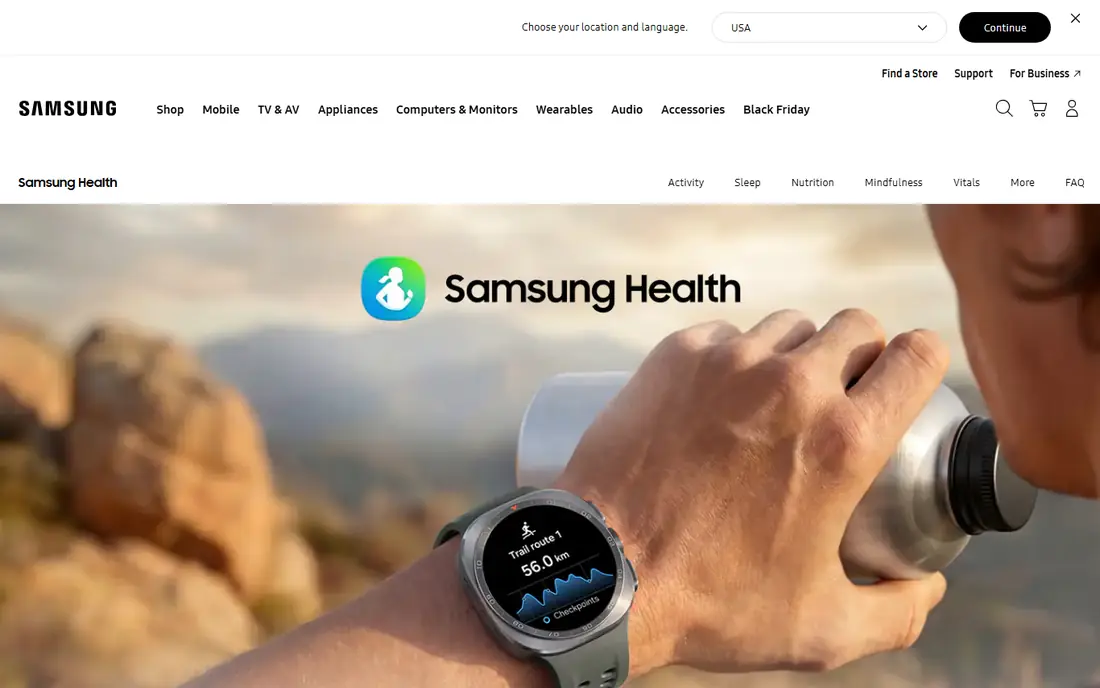
Samsung Health is the closest Android equivalent to Apple Health, with a bit more social energy built in. It tracks steps, distance, and active time, and it offers challenges that let you compete with friends or other users. For many Android owners, it removes any need to install a separate pedometer.
The main limit is that the experience is smoothest on Samsung phones and watches. On other Android phones, availability and some features can differ, so check the listing for your device before you rely on it. If you already use a Galaxy Watch, the pairing is a clear plus, since steps, sleep, and workouts sit in one place.
- Free on supported Android phones
- Includes challenges and group features
- Works with Galaxy Watch
- Fullest experience is on Samsung devices
- Some features vary by phone and region
Fitbit suits people who want steps counted without thinking about their phone. A wrist device records movement through the day, including walks when your phone stays at home, and the app turns that data into trends for steps, sleep, and activity. The free app covers the basics, while Premium adds more detailed scores and programs.
The honest trade-off is hardware cost and a second ecosystem to manage. Phone-only step tracking in the Fitbit app is less central than the wearable experience, so buy it for the device, not just the app. If you already own a Fitbit, there is little reason to switch, since your history and challenges are already there.
- Automatic all-day tracking from a wearable
- Broad health dashboard
- Community challenges
- Best results need Fitbit or Pixel Watch hardware
- Premium costs $9.99 per month for deeper insights
StepsApp is a good pick if you want a pedometer that looks calm and stays out of the way. It shows your day at a glance, lets you review weeks and months in a calendar view, and pulls steps from the health system on your phone or a connected wearable. That makes it a tidy front end for data you already collect.
It does not try to be a social network, which will suit some readers and bore others. If challenges motivate you, Pacer is stronger. If you want a clean count, a visible streak, and simple goals, StepsApp does that job with less clutter than many rivals.
- Clear calendar and trend views
- Syncs with Apple Health, Google Fit, Garmin, and Fitbit
- Simple to use
- Android free tier includes ads
- Advanced features need a paid plan
Strava is best known for running and cycling, but it also works well for walkers who like routes, clubs, and encouragement from friends. You can record a walk with a map, see distance and pace, and share it with a club. That social layer often keeps people moving longer than a private step total does.
Do not pick Strava only as a pedometer. It is not designed to count every step through the day in the same way as Pacer or a wearable app. Pick it if you already walk as an activity, enjoy route maps, and want community support, and let your phone health app or wearable handle all-day steps.
- Strong clubs and social feed
- Route tracking for walks and runs
- Free core tracking
- Step counting is not its main focus
- Full analytics need a subscription at $11.99 per month
MapMyWalk fits walkers who care about where they went, not just how many steps they took. It maps your route, records distance and pace, and stores past walks so you can repeat a favorite loop or compare times. That record is satisfying for people building a regular walking route.
The limit is battery use and focus. Continuous GPS tracking uses more power than simple step counting, so it suits planned walks rather than all-day background tracking. Use it for your main walk of the day, and let a built-in health app handle the rest of your steps.
- GPS route maps for walks
- Distance and pace tracking
- Works with connected wearables
- GPS use drains battery faster
- Deeper training features need a paid plan
Charity Miles gives your daily walk an extra purpose. You pick a charity, track your walk or run, and sponsors fund a donation based on your activity. For people who struggle to stay consistent, that outside purpose can matter more than another chart.
It is not the best choice if you want deep health data, coaching, or wearable-grade step accuracy. Treat it as a motivator layered on top of your main tracker. Walk with Charity Miles for the cause, and keep Apple Health, Samsung Health, or a wearable app as your long-term record.
- Turns walks into charity donations
- Simple activity tracking
- No subscription needed for core use
- Donation amounts depend on sponsors and activity
- Fewer detailed health analytics than rivals
How we picked these
We compared official feature pages, pricing pages, and app store listings for well-known pedometer apps, built-in phone health apps, and wearable companions. We kept only apps that are available now, work on current phones, and truly count steps or walking activity. We favored free core tracking, clear pricing, and a distinct reason to choose each app, and we left out apps that only track running or require a niche device.
Choosing the right step tracker
Start with what you already own. If you have an iPhone, Apple Health is already counting. If you have an Android phone, Samsung Health or Google Fit may already be doing the same job. Adding a new app only helps if it gives you motivation, better trends, or a social feature you will actually use.
Phone or wearable
A phone is free and good enough for most casual walkers, but totals dip when the phone sits on a desk. A watch or fitness band counts more consistently, adds sleep and heart data, and costs money up front. Choose a wearable if you want all-day accuracy and health trends in one place, and stay with your phone if cost and simplicity matter more.
Free or paid
Basic step counting should be free, and every app on this list offers that. Pay only for a feature you can name, such as coaching, detailed trends, or custom challenges. Try the free tier for two weeks first, and check whether you open the paid features often enough to justify the monthly cost.
Motivation that lasts
Challenges help some people and annoy others. If competition lifts your step count, Pacer or Strava is a strong fit. If it feels like pressure, a quiet app such as StepsApp or Apple Health may keep you walking longer. The best step tracker app is the one you still check after the first month, not the one with the longest feature list.
Frequently asked questions
What is the best step tracker app for most people?
Pacer is our pick for most people, because it works with a phone alone and adds group challenges. If you prefer a free built-in option, Apple Health on iPhone and Samsung Health on Android cover the basics well.
What are the best pedometer apps that are free?
Apple Health, Samsung Health, Pacer, StepsApp, MapMyWalk, and Charity Miles all offer free core step tracking. Paid plans add coaching or deeper analytics, but you do not need to pay to count steps.
Are phone step counters accurate?
Phone counters are useful for trends, but they can miss steps when you are not carrying your phone. A wrist wearable usually gives steadier all-day totals. Compare week-to-week trends rather than treating any single day as exact.
Do I need a wearable to track steps?
No. A phone app such as Pacer or StepsApp counts steps without extra hardware. A wearable helps if you want all-day tracking, sleep data, and heart rate in one app, but it is not required to start walking more.
Which is the best step tracker app for challenges?
Pacer leads here, with private challenges, public groups, and leaderboards. Samsung Health also offers challenges, and Strava clubs work well for walkers who enjoy shared routes and encouragement.
Sources we checked (8)

Online Jobs is an independent blog about careers, online work, learning new skills and the tools that help people earn. More about us.
Keep reading
All posts
Best workout apps for women
Compare the best workout apps for women in 2026, from free guided classes to structured strength plans, with current prices, free plans and honest trade-offs.

Best Yoga App
Find the best yoga app for home practice in 2026, with verified prices, free options, class styles, trials and honest limits for 10 yoga apps compared.
Best Workout Tracker App
We compared the best workout tracker app options for gym, home, and running training, checking prices, free plans, and logging tools in detail. See inside.