Best Sound Machine App in 2026: 8 Apps Compared

How we put this together: we compare official feature and pricing pages, app store listings, privacy policies and public user reviews. Prices change, so check the provider's site before you pay.
Key takeaways
- BetterSleep suits people who want a full sleep routine with sound mixing, stories, and tracking in one place.
- myNoise gives the most detailed control over each sound, with sliders that shape tone rather than just volume.
- Dark Noise is the cleanest choice for Apple users who want a fast, simple sound player with widgets and timers.
- Free tiers vary a lot, so try the free sounds first before paying for a yearly plan.
Quick comparison
| Name | Who it suits | Starting price | Free option | |
|---|---|---|---|---|
 BetterSleep | A full sleep routine | $9.99 per month | Yes | Visit |
 myNoise | Detailed sound control | Free | Yes | Visit |
 Dark Noise | Simple Apple sound player | $2.99 per month | Yes | Visit |
 White Noise Lite | Simple, low fuss sounds | Free | Yes | Visit |
 Calm | Sleep stories and meditation | See website | Yes | Visit |
 Noisli | Focus and background sounds | See website | Yes | Visit |
 Headspace | Guided sleep and meditation | See website | Yes | Visit |
 Tide | Sleep, focus, and breathing | See website | Yes | Visit |
The best sound machine apps
A good sound machine app should do one job well: cover sudden noise and help you settle at night. The apps below take different routes to that goal, from deep sound mixers to plain white noise players.
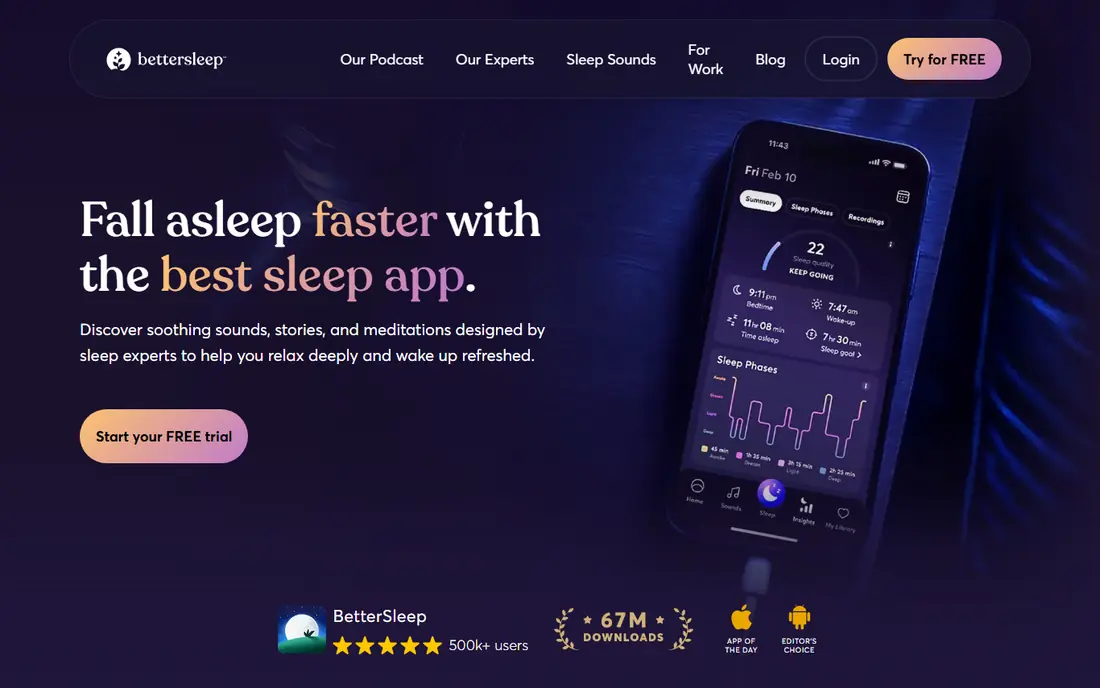
BetterSleep, formerly Relax Melodies, lets you build a mix from rain, fan sounds, nature sounds, and music, then save it for nightly use. That mixer is the main reason it leads this list, since you can tune a blend to your room instead of settling for one fixed loop. Sleep stories, breathing exercises, and a bedtime routine sit alongside the sounds.
The catch is scope. If you only want white noise at bedtime, the stories, tracking, and extra content may feel like clutter. A free tier gives you a taste, but the full library needs a paid plan. Check the current monthly and yearly prices in the app store before you commit, since offers change.
- Wide sound mixer
- Sleep stories and routines
- Sleep tracking on supported devices
- Best content sits behind a subscription
- The app can feel busy for people who only want noise
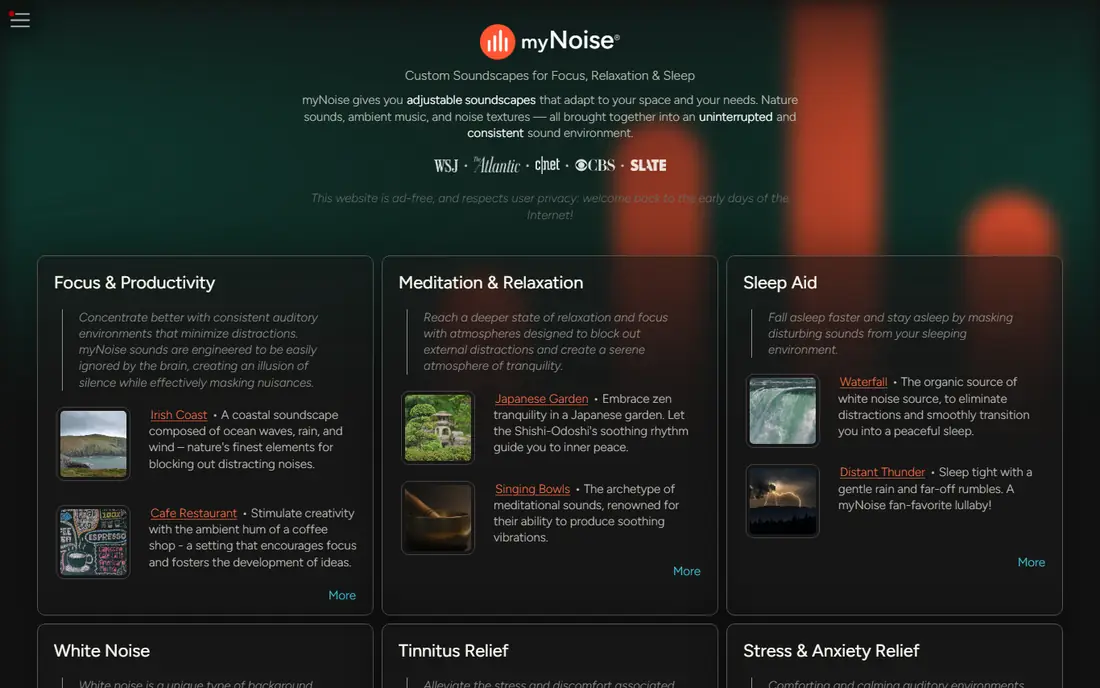
myNoise takes a different approach from most sleep apps. Instead of a single volume slider, it gives you a set of sliders that shape the low, mid, and high parts of a sound. That control helps if plain white noise feels harsh, since you can soften the hiss and bring out a deeper tone.
The design is plain, and it looks more like a tool than a polished sleep app. That trade-off will suit people who care about sound quality more than stories or routines. Try the free sounds on the website first, since the feel of the sliders tells you quickly if this style suits you.
- Fine frequency sliders
- Many sound generators
- Works well in a browser too
- Plain visual design
- Some sound packs need a donation or purchase
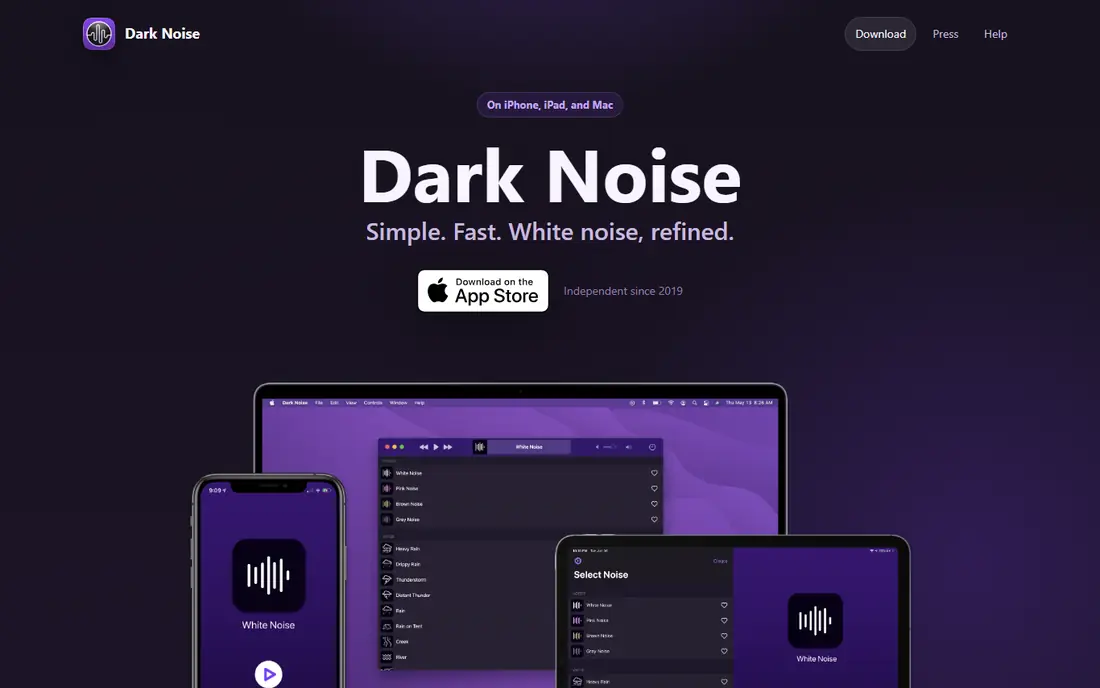
Dark Noise opens fast, plays a sound, and gets out of the way. You can mix sounds, set a timer, and use widgets or shortcuts to start a favorite mix without opening the app. For iPhone, iPad, and Mac users, that native feel is a real plus.
The limit is platform. Android users need another app on this list, and the free tier covers only part of the sound library. If you live inside Apple devices and want a calm, focused player, Dark Noise is easy to recommend. If you switch platforms often, pick a cross-platform option instead.
- Clean Apple style design
- Widgets, shortcuts, and timers
- Custom mixes
- Apple devices only
- The full sound set needs a paid plan
White Noise Lite does the basics with little fuss. Pick a sound, set a timer, and let it run while you sleep or work. There is no sleep story library to browse and no routine to build, which is exactly the point for many users.
That simplicity also means fewer extras. The look is plain compared with newer apps, and the most varied sounds may cost extra. Still, for a free first try at masking street noise, a snoring partner, or a thin hotel wall, it is a sensible place to start.
- Easy to learn
- Timers and alarms
- Extra sounds available in the store
- Design feels dated
- Some sounds are paid extras
Calm is best known for meditation, but its sleep stories and soundscapes make it a strong sound machine option for people who struggle to switch off. A story can carry your attention away from the day, and then a steady background sound can take over for the night.
Pure sound fans may find the mixer less flexible than myNoise or BetterSleep. You get curated soundscapes rather than fine control over each layer. Pick Calm if you want stories and guided sessions in the same app, not just noise.
- Large sleep story library
- Guided meditation and breathing
- Calm, polished design
- Sound mixing is less detailed than specialist apps
- Full access needs a subscription
Noisli started as a focus tool, and that shows in its clean mixer. You can layer rain with wind, add a train rumble, or build a cafe background, then set a timer and work or rest. The browser version makes it handy on a laptop as well as a phone.
For sleep, Noisli covers the basics but lacks stories, tracking, or a bedtime routine. That is fine if you already know which mix helps you sleep and you just need it to play reliably. It is less suited to people who want an app to guide the whole wind-down.
- Mix rain, wind, and cafe sounds
- Simple timer
- Works in a browser
- Smaller sound library than some rivals
- Sleep features are basic
Headspace pairs guided sleepcasts with soundscapes, so you can listen to a gentle story-like session and then drift off to steady sound. The guidance is clear for beginners, and the app explains each session in plain terms rather than assuming you know meditation terms.
If you only want raw white noise, Headspace adds steps you may not need. The free tier is limited, and most sleepcasts sit behind a paid plan. Choose it when racing thoughts, rather than outside noise, are the main barrier to sleep.
- Guided sleepcasts and wind-downs
- Clear beginner guidance
- Regular new content
- Less sound-mixing control
- Subscription needed for most sleep content
Tide blends sleep sounds with focus timers and breathing exercises, which makes it useful across the day, not just at night. You can use a focus session at work, a short breathing break in the afternoon, and a sleep sound at bedtime without switching apps.
The trade-off is depth. Tide does not match BetterSleep for sleep content or myNoise for sound shaping. It wins on simplicity and on covering several daily needs in one place. Try the free tier first and see if its mixes suit your ears.
- Sleep, focus, and breathing in one app
- Natural sound mixes
- Simple daily use
- Sound library is smaller than specialist sleep apps
- Some features need a paid plan
How we picked these
We compared official feature pages, app store listings, pricing pages, and public reviews for sound, sleep, and focus apps that are still available in October 2026. We kept only apps that play steady background sound, offer a timer or a way to play through the night, and work on current phones. We left out apps that had closed, apps that only played music, and physical sound machines, since this guide covers apps.
What to check before you pay
Start with the free tier and your own room. Play a mix at the volume you would use at night, then listen for a loop point, a harsh hiss, or a sound that fades too early. A timer, a fade-out, and offline playback matter more in practice than a large sound count, since a sound you cannot play on a plane or in a hotel with weak Wi-Fi is of limited use.
Match the app to the problem
If outside noise wakes you, pick a steady masking sound such as brown noise or a fan sound, and test it for a few nights. If your mind races, try a sleep story or a guided wind-down first, then let a plain sound run after it ends. If you work with sound during the day, a focus mixer such as Noisli or Tide may serve you better than a sleep-only app.
Check price and devices
Read the subscription terms before you pay. Some apps charge monthly, some yearly, and some offer a one-time purchase, and the price in the app store can differ from the website price. Also check that the app works on every device you use, since Dark Noise is Apple only while most others cover both iPhone and Android.
Frequently asked questions
What is the best sound machine app for most people?
BetterSleep is our pick for most people because it combines a flexible sound mixer with stories and routines. If you only want plain noise, White Noise Lite or Dark Noise may be simpler and cheaper.
Is a sound machine app better than a physical sound machine?
An app is cheaper and easier to travel with, and it can offer far more sounds. A physical machine can be better for a nursery or for people who do not want a phone in the bedroom, since it has no screen, notifications, or battery worries.
Does white noise help you sleep?
Steady background sound can mask sudden noises that wake you, such as traffic, doors, or voices. It does not treat sleep disorders, and results vary from person to person. If sleep problems persist, talk to a clinician rather than relying on an app alone.
Can I use a sound machine app for a baby?
Many parents use one, but keep the volume low and the device away from the crib, and use a timer so sound does not run at high volume all night. Check guidance from your pediatrician if you are unsure about safe volume and placement.
Do these apps work offline?
Some do, once you have downloaded sounds, while others need an internet connection for stories or new mixes. Check offline playback in the app description before a trip, and download your favorite mix in advance.
What is the best free sound machine app?
myNoise and White Noise Lite both offer useful free sounds without a subscription. myNoise suits people who want control over tone, while White Noise Lite suits people who want a quick, simple sound.
Sources we checked (8)

Online Jobs is an independent blog about careers, online work, learning new skills and the tools that help people earn. More about us.
Keep reading
All posts
Leg Extension Alternatives
We compare leg extension alternatives that build quad strength at home or in the gym, with honest notes on form, equipment, and knee comfort. for 2026.
Best workout apps for women
Compare the best workout apps for women in 2026, from free guided classes to structured strength plans, with current prices, free plans and honest trade-offs.

Best app for counting calories
Find the best app for counting calories in 2026. We compare MyFitnessPal, Cronometer, Lose It and more on food databases, free plans and ease of use today.