Best Free SEO Tools in 2026: 9 Tools Compared


Real Google search performance data · Starting price: Free
How we put this together: we compare official feature and pricing pages, app store listings, privacy policies and public user reviews. Prices change, so check the provider's site before you pay.
Key takeaways
- Google Search Console is the starting point for every site, because it shows the actual queries Google shows your pages for, plus clicks and impressions.
- Ahrefs Webmaster Tools gives small sites a free site audit and backlink view, but only for sites you verify as your own.
- Screaming Frog crawls up to 500 URLs free, which covers most small sites and catches broken links, missing titles, and redirect chains.
- Free keyword tools work well for ideas and rough demand, but their volume figures are ranges or estimates, not exact counts.
- A free stack works best when each tool has one job: Search Console for performance, a crawler for technical health, and one keyword tool for ideas.
Quick comparison
| Name | Who it suits | Starting price | Free option | |
|---|---|---|---|---|
| Google Search Console | Real Google search performance data | Free | Yes | Visit |
 Google Analytics 4 Google Analytics 4 | Traffic and behaviour after the click | Free | Yes | Visit |
 Bing Webmaster Tools Bing Webmaster Tools | Search visibility beyond Google | Free | Yes | Visit |
 Ahrefs Webmaster Tools Ahrefs Webmaster Tools | Free audits and backlinks for your own sites | Free | Yes | Visit |
 Screaming Frog SEO Spider Screaming Frog SEO Spider | Technical crawls of small sites | Free | Yes | Visit |
 Semrush Semrush | Limited free keyword and domain research | Free | Yes | Visit |
 Ubersuggest Ubersuggest | Simple keyword ideas for beginners | Free | Yes | Visit |
 Rank Math Rank Math | WordPress on-page SEO | Free | Yes | Visit |
 Yoast SEO Yoast SEO | WordPress basics done well | Free | Yes | Visit |
The best free SEO tools
Free SEO tools can carry a small site a long way, as long as you know where each one stops. The picks below cover search performance, technical health, keyword ideas, and WordPress basics, and every one of them has a genuinely usable free tier.
Search Console belongs at the top of this list because it is the only free tool that reports what Google itself recorded for your site. You can see which queries brought impressions, which pages earned clicks, and where a page ranks on average. That data settles arguments about whether a page is actually visible, rather than whether a third-party tool thinks it should be.
The practical value shows up in the problems tab and the URL inspection tool. When a page drops out of the index, or a sitemap reports errors, Search Console tells you directly, and you can ask Google to recrawl a fixed page. The honest catch is scope: it covers your verified properties only, and its reports are not a competitor research tool. Pair it with a keyword tool for ideas, and use it as the record of what is really happening in Google search.
- Shows real queries, clicks, and impressions
- Flags indexing and page experience problems
- Includes URL inspection for single pages
- Data is limited to Google
- Reports can lag by a few days
- It does not track competitor rankings
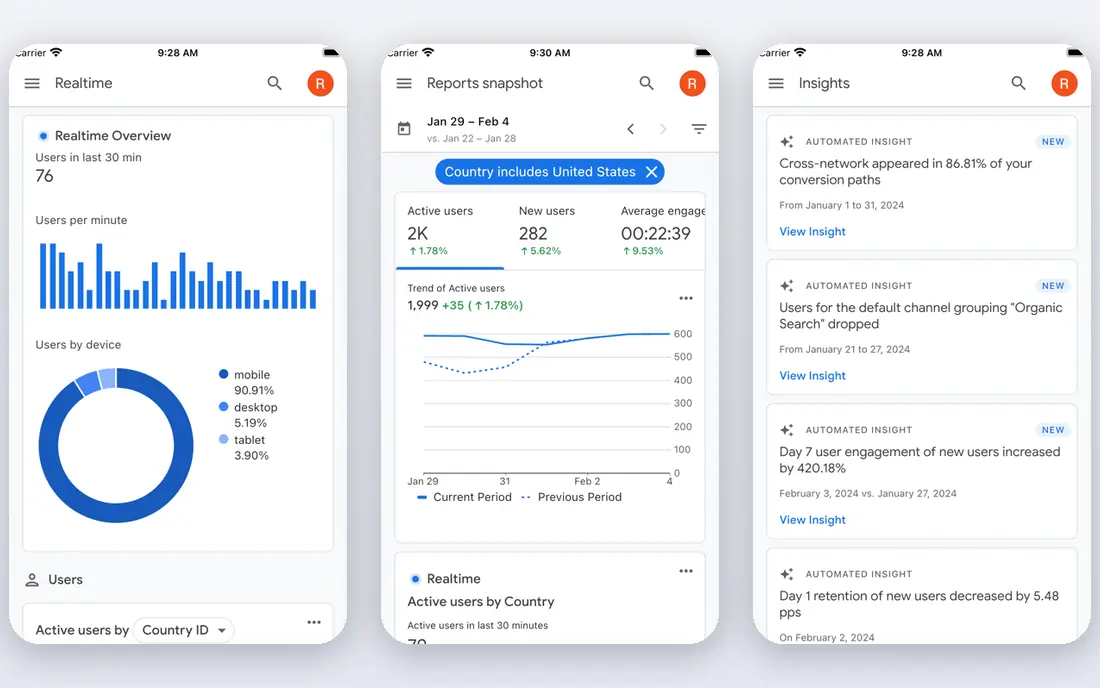
Analytics answers the second half of the SEO question: once someone arrives, what do they do. Search Console tells you a page got clicks. Analytics tells you whether those visitors stayed, read, signed up, or bought. For a small business, that link between a keyword and a form fill matters more than a ranking alone.
The interface can feel busy at first, and users coming from older Analytics will need time to learn where reports now live. The payoff is a free system that records events, traffic sources, and conversions without a paid plan for most sites. Link it to Search Console, set up one or two key events that match real business outcomes, and check it weekly rather than daily, since small numbers bounce around.
- Free for most small sites
- Tracks conversions and key events
- Connects with Search Console for a fuller picture
- Setup takes care for a first-time user
- Reports differ from older Analytics versions
- Heavy traffic sites may face sampling in some reports
Bing Webmaster Tools is easy to skip, and that is a mistake for sites that want every free source of traffic. It reports on Bing search, which also powers parts of Yahoo and other partners, and it includes a keyword research tool, a site scanner, and backlink data. Setup is quick, especially if you import a verified site from Search Console.
The catch is simply scale: Bing brings fewer US searches than Google for most topics, so its numbers will look smaller. That does not make it useless. It can surface queries and technical issues Google reports less clearly, and its scanner gives a second opinion on a site. Treat it as a free second source, not a replacement for Search Console.
- Free keyword research and site scanning tools
- Covers Bing and Yahoo traffic
- Imports data from Search Console
- Smaller search share in the US than Google
- Some reports feel less polished
- Keyword data is thinner for niche topics
Ahrefs Webmaster Tools
Who it suits: Free audits and backlinks for your own sites
Ahrefs Webmaster Tools is the most generous free offer in this list for site owners. Verify a domain and you get a site audit, plus limited access to your own backlink profile and the keywords your site ranks for. The audit groups issues by type, explains why each one matters, and points to the affected pages, which makes fixing problems much less guesswork.
The limit is ownership. You cannot use the free tier to research competitors in depth, and the monthly crawl credits suit small and mid-size sites better than very large ones. If you run one or two sites and want a regular technical check without paying, this is the free tool to add after Search Console. Use the paid plans only when you need competitor research at scale.
- Site audit with crawl credits for verified projects
- Shows your own backlinks and keywords
- Clear issue reports with explanations
- Only works for sites you own and verify
- Competitor data needs a paid plan
- Monthly crawl credits cap larger sites
Screaming Frog SEO Spider
Who it suits: Technical crawls of small sites
Screaming Frog is a desktop crawler that reads your site the way a search engine does, page by page, and reports what it finds. The free version crawls up to 500 URLs, which is enough for most small business sites, blogs, and brochure sites. It is the fastest way to find broken internal links, pages with missing or duplicate titles, and long redirect chains that slow a site down.
Because it runs on your computer, there is no account setup and no waiting for a cloud crawl. The trade-off is that the output is a spreadsheet-style list, and a beginner may need a guide to read it well. Start with the response codes and page titles tabs, fix the broken links and missing titles first, and only then move to the finer technical reports.
- Crawls up to 500 URLs free
- Finds broken links, duplicate titles, and redirect chains
- Exports results for fixing in bulk
- Desktop software, not a web app
- Free version caps at 500 URLs
- The interface assumes some technical knowledge
Semrush is a paid suite first, but its free account is still useful for a small site owner who needs occasional keyword research. You can check a keyword for volume ranges and difficulty, look at a domain overview, and run a limited number of requests each day. For someone deciding whether a topic is worth writing about, that is often enough.
The free limits are the point to understand before you rely on it. Once the daily requests run out, you wait until the next day or pay. The dashboard also shows many paid features, which can distract from the few free reports that matter. Use it for spot checks and keyword ideas, and keep Search Console as your main record of performance.
- Large keyword database behind the free account
- Domain overview gives a quick competitive snapshot
- Free account needs no card
- Free account limits daily requests
- Full reports need a paid plan
- The dashboard can overwhelm a new user
Ubersuggest suits people who want keyword ideas without learning a full SEO suite. Type in a topic and you get related keywords, rough volume, difficulty scores, and the pages currently ranking for that term. That is enough to build a sensible list of article ideas and to see whether a keyword is dominated by large, established sites.
The numbers deserve a health warning. Search volume figures from any third-party tool are estimates, and Ubersuggest is no exception. Treat them as a way to compare topics against each other, not as a promise of traffic. The daily free search limit also means heavy research days will hit a wall, so save your searches for topics you actually plan to write about.
- Easy to read keyword ideas and content suggestions
- Shows top ranking pages for a keyword
- No setup for basic searches
- Free searches are limited each day
- Volume figures are estimates
- Deeper data needs a paid plan
Rank Math is a WordPress plugin, so it only fits sites running WordPress, but for those sites the free version covers a lot. It handles page titles and meta descriptions, generates sitemaps, adds basic schema markup, and includes a setup wizard that walks a new user through the main settings. Its Search Console connection can also pull performance data into the WordPress dashboard.
The risk with Rank Math is switching on everything at once. The plugin offers many modules, and a site only needs a handful of them. Turn on what you use, leave the rest off, and remember that no plugin replaces good content and real links. For a WordPress site owner who wants solid on-page basics for free, it is a strong pick.
- Free version covers titles, meta descriptions, sitemaps, and schema
- Setup wizard guides new users
- Integrates with Search Console
- WordPress only
- Some advanced features need the paid version
- Too many modules can slow a site if all are switched on
Yoast SEO is the older, simpler rival to Rank Math, and for many WordPress users that simplicity is the appeal. The free version gives per-post checks for focus keywords, readability, titles, and meta descriptions, plus sitemaps and breadcrumb controls. Its checks are written in plain language, which helps a writer who is not an SEO specialist.
The honest catch is the traffic-light system. A green light means a post follows Yoast checks, not that Google will rank it. Good content, a clear topic, and a page that loads well matter more than a perfect score. If you prefer a smaller set of features and plain guidance over a long module list, Yoast is the steadier choice.
- Long-established WordPress plugin
- Clear readability and SEO checks per post
- Handles titles, sitemaps, and breadcrumbs
- WordPress only
- Premium features need a paid plan
- Its traffic-light scores are guidance, not ranking guarantees
How we picked these
We compared official feature pages, pricing pages, and free-tier limits for each tool, and checked that each homepage loads and belongs to the product named. We kept only tools with a free tier that a small site can actually use, not a short trial dressed up as a free plan. We favoured tools that cover different jobs, so the list works as a stack rather than nine versions of the same keyword tool. We did not claim hands-on testing we did not do, and where a vendor limits free use, we said so in the write-up.
Building a free SEO stack that actually works
Start with Search Console and Analytics, then add one crawler and one keyword tool. That order matters, because performance data tells you what to fix first, and a crawler tells you how to fix it.
Fix technical problems before chasing keywords
A site with broken links, missing titles, or pages Google cannot index will waste good content. Run Screaming Frog or the Ahrefs audit once a month, fix the errors it lists, and recheck in Search Console. Keyword research comes second, because new pages on a healthy site have a better chance than new pages on a broken one.
Use free keyword data for direction, not promises
Free tools give ranges and estimates. Compare topics against each other, look at who already ranks, and pick topics where your site can offer something specific, such as local knowledge, a clear guide, or a worked example. Track the result in Search Console after publishing, and let real impressions replace the estimate over time.
Recheck limits before you depend on a tool
Free tiers change. Before you build a monthly routine around a tool, confirm its current free limit on the vendor site, and note what happens when you hit it. A tool that stops at ten searches a day is fine for occasional checks and poor for a week of heavy research.
Frequently asked questions
What is the best free SEO tool for a beginner?
Google Search Console is the best place to start, because it shows real data for your own site and costs nothing. Add Ubersuggest or the Semrush free account for keyword ideas, and use Screaming Frog free for a technical check. That combination covers performance, ideas, and site health without a paid plan.
What is the best free SEO checker tool for a full site audit?
Ahrefs Webmaster Tools gives verified site owners a clear audit with explanations, and Screaming Frog free crawls up to 500 URLs with detailed technical output. For a small site, either one works. For a larger site, the free crawl cap in Screaming Frog and the credit limit in Ahrefs Webmaster Tools will both become a constraint.
Are free SEO tools enough for a small business?
For many small sites, yes, at least at first. Search Console, Analytics, a free crawler, and a free keyword tool cover the main jobs: knowing what Google shows, fixing technical problems, and picking topics. Paid tools become worth it when you need competitor research at scale, rank tracking across many keywords, or audits of very large sites.
What is the best free online SEO tool for keyword research?
Ubersuggest is the simplest free option for keyword ideas, and the Semrush free account gives a broader database with daily limits. Google Trends is also free and useful for spotting seasonality, though it shows relative interest rather than exact volume. Use two sources and compare them before committing to a topic.
Do free SEO tools give accurate search volume?
No free tool gives exact search volume, because only Google holds the full query data. Third-party tools estimate from samples and models, so treat their figures as a way to compare topics, not as a traffic promise. Search Console impressions for your own pages are the most reliable record you will get.
Is Screaming Frog really free?
Yes, the free version crawls up to 500 URLs with no time limit, which suits most small sites. The paid licence removes the cap and adds features such as scheduled crawls and integrations. If your site grows past 500 pages, you will need the paid version or a different audit tool.
Sources we checked (9)

Online Jobs is an independent blog about careers, online work, learning new skills and the tools that help people earn. More about us.
Keep reading
All posts
Best Tools for AI Mode
Compare the best tools for AI Mode visibility, from Google Search Console to Semrush, Ahrefs Brand Radar, Peec AI, and Otterly, with prices and limits.
Best SEO Reporting Software
Best SEO reporting software compared for 2026: AgencyAnalytics, Semrush, Ahrefs, SE Ranking and more for agencies, clients and in-house teams in the US.
Best Competitor Analysis Tools
Best competitor analysis tools compared for 2026: Semrush, Ahrefs, Similarweb, SpyFu and more for SEO, PPC, traffic and content research for US teams today.