Best SEO Rank Tracking Software in 2026: 8 Tools Compared

How we put this together: we compare official feature and pricing pages, app store listings, privacy policies and public user reviews. Prices change, so check the provider's site before you pay.
Key takeaways
- Daily tracking matters more than a large keyword allowance when rankings move after an update or a site change.
- Suites such as Ahrefs, Semrush, and SE Ranking suit teams that also need research, audits, and backlink data in one place.
- Dedicated trackers such as AccuRanker, Wincher, and Nightwatch suit teams whose main job is clean position data and client reporting.
- Google Search Console is the free baseline, but it reports average positions and does not track competitors.
- Count keywords by location and device before you buy, because many tools count each variant separately.
Quick comparison
| Name | Who it suits | Starting price | Free option | |
|---|---|---|---|---|
 Ahrefs Ahrefs | Teams already using Ahrefs for research | See website | Yes | Visit |
 Semrush Semrush | Teams wanting research, audits, and tracking together | See website | Free trial | Visit |
 SE Ranking SE Ranking | Agencies wanting daily tracking at volume | $103.20 per month | Free trial | Visit |
 AccuRanker AccuRanker | Agencies needing fast, dedicated rank data | See website | Free trial | Visit |
 Wincher Wincher | Small teams wanting a simple daily tracker | See website | Free trial | Visit |
 Nightwatch Nightwatch | Small teams and agencies needing clear reports | See website | Free trial | Visit |
 Mangools SERPWatcher Mangools SERPWatcher | Beginners wanting a friendly SEO bundle | See website | Free trial | Visit |
 Google Search Console Google Search Console | Site owners wanting free Google data | Free | Yes | Visit |
The best SEO rank tracking software
Rank tracking answers a simple question with a lot of detail behind it: where does a page sit for a keyword, on which device, and in which place. The best rank tracking tools make that answer easy to check, easy to compare over time, and easy to explain to a client or a manager.
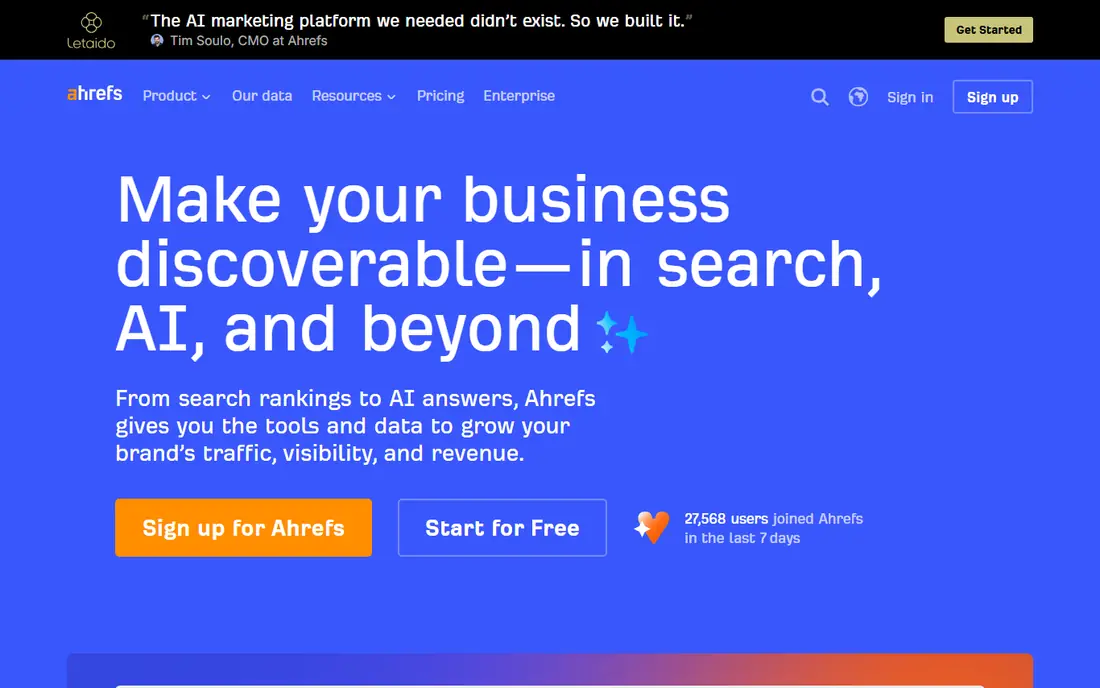
Ahrefs suits a team that already pays for Ahrefs for backlinks, keyword research, and audits. In that case, Rank Tracker becomes a useful extra rather than a separate purchase, and rankings sit next to the research that explains them. You can group keywords, watch competitors, and follow movement alongside content and link data without moving between tools.
The catch is value for a tracking-only buyer. If rank tracking is the whole job, a dedicated tracker may give more frequent updates or more keywords for the same spend. Ahrefs also has a free option for sites you verify, which is a sensible way to see the interface before you commit. Start there if you own the site, and compare the paid limits against your real keyword list.
- Deep backlink and keyword data behind the tracker
- Clear competitor views
- Useful Site Audit and research tools in the same account
- Rank tracking is one part of a larger suite
- Update frequency and keyword limits vary by plan, so check the plan detail before you buy
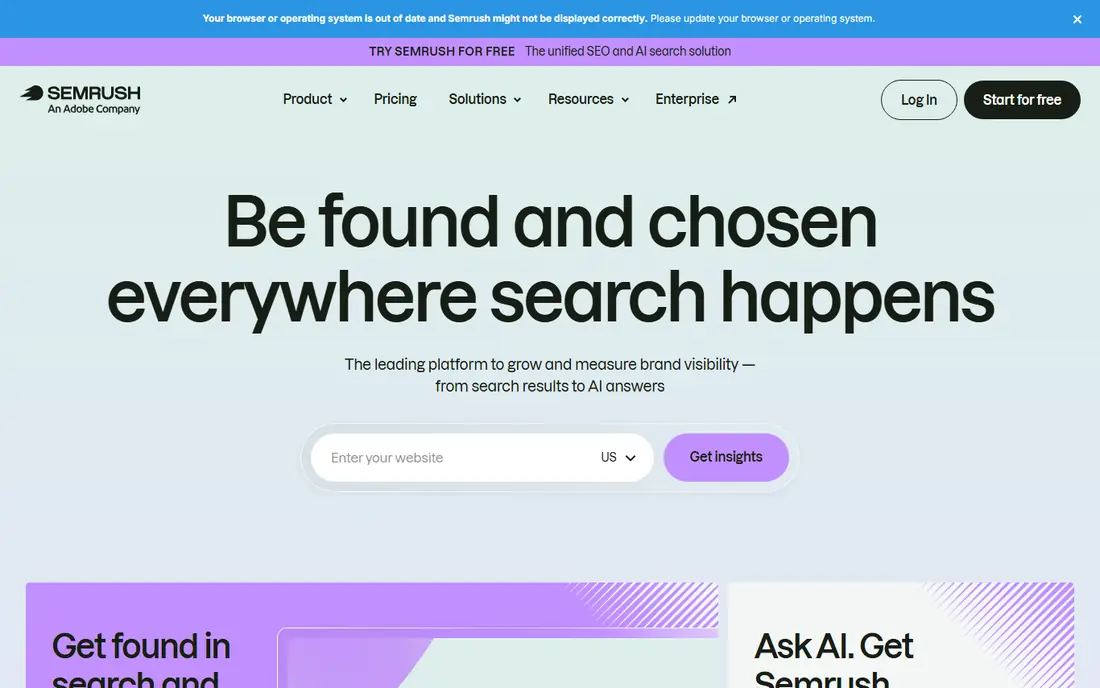
Semrush suits a marketing team that uses keyword research, site audits, and competitor analysis every week. Position Tracking fits that routine, because a ranking change can be checked against a technical issue, a new competitor page, or a content gap in the same workspace. Daily updates help a team react soon after a change rather than at the end of the month.
The trade-off is scope. A small business tracking a short list may pay for tools it rarely opens. Semrush offers a free account with limits and a trial on paid plans, so test the tracking setup with your own keywords first. If the rest of the suite stays unused after that test, a focused tracker is likely the better buy.
- Position Tracking sits inside a broad SEO toolkit
- Daily tracking on paid plans
- Strong competitor and audit features
- Cost rises as keyword limits rise
- The full suite can be more than a small site needs
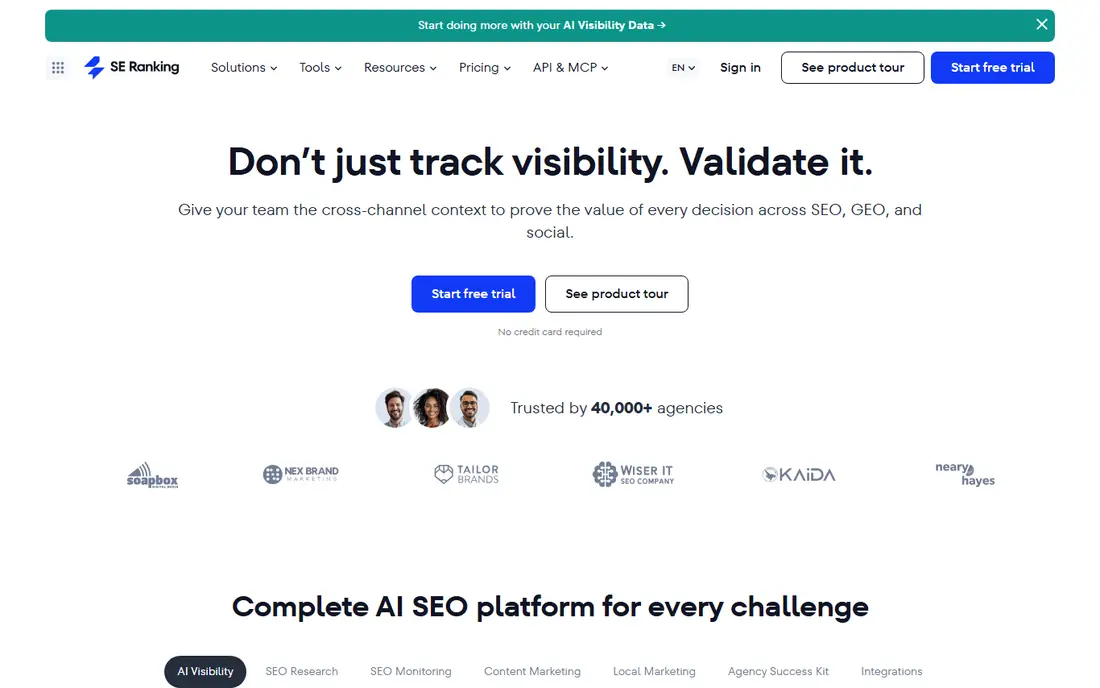
SE Ranking is a strong pick for agencies and in-house teams tracking hundreds or thousands of keywords each day. The Core plan, shown on the vendor homepage at a starting price of 103.20 dollars per month on annual billing, gives room to track multiple projects without splitting the work across accounts. It also bundles audits, keyword research, and backlink checks, which keeps routine SEO work in one place.
The honest catch is that the headline price is a starting point. Agency reporting features and AI search add-ons are priced separately, so an agency should price the full setup, not just the base plan. A 14-day trial with no card required, as described by the vendor, gives time to test daily updates, local tracking, and reports with real client data before signing.
- Daily tracking for a large keyword allowance on the Core plan
- Broad SEO toolkit
- White-label reporting options for agencies
- Add-ons for agency and AI search features add cost
- The interface covers many tools, so setup takes time
AccuRanker is built for teams whose reports live or die on position data. It focuses on tracking, filtering, tagging, and reporting, rather than trying to cover every SEO task. That focus shows in daily updates, on-demand refreshes when a position needs checking now, and reporting that can be shared with clients without extra work.
The price reflects that focus. Small sites with a short keyword list may find a cheaper tracker does the same job, while agencies with large lists get more value from the speed and reporting depth. Because AccuRanker does not replace an audit or research tool, budget for those separately if you need them. Trial the reporting workflow first, since that is where this tool earns its fee.
- Dedicated to rank tracking, with fast updates and on-demand refreshes
- Unlimited users on plans as described by the vendor
- Strong reporting and exports
- No audit or backlink suite, so other SEO work needs another tool
- Pricing climbs with keyword volume
Wincher suits a small business or freelancer who wants to open a tracker, see positions, and close it again. The dashboard is plain, alerts arrive without setup work, and daily updates cover the routine need to spot a fall or a gain. Local tracking helps a business that depends on customers in a specific area rather than national search alone.
The limits matter on the entry plan. One user seat and no on-demand refreshes can slow a small team, even if the keyword allowance looks generous. Check how many websites, competitors, and devices you need before choosing a tier, and use the trial with your full keyword list ready. For a simple tracking job, Wincher does that job well and stays out of the way.
- Simple dashboard and automated alerts
- Daily updates and local tracking
- Easy setup for a small keyword list
- Basic plan limits users and on-demand refreshes
- Price rises with the keyword allowance
Nightwatch suits a team that lives in rank reports. Daily checks, local data, and competitor views give a clear picture of movement, and reports can be shared without wrestling with a complex suite. The absence of per-seat fees on plans, as described by the vendor, helps a small agency where several people need to view the same data.
The main practical point for US buyers is currency. Prices in euros mean the card charge moves with conversion, so budget with a little headroom. Nightwatch also tracks AI search visibility in some plans, which is worth checking if clients now ask about AI answers as well as classic rankings. Trial it against Search Console data to judge whether its positions match what you see manually.
- Daily tracking as standard
- Clear reports and no per-seat fees on plans as described by the vendor
- Local and competitor tracking
- Pricing is shown in euros, so US buyers should check conversion
- The tool is focused on tracking rather than full SEO research
Mangools SERPWatcher
Who it suits: Beginners wanting a friendly SEO bundle
Mangools SERPWatcher suits a beginner, blogger, or small site owner who wants usable SEO tools without a steep learning curve. It sits inside the Mangools bundle with KWFinder for keyword research and other tools, so a small team can research a topic, track it, and check links from one account. Setup is quick, and the reports are easy to read.
The catch is update frequency. Daily tracking sits on higher plans, while lower plans update weekly, which is too slow for a team watching a volatile topic or a recent site change. If you need daily data, price the plan that includes it rather than the entry plan. For a steady content site with a modest keyword list, the bundle remains good value and easy to use.
- Friendly interface for beginners
- Bundled with keyword research and link tools
- Simple daily and weekly tracking views
- Lower plans update weekly rather than daily
- Keyword allowances are modest on entry plans
Google Search Console
Who it suits: Site owners wanting free Google data
Google Search Console should be the first tool for any site owner, because it is free and it comes from Google itself. It shows which queries bring clicks, which pages appear, and where technical problems may block indexing. For a new site, that data alone can guide content and fix work for months.
The limit is precision. Search Console averages position across impressions, devices, and locations, so it cannot replace a tracker that shows a daily position in one city on mobile. It also does not track competitors. Use it as the baseline and the check against paid tools, then add a paid tracker when you need daily, local, or competitor data that Search Console cannot give.
- Free and direct from Google
- Shows clicks, impressions, and queries
- Useful for spotting technical and indexing issues
- Reports average positions, not daily rank per location and device
- No competitor tracking
- History is limited
How we picked these
We compared official feature pages, pricing pages, and app and platform descriptions for tools that track rankings in Google and, in most cases, other search engines. We gave weight to update frequency, local and device tracking, competitor tracking, reporting quality, and whether the price matched the keyword allowance. We did not claim hands-on testing, and we set prices to the vendor figure where we could confirm it on the vendor site, and to See website where the live checkout price could change by plan, currency, or keyword allowance.
What to check before you pay
Start with the keyword list, not the tool. Write down every keyword, location, and device you actually need to track, then count each variant, because that count decides the plan. A tool that looks cheap at 500 keywords becomes costly when mobile and desktop variants, plus three cities, triple the list.
Next, check update frequency and depth. Daily tracking suits volatile topics and client work, while weekly tracking suits a steady content site. Also check how deep the tracker goes, since some tools report only the top 30 or top 100 results, and a keyword outside that range may show as not found. Local tracking, SERP feature tracking, and AI Overview tracking are worth checking separately, because vendors bundle them in different ways.
Reporting and sharing
Reports decide whether a tool saves time or creates work. Look for scheduled reports, exports, and a format a client can read without a walkthrough. Agencies should check white-label options and whether extra users cost extra, since those items often sit outside the headline price.
Trials and switching
Use a trial with your real keywords, not a sample list. Check a few positions manually, test alerts, and export a report to see the format. Keep Search Console running alongside the trial, so you have a free check on the data. If the tool does not fit, switching early is cheaper than rebuilding reports later.
Frequently asked questions
What is the best rank tracking software?
The best rank tracking software depends on how you work. SE Ranking and Wincher suit daily tracking at a clear price, AccuRanker and Nightwatch suit reporting-heavy teams, and Ahrefs and Semrush suit teams that also need research and audits. Start with Google Search Console for free, then add a paid tool when you need daily, local, or competitor data.
What is the best rank tracking tool for a small business?
A small business usually needs a simple daily tracker with local tracking and alerts, such as Wincher or Mangools SERPWatcher. Keep the keyword list short and focused on services and locations that bring customers. If the list grows past a few hundred keywords, compare SE Ranking, which gives more headroom for a similar routine.
What are the best rank tracking tools for agencies?
Agencies need reporting, multiple projects, and room for client keyword lists. SE Ranking, AccuRanker, and Nightwatch are strong agency options, with different strengths in reporting depth, speed, and price. Check white-label reporting, user seats, and API or export options before choosing, since those features affect client delivery.
Is there a best rank tracking software online that is free?
Google Search Console is the best free option online, because it reports real Google search data for a verified site at no cost. Its limits are average positions, limited history, and no competitor tracking. Some suites offer limited free accounts, but a free account rarely covers daily tracking for a full keyword list.
Do rank tracking tools track AI search results?
Some do, and the coverage varies. Several tools now flag AI Overviews as a SERP feature, and some track prompts in AI search tools as a separate feature. Check the vendor page for AI Overview and AI Mode tracking, and confirm whether it is included or sold as an add-on, since that changes the total price.
What is the best keyword tracking software for local rankings?
For local rankings, pick a tracker with city-level tracking and, if map placement matters, a tool that plots positions across a map grid. Nightwatch, Wincher, and SE Ranking cover local tracking in their standard tracking, while dedicated local tools may suit a business that depends on map results. Test with your own service area during the trial.
Sources we checked (8)

Online Jobs is an independent blog about careers, online work, learning new skills and the tools that help people earn. More about us.
Keep reading
All posts
Best Web Scraping Tools
Compare the best web scraping tools in 2026, from no-code Octoparse and Browse AI to Apify, Firecrawl, Bright Data, Zyte, ScraperAPI and free Scrapy, with prices.

Best Web Hosting Services
Find the best web hosting services for your site in 2026. We compare prices, speed, support and ease of use across eight leading hosting providers today.
Best Video Conferencing Software
Looking for the best video conferencing software? We compare 8 meeting apps on price, meeting limits, features, security and ease of use. Read the guide.