Best Sentiment Analysis Tools in 2026: 8 Tools Compared

How we put this together: we compare official feature and pricing pages, app store listings, privacy policies and public user reviews. Prices change, so check the provider's site before you pay.
Key takeaways
- Brandwatch and Talkwalker suit large teams that need social listening across many channels and languages.
- MonkeyLearn and MeaningCloud suit smaller teams that want custom text models without a data science team.
- Brand24 and Mention offer a middle path for agencies and small brands that need daily monitoring at a lower cost.
- Accuracy varies by language, slang, and sarcasm, so test any tool on your own reviews before you rely on its scores.
- Most enterprise tools are quote-based, so the free plan or trial terms matter more than a headline price.
Quick comparison
| Name | Who it suits | Starting price | Free option | |
|---|---|---|---|---|
 Brandwatch | Enterprise social listening | See website | No | Visit |
 MonkeyLearn | Custom no-code text models | See website | Yes | Visit |
 MeaningCloud | Affordable API text analysis | See website | Yes | Visit |
 Brand24 | Mid-market social monitoring | See website | Free trial | Visit |
 Mention | Social and review monitoring | See website | Free trial | Visit |
 Talkwalker | Multilingual and visual listening | See website | No | Visit |
 Sprout Social | Social management with sentiment | See website | Free trial | Visit |
 Qualtrics XM | Survey and customer experience feedback | See website | No | Visit |
The best sentiment analysis tools
Sentiment analysis turns reviews, social posts, survey answers, and support tickets into a signal you can act on. The best tool for you depends on where your text lives, how much of it you have, and whether you need a dashboard, an API, or both. The tools below cover those three needs.
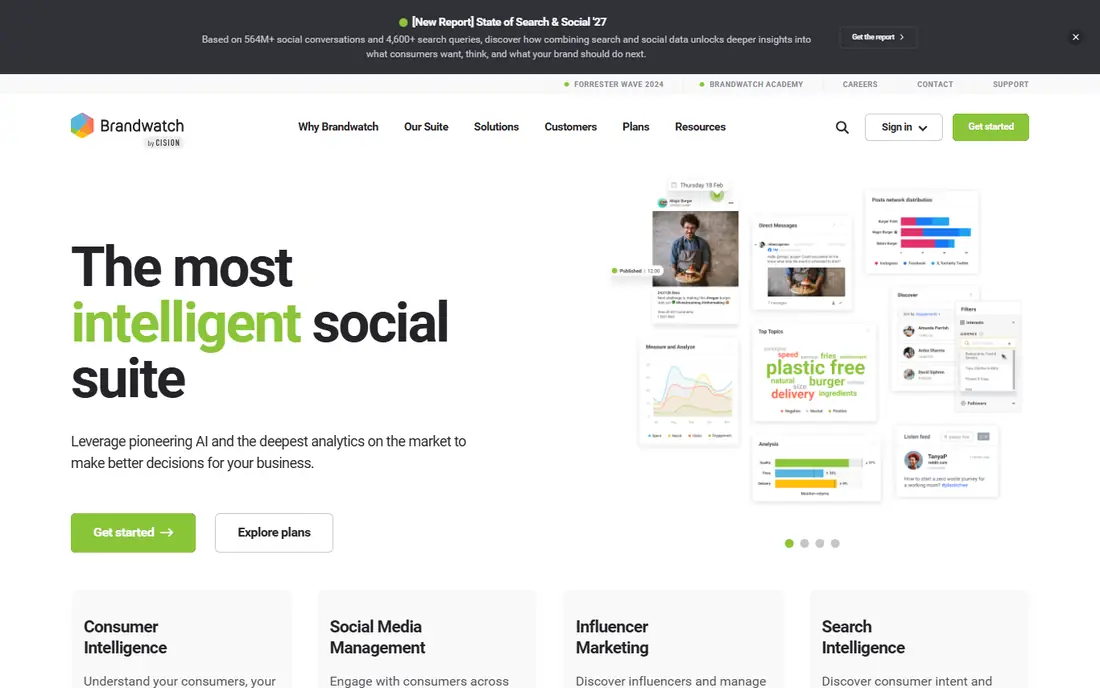
Brandwatch is the enterprise pick for teams that track a brand across social media, news, forums, and reviews over a long period. Its archive stretches back years, so a team can compare a current spike in negative posts with past events rather than guessing whether the reaction is unusual. An AI assistant turns large result sets into readable summaries, and integrations let teams send findings into CRM and support systems.
The downsides are cost opacity and complexity. Pricing is quote-based, so a small team cannot judge value from a pricing page, and new users often need training to build useful queries. Sentiment scores also need spot checks, since sarcasm, slang, and mixed reviews can mislead any model. Choose Brandwatch if you have a large brand, a dedicated insights team, and a long time horizon. Smaller teams will find cheaper tools easier to run.
- Very large archive of public conversation
- AI summaries and trend analysis
- Integrations with CRM and support tools
- No published price, so budgeting needs a sales quote
- Learning curve for new analysts
- Sentiment still needs manual checks
MonkeyLearn suits teams that have their own text, such as survey answers, support tickets, or app reviews, and want to classify it their way. You can start with a ready-made sentiment model, then train a custom model on your own labeled examples, which helps when your product names or industry terms confuse a generic model. Integrations with spreadsheets, Zapier, and an API make it easy to feed results into a dashboard or a support workflow.
The catch is volume pricing. Costs rise with the number of text items analyzed, so a team that jumps from a few thousand reviews to hundreds of thousands of tickets should model that growth before committing. Visualization is also simpler than in enterprise listening tools, so you may export results for deeper charts. Pick MonkeyLearn if custom models matter more than social listening. Pick a listening tool if your text lives mainly on social media.
- Build custom sentiment and topic models without code
- Ready-made models for common tasks
- API and spreadsheet integrations
- Paid plans can rise with usage volume
- Visualization is basic compared with large listening platforms
- Free plan limits apply
MeaningCloud is a practical API-first option for developers and small teams that want sentiment analysis inside their own product or workflow. A free tier lets you test the API and run small projects, and paid tiers add higher request limits and more models. Multilingual support helps teams that collect feedback in more than one language, and the same service can handle topics and entities beside sentiment.
The trade is polish. MeaningCloud is not a full listening dashboard, so teams that want ready-made charts, alerts, and team workflows will need to build those layers or choose another tool. Setup also assumes some technical comfort with APIs. Choose MeaningCloud if you want an affordable API and you can build or connect your own reporting. Choose a dashboard tool if you want charts and alerts out of the box.
- Free tier for testing and small projects
- Multilingual text analysis
- Sentiment, topic, and entity APIs in one service
- Dashboard and reporting are thinner than full platforms
- Higher tiers are quote-based for large volumes
- Setup needs some technical skill
Brand24 hits a useful middle ground for agencies and growing brands. It monitors social media, news, blogs, forums, podcasts, and review sites, applies AI sentiment and emotion signals, and presents results in a dashboard that a small team can use without training. Alerts for spikes, plus PDF and spreadsheet reports, make it easy to share findings with clients or managers.
The limits sit in quotas. Lower tiers cap mentions, and access to older data and advanced analysis features depends on the plan you choose. A brand with a sudden viral moment can burn through a monthly quota fast, so check the mention limit against your normal volume plus a spike. Pick Brand24 if you want daily monitoring at a mid-market price. Pick an enterprise tool if you need deep history and very high mention volumes.
- AI sentiment with emotion signals
- Covers social, news, blogs, forums, and podcasts
- Clean dashboard for agencies and small brands
- Mention quotas limit lower tiers
- Historical data access varies by plan
- Advanced features sit on higher tiers
Mention suits PR, media, and small marketing teams that need to know when a brand, product, or competitor is talked about online. Coverage spans social networks, news, blogs, forums, and many review sites, and alerts plus simple reports keep the daily workflow light. The interface is easier to learn than enterprise listening platforms, which helps a team that checks mentions each morning rather than running deep research projects.
The sentiment analysis is more basic than in tools built around custom models or aspect-level scoring, so teams that need to know sentiment toward a specific feature, not just a brand overall, may need another layer. Volume limits also push larger brands to higher tiers. Choose Mention if broad coverage and speed matter most. Choose MonkeyLearn or Brandwatch if detailed sentiment scoring is the core job.
- Broad social and web coverage
- Review site monitoring
- Simple alerts and reporting for PR and media teams
- Sentiment detail is basic compared with specialist tools
- Higher tiers needed for large volumes
- No free plan beyond a trial
Talkwalker is built for global brands that need to hear conversation in many languages and in images as well as text. It covers a wide language set, detects logos and visual mentions, and offers trend and competitive analysis that helps a team place a sentiment shift in context. That breadth suits consumer brands, media teams, and agencies with clients in several markets.
The cost and complexity put it out of reach for most small teams. Pricing is enterprise and quote-based, and the platform rewards users who invest time in queries and dashboards. Smaller brands will get most of what they need from Brand24 or Mention at a lower cost. Pick Talkwalker if global, multilingual, and visual listening are daily needs. Pick a smaller tool if your audience is mainly in one language and one market.
- Very broad language coverage
- Image and video listening beside text
- Strong trend and competitive analysis
- Enterprise pricing with no published entry price
- Complex for small teams
- Standalone free alerting is no longer offered
Sprout Social makes sense when sentiment is one part of a social job, not the whole job. A social team can publish posts, manage the inbox, reply to comments, and see sentiment in the same platform, which keeps daily work in one place. Reports combine engagement, reach, and sentiment, so a manager can see whether a negative spike came with a drop in engagement or a surge in comments.
The catch is that deeper listening is not included in every plan, and per-seat pricing means a larger team pays more even if only a few people read sentiment reports. Teams that only need sentiment, without publishing and inbox tools, will pay for features they do not use. Choose Sprout Social if your team already manages social channels there. Choose a listening-only tool if sentiment is your only need.
- Publishing, inbox, and analytics in one platform
- Sentiment inside social reports
- Useful for social teams that already manage channels
- Listening is a priced add-on on some plans
- No free plan
- Per-seat costs add up for larger teams
Qualtrics XM suits companies that already run customer experience programs and want sentiment tied to surveys, support interactions, and web feedback. Instead of tracking only public social posts, it can score sentiment in survey answers, support tickets, and chat, then link those scores to customer segments and business outcomes. That link helps a team show why a sentiment change matters, not just that it happened.
The platform is enterprise in price and setup, and it is more than a small team needs for social monitoring alone. It works best when a company already collects structured feedback and has owners for each stage of the customer journey. Pick Qualtrics XM if survey and support feedback drive your decisions. Pick a social listening tool if public conversation is your main source.
- Strong survey and experience management
- Sentiment across surveys, support, and web feedback
- Enterprise governance and integrations
- Enterprise pricing and setup
- Overkill for simple social listening
- Needs a clear feedback program to show value
How we picked these
We compared official product pages, pricing pages, and feature documentation, plus public comparisons of coverage, language support, and free options, and we kept only tools that are still sold and supported in October 2026. We favored tools that cover a distinct use case, from API analysis to enterprise listening, and we noted where pricing is quote-based rather than inventing a figure. We also weighed how each tool handles mixed sentiment, sarcasm, and non-English text, since those limits affect real results more than a feature list suggests.
How to choose a sentiment analysis tool
Start with your text source, then match the tool to that source, not the other way around.
Where does your text live
Social posts need a listening tool such as Brandwatch, Brand24, or Mention. Survey answers and support tickets need a text analysis or experience tool such as MonkeyLearn, MeaningCloud, or Qualtrics XM. A team with both sources may need two tools, or a platform that covers both, and should budget for that from the start.
How much detail do you need
Brand-level sentiment answers whether people feel positive or negative overall. Aspect-level sentiment answers whether they like the price but dislike delivery, or praise design but criticize support. If you need aspect detail, test custom models on your own examples and check whether the tool separates topics cleanly.
Test on your own data before you buy
Run a trial on a sample of your own reviews, tickets, or posts, and check a random set by hand. Look for errors on sarcasm, mixed reviews, product names, and slang in your market. A tool that scores 90 percent on generic data can still fail on your product terms, and a short test will reveal that faster than a sales demo.
Watch quotas, languages, and export options
Check monthly mention or API limits, language coverage, historical data access, and whether you can export raw results. A tool that locks results inside its dashboard is hard to combine with sales or support data, and a quota that fits a quiet month may fail during a product launch.
Frequently asked questions
Which sentiment analysis tool is best overall?
There is no single best tool, because social listening and survey analysis are different jobs. Brandwatch leads for enterprise social listening, MonkeyLearn leads for custom text models, and Brand24 offers a strong middle option for smaller brands that need daily monitoring.
What is the best sentiment analysis tool for reviews?
MonkeyLearn and MeaningCloud work well for reviews because you can feed in your own review text and build or use models that match your product terms. Brand24 and Mention also help if you need to find reviews across the web and social media, not just analyze a file you already have.
Is there a free sentiment analysis tool?
MeaningCloud and MonkeyLearn both offer free tiers with limits, which suit testing and small projects. Most listening and enterprise tools offer a trial or a demo instead of a free plan, so check the limit on mentions or API requests before you rely on a free tier.
How accurate is sentiment analysis?
Accuracy varies by language, domain, slang, sarcasm, and mixed reviews that praise one feature and criticize another. Use sentiment scores as a signal for trends and spikes, and check a sample of items by hand before you act on a single score or a small change.
What is the best sentiment analysis software for enterprises?
Brandwatch, Talkwalker, and Qualtrics XM suit enterprises for different reasons: Brandwatch for public conversation, Talkwalker for global and visual listening, and Qualtrics XM for survey and customer experience feedback. The right choice depends on whether public posts or owned feedback drive your decisions.
Can sentiment analysis handle multiple languages?
Some tools handle many languages well, and Talkwalker and Brandwatch offer broad language coverage, while API tools such as MeaningCloud support multiple languages for text analysis. Test your main languages on your own samples, since quality varies by language and by topic.
Sources we checked (8)

Online Jobs is an independent blog about careers, online work, learning new skills and the tools that help people earn. More about us.
Keep reading
All posts
n8n Alternatives
n8n alternatives compared for 2026, with Zapier, Make, Activepieces, and more, covering visual builders, code steps, self-hosting, and pricing models.

ZoomInfo Alternatives
The best ZoomInfo alternatives in 2026, compared on price, free plans, data coverage, and which tool fits small teams or large sales teams best in detail.

Yotpo Alternatives
Find cheaper alternatives to Yotpo for reviews and loyalty, with Judge.me, Loox, Stamped, and more compared for Shopify stores in 2026, all in one guide.