Best Security Software for Small Business in 2026: 8 Tools Compared


Balanced protection and flexibility · Starting price: See website
How we put this together: we compare official feature and pricing pages, app store listings, privacy policies and public user reviews. Prices change, so check the provider's site before you pay.
Key takeaways
- Small business security software is mainly endpoint protection with a central console, so one person can manage every work device from one place.
- Strong lab results matter, but ease of management matters just as much for a team with no dedicated IT staff.
- Most business products offer a free trial rather than a free plan, so test deployment on a few devices before buying for the whole team.
- Kaspersky is not a practical pick for US small businesses in 2026, because its US sales and updates ended in 2024.
- Pair any antivirus with phishing training and backups, because no single product blocks every attack on its own.
Quick comparison
| Name | Who it suits | Starting price | Free option | |
|---|---|---|---|---|
| Bitdefender GravityZone | Balanced protection and flexibility | See website | Free trial | Visit |
 Norton Small Business | Very small teams without a console | See website | Free trial | Visit |
 ESET PROTECT | Lightweight protection for older PCs | See website | Free trial | Visit |
 Sophos Intercept X | Ransomware and exploit defence | See website | Free trial | Visit |
 Microsoft Defender for Business | Teams already on Microsoft 365 | See website | Free trial | Visit |
 Trend Micro Worry-Free | Hands-off management | See website | Free trial | Visit |
 Avast Business | Tight budgets and simple setup | See website | Free trial | Visit |
 Malwarebytes for Business | Cleanup and remediation strength | See website | Free trial | Visit |
The best security software for small business
We compared endpoint protection aimed at small teams, looking at protection quality, device coverage, central management and the effort needed to run it day to day.
Bitdefender GravityZone
Who it suits: Balanced protection and flexibility
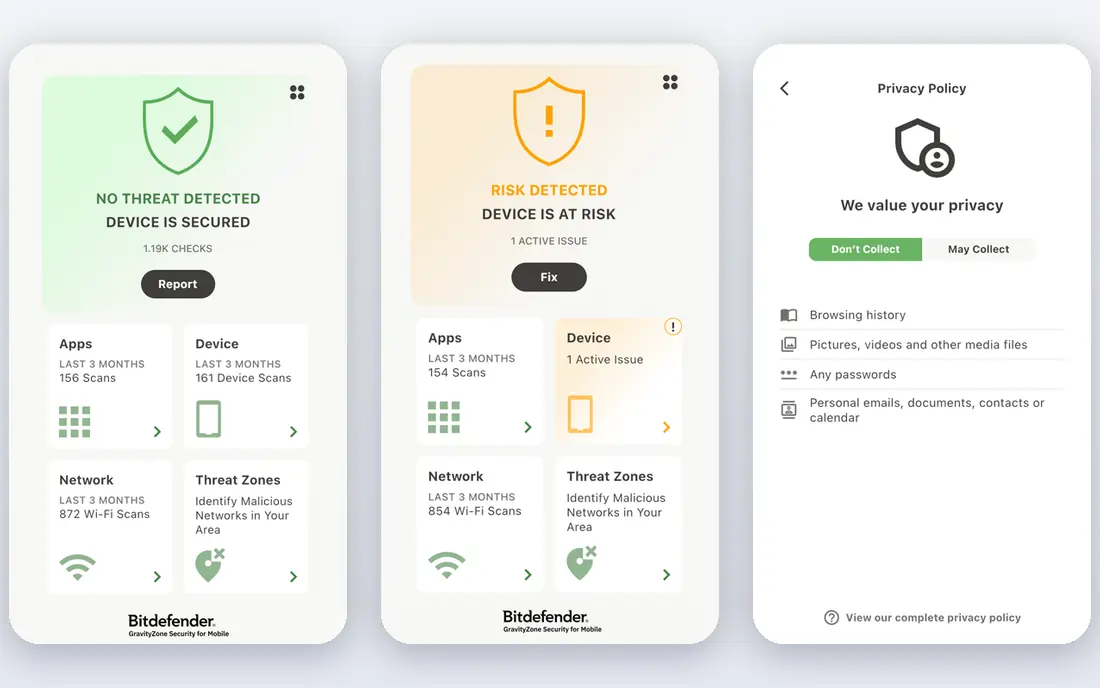
Bitdefender GravityZone is our pick for most small businesses because it balances strong protection with a console that a non-specialist can learn. The business tiers cover Windows, Mac and Linux devices, and the higher tiers add risk analytics and ransomware remediation, which rolls back files changed by an attack. That range means a five-person firm and a fifty-person firm can both find a tier without switching vendors later.
The main drawback is choice overload. GravityZone sells several packages with similar names, and the difference between basic endpoint security and full detection and response is not obvious from the product page alone. Ask for a quote that names the exact tier, and check whether the price covers servers and mobile devices as well as desktops, since that changes the total.
- Consistently strong independent test results
- Flexible tiers from basic antivirus to detection and response
- A central cloud console for all devices
- Tier names and add-ons can confuse first-time buyers
- Full detection and response features need a higher tier
- Pricing varies by device count
Norton Small Business fits the smallest teams, especially those where the owner is also the IT person. There is no complex console to configure, and protection installs quickly on each device, with extras such as cloud backup and a password vault on some plans. For a shop, clinic or studio with a handful of laptops and phones, that simplicity is worth more than advanced features nobody will monitor.
The limit appears as the team grows. Without a central console, checking that every device is protected and up to date takes more manual work, and policy control is weaker than with Bitdefender or ESET. If you expect to pass ten devices soon, pick a console-based product now rather than migrating later.
- Simple setup with no management console to learn
- Strong lab scores
- Includes backup and a password manager on some plans
- Suits teams under about ten people best
- Less central control than console-based rivals
- Scaling beyond a small team gets awkward
ESET PROTECT is the pick for businesses running older hardware or mixed Windows, Mac and Linux devices. Its agent is known for low system impact, which matters when staff work on machines that already struggle with modern software. The cloud console gives one view of device status, and low false positive rates mean fewer interruptions from alerts about harmless files.
The trade-off is that some features buyers expect, such as full disk encryption and managed detection, sit on higher tiers. The console also assumes a little technical comfort, so a completely non-technical owner may need help with the first setup. Get a trial on your slowest machine first, because that is where a heavy product would show its cost.
- A light agent that suits older or lower powered PCs
- A clear cloud console
- Very low false positive rates in independent tests
- Higher tiers are needed for encryption and advanced detection
- The interface feels technical to some buyers
- Mobile coverage varies by tier
Sophos Intercept X stands out for ransomware defence, which is the attack small businesses fear most. Its CryptoGuard feature watches for the file encryption behaviour typical of ransomware and can roll back affected files, while exploit protection blocks common attack techniques before malware runs. The central console presents alerts with enough detail for an IT provider to act quickly.
Buying can be less direct than with rivals, because Sophos often sells through partners and resellers, and published pricing is harder to find. That is not a flaw in the product, but it does mean quotes take longer and comparison shopping is harder. If you already use an IT provider, ask them to quote Intercept X alongside one direct-buy rival.
- Strong ransomware and exploit protection, including CryptoGuard
- Deep learning detection
- A central console with clear alert detail
- Often sold through partners, which can slow direct buying
- Pricing is less transparent online
- Advanced features need the higher tier
Microsoft Defender for Business
Who it suits: Teams already on Microsoft 365
Microsoft Defender for Business is the obvious pick for teams already paying for Microsoft 365 Business Premium, because the protection may already be included in that licence. It is built into Windows, so deployment is often a matter of turning features on rather than installing new software, and it adds detection and response tools that go beyond basic antivirus. For a Microsoft-centred office, that integration is a real advantage.
Standalone buyers get less value, because the price and the portal make more sense inside the Microsoft stack. Coverage for Mac and mobile devices exists but is not as deep as the Windows experience, and the security portal has many sections that can overwhelm a first-time admin. Check your current Microsoft licence before buying a separate product.
- Included with some Microsoft 365 Business Premium plans
- Built into Windows with no extra agent to learn
- Endpoint detection and response included
- Best value only for existing Microsoft 365 customers
- Mac and mobile coverage is thinner than Windows
- The portal can feel deep for beginners
Trend Micro Worry-Free, as the name suggests, is built for owners who want protection that mostly runs itself. Policies arrive pre-configured, the console is simple, and the product covers the core needs of a small office without demanding weekly tuning. That hands-off character makes it a good fit for businesses with no IT staff and no IT provider on call.
The price of simplicity is depth. Advanced detection, detailed reporting and threat hunting options are thinner than at Bitdefender or Sophos, so a business that handles sensitive client data may want a stronger tier or a different vendor. Confirm Linux and server coverage on your quote, since small business plans sometimes focus on Windows and Mac desktops.
- Pre-configured policies that need little tuning
- A simple cloud console
- A long record in small business protection
- Fewer advanced detection options than top rivals
- Reporting is basic on the entry tier
- Device coverage needs checking for Linux
Avast Business is the budget pick for teams that need solid core protection without paying for enterprise features. The packages are easy to understand, deployment is quick, and the cloud console lets one person push policies to every device. For a small shop watching every subscription, that low entry cost can be the deciding factor.
The compromise is protection depth. Independent results tend to place Avast behind Bitdefender, ESET and Sophos, and features such as patch management sit on higher tiers. That does not make it a bad product, but it does mean buyers should weigh the saving against the value of stronger detection. A free trial on real work devices will show whether the difference matters for your workload.
- Low entry pricing for small teams
- Straightforward packages
- Remote management from a cloud console
- Protection scores trail the leaders in some tests
- Higher tiers needed for patching and advanced controls
- Support quality varies by plan
Malwarebytes for Business
Who it suits: Cleanup and remediation strength
Malwarebytes for Business earns its place through remediation, which is what you need after something gets through. Its rollback features can undo changes made by malware, and its console makes it easy to isolate a device and clean it without wiping the machine. Many IT providers keep it as a trusted cleanup tool, and the business product builds that strength into ongoing protection.
Some buyers still think of Malwarebytes as a cleanup utility rather than a full antivirus, so check the tier carefully to make sure it includes real-time protection and detection and response if you want it as your main product. Pricing also varies by tier and device count, so get a quote for your exact device mix rather than relying on a headline figure.
- Strong remediation and rollback after an infection
- A clear console
- A good second layer alongside existing antivirus
- Best known for cleanup rather than as a sole antivirus for some buyers
- Higher tiers needed for full detection and response
- Pricing varies by tier
How we picked these
We compared official feature pages, pricing pages and independent test coverage for business endpoint products, and we kept only products still sold and supported for small businesses in October 2026. We favoured products with a central console or a genuinely simple setup for tiny teams, coverage for the devices a small business actually uses, and a free trial so buyers can test before committing. We did not claim hands-on testing, and prices we could not verify on a vendor site are shown as See website.
How to choose the right level of protection
Start by counting devices, not staff, because phones, laptops, servers and shared PCs all need cover. A team of eight people can easily own fifteen devices, and a per-device price changes fast at that scale. List your operating systems too, since a Windows-only product leaves Mac and Linux machines exposed, and check whether servers need a separate licence.
Next, decide who will watch the alerts. Basic antivirus suits a team that will act on a simple warning, while detection and response suits a team with an IT provider who can investigate suspicious behaviour. If nobody will watch alerts, a managed detection service or a product with automated response matters more than a longer feature list. Finally, test deployment on two or three devices, including your slowest machine, and check that updates, scans and restarts do not disrupt work.
Do not forget the basics around the software
Security software is one layer, not a complete plan. Turn on multi-factor authentication for email and cloud accounts, keep automatic updates switched on, and train staff to pause before clicking links in unexpected messages. Keep backups that are separate from the main network, and test restoring a file at least once, because a backup you have never restored is only a hope. Those steps cost little and stop many attacks that antivirus alone cannot catch.
Frequently asked questions
What is the best antivirus software for small business?
For most small businesses, Bitdefender GravityZone is the strongest all-round pick, because it pairs strong protection with a manageable console and flexible tiers. Norton Small Business suits teams under ten people who want no console, and ESET PROTECT suits older PCs and mixed operating systems. The right answer depends on device count, operating systems and who will manage the product.
Is small business security software different from home antivirus?
Yes, mainly in management and coverage. Business products add a central console, policies that apply to every device, server protection on some tiers, and support aimed at workplaces. Home products usually protect one household and lack the reporting and device controls a business needs, even for a team of five.
Does my small business need endpoint detection and response?
It depends on your risk and your support. Basic antivirus blocks known malware, while detection and response watches for suspicious behaviour and helps investigate attacks that slip past. If you handle client financial or health data, or you have an IT provider who can act on alerts, detection and response is worth the higher tier. If nobody will review alerts, automated response and a managed service matter more.
How much does small business security software cost?
Pricing is usually per device per year and varies by tier, device count and contract length, so we show See website where we could not verify a current vendor price. Expect entry business plans to cost more than a home plan, because they include central management and business support. Get a quote for your exact device count, including phones and servers, before comparing totals.
Can I use Microsoft Defender for Business on its own?
Yes, if your team runs Windows and uses Microsoft 365, Defender for Business can serve as your main protection, with detection and response included. It works best inside the Microsoft stack, so teams with many Mac or Linux devices, or teams outside Microsoft 365, should compare it with Bitdefender or ESET before committing.
Sources we checked (8)

Online Jobs is an independent blog about careers, online work, learning new skills and the tools that help people earn. More about us.
Keep reading
All posts
Surfshark Alternatives
Looking for Surfshark alternatives? We compare 8 VPN services on price, privacy, streaming, and device limits to help you find a VPN that fits your needs.
NordPass Alternatives
We compared NordPass alternatives for families, solo users and teams, checking pricing, free plans, passkeys and sharing, so you can switch safely today.
LLM Tool Integration Security Best Practices
Learn LLM tool integration security best practices for 2026, with eight tools for guardrails, tool scoping, sandboxing, agent governance and audit logging.