Best Sales Software for Small Businesses in 2026: 8 Products Compared

How we put this together: we compare official feature and pricing pages, app store listings, privacy policies and public user reviews. Prices change, so check the provider's site before you pay.
Key takeaways
- HubSpot is the best free starting point for small businesses that want contacts, deals, and email tracking without paying first.
- Pipedrive suits small sales teams that want a clear visual pipeline and fast deal updates.
- Zoho CRM and Freshsales offer strong value when you need automation and reporting on a small budget.
- Close suits phone-heavy small teams, while Capsule, Copper, and Streak suit very small teams with simple needs.
- Pick the tool your team will update daily, because a simple CRM with current data beats a powerful CRM that sits empty.
Quick comparison
| Name | Who it suits | Starting price | Free option | |
|---|---|---|---|---|
 HubSpot | Free CRM that grows | Free | Yes | Visit |
 Pipedrive | Visual sales pipeline | See website | Free trial | Visit |
 Zoho CRM | Value and flexibility | Free | Yes | Visit |
 Freshsales | Low-cost sales CRM | Free | Yes | Visit |
 Close | Phone and email selling | See website | Free trial | Visit |
 Capsule | Simple small-team CRM | Free | Yes | Visit |
 Copper | Google Workspace teams | See website | Free trial | Visit |
 Streak | CRM inside Gmail | Free | Yes | Visit |
The best sales software for small businesses
We compared sales software that helps small businesses track leads, manage deals, follow up on time, and see what is likely to close. The list focuses on tools a small team can set up quickly, afford, and actually use every day, rather than enterprise platforms that need an admin team.
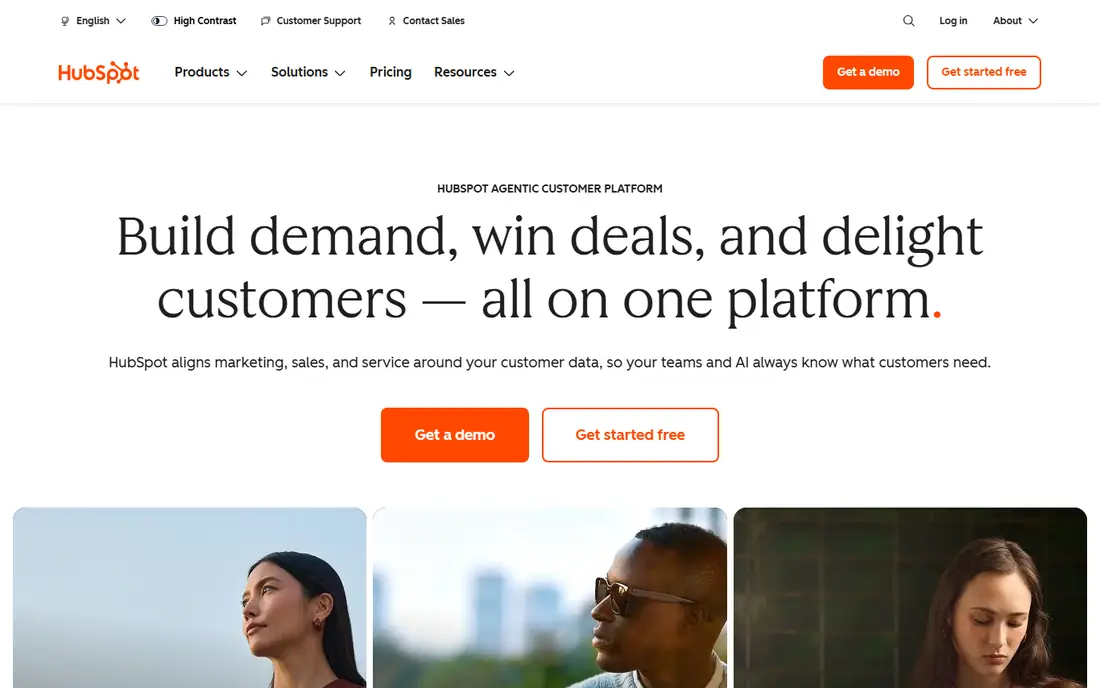
HubSpot is the safest starting point for most small businesses. The free CRM covers contacts, companies, deals, tasks, and email tracking, which is enough to replace spreadsheets and stop losing follow-ups. The interface is clear, setup is fast, and you can add marketing, service, and website tools later without switching systems.
The catch is the paid jump. Starter plans are affordable, but Professional plans cost far more, so upgrade only when a specific feature, such as sequences or forecasting, solves a real problem. For a small business starting out, HubSpot free gives you a professional CRM with room to grow, and that combination is hard to beat.
- Free CRM with contacts, deals, and email tracking
- Easy to learn
- Grows into marketing and service tools
- Paid sales plans can get expensive as you grow
- Some advanced features need higher tiers
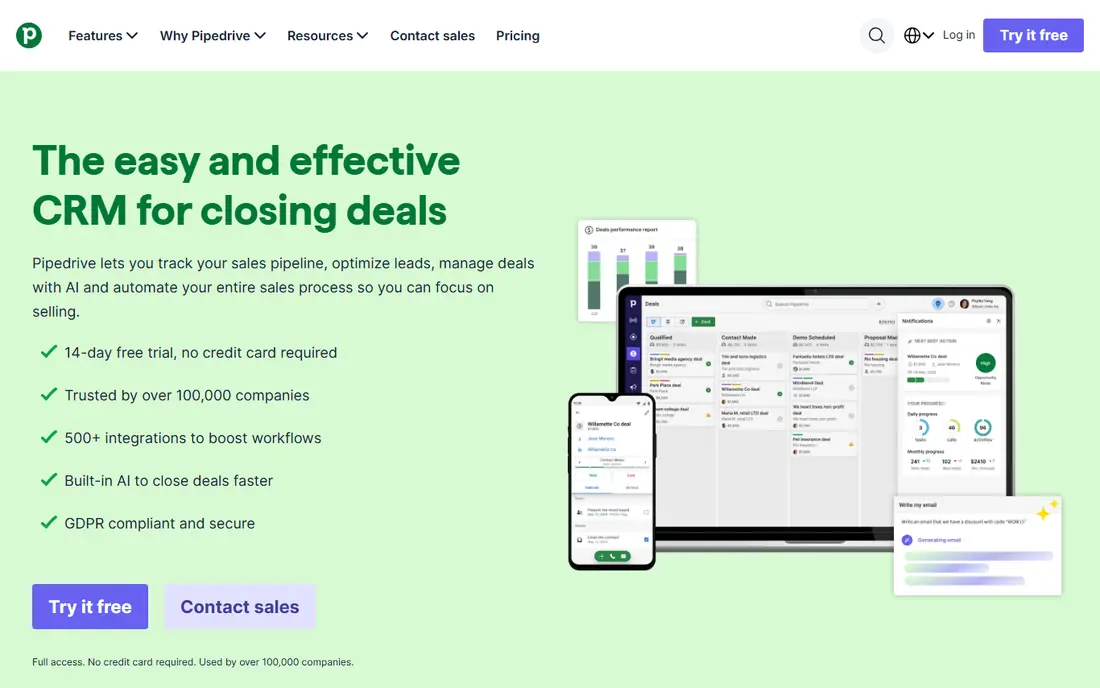
Pipedrive suits small sales teams that sell through a clear set of stages and want to see every deal at a glance. You drag deals forward, set next activities, and spot stalled deals without building reports. That visual clarity helps owners and small teams stay on top of follow-ups, which is where many small businesses lose sales.
Pipedrive has no free plan, so budget for a paid subscription from the start, and check which plan includes the automation and email sync you need. If your team lives in the pipeline view and wants a tool that is quick to update, Pipedrive is worth the cost over a free but clunkier option.
- Clear visual pipeline
- Activity reminders
- Fast setup and easy daily use
- No free plan, only a trial
- Automation and reporting improve on higher plans
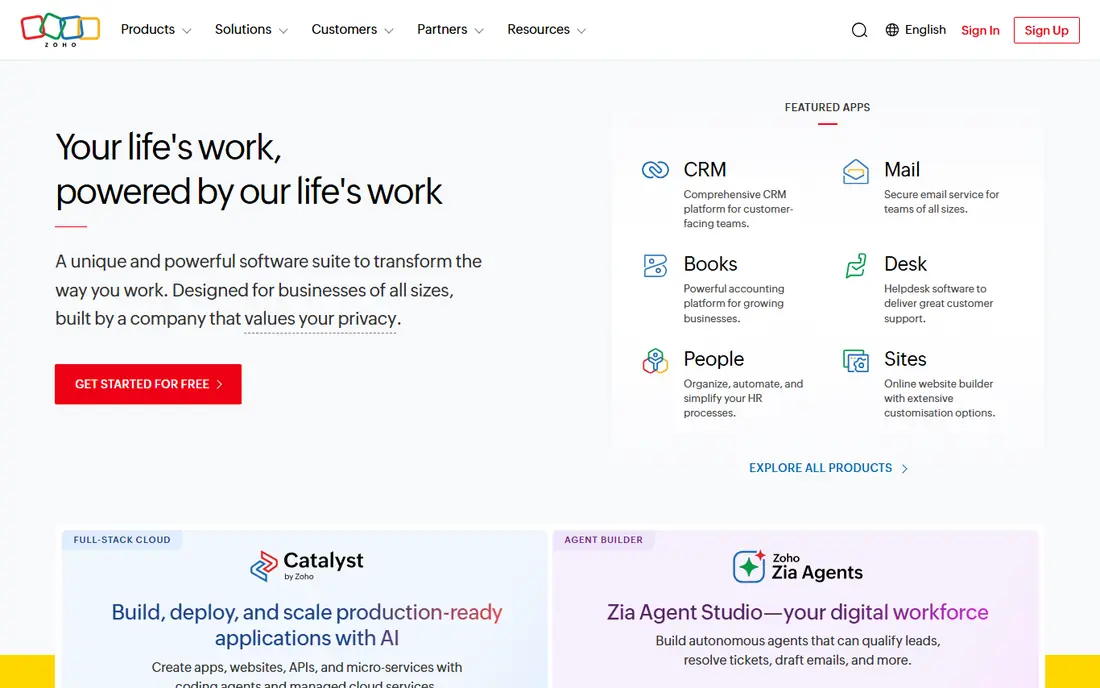
Zoho CRM is a strong value pick for small businesses that want more control than a basic pipeline tool. The free plan covers small teams, paid plans add automation and reporting at prices below many rivals, and links to Zoho Books, Mail, and other apps help a small business run sales and admin together. Customisation lets you shape stages, fields, and workflows to your process.
New users may need a day to learn the settings and layout, and the interface is less polished in some modules than HubSpot or Pipedrive. If you can invest that setup time, Zoho gives you a lot of sales software for a small budget, and it scales as your team grows.
- Free plan for small teams
- Affordable paid plans
- Custom fields, workflows, and Zoho app links
- Interface can feel uneven
- Setup needs care to match your sales process
Freshsales, from Freshworks, suits small teams that want phone, email, and deals in one place at low cost. The free plan is a useful test, paid plans stay affordable, and built-in calling reduces the need for a separate phone tool. Deal views are clear, activities are easy to log, and follow-up reminders help small teams stay consistent.
Teams with complex approval rules or deep reporting needs should test those areas in a trial, because Freshsales is built for straightforward selling rather than enterprise complexity. For most small businesses, that focus is a plus, because it keeps the tool fast and easy to learn.
- Free plan for small teams
- Built-in phone and email
- Clear deal and activity views
- Customisation is thinner than Zoho or Salesforce
- Some AI features need higher plans
Close suits small businesses that sell mainly by phone and email, such as agencies, services, and inside sales teams. Calling, texting, and email live inside the CRM, so reps can work through a lead list, log calls, and move deals without switching apps. That speed helps when follow-up timing decides whether a lead converts.
If your sales come mainly from walk-ins, referrals, or a shop front, Close may offer more calling power than you need. For phone-heavy small teams, though, its all-in-one approach can save hours each week and keep follow-ups from slipping through the cracks.
- Built-in calling, SMS, and email
- Fast outreach workflows
- Good for inside sales and lead follow-up
- Less marketing and service depth than HubSpot
- Cost rises with team size
Capsule fits very small businesses and solo owners who want a CRM without a learning curve. Contacts, deals, tasks, and a simple pipeline are easy to grasp in an afternoon, and the free plan covers basic use. That simplicity matters, because a CRM that feels like work will not get updated, and outdated data helps no one.
Capsule is not the right pick for teams that need deep automation, forecasting, or complex reporting. For a team of one to five people moving off spreadsheets, Capsule is a low-risk, low-cost start that you can learn quickly and use daily.
- Simple, clean interface
- Free plan for basic use
- Easy contacts, deals, and tasks
- Automation and reporting are limited
- Larger teams may outgrow it
Copper suits small businesses that already run on Gmail, Google Calendar, and Google Drive. It pulls contacts and activities from Gmail, links deals to Drive files, and keeps sales work inside the Google tools your team already opens every day. That link reduces manual entry, which is often the reason small teams abandon a CRM.
Teams on Microsoft 365 or other email systems will get less from Copper, and should compare HubSpot or Pipedrive instead. For Google Workspace shops, Copper offers a natural, low-friction CRM that fits existing habits rather than forcing new ones.
- Built for Google Workspace with Gmail and Drive links
- Automatic contact and activity capture
- Clean pipeline views
- Best value is inside Google Workspace
- Non-Google teams get less benefit
Streak suits very small teams that do almost all sales work inside Gmail. Pipelines sit inside your inbox, so you can track leads, deals, and follow-ups without opening a separate app. That closeness to email helps owners who live in Gmail and want a light CRM layer on top of it, rather than a full system to learn.
Streak is not a full CRM replacement for growing teams, because reporting, automation, and multi-channel selling are thinner than in HubSpot, Pipedrive, or Zoho CRM. For a solo owner or a two-person team that wants to stop losing email follow-ups, Streak is a practical, low-cost start.
- CRM lives inside Gmail
- Pipelines for sales, hiring, and support
- Easy for Gmail-heavy small teams
- Limited outside Gmail
- Reporting and automation are thinner than full CRMs
How we picked these
We chose sales software with free or low-cost entry, contact and deal tracking, follow-up reminders, and reporting that a small team can use without an admin. We checked official vendor sites for plan structure, free access, and core sales features, and we left out enterprise-only platforms and tools that only handle email outreach without deal tracking. We then balanced free CRMs, visual pipelines, phone-focused tools, and Gmail-based options, so the list fits different small business styles.
We did not run live sales teams on each tool, and pricing changes often, so confirm current plans, free limits, and trial terms on the vendor site before you buy. Test with real leads and deals, because a tool that looks simple empty can feel very different with a busy inbox and fifty live deals.
How to choose sales software for a small business
Start with your follow-up problem, not with a feature list. Are leads slipping because no one owns the next step, are deals stalling with no reminder, or do you simply not know what is likely to close this month. Name that problem, then pick a tool that solves it in one view. A small business does not need every feature, it needs the few features that stop lost sales.
Next, test daily use with real work. Can you add a lead, log a call, set a follow-up, and move a deal in under a minute, and can you do it on mobile when you are out of the office. Check email sync, calendar sync, and integration with invoicing or accounting tools, because double entry will kill adoption. Also check how many seats you actually need, and whether a free plan covers your team size and record limits.
Finally, keep setup simple and review monthly. Start with one pipeline, five to seven stages, and clear owners for each deal, then add automation only after the basic process runs smoothly for a month. Ask your team which tool they open first each morning, and keep the one with the best adoption, even if another tool has a longer feature list. For a small business, a current, simple CRM beats a powerful, empty one every time.
Frequently asked questions
What is the best sales app for a small business?
HubSpot is the best free starting point for most small businesses, while Pipedrive suits teams that want a visual pipeline and Zoho CRM suits teams that want value and flexibility. Close suits phone-heavy teams, and Capsule or Streak suit very small teams. The best app depends on team size, sales style, and whether you use Google Workspace or Microsoft tools.
Is there free sales software for small businesses?
Yes, HubSpot, Zoho CRM, Freshsales, Capsule, and Streak all offer free plans with contact and deal tracking. Free plans have limits on users, records, or automation, so check those limits against your team size. Free plans work well for testing a process and for very small teams, and you can upgrade when limits block real work.
How much does sales software cost for a small business?
Costs range from free for small teams on free plans, through low monthly per-user fees on tools such as Zoho CRM and Freshsales, to higher fees on Pipedrive, Close, and HubSpot paid plans. Multiply the per-user price by your team size, add any onboarding or add-on costs, and compare the yearly total. A free tool that your team uses is cheaper in practice than a paid tool that sits unused.
Do I need a CRM if I only have a few customers?
Yes, even a few customers benefit from a CRM, because it keeps contact details, deal history, and follow-up dates in one place. Spreadsheets work for a handful of leads, but they break down when follow-ups, quotes, and repeat orders grow. A simple free CRM such as HubSpot or Capsule takes little time to set up and prevents lost follow-ups as you grow.
What is the difference between HubSpot and Pipedrive for small businesses?
HubSpot offers a free CRM that grows into marketing and service tools, with a wider platform and a steeper paid jump. Pipedrive offers a clearer visual pipeline and faster deal handling, but has no free plan and focuses more narrowly on sales. Choose HubSpot for a free, broad start, and Pipedrive for a focused, visual sales pipeline.
How do I get my team to actually use sales software?
Keep stages simple, make updating a deal take under a minute, and review the pipeline together each week so updates have a clear purpose. Tie follow-up reminders to real deals, not to admin tasks, and drop fields that no one uses. If a tool feels like extra work, simplify the process first, and only then consider switching tools.
Sources we checked (8)

Online Jobs is an independent blog about careers, online work, learning new skills and the tools that help people earn. More about us.
Keep reading
All posts
Best Sales Prospecting Tools
Compare the best sales prospecting tools for B2B contact data, enrichment, and outreach, with pricing, credits, and free plans explained in detail in 2026.
Best Sales Pipeline Management Tools
Compare the best sales pipeline management tools in 2026, from HubSpot and Pipedrive to Salesforce, and pick a CRM that fits your sales process today.

Best Sales Intelligence Software
Compare sales intelligence software top 10 picks for B2B data, prospecting, and enrichment. See free plans, pricing notes, and which tool fits your team.