Best Safety Apps in 2026: 9 Apps for Personal, Family and Work Safety
 Online Jobs·Updated Oct 24, 2026·12 min read
How we put this together: we compare official feature and pricing pages, app store listings, privacy policies and public user reviews. Prices change, so check the provider's site before you pay.
Key takeaways
- Most of the best safety apps are free to download. Life360, Noonlight, Citizen, Watch Duty, PulsePoint Respond, the Red Cross Emergency app and FEMA's app all list a free tier, and paid upgrades are optional.
- Different apps solve different problems. Life360 is for family location sharing, Noonlight and bSafe are for personal SOS, and Watch Duty, the Red Cross and FEMA focus on disasters.
- Watch Duty is a non-profit that says its service stays free of ads, with an optional $25 per year membership for extra features.
- No app replaces calling 911. Treat these tools as extra help and test them before you need them.
- For workplace safety, Mitti (by SafetyCulture) lists a free plan for up to 10 users, with Premium at $24 per seat per month billed annually.
Quick comparison
| Name | Who it suits | Starting price | Free option | |
|---|---|---|---|---|
 Life360 Life360 | Family location sharing and crash alerts | Free | Yes | Visit |
 Noonlight Noonlight | Personal SOS with live dispatchers | Free | Yes | Visit |
 bSafe bSafe | Walking home with trusted contacts | Free | Yes | Visit |
 Citizen Citizen | Nearby incident alerts in big cities | Free | Yes | Visit |
 Watch Duty Watch Duty | Wildfire and flood alerts | Free | Yes | Visit |
 PulsePoint Respond PulsePoint Respond | Learning of nearby cardiac emergencies | Free | Yes | Visit |
 American Red Cross Emergency American Red Cross Emergency | Severe weather and preparedness | Free | Yes | Visit |
 FEMA FEMA | Official alerts and disaster recovery help | Free | Yes | Visit |
 Mitti (by SafetyCulture) Mitti (by SafetyCulture) | Workplace inspections and safety checks | Free | Yes | Visit |
The best safety apps
Safety apps cover very different needs, from tracking family members to getting a dispatcher to your location, from wildfire maps to workplace checklists. We group them by purpose: family and personal safety first, then community and disaster apps, then one workplace tool. This is general information. In any emergency, call 911 first, and do not rely on an app alone.
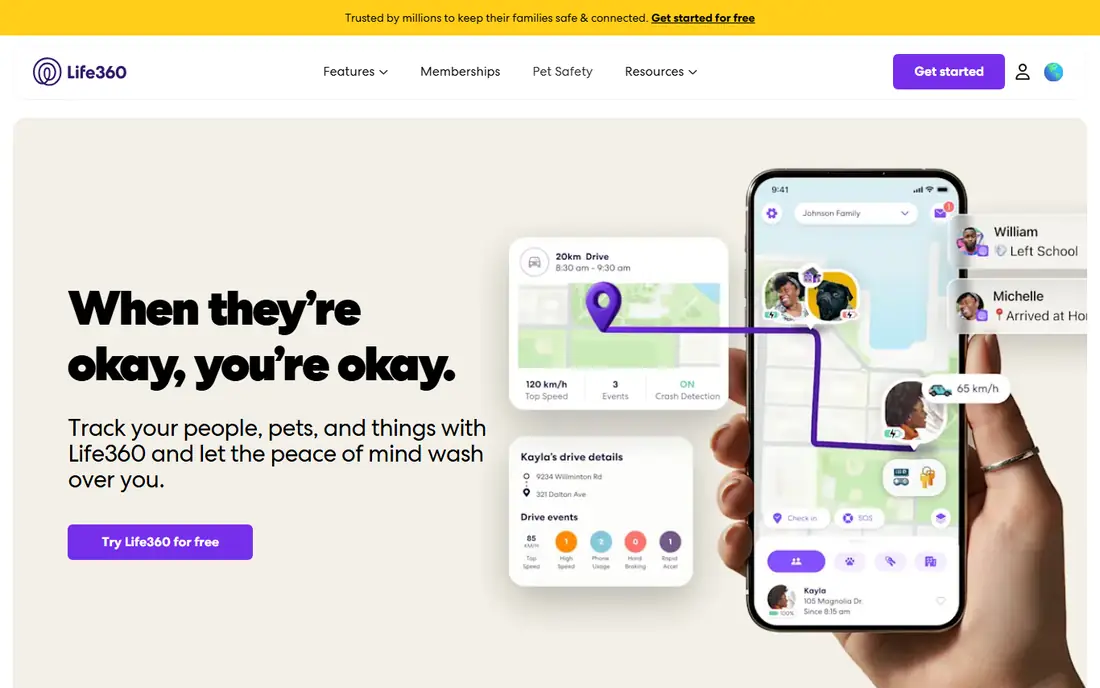
Life360 is the best-known family safety app. Its App Store listing says the free app includes advanced location sharing, location history, crash detection and place alerts, so you can see when a family member arrives at school or work. Paid memberships (Silver, Gold and Platinum) add things like longer location history, emergency dispatch with live agent support, roadside assistance, stolen phone protection and identity theft protection, with a 7-day free trial.
We could not load Life360's own pricing page for US customers, and the prices we saw in search results differed from one source to another. Check the price in the app before you subscribe. The listing also says Life360 works with Tile Bluetooth trackers and its own Pet GPS.
The catch is privacy. An app that shows everyone's location all day needs a family conversation, especially with teens. Read Life360's privacy policy and agree on when location is shared before you install it.
- Free tier with location sharing, history, crash detection and place alerts
- Paid tiers add emergency dispatch and roadside help
- Works with Tile trackers and a pet GPS
- Paid plan prices vary by source and region
- Constant location sharing raises privacy questions
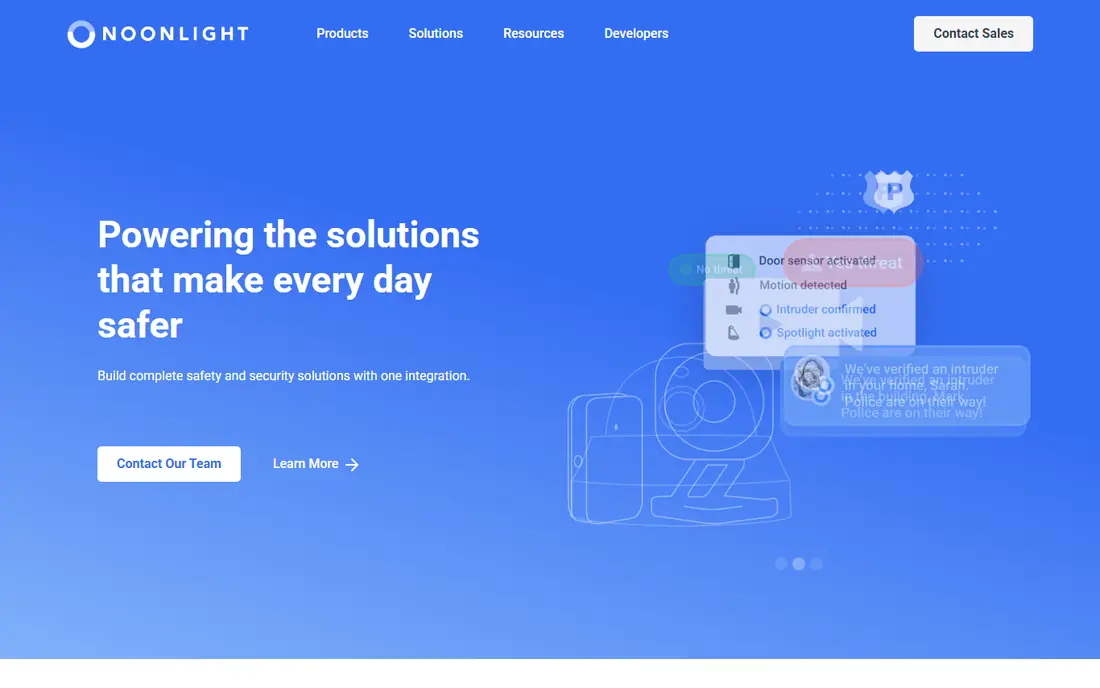
Noonlight is built around a simple idea. You hold a button when you feel unsafe and release it, entering a 4-digit PIN, when you reach safety. If you release it and do not enter the PIN, Noonlight notifies local police of your location and emergency. Its App Store listing says dispatchers are on call 24 hours a day.
The basic version is free and includes the Safety Button and Timeline, and the Safety Network and Advanced Profile on iPhone. Noonlight's app page lists Instant Access at $5 per month (Apple Watch app, widget, Uber and Lyft account sync) and Total Protection at $10 per month (crash response, Alexa and Google Home, IFTTT sync), each with a 30-day free trial, and says the paid tiers are iPhone only. Confirm current prices in the app, because Noonlight's terms say subscription prices may change.
It suits people who walk alone, meet strangers or rideshare often. The limit is that the best features are on iPhone, so Android users get less.
- Free Safety Button connected to dispatchers
- Hold-and-release design with a PIN
- Optional Apple Watch, widget and crash response features
- Several features are iPhone only
- Paid add-on prices could change
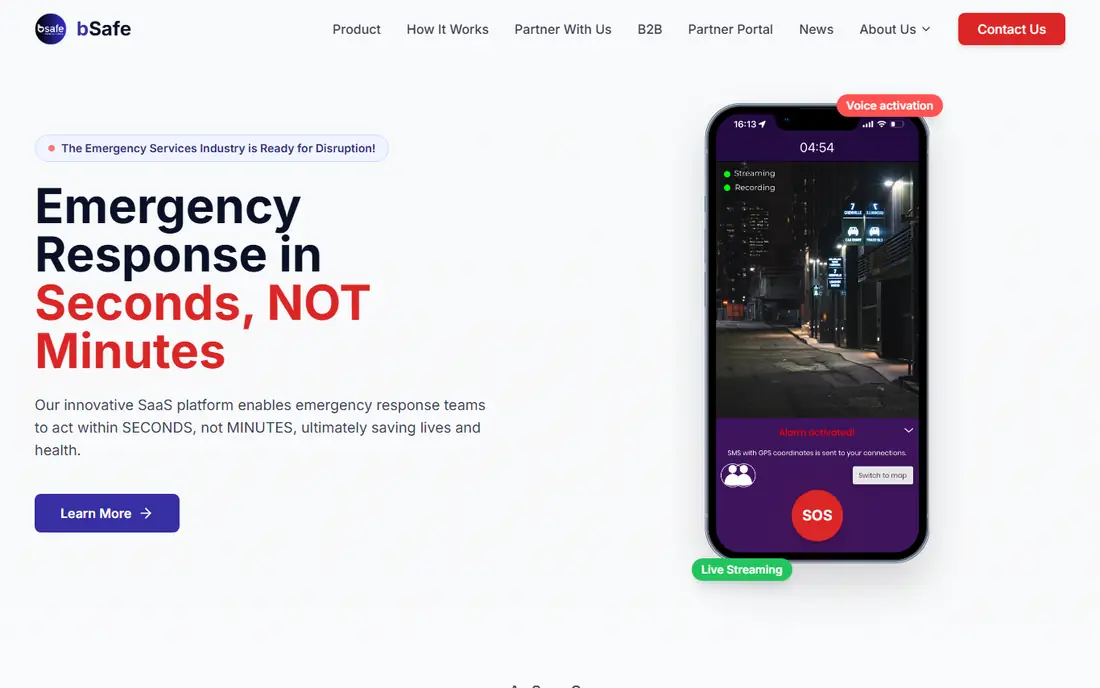
bSafe sets up a network of "guardians", friends and family who can follow you. Its App Store listing describes an SOS alarm that can be started by touch or voice, automatic audio and video recording that is sent to guardians, live streaming, a Fake Call to get out of an uncomfortable situation, and Follow Me, which lets guardians watch your route home on a map. Guardians get a message when you arrive.
The app is free to download and the company says it has a premium tier, but we could not find the premium price or exactly what it adds. The App Store listing was last updated in January 2025 and showed an average of about 3.4 from a little over 200 ratings when we checked, which is less proof of reliability than larger apps have. Read recent reviews for your phone before depending on it.
We list bSafe because its feature set is useful for students and people who commute at night. Unlike Noonlight, it relies on your own contacts rather than professional dispatchers, so make sure your guardians know what to do.
- SOS with voice activation
- Follow Me live GPS tracking for guardians
- Fake Call feature
- Premium price not listed where we looked
- Few App Store ratings and no recent update listed
Citizen sends push alerts about nearby crimes, fires and other incidents, with a map and user-submitted live video. Its site describes it as free, with alerts for nearby incidents, live video from incidents and a search for why there is police activity or a road closure. Its listing also offers an optional Citizen Premium with scanner audio clips, incident archives and multiple alert zones, but we did not find a price.
The App Store listing says free alerts are best supported in large metro areas such as New York City, Los Angeles, Chicago, Dallas and Houston. If you live in a small town, check whether your area is covered before you install it. The company also warns that Citizen may notify you of a crime in progress before police respond.
Our caution is about mood. A feed of every nearby emergency can make some people more anxious, not safer. Use alert zones for the places you care about and mute the rest.
- Free real-time alerts for nearby incidents
- Live video and a crime map
- Alert zones for places like work or school
- Free alerts work best in a list of large cities
- Frequent alerts can feel alarming
Watch Duty is the app to have if you live where wildfires or floods are a risk. It describes itself as a disaster mapping and alert app run by a team of active and retired firefighters, dispatchers and reporters who monitor radio scanners, and not just automated government feeds. Features include push notifications, evacuation orders and shelter information, fire perimeters, flood warnings, wind and air quality.
It is a 501(c)(3) non-profit and says the service will always be free of ads and free of charge. A $25 per year membership adds special features and supports the work. That is the cheapest paid tier on this list.
Watch Duty says it is not affiliated with any government agency and draws on public sources. Follow official evacuation orders from your local authorities, and use Watch Duty to get information sooner, not as your only source.
- Human-vetted updates from firefighters and dispatchers
- Evacuation orders, fire perimeters and shelter info
- Non-profit with no ads
- Focused on wildfires and floods only
- Not affiliated with any government agency
PulsePoint Respond is a 911-connected app with an unusual purpose. If you are trained in CPR and willing to help, it alerts you when someone nearby is having a cardiac emergency and may need CPR. You can also choose to be notified of other events such as wildland fires, flooding and utility emergencies, and listen to live dispatch radio in many connected communities.
It is free and run by the PulsePoint Foundation, a 501(c)(3) non-profit. The listing says it covers thousands of communities in North America, but coverage depends on whether your local agency is connected, so look up your area on the PulsePoint website.
This is not an app that protects you directly. It is for people who want to be able to help others, and it is only useful if you have CPR training. Consider taking a certified CPR course before you enable alerts.
- Alerts CPR-trained users to nearby cardiac emergencies
- Also notifies about fires, flooding and utility emergencies
- Run by a non-profit foundation
- Only works where local dispatch is connected
- Useful mainly if you know CPR
American Red Cross Emergency
Who it suits: Severe weather and preparedness
The Red Cross Emergency app is a good all-around pick for weather and disaster readiness. Its listing says you receive official National Weather Service (NOAA) alerts for tornadoes, hurricanes, floods and severe thunderstorms, customized by location and hazard type. It also shows live weather maps, including Doppler radar, and helps you find open Red Cross shelters.
Preparation tools include short guides, interactive games and personalized checklists. The app is free and available in English and Spanish, and it works with your phone's built-in accessibility features.
It does not track people or call help for you. Think of it as a weather and readiness tool, and pair it with something else if you also want personal or family safety features.
- Official NOAA weather alerts
- Shelter locator and preparedness checklists
- Free in English and Spanish
- No personal SOS or location sharing
- Less depth than a dedicated wildfire app
The official FEMA app gives you weather and emergency alerts from the National Weather Service and the Integrated Public Alert and Warning System for up to five locations, plus preparedness guidance, family communication plan tips and emergency kit advice. After a disaster it answers questions about assistance and helps you find FEMA Disaster Recovery Centers nearby.
The app's own listing says real-time tornado alerts based on your current location are not currently offered, because tornado alerts use moving polygon tracking. That is a real gap if you drive through tornado-prone areas, so another weather alert app is wise.
It is a free government app and a sensible one to have on any phone, especially before a hurricane or flood season. It does not cover everyday personal safety.
- Alerts from the National Weather Service and IPAWS
- Up to five saved locations with ZIP code precision
- Information on disaster assistance and recovery centers
- No real-time tornado alerts based on your current location
- Does not cover everyday personal safety
Mitti (by SafetyCulture)
Who it suits: Workplace inspections and safety checks
If your question is about safety software for a workplace, Mitti by SafetyCulture is worth a look. The old safetyculture.com pricing page now redirects to Mitti's site, and its App Store listing is named Mitti (by SafetyCulture). Its homepage describes an operations system for frontline teams, with inspections, issue reporting, training, investigations and lone worker monitoring.
Its pricing page lists a Free plan for up to 10 users with five active inspection templates and basic analytics. Premium is $24 per seat per month billed annually, or $29 per seat per month billed monthly, and adds unlimited templates, advanced analytics and integrations. Enterprise pricing is through sales.
Be careful about expectations. Its homepage does not describe a dedicated safety management module, so a business with strict regulatory reporting needs may want to compare it with specialist safety management software before committing.
- Free plan for up to 10 users
- Inspections, issue reporting, training and lone worker monitoring
- Mobile apps for iPhone and Android
- Free plan limits templates to five
- More of an operations platform than a pure safety tool
How we picked these
We compared each app's official website, App Store listing, privacy and terms pages and any published pricing. We looked at each listing's last update date, and we included a mix of personal, community, disaster and workplace tools. We did not test the apps in real emergencies, and we cannot confirm how quickly any dispatcher or alert reaches you.
Where we could not read a vendor's own page, we say so. Life360, Noonlight and bSafe prices were harder to confirm than the others, so check the app before you pay.
How to choose a safety app
Match the app to the risk
Walking home late calls for a personal SOS app like Noonlight or bSafe. A wildfire zone calls for Watch Duty. A family with teen drivers may want Life360's crash detection. Pick the risk you actually face.
Check location and privacy settings
Many of these apps need constant location access. Review which contacts can see you, how long history is stored and what the privacy policy says about sharing data. Turn off sharing you do not need.
Test it before you need it
Set up your contacts, run through the SOS steps and make sure notifications are allowed. Some apps use background location, which can drain battery, as the Noonlight and PulsePoint listings both note.
Keep 911 as the first step
Apps can help with information and dispatch, but they depend on signal, battery and settings. If you are in danger, call emergency services directly.
Frequently asked questions
What is the best safety app?
It depends on the problem. Life360 suits families, Noonlight suits solo travelers, Watch Duty suits wildfire areas and the Red Cross Emergency app suits severe weather. Most are free, so you can install a few.
Are safety apps free?
Many are. Life360, Noonlight, Citizen, Watch Duty, PulsePoint, the Red Cross app and FEMA's app all list a free tier or are fully free. Paid upgrades add things like crash detection, emergency dispatch or extra alert zones.
What is the best app for personal safety?
Noonlight connects you to dispatchers who can send help to your location, while bSafe uses your own contacts and live tracking. Neither replaces 911, and Noonlight's best features are iPhone only.
What is the best safety management software for a business?
Look for inspections, issue reporting, training and audit trails. Mitti by SafetyCulture has a free plan for small teams, but compare it with specialist safety management tools if you need formal compliance reporting.
Do safety apps drain my battery?
Apps that use GPS in the background can. Noonlight and PulsePoint both warn about this in their App Store listings. Check battery use in your phone settings after a few days.
Can safety apps invade my privacy?
Any app that shares your location can. Review permissions, limit who can see you and read the privacy policy. Remove apps you no longer use.
Sources we checked (16)
- https://apps.apple.com/us/app/life360-family-safety-gps/id384830320
- https://www.life360.com/
- https://www.noonlight.com/noonlight-app
- https://help.noonlight.com/en/articles/3270559-how-much-does-noonlight-cost
- https://apps.apple.com/us/app/noonlight-feel-protected-24-7/id716262008
- https://apps.apple.com/us/app/bsafe-never-walk-alone/id459709106
- https://getbsafe.com/
- https://citizen.com/
- https://apps.apple.com/us/app/citizen-safety-live-video/id1039889567
- https://apps.apple.com/us/app/watch-duty-wildfire-floods/id1574452924
- https://www.pulsepoint.org/pulsepoint-respond/
- https://apps.apple.com/us/app/pulsepoint-respond/id500772134
- https://apps.apple.com/us/app/emergency-severe-weather-app/id954783878
- https://apps.apple.com/us/app/fema/id474807486
- https://mitti.com/pricing/
- https://mitti.com/
Online Jobs is an independent blog about careers, online work, learning new skills and the tools that help people earn. More about us.
Keep reading
All posts
iObeya Alternatives
Compare the best iObeya alternatives in 2026, from Miro and Mural to Klaxoon, Businessmap and Planview AgilePlace, with US prices, free plans and trade-offs.

Free Kahoot Alternatives
Looking for free Kahoot alternatives for large groups? We compare 8 options in 2026, including Gimkit, Slido and Blooket, with US prices and free player limits.

Best Writing Software for Authors
The best writing software for authors in 2026: Scrivener, Vellum, Dabble, Reedsy Studio and more, with current prices, free options and honest drawbacks.