Best Reel Maker App in 2026: 9 Apps Compared

How we put this together: we compare official feature and pricing pages, app store listings, privacy policies and public user reviews. Prices change, so check the provider's site before you pay.
Key takeaways
- CapCut is our pick for most creators because it pairs templates, auto captions and effects in a free tier that covers daily Reels work.
- VN Video Editor is the best free reel maker app for creators who want precise control without paying for a subscription.
- Edits by Instagram is the simplest choice for Instagram only creators, with free exports and a direct posting path.
- Watermarks and locked templates are the main free tier traps, so check export rules before you build a workflow around an app.
- The best reels editing app for you depends on whether you value speed, control or branding, not on which app has the longest feature list.
Quick comparison
| Name | Who it suits | Starting price | Free option | |
|---|---|---|---|---|
 CapCut | Templates and effects | Free | Yes | Visit |
 InShot | Fast simple edits | Free | Yes | Visit |
 VN Video Editor | Precise free editing | Free | Yes | Visit |
 Edits by Instagram | Instagram only creators | Free | Yes | Visit |
 Adobe Express | Branded business Reels | Free | Yes | Visit |
 Canva | Template led design Reels | Free | Yes | Visit |
 Filmora | Mobile and desktop editing | See website | Free trial | Visit |
 KineMaster | Layered mobile editing | See website | Free trial | Visit |
 LumaFusion | Serious iPhone editing | See website | No | Visit |
The best reel maker app
A good reel maker app should get you from raw clips to a posted Reel in minutes, without a watermark surprise at export. The nine apps below cover that range, from one tap templates to full timeline control. Our pick for most creators is CapCut for its balance of free tools and speed, with VN as the best free option for creators who want more control.
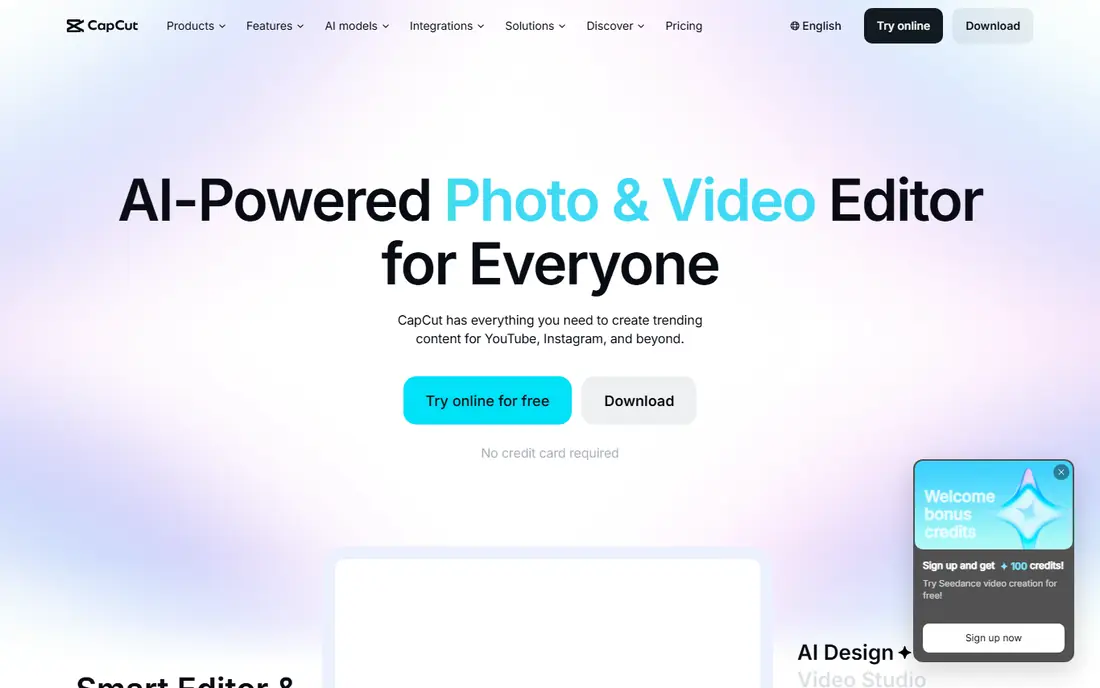
CapCut is the app most short form creators reach for first, and for good reason. It covers trimming, splitting, music, text, transitions and effects on a phone, in a browser and on a computer, and its template library makes trend formats fast to copy. Auto captions help viewers who watch without sound, which is a large share of Reel viewers. The weakness is the paywall pattern. If a template or effect carries a Pro tag, expect a limit at export unless you upgrade, and free exports can add a CapCut ending clip that you need to remove. Check each asset before you build a Reel around it, and keep a free alternative template in mind for paid items.
- Large template library
- Auto captions and effects
- Mobile, desktop and web versions
- Some templates and effects need a paid plan
- Free exports can add an ending clip you must delete
InShot wins on speed for beginners. Everything is close at hand, from trimming and splitting to adding text, music and resizing for different platforms, so a creator can go from clip to posted Reel in a few minutes. That simplicity is why it remains popular even as more complex editors add features. The trade off is the free tier. Free exports carry an InShot watermark and the app shows ads, and a paid plan is needed to remove them. If you post daily, that cost is worth weighing against a free editor like VN, which avoids a watermark on core exports.
- Very easy to learn
- Fast trimming and resizing
- Good for Reels and Stories
- Free exports carry a watermark and ads
- Paid packs add cost over time
VN is our pick for creators who want control without a subscription. It offers a multi track timeline, keyframe animation and curve speed controls that many paid apps charge for, and core editing is free with no watermark on standard exports. That makes it a strong best reels maker app for creators who edit often and want consistent quality. The weakness is template depth. VN has fewer trend templates than CapCut, so a creator who relies on templates for speed may need to build their own presets. The interface also takes longer to learn, but that time pays off once you have a repeatable editing style.
- Keyframes and multi track editing free
- No watermark on core exports
- Precise pacing control
- Steeper learning curve
- Fewer ready made templates than CapCut
Edits by Instagram is the simplest choice if Instagram is your main platform. It offers capture, editing and 4K export without a watermark, and the posting path to Reels is direct. For a creator who posts mainly to Instagram, that focus removes the friction of exporting, reimporting and reformatting a video. The limit is scope. Edits is built around Instagram, so creators who also post to TikTok or YouTube Shorts may still need a second editor for other formats. It is also tied to an Instagram account, which may not suit teams that share editing work across accounts.
- Free and watermark free exports
- Built for Instagram Reels
- Direct posting path
- Needs an Instagram login
- Less useful if you also post to TikTok or YouTube
Adobe Express suits small businesses that need Reels to look consistent. Brand colours, fonts and logos can be reused across templates, and free exports do not carry a watermark on standard work. That consistency matters for a business account, where a Reel is part of a wider brand, not just a single post. As a pure editor, Adobe Express is less deep than VN or CapCut for multi track work and precise pacing. It is best used as a branded template tool, with a second editor for complex cuts when needed. Check which templates are Premium before you promise a client a specific look.
- Brand kits and templates
- Free exports without a watermark on standard work
- Scheduling tools
- Premium templates and assets are locked
- Less deep as a timeline editor
Canva is a design led choice for creators who start from a template rather than from raw footage. Its library covers Reels, Stories and social posts, and drag and drop editing makes it easy for a non editor to produce a clean result. Teams can share brand assets and templates, which helps when several people post for one account. The weakness is editing depth. Canva handles simple cuts, text and music well, but it is not a full timeline editor for complex pacing, keyframes or layered effects. Use it when the design matters more than the edit, and switch to VN or CapCut when the cut itself is the creative work.
- Huge template library
- Easy drag and drop design
- Web, mobile and desktop access
- Pro elements are locked
- Video timeline control is basic compared with dedicated editors
Filmora bridges phone editing and desktop editing, which suits creators who start on a phone and later want a larger screen and more control. It offers a wide effects library, templates and audio tools, and projects can move between mobile and desktop versions. That path is useful for a creator whose Reels are growing more complex over time. The free trial is the main limit. Trial exports carry a watermark, so Filmora is not a free daily driver in the same way as VN or CapCut. Treat it as a paid step up, and test the desktop workflow on a trial project before you pay.
- Desktop and mobile in one tool
- Wide effects library
- Good for creators who outgrow phone only editing
- Free trial exports carry a watermark
- Subscription cost adds up for casual creators
KineMaster is a long standing mobile editor for creators who want layers, blending and chroma key work on a phone. Its timeline supports multiple video, image, text and audio layers, which gives more room for creative edits than a simple one track app. The asset store adds effects, music and stickers for creators who want a polished look. The free version carries limits, including a watermark, so a creator who posts daily should budget for a paid plan. KineMaster also faces strong free competition from VN, so its case rests on whether its layer tools and asset library fit your style better than a free alternative.
- Multi layer timeline on mobile
- Chroma key and blending options
- Asset store
- Free version limits and watermark apply
- Asset costs can add up
LumaFusion is the most serious mobile editor on this list for iPhone and iPad users. It offers a full multi track timeline, precise trimming, colour tools and audio mixing in a single purchase, without a monthly subscription for the core app. For creators who edit several Reels a week on an iPad, that control can justify the price. The limits are clear. LumaFusion is paid upfront and iOS only, so Android creators need another app, and beginners may find its depth overwhelming at first. It is best for creators who already know they want timeline control and who edit often enough to learn a professional tool.
- Full multi track editing on iPhone and iPad
- Professional controls
- No subscription for the core app
- Paid upfront
- IOS only, so Android creators cannot use it
How we picked these
We checked official product pages and app store listings for each app, plus public comparison guides that listed free tier limits and export rules in October 2026. We favoured apps that are actively available on iOS or Android, that export vertical video suitable for Reels, and that offer a free tier or a clear paid path. We did not claim hands on testing, and we listed prices as See website where the vendor does not publish a simple starting price on its homepage. Watermark and free tier details should be checked in the app before you rely on them for daily posting.
How to choose the best reel creator app
Start with how you actually make Reels. If you post daily and rely on trends, choose an app with strong templates and auto captions, such as CapCut or Edits. If you edit carefully and want precise pacing, choose VN or LumaFusion. If branding matters most, choose Adobe Express or Canva. Test two apps with the same clips, and keep the one that gets you to a posted Reel fastest without a watermark surprise.
Check exports before you commit
Export a test Reel in 1080p or 4K, check for a watermark, check the ending clip, and check how the file looks after upload to Instagram. Some apps export cleanly but lose quality on upload, while others add a watermark only on certain effects. A five minute test saves a month of rework.
Think about music and captions
Music licensing and captions affect reach more than many effects do. Use music from inside the app or from Instagram audio, and add captions for viewers who watch without sound. Check whether auto captions are free in your app, and whether you can edit caption text and style before export.
Frequently asked questions
What is the best free reel maker app?
The best free reel maker app for most creators is VN Video Editor, because core editing is free and standard exports do not carry a watermark. CapCut is also strong for free use, with templates and auto captions, but some assets need a paid plan. Edits by Instagram is another free option if you post only to Instagram.
What is the best reel creator app for beginners?
InShot is the easiest starting point for beginners, with simple trimming, text and resizing in a few taps. CapCut is a close second and gives more room to grow into effects and captions. Start with one app, learn its timeline, and add a second app only when you hit a clear limit.
Does CapCut add a watermark to Reels?
Free CapCut exports do not add a watermark for most standard work, but they can add a CapCut ending clip that you can delete, and Pro assets may require a paid plan to export cleanly. Check each template or effect before you use it, and delete the ending clip on export if it appears.
What is the best reels editing app for business accounts?
Adobe Express and Canva are the strongest choices for business accounts, because brand kits, templates and team sharing keep Reels consistent. VN or CapCut can handle the edit itself, but a business that posts for a brand should keep colours, fonts and logos in a shared kit. That consistency matters more than a single effect.
Can I make Reels without paying for an app?
Yes. VN, CapCut and Edits all offer free tiers that cover trimming, captions, music and export for most daily Reels. Paid plans add templates, effects and higher export options, but they are not required to start. Test the free tier with real clips before you pay for anything.
Which app is best for Reels and TikTok together?
CapCut and VN both export vertical video that works for Reels, TikTok and Shorts, with resizing for each platform. InShot is also good for quick resizing across platforms. Avoid an Instagram only workflow if you post to several platforms, and keep a master export in high quality so you can resize without re editing.
Sources we checked (9)

Online Jobs is an independent blog about careers, online work, learning new skills and the tools that help people earn. More about us.
Keep reading
All posts
Best AI Video Editing Platforms for Quick Edits
Compare the best AI video editing platforms for quick edits in 2026, from Descript and CapCut to Opus Clip, with pricing for creators for creators and teams.

n8n Alternatives
n8n alternatives compared for 2026, with Zapier, Make, Activepieces, and more, covering visual builders, code steps, self-hosting, and pricing models.

eBay Alternatives
Looking for ebay alternatives? We compared 9 marketplaces for sellers on fees, buyer reach, categories and ease of listing, to help you sell with confidence.