Best Publishing Software in 2026: 9 Tools Compared


Professional print publishing · Starting price: $22.99 per month
How we put this together: we compare official feature and pricing pages, app store listings, privacy policies and public user reviews. Prices change, so check the provider's site before you pay.
Key takeaways
- Adobe InDesign remains the print industry standard for complex books and magazines, with the deepest typography and preflight tools.
- Affinity Publisher is now free and offers professional layout tools without a subscription, making it the best value desktop pick.
- QuarkXPress and VivaDesigner suit print shops and mixed-OS teams that want to own their software rather than rent it monthly.
- Canva and Marq beat desktop apps for team collaboration, templates and fast branded marketing materials.
- Scribus is the best free open-source option, but it needs more manual work than paid rivals.
Quick comparison
| Name | Who it suits | Starting price | Free option | |
|---|---|---|---|---|
| Adobe InDesign | Professional print publishing | $22.99 per month | Free trial | Visit |
 Affinity Publisher | Free professional layout | Free | Yes | Visit |
 QuarkXPress | Print shops and long documents | $314 per year | Free trial | Visit |
 Canva | Fast team marketing materials | Free | Yes | Visit |
 Marq | Branded team templates | $10 per user per month | Yes | Visit |
 Scribus | Free open-source publishing | Free | Yes | Visit |
 VivaDesigner | Mixed-OS publishing teams | See website | Yes | Visit |
 Adobe Express | Quick digital publishing | Free | Yes | Visit |
 Swift Publisher | Low-cost Mac layout | $19.99 one-time | Free trial | Visit |
The best publishing software
Publishing software covers two different jobs: precise print layout for books and magazines, and fast digital publishing for marketing, social and web content. A tool that excels at CMYK print output may feel slow for a social post, while a template tool may lack the typography control a book needs. The tools below cover both sides, from industry-standard desktop apps to browser-based team platforms.
InDesign is the standard that most print shops, publishers and design studios still use. Master pages, styles, grids, tables and advanced typography give precise control over long documents, and preflight tools catch missing fonts, low-resolution images and colour problems before print. Integration with Photoshop, Illustrator and InCopy helps teams share assets and text without constant exporting. Cost and complexity are the drawbacks. A monthly subscription adds up for a solo publisher, and the full feature set takes time to learn. For professional books, magazines and catalogues where print accuracy matters, however, InDesign remains the safest choice for file sharing with printers.
- Deepest typography and layout control
- Strong preflight and print output
- Works with Photoshop and Illustrator
- Subscription cost
- Steep learning curve for new users
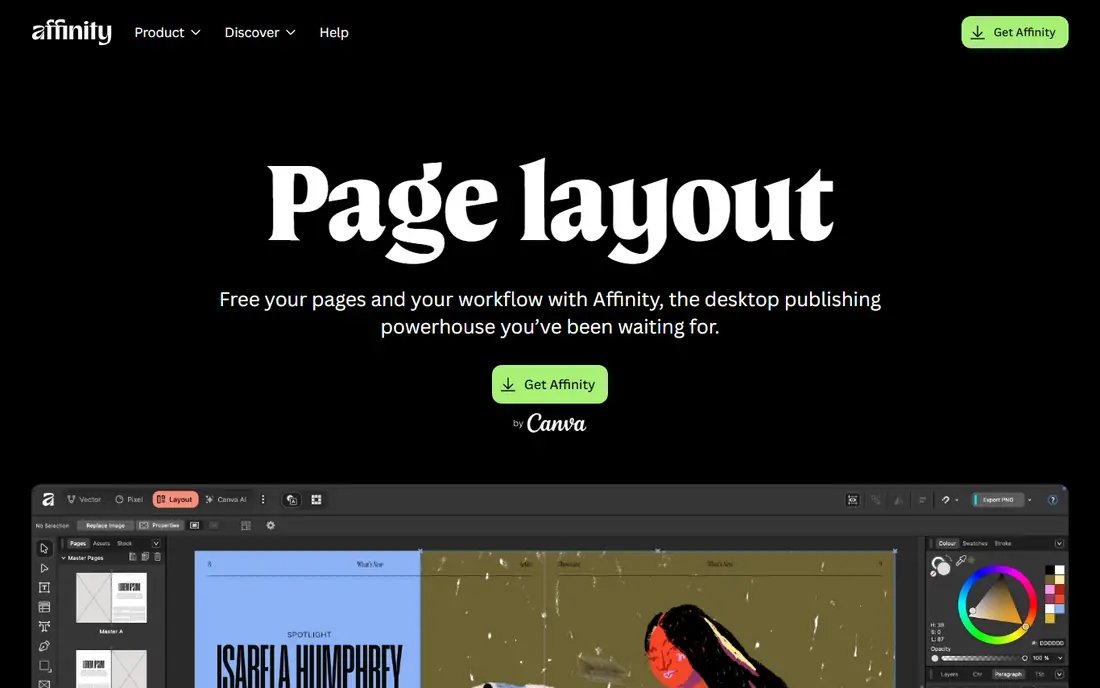
Affinity Publisher offers master pages, facing spreads, grids, tables, advanced typography and professional print output in an app that is now free under Canva. StudioLink lets users switch to Affinity Photo and Designer tools without leaving the document, which speeds up image and graphic work inside a layout. Print workflows are less established than InDesign in some shops, so check that your printer accepts Affinity files or PDF exports before committing to a large project. Plugin support is also narrower. For freelancers, small publishers and students who want real layout power without a subscription, Affinity Publisher is now the best value pick.
- Professional layout tools at no cost
- StudioLink switching to photo and vector tools
- Fast performance
- Fewer print shop workflows than InDesign
- Smaller plugin range
QuarkXPress has a long history in print publishing and still handles complex layouts, long documents and digital output well. A yearly licence suits shops that prefer a predictable annual cost over a monthly subscription, and its layout and typography tools cover books, magazines and catalogues. The yearly price is higher than free or one-time rivals, and the tutorial and plugin community is smaller than Adobe's. For print shops that already know QuarkXPress, or that want an alternative to Adobe without moving to a browser tool, it remains a dependable professional option.
- Strong print and digital publishing
- Yearly licence rather than monthly rent
- Long history in publishing
- Higher yearly cost than Affinity
- Smaller community than InDesign
Canva is the fastest way for a non-designer to produce a good-looking publication. Templates for magazines, brochures, social posts and presentations, plus drag-and-drop editing and team comments, let marketing teams publish without waiting for a designer. Brand kits help keep colours, fonts and logos consistent across a team. Print precision is the limit. Typography control, CMYK handling and long-document tools do not match InDesign or Affinity Publisher, and free exports may be limited to screen quality. For marketing materials, digital magazines and fast team content, Canva is the most practical choice.
- Huge template library
- Easy collaboration
- Fast for social, presentations and marketing
- Limited print typography control
- Export quality limits on free plans
Marq, formerly Lucidpress, is built for teams that need brand control. Managers can lock logos, colours and fonts in templates, while staff edit text and images without breaking the design. Browser-based collaboration means a distributed team can work on the same publication without installing desktop software. Layout freedom is less than InDesign, and complex print projects may still need a desktop app. Marq suits marketing teams, franchises and schools that produce many similar documents and need consistency more than bespoke design. For that use, its template control is a real advantage.
- Template locking for brand control
- Browser collaboration
- Good for distributed teams
- Less layout freedom than desktop apps
- Needs an internet connection for full use
Scribus is the free publishing tool that can actually produce print-ready files. It supports CMYK colour, PDF export, master pages and styles, and it runs on all major desktop systems. For schools, charities and small publishers with no budget, it covers the core needs of desktop publishing. The interface feels dated, and setup takes more manual work than Canva or Affinity Publisher. Templates and tutorials are fewer, and some advanced features need plugins or workarounds. For a zero-cost tool with real print output, Scribus is still worth the learning effort.
- Free and open source
- CMYK and PDF output
- Runs on Windows, Mac and Linux
- Dated interface
- Less polish and fewer templates than paid rivals
VivaDesigner suits teams that use different operating systems. Desktop and web versions let Windows, Mac and Linux users work on the same type of document, and a free edition helps small teams test the tool before paying for commercial features. Layout, typography and print tools cover most publishing needs. Pricing for commercial editions is less clear on the vendor site than for rivals, so request a quote before planning a budget. The community and template range are also smaller than Adobe or Canva. For mixed-OS teams that need a desktop publishing tool on every system, VivaDesigner is a useful option.
- Desktop and web versions
- Runs on Windows, Mac and Linux
- Free edition available
- Commercial pricing is not always clear
- Smaller community than InDesign
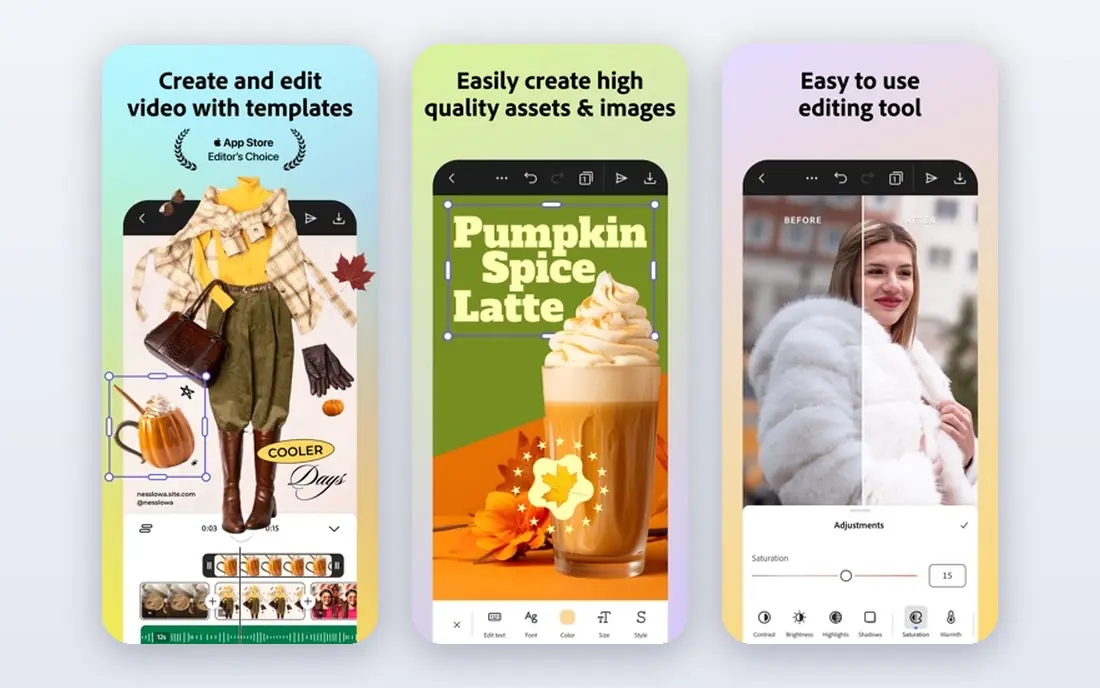
Adobe Express is best for quick digital publishing rather than long print books. Templates, stock assets and Adobe Fonts help users create social posts, flyers, presentations and short digital documents in minutes. It works in a browser and on mobile, so content can be made and shared without desktop software. It does not replace InDesign for complex print work, since layout and typography control are simpler. Paid features also add cost for teams that need premium templates and assets. For digital-first publishers and marketing teams already in the Adobe ecosystem, Express is a fast companion tool.
- Fast templates and AI-assisted design
- Adobe stock and font links
- Easy social publishing
- Not a full print layout tool
- Advanced features need a paid plan
Swift Publisher is a low-cost Mac option for simple page layout. It offers templates, master pages and basic typography tools that cover flyers, brochures, newsletters and short booklets without a subscription. The interface is friendly for beginners who find InDesign intimidating. Being Mac only limits mixed teams, and long, complex books are better handled by InDesign or Affinity Publisher. For a Mac user who needs occasional layout work at a one-time price, Swift Publisher is a practical and affordable pick.
- Low one-time price
- Easy Mac interface
- Useful templates for flyers and brochures
- Mac only
- Less powerful than InDesign or Affinity Publisher for long books
How we picked these
We compared official feature pages, pricing pages, app store listings and public reviews for publishing tools that are actively sold or maintained in October 2026. We weighted layout and typography control, print output quality, collaboration, template range, file compatibility and total cost. Tools that were discontinued, limited to a single template type, or unable to export print-ready files did not make the list.
How to choose between desktop and browser publishing
Choose a desktop app if you need precise print control, CMYK output, long-document handling or offline work. InDesign, Affinity Publisher, QuarkXPress and Scribus all fit that brief, with different prices and learning curves. Choose a browser tool if your team needs fast collaboration, template locking and quick digital publishing, since Canva and Marq handle that work better. Test with a real project before committing. Build a multi-page document, export a print-ready PDF, check fonts and images with your printer, and share the file with a colleague. That test will reveal missing features, export limits and workflow friction faster than a feature list. Also check whether your printer accepts the file format you plan to deliver.
Frequently asked questions
What is the best publishing software?
Adobe InDesign is the best professional standard for print, while Affinity Publisher is the best free desktop alternative. Canva and Marq are better for fast team marketing materials, and Scribus is the best free open-source option. The best pick depends on whether your main work is print books, digital marketing or team templates.
What is the best desktop publishing software?
InDesign leads for professional print work, Affinity Publisher leads for value, and QuarkXPress leads for shops that prefer a yearly licence. Scribus is a capable free desktop option, while Swift Publisher suits Mac users with simple layout needs. Check printer file requirements before choosing a desktop tool.
Is Affinity Publisher really free?
Yes, Affinity Publisher is listed as free under Canva in current vendor listings, with layout, photo and vector tools included. Check the current terms on the vendor site, since bundle terms can change, and confirm export options for your printer before starting a large project.
Can Canva replace InDesign?
Canva can replace InDesign for marketing materials, social content and simple digital magazines, but not for complex print books with precise typography and CMYK needs. Many teams use both: Canva for fast marketing work, and InDesign or Affinity Publisher for print-critical projects.
What is the best publishing platform for teams?
Marq is strong for brand-controlled templates, while Canva is strong for fast collaboration and a large template library. Both work in a browser and let distributed teams edit the same document. Desktop tools are better when a team needs print precision rather than template speed.
How much does publishing software cost?
Free options include Affinity Publisher, Scribus and the free tiers of Canva and Adobe Express. Paid desktop tools range from $19.99 one-time for Swift Publisher to $314 per year for QuarkXPress, while InDesign starts at $22.99 per month. Marq starts at $10 per user per month for team plans.
Sources we checked (9)

Online Jobs is an independent blog about careers, online work, learning new skills and the tools that help people earn. More about us.
Keep reading
All posts
n8n Alternatives
n8n alternatives compared for 2026, with Zapier, Make, Activepieces, and more, covering visual builders, code steps, self-hosting, and pricing models.

ZoomInfo Alternatives
The best ZoomInfo alternatives in 2026, compared on price, free plans, data coverage, and which tool fits small teams or large sales teams best in detail.

Yotpo Alternatives
Find cheaper alternatives to Yotpo for reviews and loyalty, with Judge.me, Loox, Stamped, and more compared for Shopify stores in 2026, all in one guide.