Best Pregnancy App Free in 2026: 8 Apps Compared


Week-by-week content and community · Starting price: Free
How we put this together: we compare official feature and pricing pages, app store listings, privacy policies and public user reviews. Prices change, so check the provider's site before you pay.
Key takeaways
- What to Expect is our pick for most people, with free week-by-week content, videos, and large community groups.
- Ovia suits detailed tracking, including kick counts, contraction timing, and food safety lookups, all free for consumers.
- BabyCenter offers free Birth Clubs grouped by due date, plus 3D visuals and preparation content.
- Pregnancy+ is the pick for visual learners who want interactive 3D baby images, though some tools need a paid plan.
- These apps do not replace medical advice or a clinician. Use them to prepare questions for appointments, and contact your care provider about any symptoms or concerns.
Quick comparison
| Name | Who it suits | Starting price | Free option | |
|---|---|---|---|---|
| What to Expect | Week-by-week content and community | Free | Yes | Visit |
 BabyCenter | Due date Birth Clubs | Free | Yes | Visit |
 Ovia Pregnancy Tracker | Detailed health tracking | Free | Yes | Visit |
 Flo | Cycle to pregnancy continuity | Free | Yes | Visit |
 Pregnancy+ | Interactive 3D visuals | Free | Yes | Visit |
 The Bump | Planning and checklists | Free | Yes | Visit |
 Glow Nurture | Symptom and health logging | Free | Yes | Visit |
 Sprout Pregnancy | Simple week-by-week tracking | Free | Yes | Visit |
The best pregnancy app free
A good pregnancy app should do a few things well: tell you what is happening each week, help you track symptoms and appointments, and connect you with other parents at the same stage. Most of the best apps are free to download, but the details matter, since some tools sit behind subscriptions or employer plans. We compared official app store listings, feature pages, and privacy notes for apps that are live and free to use in October 2026.
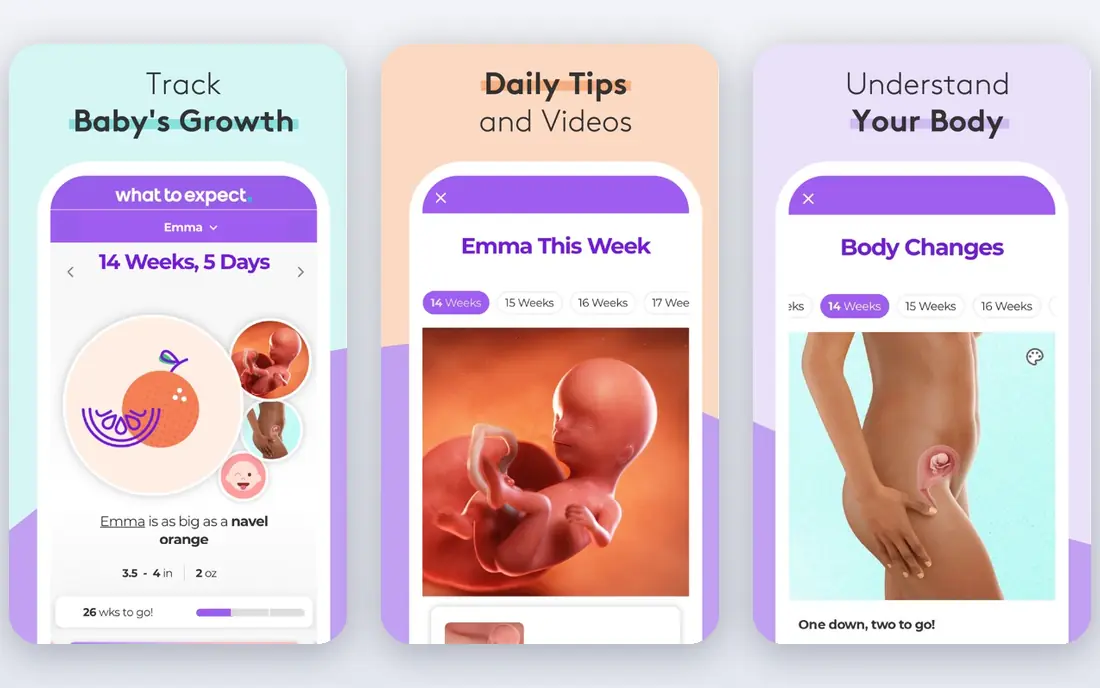
What to Expect, based on the well-known book of the same name, is the strongest free all-round pregnancy app. Week-by-week guides explain fetal development and common symptoms in plain language, short videos cover each stage, and community forums let you talk with parents due in the same month. Checklists for appointments, hospital bags, and baby gear help turn reading into practical preparation.
The free version includes ads, and forum quality varies, as it does on any large community. Some extra content sits behind a paid tier, but the core tracking and guides remain free. If you want one app that covers reading, tracking, and community without paying, What to Expect is our first recommendation.
- Deep week-by-week guides and videos
- Large community forums
- Due date calculator and checklists
- Ads in the free version
- Community quality varies by group
- Some premium content costs extra
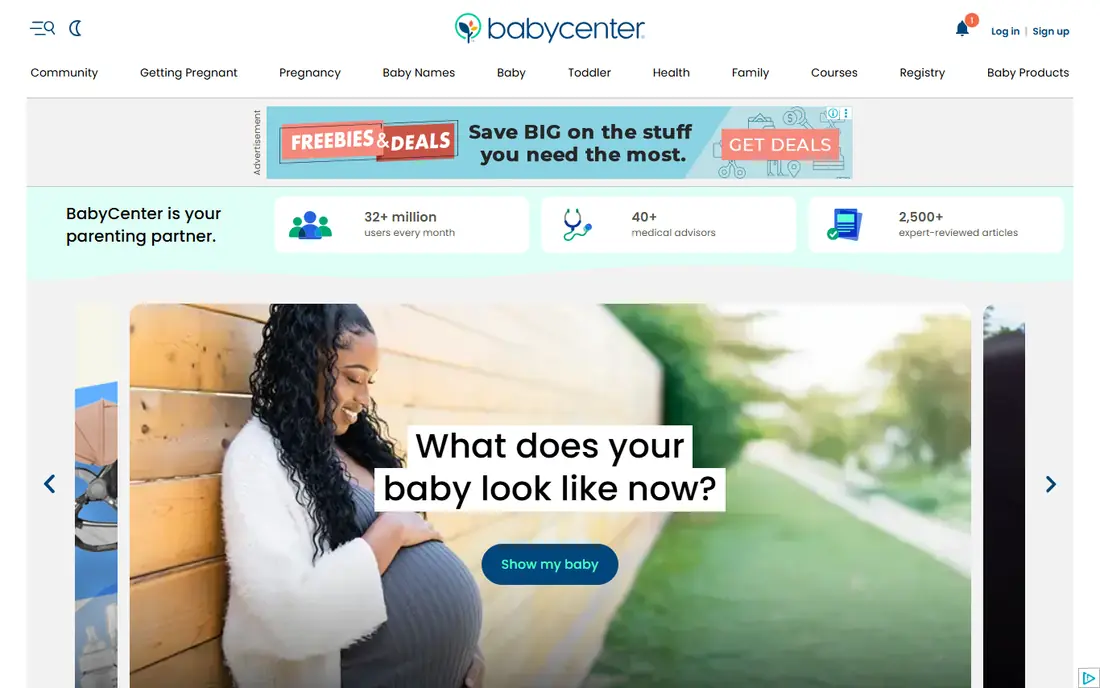
BabyCenter is a strong free alternative with a particular strength in community. Birth Clubs group parents by due month, so you can follow others through the same weeks and share questions as they come up. Daily updates, 3D visuals, a kick counter, and a contraction timer cover the core tracking tools, and childbirth preparation articles round out the content.
Like What to Expect, BabyCenter is ad-supported, and some articles feel general rather than tailored to your situation. That is a fair trade for a fully free app with no paid tier required for its main tools. If community matters most to you, BabyCenter is an excellent place to start, and it pairs well with a tracking-focused app like Ovia.
- Free Birth Clubs grouped by due month
- 3D fetal development visuals
- Kick counter and contraction timer
- Ads in the free version
- Content can feel generic
- Community moderation varies
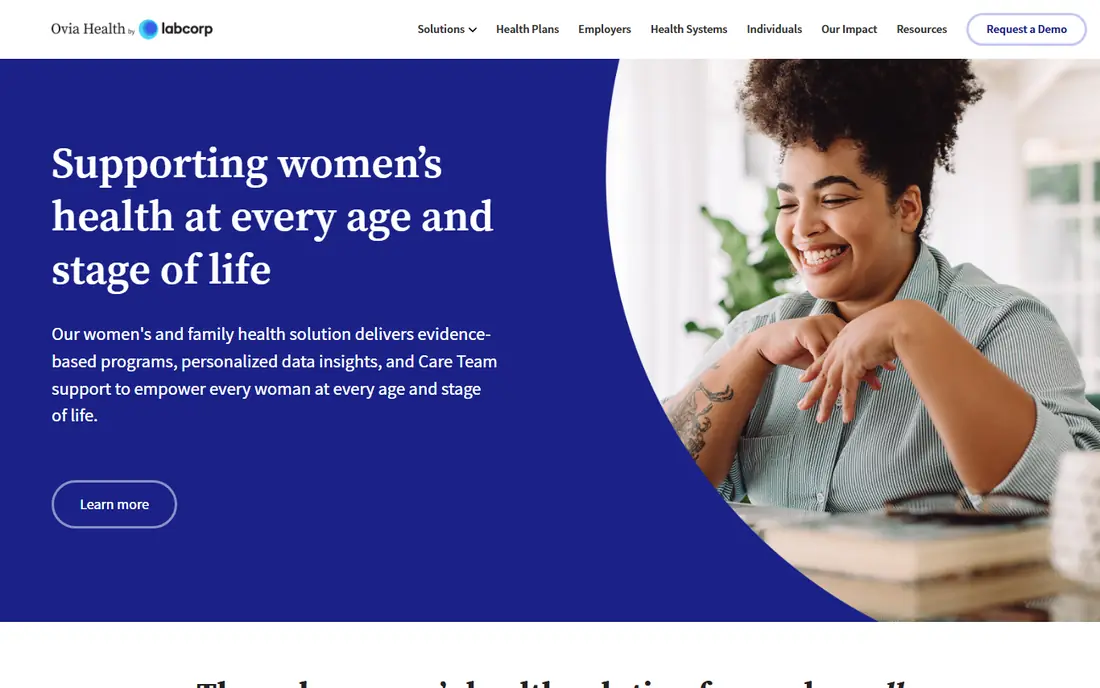
Ovia is the best free tracker for people who like detail. You can log symptoms, weight, sleep, mood, kicks, and contractions, look up food safety questions, and follow week-by-week development in one place. The consumer app is free, with revenue coming from employer and health plan programs that open extra premium tools, so everyday users are not pushed toward a subscription for core features.
The data-heavy design will not suit everyone. If you prefer simple reading and community, What to Expect or BabyCenter will feel lighter. Privacy settings also deserve a careful review, as with any health app, so check what data you share and how it is used. For thorough tracking without paying, Ovia is hard to beat.
- Free for consumers with detailed logging
- Kick counter, contraction timer, and food safety lookups
- Symptom tracking
- Premium tools come through employer or health plans
- Interface is data-heavy for some users
- Privacy settings need review
Flo suits people who already tracked their cycle in Flo before pregnancy, since pregnancy mode keeps that history in one place. You can log symptoms, mood, sleep, and weight, follow weekly pregnancy updates, and move into postpartum tracking later without starting over. That continuity is convenient if Flo is already part of your routine.
The free version covers core tracking, but deeper insights and some content need a premium subscription, so check what is included before you pay. Flo content is general information and does not replace medical advice, so use it to prepare questions for your clinician rather than to interpret symptoms on your own. If you already use Flo, staying with it for pregnancy is the simplest choice.
- Keeps cycle history in one app through pregnancy
- Symptom and mood logging
- Pregnancy mode with weekly updates
- Full premium features need a subscription
- Health insights are general information only
- Ads and upsells in free version
Pregnancy+ is the pick for visual learners. Interactive 3D models show development each week in a way that text alone cannot, and the app includes a kick counter, contraction timer, weight log, and appointment reminders. Weekly content is personalised to your due date, which makes each check-in feel relevant rather than generic.
Some tools sit behind a paid plan, so the free version is not quite as complete as Ovia or BabyCenter. Community features are also thinner, so pair Pregnancy+ with a forum app if peer support matters to you. If visuals help you understand each stage, and you want a beautiful tracker to check daily, Pregnancy+ is a lovely free starting point.
- Interactive 3D baby models
- Kick counter, contraction timer, and weight log
- Personalised weekly content
- Some tools need a paid plan
- Ads in the free version
- Community features are thinner than rivals
The Bump focuses on planning as much as tracking. Checklists cover appointments, registry items, and nursery preparation, while week-by-week content explains what to expect at each stage. Gear guides and a baby registry tie planning together, which suits parents who like to organise early and check tasks off as they go.
Sponsored content and shopping links are more visible here than on some rivals, so keep that in mind when reading gear recommendations. The community is also smaller than the forums on What to Expect or BabyCenter. If planning tools and checklists are your priority, The Bump is a practical free companion, especially alongside a tracking app.
- Free planning tools and checklists
- Week-by-week content
- Baby registry and gear guides
- Ads and sponsored content
- Community is smaller than What to Expect
- Some features push toward shopping
Glow Nurture suits parents who want detailed health logging and reports they can share with their care team. Symptoms, weight, appointments, and daily logs sit in one place, and the app can generate summaries that help you remember questions for checkups. Community forums add peer support, and the app continues into postpartum tracking after birth.
A subscription opens the full feature set, so check which tools are free before you commit to a workflow. The interface packs in a lot, which can feel busy next to simpler trackers. If detailed logging matters to you, and you like having a record to show your clinician, Glow Nurture is a strong free-to-start option.
- Detailed symptom and health logging
- Shareable reports for care teams
- Community forums
- Premium features need a subscription
- Interface can feel busy
- Some tools overlap with other Glow apps
Sprout Pregnancy keeps things simple, which is exactly what some parents want. Week-by-week tracking, personalised content, and a clean layout make it easy to check each morning without wading through forums or shopping guides. The app covers the basics well, including development updates and a due date countdown.
Community features are limited, and some extras need a paid upgrade, so Sprout works best as a personal tracker rather than a social app. Its content library is also smaller than What to Expect or BabyCenter. If you want a calm, lightweight tracker and get community support elsewhere, Sprout Pregnancy is a good free choice.
- Simple and clear week-by-week tracking
- Personalised content by due date
- Lightweight and easy to use
- Fewer community features
- Some tools need a paid upgrade
- Smaller content library than leaders
How we picked these
We compared official app store listings, feature pages, and privacy notes for pregnancy apps that are free to download and use for core tracking in October 2026. We checked week-by-week content, tracking tools, community options, and whether key features sit behind a paywall. We favoured apps that state their data practices clearly and that frame their content as general information rather than medical advice, and we noted where premium tools require a subscription or an employer plan.
How to choose the right pregnancy app
Start with how you like to use an app. If you read daily, pick What to Expect or BabyCenter for depth and community. If you track everything, pick Ovia or Glow Nurture for logging tools. If visuals help you most, try Pregnancy+, and if you already use Flo for cycle tracking, staying with Flo keeps your history together. Trying two apps for a week is fine, since most are free, and you can keep the one you actually open.
Privacy and data checks
Health apps hold sensitive data, so review privacy settings before you log symptoms or personal details. Check what data the app collects, whether it shares data with third parties, and how to delete your account and data later. Turn off data sharing options you do not need, and avoid entering more detail than the app requires for the features you use. A clear privacy policy and easy deletion options are good signs.
A note on medical advice
No pregnancy app replaces prenatal care, a midwife, or a doctor. Apps can help you track symptoms and prepare questions, but they cannot examine you, interpret test results, or make clinical decisions. Contact your care provider promptly about worrying symptoms, changes in fetal movement, bleeding, severe pain, or any concern about your health. Regular prenatal appointments matter throughout pregnancy, and an app works best as a companion to that care, not a substitute for it.
Frequently asked questions
What is the best free pregnancy app?
What to Expect is our top free pick for most people, thanks to week-by-week content, videos, and large community groups. Ovia is best for detailed tracking, BabyCenter is best for due date Birth Clubs, and Pregnancy+ is best for 3D visuals. All four are free to download, so try two and keep the one you open most.
What is the best pregnancy tracker app?
Ovia is the strongest free tracker for detailed logging, with kick counts, contraction timing, symptom tracking, and food safety lookups. Glow Nurture also offers detailed logging with shareable reports. If you prefer simple tracking, Sprout Pregnancy or What to Expect will feel lighter and easier to use daily.
Are pregnancy apps really free?
Most leading pregnancy apps are free to download and use for core tracking and content, supported by ads or optional subscriptions. What to Expect, BabyCenter, and Ovia cover their main tools for free, while Flo, Pregnancy+, and Glow Nurture gate some features behind paid plans. Check the app store listing before subscribing, since the free version often covers what most parents need.
Which pregnancy app has the best community?
What to Expect has the largest community forums on this list, while BabyCenter offers Birth Clubs grouped by due month that many parents find more personal. The Bump and Glow Nurture also include forums, but with smaller active groups. Join a group early in pregnancy so you can follow the same cohort through each stage.
Can a pregnancy app replace my doctor?
No. Pregnancy apps provide general information and tracking tools, but they do not replace medical advice or a clinician. They cannot diagnose symptoms, interpret test results, or monitor your health in place of prenatal appointments. Use apps to prepare questions and track patterns, and contact your care provider about any health concerns.
What is the best pregnancy app for first-time parents?
What to Expect suits first-time parents well, because its week-by-week guides explain each stage in plain language and its forums connect you with other first-time parents. BabyCenter is a strong alternative with similar content and Birth Clubs. Either app gives you a solid starting point, and you can add Ovia later if you want deeper tracking.
Sources we checked (8)

Online Jobs is an independent blog about careers, online work, learning new skills and the tools that help people earn. More about us.
Keep reading
All posts
Best workout apps for women
Compare the best workout apps for women in 2026, from free guided classes to structured strength plans, with current prices, free plans and honest trade-offs.
Best Yoga App
Find the best yoga app for home practice in 2026, with verified prices, free options, class styles, trials and honest limits for 10 yoga apps compared.
Best Workout Tracker App
We compared the best workout tracker app options for gym, home, and running training, checking prices, free plans, and logging tools in detail. See inside.