Best Pokemon Card Scanner Apps in 2026: 8 Apps Compared

How we put this together: we compare official feature and pricing pages, app store listings, privacy policies and public user reviews. Prices change, so check the provider's site before you pay.
Key takeaways
- Collectr is our pick for a large, tidy collection across many card games, with a free start and a paid Pro plan for unlimited scanning.
- TCGplayer is the strongest free choice for United States market prices, because its prices come from its own marketplace sales.
- PriceCharting is the best pick for price history and graded card values, especially for older and higher value cards.
- Free plans differ a lot, so test scanning in good light with cards you already own before you pay for any app.
- No scanner price is a sale price, so check recent sold listings before you buy, sell or trade a valuable card.
Quick comparison
| Name | Who it suits | Starting price | Free option | |
|---|---|---|---|---|
 Collectr | Large multi-game collections | $7.99 per month | Yes | Visit |
 TCGplayer | Free United States market prices | Free | Yes | Visit |
 PriceCharting | Price history and graded values | $5.99 per month | Yes | Visit |
 Dex | Simple free tracking | Free | Yes | Visit |
 PokeData | Sold listings next to market prices | See website | Yes | Visit |
 Rare Candy | Free scanning | Free | Yes | Visit |
 Card Catcher | United States and European prices | Free | Yes | Visit |
 TCG Card Scanner | Batch scanning and grading checks | Free | Yes | Visit |
The best pokemon card scanner app
A good scanner does three jobs well. It must name the right card, show a price you can trust, and keep your collection in order. The apps below do those jobs in different ways, so the right pick depends on how large your collection is and how much you care about history, grading or European prices.
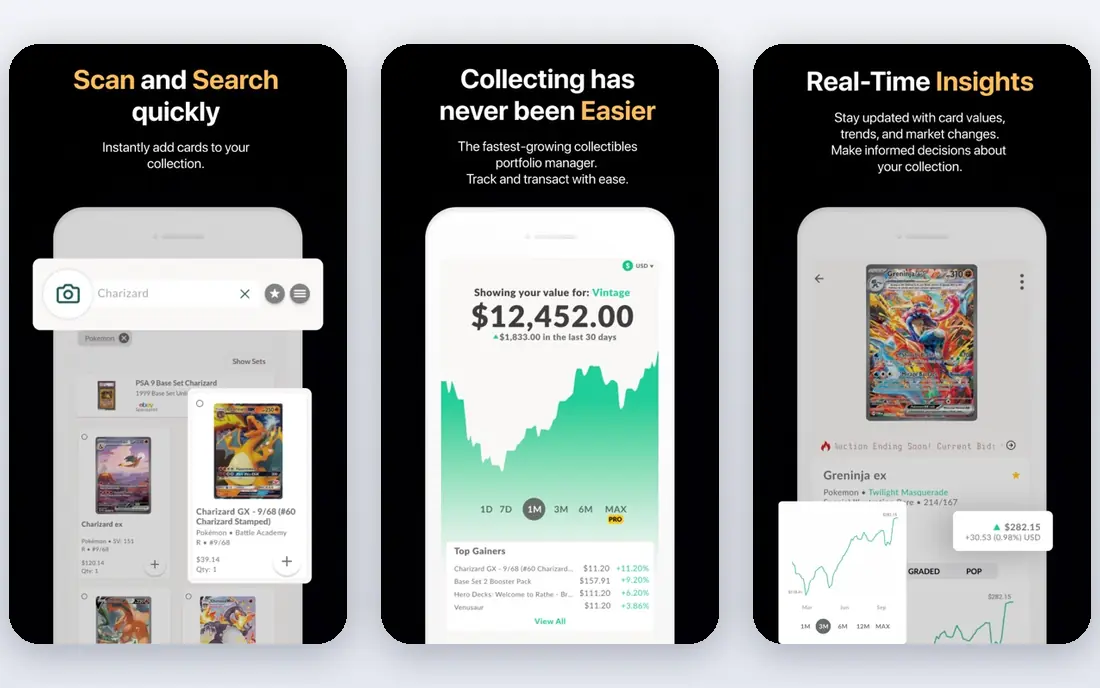
Collectr is our pick if you collect more than Pokemon cards or if you want one place for a growing binder. It handles raw cards, graded cards and sealed products, and it shows your total collection value in a chart that is easy to read at a glance.
The catch is the free plan. Collectr is free to start, and Pro costs $7.99 per month or $59.99 per year for unlimited scanning, longer price history and export. The free scan limit is not published on the pages we checked, so start with a small batch and see where the limit lands for you. Prices are described as coming, depending on the product, from TCGplayer, eBay or Cardmarket, and they refresh every one to two days. For a card you plan to sell, check a fresh listing first.
- Covers many card games
- Tracks raw, graded and sealed items
- Clear portfolio chart
- Free scan limit is not published
- Price source is not always stated in one place
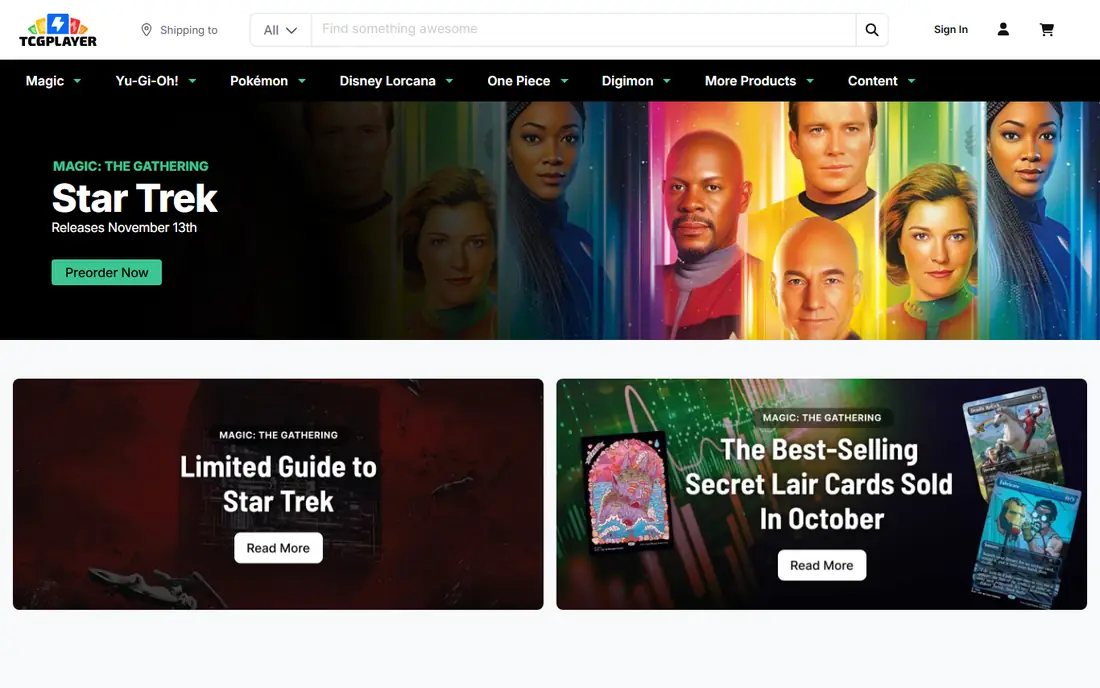
TCGplayer is the app we would try first if you want a free scanner and you mainly buy and sell in the United States. Its market price is based on recent sales on TCGplayer itself, by printing and condition, so the number you see is tied to real transactions rather than a single asking price. The app is free, and it is a natural fit if you already shop on the marketplace.
There are limits to watch. Graded cards and copies in languages other than English and Japanese are sold as listings with photos, and those do not get a market price in the same way. Prices can also move fast around a new set release, when supply is thin and early sales are noisy. Use TCGplayer as your main price check, then compare with a second source for rare, graded or foreign cards. For most everyday English cards, it is hard to beat a free app with this depth of sales data.
- Market price comes from its own sales
- Free to use
- Large marketplace behind the prices
- No market price for some graded and non-English cards
- United States focus
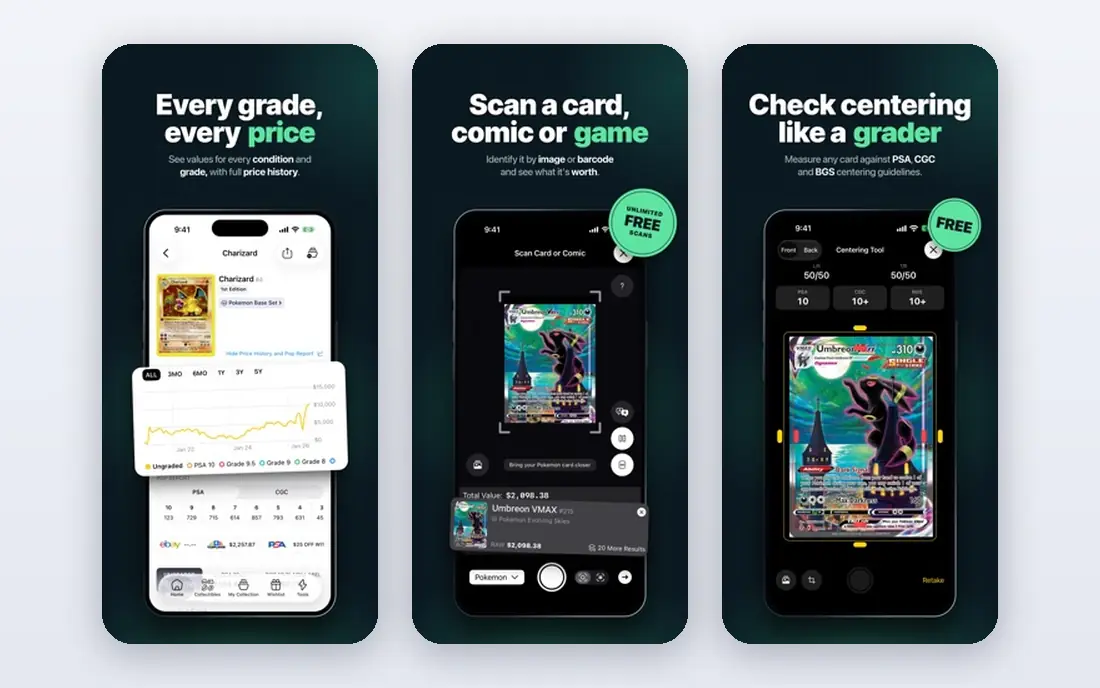
PriceCharting is our pick for collectors who care about what a card was worth last month or last year, not just today. It builds prices from completed sales, removes lots, reproductions and outliers where it can, and reads the grade from the listing. It also prices grades from 1 to 10, with separate columns for a grade 10 from PSA, BGS, CGC, SGC, TAG and ACE.
The free account is a good way to test the data, and the Collector plan is listed at $5.99 per month in the app. The trade-off is feel. PriceCharting reads more like a reference site than a slick phone scanner, and you may still want a dedicated scanning app for fast binder work. Pair it with a scanner for day to day adds, and use PriceCharting when you need history, a graded value or a second opinion on a high value card. That pairing gives you speed plus a longer view.
- Long price history
- Graded values by grader
- Counts completed sales
- Paid Collector plan needed for full features
- Interface feels more like a database than a scanner
Dex is a good pick if you want a clean, free tracker and you do not need history charts. It shows TCGplayer, Cardmarket, CardTrader and eBay prices side by side, so you can see at once when the United States and European markets disagree. Folders keep sets and decks apart, and the layout stays simple even as a collection grows.
The limits are clear. Dex keeps no price history, it tracks raw cards only, and it does not cover sealed products. The scanner and CSV export sit in Dex Plus, listed at $3.99 per month. If you scan a lot, that paid step matters, and you should test the free tracking first to see if the layout suits you. If you need history or sealed tracking, Collectr or PriceCharting will fit better. If you want a free, tidy home for raw cards, Dex is hard to fault.
- Tidy free tracker
- Prices from several marketplaces side by side
- Easy folders
- No price history
- Raw cards only
- Scanner is a paid add-on
PokeData suits collectors who like to see the evidence behind a price. It shows sold listings next to TCGplayer and Cardmarket prices, with PSA and CGC prices for graded cards, so you can judge whether a market price matches what buyers actually paid. The layout is focused on Pokemon, which keeps search results relevant.
The free plan gives six months of price history, and Gold is listed at about $7.99 per month to lift that limit and add PSA population history. That is a fair trade if you track graded cards closely, but it is more than you need for casual tracking. Start free, check a few cards you know well, and see if the sold listings match your own sense of the market. If they do, the paid plan is easier to justify. If you only need a quick current price, a free scanner may be enough.
- Shows sold listings beside market prices
- PSA and CGC prices
- Cardmarket view
- Six months of history on the free plan
- Paid Gold plan needed to lift limits
Rare Candy is our pick for a collector who wants to scan for free and does not want a subscription on day one. It is listed as free, and it is often named as the best free scanner in recent comparisons of Collectr options. That makes it a low risk first test. Scan a mixed batch, including holo cards and cards from different sets, and see how often it names the right printing on the first try. Good light and a flat card help every scanner, and Rare Candy is no exception.
The honest catch is scope. A free scanner can be excellent at naming cards and still be thin on history, export or graded data. We would not rely on one free price alone for a high value sale. Use Rare Candy to build your list fast, then cross-check valuable cards on TCGplayer or PriceCharting. That workflow keeps the free scanning benefit while adding a stronger price check where it matters most.
- Free scanner
- Simple start
- Good for testing scanning without a subscription
- Smaller feature set than paid trackers
- Check price sources before relying on values
Card Catcher is a smart pick if you buy in both the United States and Europe, or if you want to see how a price moved over time. Every card shows current prices from TCGplayer and Cardmarket, and you can switch between them wherever prices appear. That matters because the two markets often disagree, and a card that looks cheap in one market may be fairly priced in the other. Price history charts for 30, 90 and 365 days help you tell a brief spike from a longer trend.
It also has a practical scanning trick. Holo cards can defeat scanners when glare hides the artwork, so Card Catcher falls back to reading the collector number when glare is a problem. The app is free to download for iPhone. As a newer app, test it with your own cards before you trust it for big decisions.
- Shows TCGplayer and Cardmarket prices
- 30, 90 and 365 day charts
- Falls back to collector number on holo cards
- Newer app with a smaller track record
- IPhone focus in its current listing
TCG Card Scanner is the pick for a big binder clear-out. It can batch scan whole binders, count duplicates automatically, and recognise a large set of English and Japanese Pokemon cards, including holo and worn cards. It also adds a trade analyser and price alerts.
The free start lets you scan each day and track up to 100 cards, while Pro adds unlimited scans, AI grading, price alerts, unlimited binders and CSV import and export, with a weekly plan and a 3-day free trial listed. The AI grading check looks at centering, corners, edges and surface from a photo and gives an estimated grade, which is useful as a screen before you pay for real grading. Treat that estimate as a guide only, not a grade. Real grading still depends on a grader seeing the card in hand.
- Batch scanning with duplicate counting
- AI grading check from a photo
- Trade comparison
- Free plan caps tracked cards at 100
- Pro pricing varies by plan and trial
How we picked these
We compared official feature pages, app store listings and pricing pages, and we gave weight to three things: scan accuracy features, price source transparency, and collection tools. We looked for apps that name the card and printing clearly, show where prices come from, and let you sort cards into binders or wishlists. We did not claim hands-on testing for every app, and prices can change, so check the vendor page or store listing before you pay.
What to check before you pay
A scanner is only as good as its price source and its free limit. Start with the free plan and scan cards you know well, including a reverse holo, a Japanese card if you own one, and a card from an older set. Note how often the app picks the right printing on the first try, and how it handles glare. Then compare its price for five known cards with a second source. If the two sources disagree by a wide margin, look at recent sales, not just the headline price.
Pick by collection size
For a small collection, a free scanner plus TCGplayer prices is often enough. For a mid-size collection, folders, wishlists and export start to matter, because you will want to sort, search and back up your list. For a large collection, unlimited scanning, batch scanning and CSV export save real time. Do not pay for unlimited scanning until you have hit a limit in normal use.
Pick by card type
Raw English cards are the easiest case, and most apps here handle them well. Graded cards need grader-specific values, so PriceCharting or PokeData will help more. Sealed products need an app that tracks sealed items, such as Collectr. Japanese cards need artwork recognition, which TCG Card Scanner lists for a large set of Japanese cards. Match the app to the cards you actually own.
Watch the price, not just the scan
A scan tells you what a card is. A price tells you what someone paid, or what someone asks. Those are different numbers. Market prices move with new sets, reprints and graded population changes. For a card worth more than a small amount to you, check sold listings, condition and printing before you buy, sell or trade. Keep photos of valuable cards, and keep your export or backup somewhere safe.
Frequently asked questions
What is the best pokemon card scanner app?
There is no single winner for every collector. Collectr is our pick for a large multi-game collection, TCGplayer is the strongest free pick for United States market prices, and PriceCharting is the best pick for history and graded values. Test the free plan of two apps with cards you own, then pick the one that names cards correctly most often.
What is the best free pokemon card scanner app?
TCGplayer and Rare Candy are strong free starting points. TCGplayer gives you market prices from its own sales, while Rare Candy is named in recent comparisons as a good free scanner. Card Catcher is also free to download and adds Cardmarket prices. Free plans still have limits, so check scan caps and export rules before you build a large list in one app.
How accurate are pokemon card scanner prices?
Scanner prices are guides, not sale prices. They depend on the source, the printing, the condition and how recently the data refreshed. Some apps refresh every day or two, while marketplace prices move with each sale. For valuable cards, compare two sources and look at recent sold listings for the same printing and condition.
Can a scanner tell a fake card from a real one?
No scanner in this list should be treated as a fake detector on its own. Scanners match artwork, name, set and number, and some add a grading estimate from a photo. A fake check still needs close inspection of print quality, texture, weight and, for high value cards, professional grading. If a deal looks too good, pause and check the card in hand.
Do these apps work for Japanese cards?
Some do, and some focus on English cards. TCG Card Scanner lists recognition for a large set of Japanese Pokemon cards by artwork, and TCGplayer covers English and Japanese in its marketplace data. Test with a Japanese card you own before you rely on an app for a Japanese collection, because set coverage varies.
Should I pay for a scanner app?
Pay only if the paid plan removes a limit you actually hit. Unlimited scanning, longer history, export and price alerts are worth paying for if you scan often or hold graded cards. If you scan a few cards a month, a free plan plus a second price check is often enough. Start free, track your use for a few weeks, then decide.
Sources we checked (8)

Online Jobs is an independent blog about careers, online work, learning new skills and the tools that help people earn. More about us.
Keep reading
All posts
Best Photo Scanning Services
Looking for the best photo scanning services? We compare 8 mail-in services and apps for digitizing photos, slides, albums and film in 2026 for families.

n8n Alternatives
n8n alternatives compared for 2026, with Zapier, Make, Activepieces, and more, covering visual builders, code steps, self-hosting, and pricing models.

eBay Alternatives
Looking for ebay alternatives? We compared 9 marketplaces for sellers on fees, buyer reach, categories and ease of listing, to help you sell with confidence.