Best Personal Finance Apps for Budgeting in 2026: 9 Apps Compared

How we put this together: we compare official feature and pricing pages, app store listings, privacy policies and public user reviews. Prices change, so check the provider's site before you pay.
Key takeaways
- YNAB is our pick for hands-on budgeters who want a clear method, while Monarch Money is our pick for households that want a full money dashboard.
- PocketGuard suits people who want one safe-to-spend number, and Goodbudget suits people who like digital envelopes without bank sync.
- The best personal finance budgeting apps differ mainly in method, not in charts, so pick the method you will follow each week.
- Check bank sync coverage for your bank, since sync problems matter more than small price differences.
- Free plans work well for manual budgeting, but automatic bank sync usually sits behind a paid plan.
Quick comparison
| Name | Who it suits | Starting price | Free option | |
|---|---|---|---|---|
 YNAB | Hands-on zero-based budgeting | $109 per year | Free trial | Visit |
 Monarch Money | Households that want one money dashboard | $99.99 per year | Free trial | Visit |
 PocketGuard | People who want a safe-to-spend number | See website | Yes | Visit |
 Rocket Money | Finding and cancelling subscriptions | Free | Yes | Visit |
 EveryDollar | Simple Ramsey-style monthly budgets | Free | Yes | Visit |
 Goodbudget | Digital envelope budgeting without bank sync | Free | Yes | Visit |
 Copilot | Apple users who want smart tracking | See website | Free trial | Visit |
 Quicken Simplifi | Cash-flow planning and spending plans | See website | Free trial | Visit |
 Actual Budget | Envelope budgeting with local control | Free | Yes | Visit |
The best personal finance apps for budgeting
A good budgeting app does one job well: it shows where money goes, helps you plan the month ahead, and makes it easy to adjust when plans change. The apps below take different routes to that job. Some use strict envelopes, some use flexible targets, and some focus on tracking rather than planning. Plain disclaimer: these apps help you track and plan, but they are not a substitute for professional financial advice, and your results depend on your income, debts, and spending habits.
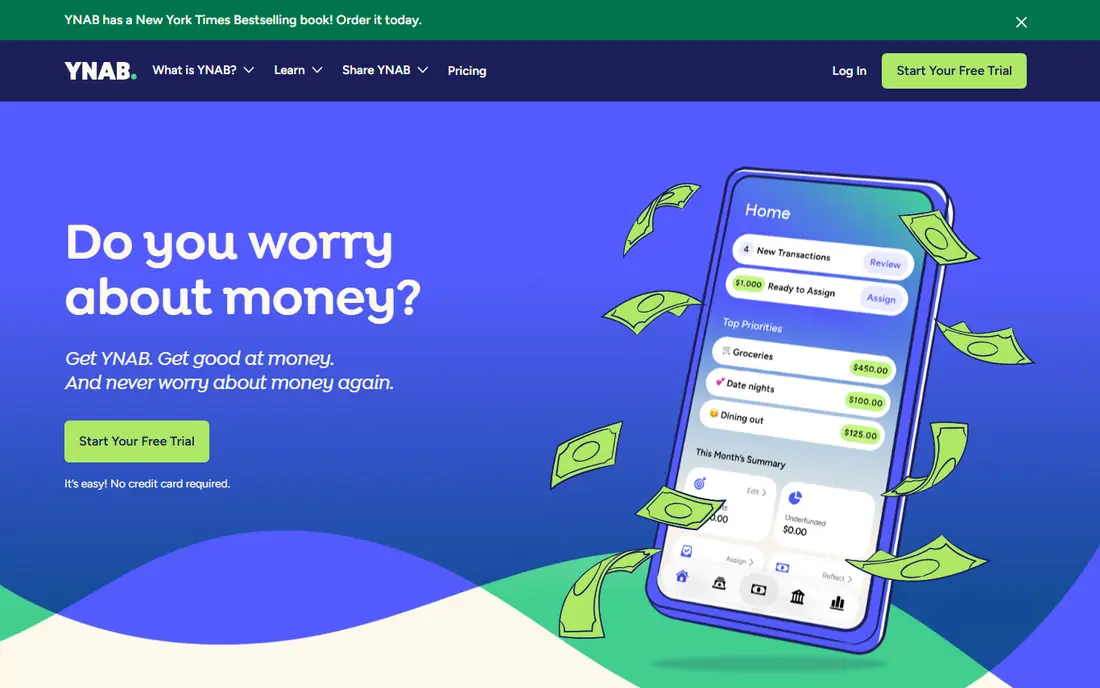
YNAB, short for You Need A Budget, is built around giving every dollar a job before you spend it. You assign income to categories, adjust when you overspend, and plan for true expenses such as car repairs and annual bills. That discipline is the point. Many users find that the weekly habit of checking categories changes spending more than any chart does.
The trade is effort and cost. YNAB has no permanent free plan, and the method takes a few weeks to feel natural. It also focuses on budgeting rather than investment tracking, so investors will need another tool for portfolio detail. If you want a method that forces clear choices, and you will check the budget each week, YNAB is the strongest pick here.
- Clear method with strong habit building
- Good goal and category tools
- Helpful learning content
- No free plan, only a trial
- Learning curve for new users
- Limited investment tracking
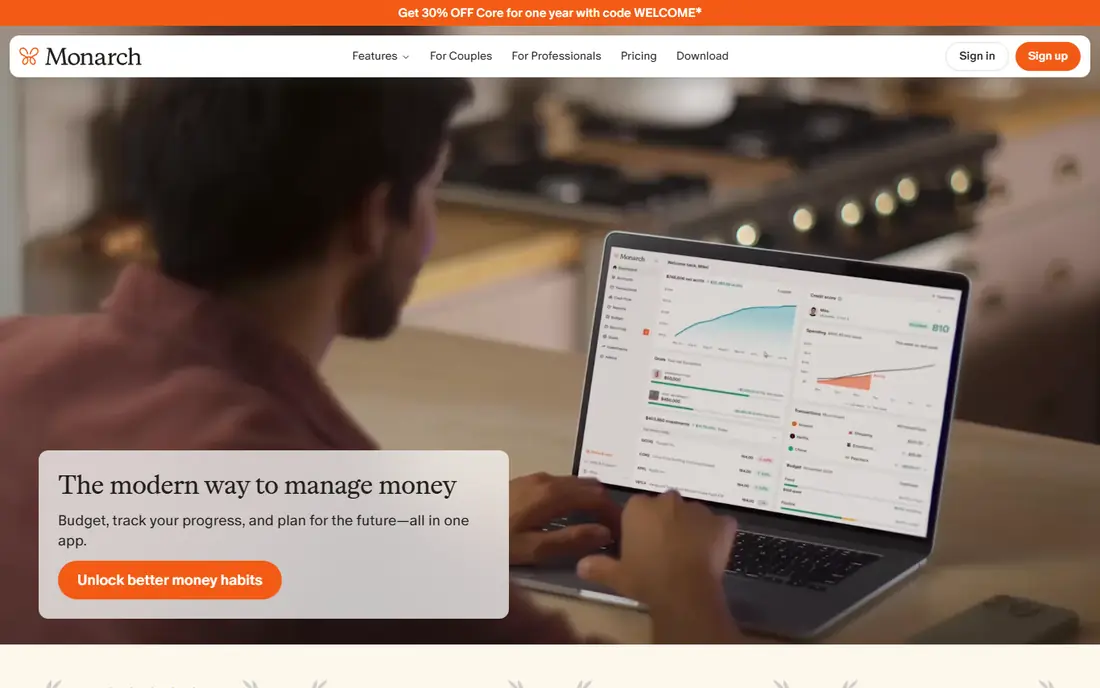
Monarch Money is the closest modern replacement for the old Mint dashboard, with budgets, net worth, cash flow, and investments in one place. It suits a household that wants to see every account together and set flexible targets rather than strict envelopes. Sharing is a real strength, since partners can view and edit the same budget with their own logins.
The method is looser than YNAB, which is both a benefit and a limit. Monarch shows overspending clearly, but it does not force the same category-by-category ritual. Some users prefer that freedom. Others need stricter rules to change habits. If your main need is a clear household dashboard with solid budgeting, Monarch is our pick. If you need behavior change above all, try YNAB first.
- Net worth, budgets, and investments in one view
- Strong household sharing
- Flexible budget targets
- No free plan, only a trial
- Flexible method may suit disciplined spenders less than YNAB
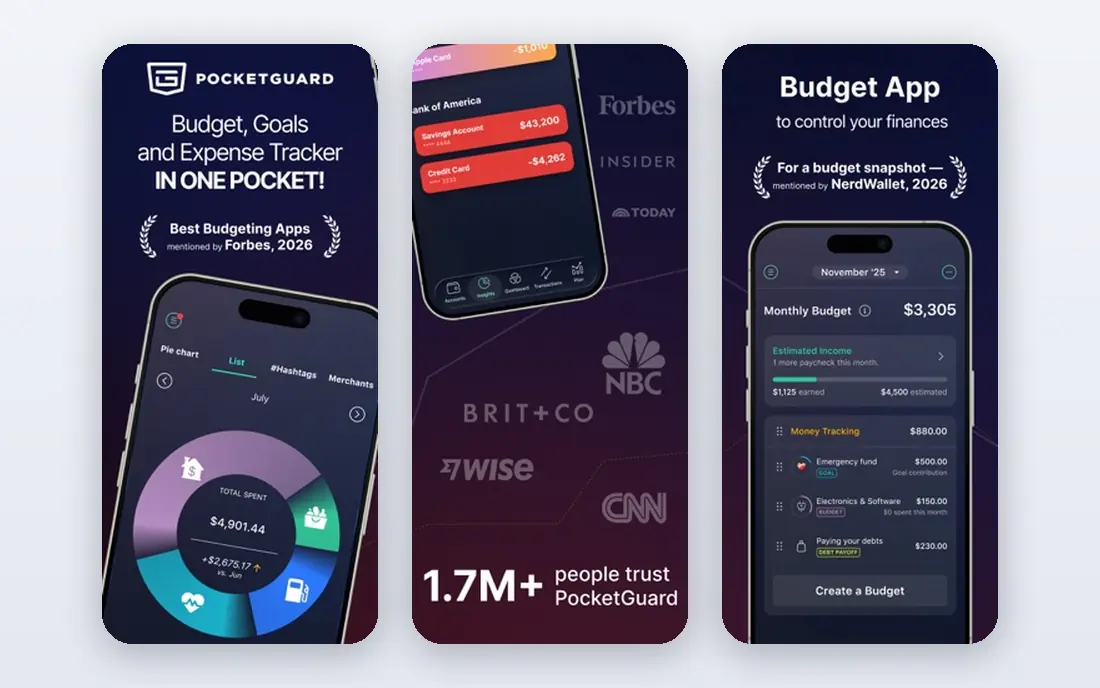
PocketGuard answers a simple daily question: after bills, goals, and planned spending, how much can I spend now? That single number helps people who find full budgets overwhelming. You link accounts, set bills and goals, and the app shows what is left. Categories and trends are still there when you want more detail.
The free plan is limited in how many accounts you can link, and automatic sync is stronger on paid plans. PocketGuard also suits flexible tracking more than strict envelope budgeting. If you want a quick daily check rather than a detailed plan, it is an excellent fit. If you want to assign every dollar in advance, YNAB or Goodbudget will suit you better.
- Simple "In My Pocket" view after bills and goals
- Bank sync on paid plans
- Easy spending categories
- Free plan limits linked accounts
- Less deep for envelope budgeting
Rocket Money is best known for subscription tracking, and that feature alone justifies it for many users. It lists recurring charges, flags price rises, and helps you cancel services you no longer use. Budgeting tools sit alongside that list, with categories, spending alerts, and savings goals.
The budgeting side is simpler than YNAB or Monarch. It tracks spending well, but it does not push the same planning ritual. Premium pricing also varies by the amount you choose, so check the current plan page before you pay. If subscriptions and surprise charges are your main money leak, start here. If you need a full monthly plan, pair it with a stricter budgeting app or choose Monarch instead.
- Clear subscription list and alerts
- Spending categories and budgets
- Bill negotiation help on paid plans
- Budgeting depth is lighter than YNAB
- Premium pricing is flexible, so cost varies
EveryDollar keeps budgeting simple. You create a monthly budget, add income, fill in categories, and track spending against the plan. The free plan uses manual entry, which suits people who prefer to type in spending and stay close to each transaction. The layout is clean, with no extra dashboards to distract from the month at hand.
Bank sync sits behind the paid Premium plan, so free users must enter transactions by hand. That is a benefit for some and a chore for others. EveryDollar also focuses on budgeting rather than net worth or investments. If you want a simple, no-clutter monthly budget, and you follow a Ramsey-style plan, EveryDollar is a strong and easy starting point.
- Very simple monthly budget setup
- Free manual-entry plan
- Clear category layout
- Bank sync needs the paid plan
- Investment and net worth tools are limited
Goodbudget brings the old cash envelope method to your phone. You divide money into envelopes for groceries, transport, dining, and other categories, then spend from each envelope until it is empty. That visual limit helps people who overspend in one category without noticing. Households can share envelopes, so partners see the same limits.
The free plan limits the number of envelopes and accounts, which may be enough for a simple budget but tight for a detailed one. Bank sync is also limited compared with Monarch or YNAB, and it depends on region and plan. Goodbudget suits people who like manual control and do not want to link banks. If you want automatic sync for many accounts, choose a sync-first app instead.
- Classic envelope method in digital form
- Good for shared household envelopes
- Works without bank links
- Free plan limits envelopes and accounts
- Bank sync is limited and paid-only in some regions
Copilot is a polished tracking and budgeting app for Apple users, with iPhone, iPad, Mac, and web access. It categorizes spending, shows cash flow and net worth, and highlights trends without a cluttered interface. For a user already deep in the Apple ecosystem, the design and speed feel natural.
The limits are clear. There is no Android app, so Android households should look elsewhere. There is also no permanent free plan, only a trial, so you must pay to keep using it after that period. If you use Apple devices and want a clean dashboard with solid budgeting, Copilot is worth a trial. If your household mixes Android and Apple, Monarch is a better shared choice.
- Clean design on Apple devices and web
- Smart categorization and insights
- Good net worth view
- No Android app
- No permanent free plan
Quicken Simplifi focuses on a spending plan that projects what is left after bills and savings. That forward view helps people who want to know not just what they spent, but what the rest of the month will look like. It also tracks bills, subscriptions, and savings goals, with reports that show trends over time.
Simplifi has no permanent free plan, and the interface carries more options than PocketGuard or EveryDollar. That depth suits users who like reports and watchlists, but it can feel busy at first. If cash-flow timing matters to you, such as freelance income or irregular bills, Simplifi is a strong pick. If you want the simplest possible budget, start with EveryDollar or PocketGuard.
- Spending plan with projected cash flow
- Bill and subscription tracking
- Good reports and watchlists
- No free plan
- Interface has more menus than simpler apps
Actual Budget is an open-source envelope budgeting tool for people who want control over their data. You assign income to envelopes, track spending against those envelopes, and adjust as the month changes. The interface is clean and focused, without the dashboards and offers found in larger commercial apps.
The trade is setup. Bank sync is not as simple as in Monarch or YNAB, and it may need extra configuration or manual import, depending on your bank and setup. Support comes mainly from docs and community rather than a large support team. If you value open source, local control, and a strict envelope method, Actual Budget is a strong free option. If you want effortless bank sync, choose Monarch or YNAB instead.
- Open-source envelope budgeting
- Data stays under your control
- Clean, focused budget interface
- Bank sync needs extra setup
- Less polished than commercial apps for some users
How we picked these
We compared official product and pricing pages, plus app store listings where relevant, and we focused on budgeting method, bank sync, household sharing, and price. We included strict envelope apps, flexible dashboards, and free trackers, because the best personal finance budgeting software differs by habit and household. We used "See website" where pricing varies by plan or region, and we did not claim hands-on testing. Prices change, so check the vendor pricing page before you subscribe, and confirm that your bank syncs well during any trial.
How to choose the right budgeting app
Start with your habit, not the feature list. If you will check a budget every week and move money between categories, a strict method such as YNAB or Goodbudget will help most. If you want a dashboard you glance at daily, Monarch or Copilot will feel better. If subscriptions are the problem, Rocket Money should be your first install, even if you use another app for the monthly plan.
Check sync, sharing, and cost together
Confirm that your main bank and cards sync reliably during the trial, and that sharing works for your household. A cheap app that fails to sync is more costly in time than a paid app that works. Also check whether the free plan limits accounts, envelopes, or history, since those limits decide whether free is truly usable for you.
Build a simple weekly routine
Pick one day each week to review spending, move money between categories, and plan the week ahead. Keep categories broad at first, with no more than 15 to 20 groups, and add detail only where overspending keeps happening. A budget that takes 15 minutes a week is one you will keep. A budget that takes an hour will be abandoned, no matter how good the app is.
Frequently asked questions
Which budgeting app is best for personal finance beginners?
EveryDollar and PocketGuard are good starting points for beginners, because they keep setup simple and show spending clearly. EveryDollar suits manual monthly budgets, while PocketGuard suits people who want a safe-to-spend number. Try a free plan first, then move to a paid app only when you need bank sync or deeper planning.
What is the best personal finance budgeting app for couples?
Monarch Money is our pick for couples, because household sharing is built in and partners can view the same budgets, accounts, and net worth. Goodbudget is a simpler shared option for envelope budgeting. Choose Monarch when you want full account tracking, and Goodbudget when you want shared spending limits without linking many banks.
Is there a best personal finance and budgeting app with a free plan?
Yes. PocketGuard, Rocket Money, EveryDollar, Goodbudget, and Actual Budget all offer free plans, though limits apply. Free plans usually work best for manual entry or basic tracking. Automatic bank sync, unlimited accounts, and advanced reports usually need a paid plan, so check the limits on the vendor site.
How does the best budgeting app for personal finance handle bank sync?
Most paid apps sync through a data aggregator that connects to your bank with read-only access in most cases. Sync quality varies by bank, so test your main accounts during a trial and check for duplicates or missing transactions. If sync fails often, a manual app such as Goodbudget or EveryDollar may be less frustrating.
Should I use one app for budgeting and investing?
You can, but it is not required. Monarch and Copilot cover both budgeting and investment views, while YNAB focuses on budgeting alone. If investments are a large part of your finances, a dashboard app may suit you better. If budgeting is the main job, a focused app plus a separate investment view is often cleaner.
Sources we checked (9)

Online Jobs is an independent blog about careers, online work, learning new skills and the tools that help people earn. More about us.
Keep reading
All posts
Best Financial Management Software
Compare the best financial management software in 2026, from YNAB and Monarch Money to Quicken Simplifi, Copilot, and free budgeting apps and pricing details
Best Credit Builder Apps
Searching for the best credit builder apps? We compare 9 apps that report to credit bureaus, with costs, account types, and who each one suits best today.

n8n Alternatives
n8n alternatives compared for 2026, with Zapier, Make, Activepieces, and more, covering visual builders, code steps, self-hosting, and pricing models.