Best Passport Photo App in 2026: 9 Products Compared

How we put this together: we compare official feature and pricing pages, app store listings, privacy policies and public user reviews. Prices change, so check the provider's site before you pay.
Key takeaways
- PhotoAiD and Passport Photo Online cover the widest range of country templates, which matters most when you need a visa photo as well as a passport photo.
- PhotoGov stands out for United States applicants because it leans on formatting and a compliance check rather than heavy photo editing.
- Free tools such as IDPhoto4You handle simple sizing and print sheets well, but they give you less guidance when a photo is close to failing a rule.
- Always check the current rules on your government passport site before you submit, since a tool cannot guarantee acceptance and rules can change.
Quick comparison
| Name | Who it suits | Starting price | Free option | |
|---|---|---|---|---|
 PhotoAiD | Compliance checks before you submit | See website | No | Visit |
 Passport Photo Online | Country templates for travel documents | See website | No | Visit |
 VisaFoto | Wide country coverage for visas | See website | No | Visit |
 PhotoGov | United States applicants who want low risk | Free | Yes | Visit |
 IDPhoto4You | Free browser sizing with no account | Free | Yes | Visit |
 Smartphone iD | Phone-first passport and visa photos | See website | No | Visit |
 Persofoto | European biometric photos | See website | No | Visit |
 Snap2Pass | Simple guided photos for common documents | See website | No | Visit |
 Fotor | Editing plus a passport template | Free | Yes | Visit |
The best passport photo app
A passport photo fails for small reasons: a shadow on the wall, a head that is slightly too large, or a background that is not plain enough. The tools below aim to remove those risks by sizing, cropping and checking your photo before you print or upload it. We compared them on country coverage, background handling, print sheets, price clarity and how much help they give when a photo needs fixing.
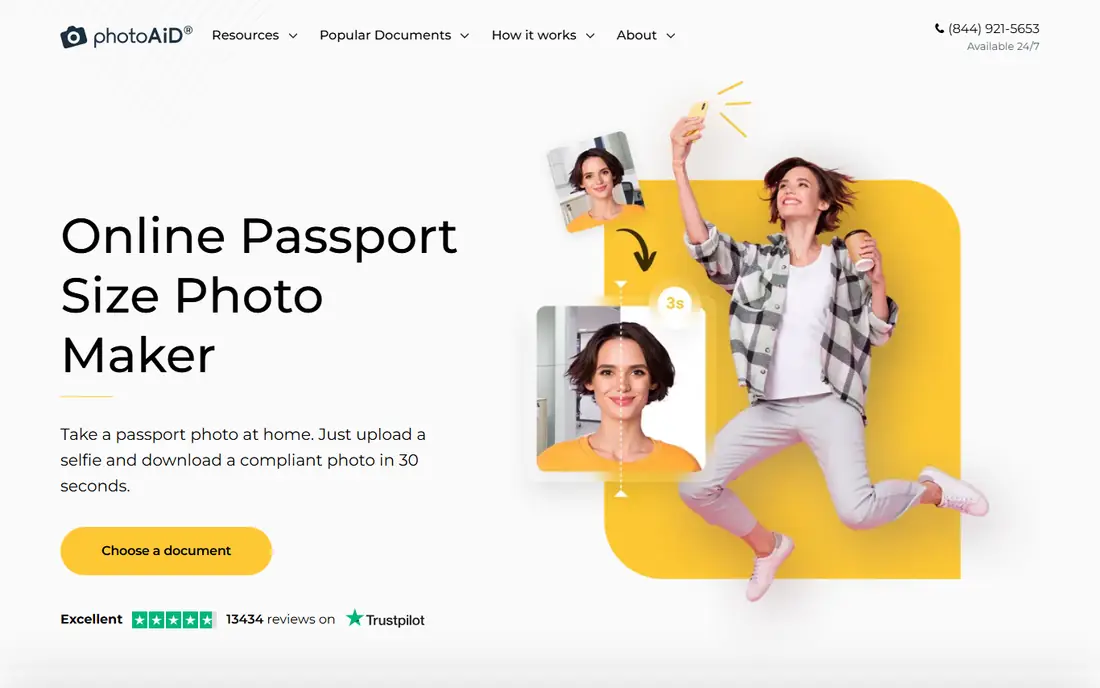
PhotoAiD takes a plain phone photo and turns it into a sized document photo, with checks for background, framing and head size. That checking step is the main reason to pay for it rather than using a free crop tool. When something is off, the guidance points to the problem instead of leaving you to guess why a photo might be rejected.
The service works in a browser and on phones, and it supports passport, visa and identity card formats for many countries. You can order a digital file, a print, or both, depending on what your application asks for. The catch is simple: a poor starting photo, with uneven light or a busy background, still needs a retake. PhotoAiD can fix framing, but it cannot invent good lighting or a neutral expression.
- Checks size, background and head position
- Covers many countries and document types
- Offers print and digital options
- Paid for the finished photo
- Results depend on the quality of your original shot
Passport Photo Online
Who it suits: Country templates for travel documents
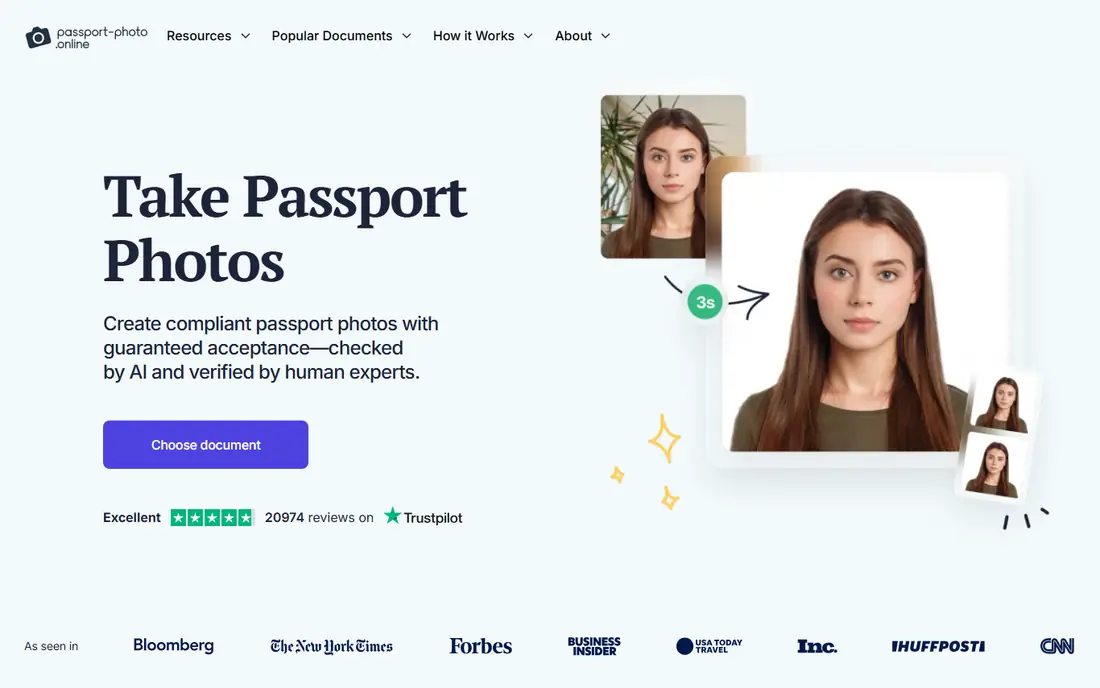
Passport Photo Online is built around one job: matching your photo to the exact size and background rules of a chosen country and document. You pick the document, upload a photo, and the tool adjusts the crop and background. The preview lets you see the result before you pay, which helps when you are unsure about framing.
Its strength is breadth. Travellers who need a United States passport photo one month and a visa photo for another country the next month can stay with the same tool. It works from the photo you give it, so a dim or angled shot will still need a retake.
- Large template library for passports and visas
- Clear preview before payment
- Digital and print delivery options
- Finished photo is paid
- Some users will need a second attempt for strict rules
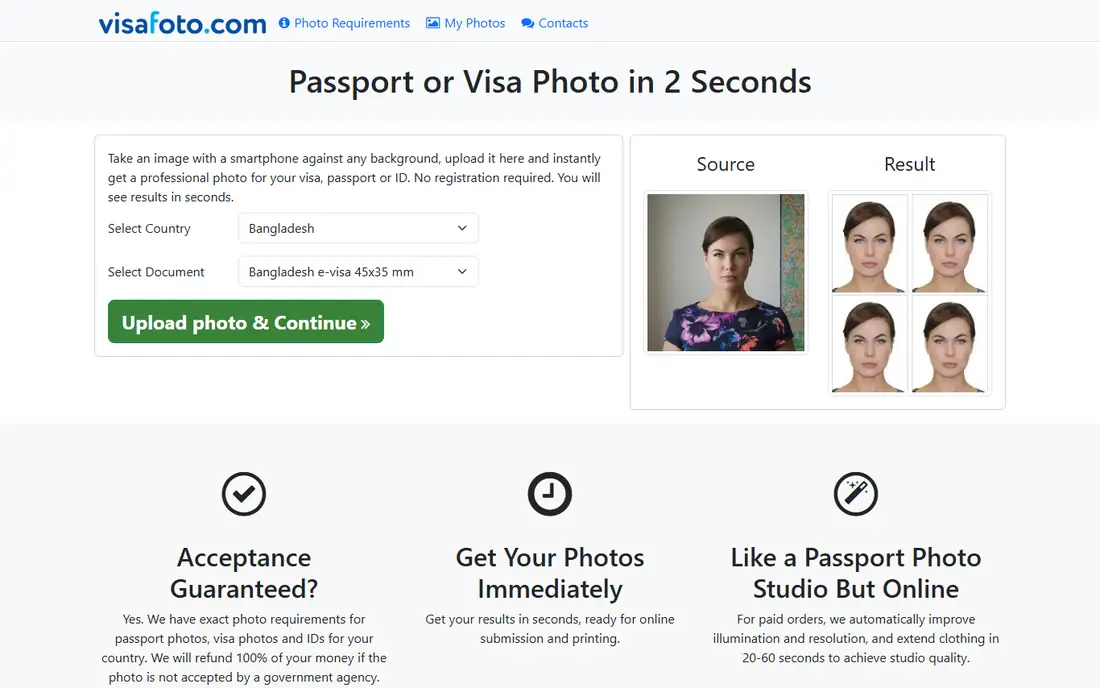
VisaFoto has been around for years, and its long country list is the reason many travellers still use it. If your document is unusual, or your destination has a size that common apps do not list, VisaFoto is worth checking first. You upload a photo, choose the country and document, and download the formatted result.
The trade is polish. VisaFoto does the sizing job without much hand-holding, and the design is plain compared with newer tools. That matters less when you know what you need and just want the right dimensions. It matters more for a first-time applicant who wants step by step checks. For that case, a tool with stronger compliance guidance may be a better first pick, with VisaFoto as a backup for rare formats.
- Covers a very large set of countries
- Handles passport and visa sizes
- Works in a browser with no install
- Paid for the finished file
- Interface feels basic next to newer apps
PhotoGov puts formatting and checking ahead of editing tricks, which is a sensible order for United States passport photos. Current United States rules do not accept photos that have been digitally altered in ways such as retouching or changing the background with generative tools, so a tool that formats rather than restyles your photo fits the rules better. PhotoGov crops and formats your photo and applies a compliance check before you download it.
The free tier covers the basic digital photo, which makes it easy to try before you spend anything. The downside is scope. If you need a wide range of international visa formats, a broader template library may serve you better. For a United States passport renewal or application, though, the focus on correct formatting is a clear advantage, and the price makes it easy to test.
- Formats photos to official specifications
- Includes a compliance check
- Free basic digital output
- Less useful if you need many non-United States formats
- Still needs a well-lit original photo
IDPhoto4You is the simplest tool on this list, and that simplicity is its appeal. Open the site, upload a photo, pick a size, and download a sheet you can print at home or at a print shop. There is no app to install and no account to create for basic use, which suits a quick job such as a school identity photo or a driving licence photo.
The catch is that you carry more of the checking work yourself. IDPhoto4You sizes the photo, but it will not warn you as clearly as a paid checker when lighting, shadows or head position are borderline. Use it when the document rules are simple and you can compare your result with the official size guide. For a passport application with a tight deadline, pair it with a careful read of the official rules, or choose a checker tool instead.
- Free to use in a browser
- No account needed for basic use
- Print sheets for several photos on one page
- Limited compliance guidance
- You must check rules yourself
Smartphone iD is made for people who want to do the whole job on a phone. You take the photo in the app, the app guides framing, and you receive a formatted digital photo for online applications. That phone-first flow removes the step of moving files between a camera, a computer and a printer, which is where many people lose time.
The guidance during capture helps with head position and framing, but it cannot fix a dark room or a patterned wall behind you. Take the photo in daylight, facing a plain wall, with the phone held steady at eye level. If your application needs printed photos, check whether the service offers prints in your country before you pay, since digital delivery is its main strength.
- Designed around taking the photo on your phone
- Supports many countries
- Digital delivery for online applications
- Paid for the finished photo
- Quality depends on your phone camera and lighting
Persofoto focuses on biometric identity photos, with templates shaped around European document rules. That focus shows in its country-specific sizing and its attention to head position and background. For applicants in Europe, or for a European visa, that specialism can mean fewer surprises than a general photo editor.
Outside Europe, the advantage narrows. The template list still covers many documents, but travellers who need formats from several regions may prefer a broader tool. As with every entry here, start with a clean, well-lit photo. Persofoto can size and format that photo, but a photo with glasses glare, shadows or a tilted head will still need a retake.
- Focus on European biometric standards
- Country-specific templates
- Print and digital options in supported regions
- Smaller footprint outside Europe
- Paid for the finished photo
Snap2Pass keeps the process short: take or upload a photo, follow the framing guide, and download the formatted result. That short flow suits people who want a passport photo without learning a photo editor.
The range of templates is narrower than the biggest tools on this list, so check that your country and document are listed before you start. If they are, the simplicity is a plus. If they are not, you will save time by going straight to a wider library. Either way, keep the background plain, remove hats and dark glasses unless your document rules allow them, and take more than one shot so you can pick the sharpest.
- Guided steps for framing and cropping
- Covers common passport and visa sizes
- Works on phones and in a browser
- Smaller template range than the leaders
- Paid for the finished photo
Fotor is a general photo editor first and a passport tool second, and that order shapes who should pick it. If you already use Fotor for editing, its passport template lets you size a photo without opening another app. You get cropping, background tools and print layouts in one place, with a free tier for basic work.
The limit is compliance depth. Fotor will size your photo, but it is not built to check it against official biometric rules with the same care as a dedicated checker. Use it for documents with simple size rules, or when you want to tidy a photo before running it through a checker. For a passport application where rejection would cost you time, a dedicated tool is the safer main choice, with Fotor as a useful helper for cropping and printing.
- Full photo editor alongside templates
- Free tier for basic work
- Print sheet options
- Not a dedicated compliance checker
- Passport features sit inside a larger editor
How we picked these
We started from tools that are live in October 2026, that clearly state which countries and documents they support, and that produce a sized photo you can print or upload. We then checked each one against the same questions: does it cover common passport and visa formats, does it help with background and head size, can you preview the result, and is the price clear before you pay. Tools that only resized a photo with no document templates, or that had no clear way to get a finished file, did not make the list.
We did not claim hands-on testing of every document type, since no single team can submit photos to every passport office. Instead we weighted compliance guidance, template breadth and price clarity, and we flagged where a tool leaves checking to you. Prices and free tiers change, so check the vendor site before you pay for a time-sensitive application.
What to check before you pay
A good tool still needs a good starting photo, and the starting photo is where most rejections begin. Stand against a plain, light-coloured wall with no pictures, doors or shadows behind you. Face the camera directly, keep your eyes open and your mouth closed, and keep your head level. Daylight from a window in front of you beats a ceiling light behind you, which can cast shadows on your face and on the wall.
Next, match the tool to the document, not just to the country. A passport, a visa and a national identity card for the same country can have different sizes, background colours and head proportions. Pick the exact document in the tool, then compare the preview with the size guide on your government site. If the tool offers a compliance check, read its warnings rather than dismissing them. A warning about shadows or head size is often the difference between acceptance and a retake.
Finally, think about delivery. Online applications usually need a digital file, while paper applications need prints on the right paper size. Some tools offer both, some offer digital only, and some offer prints only in certain regions. Confirm delivery before you pay, and keep a copy of the finished file. If you need prints, a 4 by 6 inch sheet with several copies is usually the cheapest way to get spares.
Print at home or use a print shop
Printing at home works when your printer handles photo paper well and you can cut cleanly along the guides. A print shop or pharmacy printer often gives sharper edges and truer colours for a small fee. Check the printed size with a ruler before you cut.
Photos for children and babies
Child photos fail more often, mainly because of shadows, closed eyes and visible hands holding the child. Lay a baby on a plain white sheet in bright, even light, and take the photo from directly above. For toddlers, a plain wall and a favourite toy held just out of frame can help them look at the camera. Take many shots and pick the one with open eyes, a neutral expression and no hands in view.
Frequently asked questions
What is the best passport photo app overall?
There is no single winner for every document. PhotoAiD and Passport Photo Online suit most travellers because of their template range and checks, while PhotoGov is a strong pick for United States applicants. Pick by document first, then by price and delivery.
Can I take a passport photo with my phone?
Yes, in most cases. A modern phone camera is sharp enough, provided you use good light, a plain background and a steady hand. Use a tripod or ask someone else to take the photo, since a selfie at arm's length can distort head proportions and tilt the frame.
Will a photo from an app be accepted by the government?
An app can format your photo to the stated size, but acceptance rests with the passport office and its current rules. Always compare your finished photo with the official guide for your document, and avoid retouching, filters or background changes that the rules forbid.
How much does a passport photo app cost?
Free tools handle basic sizing at no charge, while paid tools usually charge per finished photo or per print order. Check the vendor site for the current price, since a preview may be free while the downloadable file is paid.
Can I print passport photos at home?
Yes, when the tool gives you a print sheet sized for standard photo paper. Print at full size, not fit to page, and check the size with a ruler before cutting. If the colours look dull or the edges blur, a print shop is a better choice.
What background do I need for a passport photo?
Most passports need a plain, light background, often white or off-white, with no patterns, shadows or objects. Visa rules vary by country, so check the exact background colour for your document before you take the photo.
Sources we checked (9)

Online Jobs is an independent blog about careers, online work, learning new skills and the tools that help people earn. More about us.
Keep reading
All posts
n8n Alternatives
n8n alternatives compared for 2026, with Zapier, Make, Activepieces, and more, covering visual builders, code steps, self-hosting, and pricing models.

eBay Alternatives
Looking for ebay alternatives? We compared 9 marketplaces for sellers on fees, buyer reach, categories and ease of listing, to help you sell with confidence.

ZoomInfo Alternatives
The best ZoomInfo alternatives in 2026, compared on price, free plans, data coverage, and which tool fits small teams or large sales teams best in detail.