Best Paper Trading Platform in 2026: 9 Apps Compared

How we put this together: we compare official feature and pricing pages, app store listings, privacy policies and public user reviews. Prices change, so check the provider's site before you pay.
Key takeaways
- TradingView is our pick for most learners because paper trading sits directly on charts many traders already use.
- thinkorswim paperMoney is the strongest choice for options practice, with full chains and multi-leg strategies in a broker-grade platform.
- Webull and moomoo are the easiest mobile starts, while NinjaTrader and TradeStation suit futures traders and strategy testing.
- Paper fills are often instant and forgiving, so a good simulator result does not guarantee the same result with real money.
Quick comparison
| Name | Who it suits | Starting price | Free option | |
|---|---|---|---|---|
 TradingView TradingView | Chart-based practice | Free | Yes | Visit |
 thinkorswim paperMoney thinkorswim paperMoney | Options practice | Free | Yes | Visit |
 Webull Webull | Mobile beginners | Free | Yes | Visit |
 Interactive Brokers Interactive Brokers | Global markets practice | Free | Yes | Visit |
 TradeStation TradeStation | Strategy testing | Free | Yes | Visit |
 NinjaTrader NinjaTrader | Futures practice | Free | Yes | Visit |
 moomoo moomoo | Mobile data and practice | Free | Yes | Visit |
 eToro eToro | Social and copy practice | Free | Yes | Visit |
 Investopedia Simulator Investopedia Simulator | No-account classroom start | Free | Yes | Visit |
The best paper trading platforms
Paper trading lets you place simulated trades with virtual money against real market prices. That is useful for learning order types, testing a strategy and getting used to a platform before you risk real funds. The best choice depends on what you want to practise, because a charting simulator, an options simulator and a futures simulator are built for different jobs. This is not financial advice, and paper trading uses simulated money. Real trading carries risk, including the risk of losing money, and results in a simulator do not predict live results.

TradingView is the easiest recommendation for learners who think in charts. You can open a chart, place a paper trade from the chart itself, and watch the position, profit and loss and trade list update in the same workspace. Bar replay is a genuine help for practice, because it lets you step through past price action and make decisions as if the bars were forming live. The main limit is realism at the fill. Orders often fill instantly at the shown price, which hides slippage, partial fills and the cost of a fast-moving market. Use TradingView to learn chart reading, entries, exits and position sizing, and use a broker simulator before you judge whether a strategy would survive live execution.
- Paper account built into strong charts
- Bar replay for historical practice
- Stocks, forex and crypto coverage
- Fills are simple and can feel too easy
- Options simulation is limited compared with broker platforms
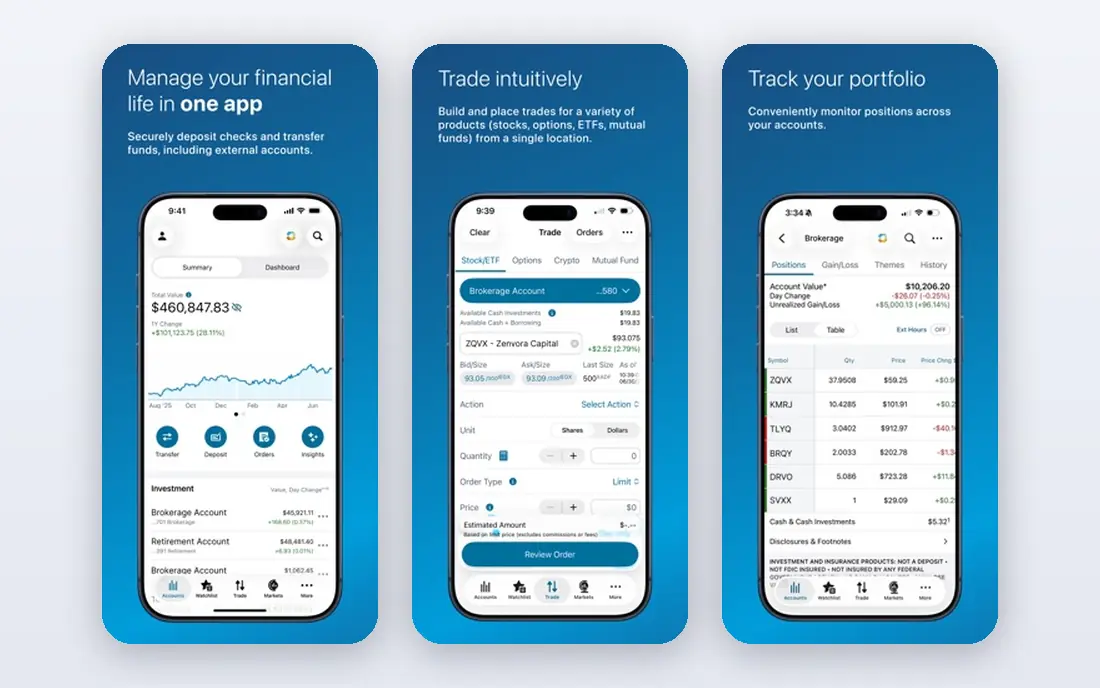
thinkorswim paperMoney, from Charles Schwab, is the platform we point options learners to first. You can build spreads, check Greeks, test multi-leg orders and practise the same screens you would use with a live account. That closeness to live trading matters, because options have more moving parts than a simple stock buy, and a thin simulator hides those parts. Beginners should expect a learning curve. The platform packs in studies, scanners and order tools that take time to learn, and the layout can feel crowded at first. Start with one market and one strategy, learn the order ticket properly, and add complexity only after you can explain each leg of a trade in plain terms.
- Full options chains and multi-leg strategies
- Deep charting and indicators
- Close match to the live Schwab platform
- Interface can feel dense for beginners
- Requires a Schwab account setup to access the full platform
Webull works well if you want to practise on your phone and you want to start quickly. The paper trading account is easy to find, orders are simple to place, and you can practise stocks and options without moving to a desktop platform. For a beginner who trades in short sessions during the day, that low friction helps build a habit. The trade-off is depth. Webull is not the best place for heavy backtesting or complex strategy work, and its instant fills can flatter a strategy. Treat it as a learning app for mechanics and discipline, keep trade sizes realistic for the account you would actually fund, and review your trades each week rather than chasing a high virtual balance.
- Clean mobile app
- Paper trading for stocks, options and crypto
- Easy order placement for new traders
- Fill realism is basic
- Research and strategy tools are thinner than desktop broker platforms
Interactive Brokers suits learners who want breadth. The paper account covers a wide range of markets and instruments, and it uses the same trading tools as the live platform, so skills transfer directly. Advanced order types, global markets and detailed account views make it a strong choice for traders who plan to trade beyond US stocks. That breadth comes with complexity. New users can feel lost in settings, market data choices and order options, and a free trial on delayed data is not the same as the full paper account. If you choose this platform, set aside time to learn the order ticket and data settings first, and start with one market before you add others.
- Very broad market and instrument coverage
- Paper account mirrors the live platform
- Advanced order types
- Interface is built for professionals
- Setup can take longer than simpler mobile apps
TradeStation is the pick for traders who want to test a system, not just place a few discretionary trades. Its simulation and backtesting tools let you check a rule-based idea against past data, review detailed reports and practise futures alongside equities and options. That structure helps you separate a lucky run from a repeatable approach. The cost is effort. You need an account, and the platform rewards users who learn its strategy language and reporting tools. If you only want to practise placing orders, a simpler app will get you started faster. If you want to test rules, measure drawdowns and keep a proper trade journal, TradeStation earns its place.
- Strong backtesting and strategy tools
- Stocks, options and futures simulation
- Detailed trade reports
- Requires a brokerage account
- Setup effort is higher than a standalone simulator
NinjaTrader is built around futures, and its simulator reflects that focus. Session replay lets you practise a futures session again, and configurable slippage settings help you test how fills change when the market moves fast. For a futures learner, that realism is more useful than a generic stock simulator that treats every market the same way. Futures use margin and contract sizes that can confuse beginners, and the desktop focus means it is not a casual phone app. Before you practise, learn contract size, tick value and margin for the market you choose, and keep virtual position sizes close to what you could fund in real life. This is not financial advice, and futures trading carries substantial risk.
- Futures-focused simulation
- Session replay and configurable fills
- Advanced charting for futures traders
- Desktop focus with limited mobile use
- Futures complexity is not ideal for stock-only beginners
moomoo is a strong mobile alternative to Webull, with a heavier focus on market data and analytics. The paper account lets you practise on your phone with detailed charts and trade analytics, which helps if you learn best by reviewing your own trades rather than just placing them. International users may also find its coverage useful, though availability and features vary by country. The limit is similar to other mobile simulators, which is that execution is simpler than live trading and strategy testing is limited. Use moomoo to build a routine of planning, placing and reviewing trades, and move to a desktop broker platform when you need options depth or formal backtesting.
- Polished mobile app
- Real-time data and detailed analytics
- Paper trading across several asset types
- Some features vary by region
- Desktop strategy tools are thinner than TradeStation or thinkorswim
eToro suits investors and learners who want to practise in a social setting. The virtual portfolio sits inside the same app as live investing, so you learn the actual order screens and portfolio views you would use later. Watching how other users position themselves can add context, though it should never replace your own plan. Options traders should look elsewhere, because eToro does not offer options simulation in the same way as thinkorswim or Webull. Also check whether your region uses CFDs, because CFD practice does not map cleanly to owning shares. Use eToro for long-term portfolio practice and position sizing, not for options or short-term execution training.
- Virtual portfolio inside a real brokerage app
- Social features for observing other traders
- Simple interface
- No options simulation
- CFD-based products in some regions change how practice maps to live trading
Investopedia Simulator is the lowest-friction way to start, especially for students, classes and groups who want a shared practice game. You can build a portfolio, track performance and compare results with others without opening a brokerage account. That makes it useful for learning basic concepts such as diversification, order types and risk in a low-pressure setting. Serious traders will outgrow it quickly. Execution is simpler than live markets, and advanced options and futures work is limited. Use it as a first step to learn the language of trading, then move to a broker simulator that matches the market you actually plan to trade.
- No brokerage account needed to start
- Good for classes and groups
- Clear portfolio and ranking views
- Less realistic execution than broker simulators
- Fewer advanced tools for options and futures
How we picked these
We compared official product pages, simulator descriptions and pricing pages, plus public reviews that describe data delays, account requirements and fill behaviour. We favoured platforms that are free to start, that match a clear learning goal, and that are widely used enough for a learner to find help and tutorials. We did not run live trades or hands-on trials for this guide, and we did not invent balances, fill models or performance figures that vendors do not publish.
How to practise without fooling yourself
A simulator is only useful if it resembles how you would trade with real money. Set a virtual balance close to the amount you could actually fund, and do not reset it after every loss just to keep a winning streak alive. Write down why you entered each trade, where you would exit if you were wrong, and how much you were willing to lose. That journal matters more than the virtual balance, because it shows whether your decisions were planned or impulsive. Time matters too. Practise across different market conditions, not just a strong week, and aim for enough trades to see both wins and losses before you judge a strategy. Many guides suggest 60 to 90 days or around 100 trades as a rough starting point, but the right length depends on how often you trade. When you move to real money, start small. Real trading adds fees, taxes, slippage and emotion that no simulator can fully copy, and this is not financial advice.
Choose by market first
Pick the market you want to learn, then pick the simulator for that market. Options learners should start with thinkorswim paperMoney, futures learners with NinjaTrader or TradeStation, and chart learners with TradingView. A simulator that is excellent for stocks can still be a poor teacher for options or futures.
Check data and account gates before you commit
Some paper accounts need a brokerage application, some offer delayed data on a free trial, and some expire after a set period. Check those gates on the vendor page before you build a routine around a platform. A simulator you cannot open on a busy morning will not help you learn, even if its charts look better on paper.
Frequently asked questions
What is the best paper trading platform for beginners?
TradingView is a good first choice for chart learners, and Webull or moomoo are good first choices for mobile learners. If you want to learn options from the start, thinkorswim paperMoney is stronger, even though it takes longer to learn.
What is the best app for paper trading options?
thinkorswim paperMoney is our pick for options practice because it offers full chains, Greeks and multi-leg strategies in a broker-grade platform. Webull is a simpler mobile alternative for basic options practice.
Is paper trading really free?
Most platforms in this guide offer paper trading free, though some require a brokerage account and some offer delayed data on a free trial. Check the vendor page for account and data requirements, because free does not always mean instant access to the full paper account.
How long should I paper trade before using real money?
There is no fixed number that fits every trader, but many guides suggest 60 to 90 days or around 100 trades, long enough to see a strategy across different conditions. Focus on consistent planning, risk control and journaling rather than a high virtual balance.
Does paper trading prepare you for real trading?
It prepares you for mechanics, order types and strategy testing, but it cannot fully copy slippage, partial fills, fees and emotion. Start small with real money, keep position sizes modest, and remember that real trading carries risk of loss.
Can I paper trade futures without the PDT rule?
Futures trading is not subject to the US pattern day trader rule in the same way as margin stock trading, which is one reason futures simulators appeal to active learners. Rules still vary by broker and region, so check your broker page and local rules before you practise or trade futures.
Sources we checked (9)

Online Jobs is an independent blog about careers, online work, learning new skills and the tools that help people earn. More about us.
Keep reading
All posts
Zoom Alternatives
Zoom alternatives compared for 2026: Google Meet, Microsoft Teams, Webex, Jitsi and more for free calls, large meetings and webinars for teams and classrooms.

Top Rated Poster Maker Software
Top rated poster maker software compared for 2026: Canva, Adobe Express, VistaCreate, PosterMyWall and more for events, sales and classrooms for US users.

Surfshark Alternatives
Looking for Surfshark alternatives? We compare 8 VPN services on price, privacy, streaming, and device limits to help you find a VPN that fits your needs.