Best Offline Educational Apps for Kids in 2026: 8 Apps Compared

How we put this together: we compare official feature and pricing pages, app store listings, privacy policies and public user reviews. Prices change, so check the provider's site before you pay.
Key takeaways
- Khan Academy Kids is the strongest free starting point, with downloadable books and activities and no ads or subscriptions.
- ABCmouse suits families who want a structured, step-by-step curriculum with downloadable lessons.
- Offline strength varies by device and app version, so test downloads in airplane mode before a trip.
- One-time purchase apps such as Endless Alphabet can be a good fit when you want no subscription at all.
- Check age range, parent controls, and storage needs before downloading a large library for a child.
Quick comparison
| Name | Who it suits | Starting price | Free option | |
|---|---|---|---|---|
 Khan Academy Kids | Free early learning | Free | Yes | Visit |
 ABCmouse | Structured preschool curriculum | See website | No | Visit |
 Epic | Downloadable digital books | See website | No | Visit |
 Endless Alphabet | Vocabulary and letter sounds | See website | No | Visit |
 Teach Your Monster to Read | Early phonics practice | See website | No | Visit |
 Duolingo ABC | Early reading games | Free | Yes | Visit |
 PBS KIDS Games | Familiar characters and variety | Free | Yes | Visit |
 Montessori Preschool | Hands-on early learning activities | See website | No | Visit |
The best offline educational apps for kids
Offline apps matter most when Wi-Fi is unreliable, on a plane, in a car, or in a home with limited data. We compared official app listings, publisher pages, and parent-facing help pages, and we favoured apps that let children download content in advance rather than apps that only cache a little by accident. Our pick for most families is Khan Academy Kids, because it is free, covers reading and math for ages 2 to 8, and lets families download books and games for offline use.
A note on offline claims: an app that works offline on one device may need an online check on another, and downloaded content can expire or need a refresh. Download the content your child will actually use, then switch the device to airplane mode and try it before you travel. That quick test saves more trouble than any feature list.
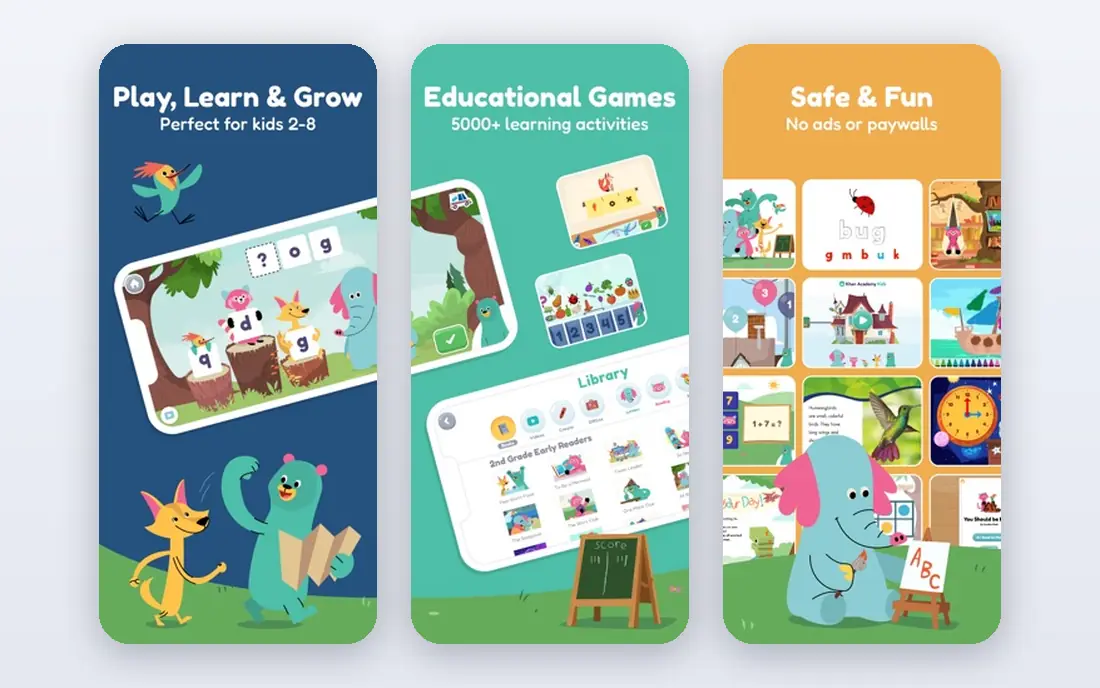
Khan Academy Kids covers preschool through second grade with activities, books, and games built with early learning experts. The app is free, with no ads and no in-app purchases, which removes the usual worry about a child tapping into a paid extra. Parents get a progress view, and teachers can use classroom tools where offered.
For offline use, the key step is downloading books and games before you leave Wi-Fi. Core activities work without a connection, but not every feature behaves the same offline, so an airplane-mode test is wise. If you only install one app for a trip, this is the one we would start with.
- Free with no ads or subscriptions
- Reading, math, and logic for ages 2 to 8
- Downloadable books and games
- Some features need a connection for full use
- Parent reports are simpler than paid rivals
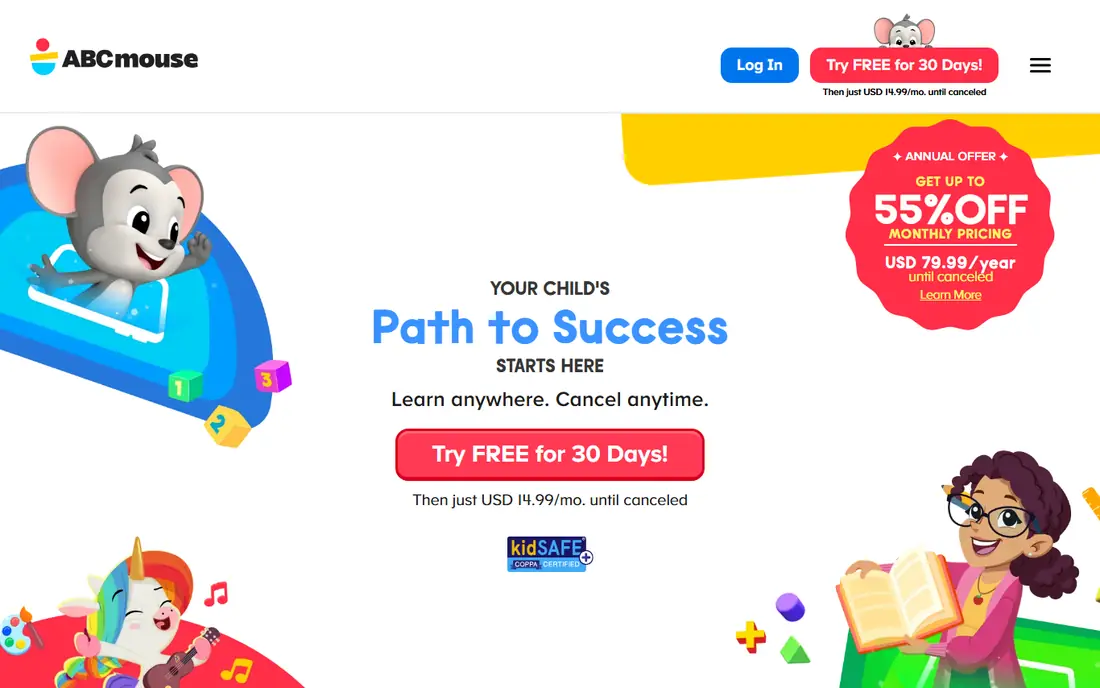
ABCmouse offers a structured curriculum for young children, with lessons across reading, math, science, and art arranged along a learning path. That structure suits families who want clear next steps rather than open-ended browsing. Lessons can be downloaded for offline play, which helps on trips, though a subscription is needed.
The trade-off is cost and density. The app is not free, and younger toddlers may find the range of activities busy at first. Parents should set up profiles and download a manageable set of lessons, rather than the whole library, so a child can find the next lesson without scrolling through too much choice.
- Step-by-step learning path
- Downloadable lessons for offline play
- Profiles for multiple children
- Subscription cost
- Can feel busy for very young children
- Offline lessons need advance downloads
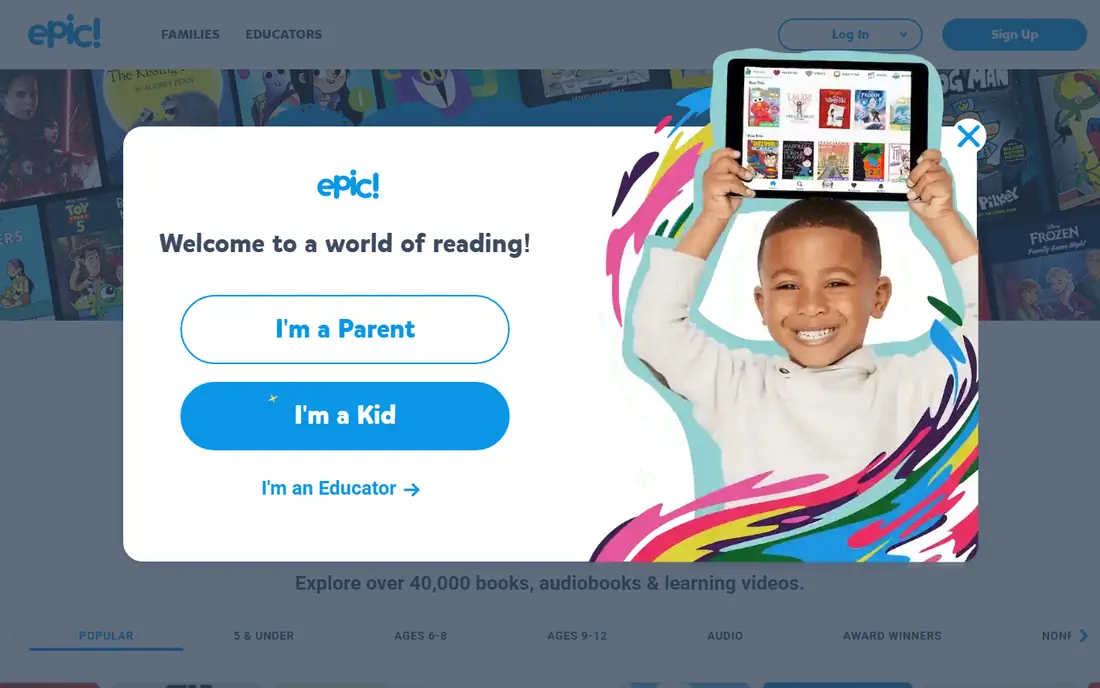
Epic is mainly a digital library for children, with picture books, chapter books, and audiobooks that can be downloaded for offline reading. That makes it a strong companion app for families who already have a math or phonics app and want reading covered too. Read-to-me support helps younger readers follow along.
Epic is not a full curriculum, so do not expect the same breadth as Khan Academy Kids or ABCmouse. The subscription is the other point to weigh, especially if your child only reads a few books a week. For keen readers and long trips, though, a downloaded shelf of books is hard to beat.
- Large digital book library
- Books can be downloaded for offline reading
- Read-to-me options
- Subscription needed for full access
- Reading focus means less math coverage
Endless Alphabet teaches letters and words through interactive puzzles and animations, with each word broken into letters that children drag into place. The narrow focus is a strength for preschoolers learning letter sounds, because there is no sprawling menu to get lost in. Many store listings present it as a one-time purchase rather than a subscription.
Older children will outgrow it, and it does not teach reading passages or math. Treat it as a focused tool for early vocabulary, not a full learning app. For families who want a buy-once app with no recurring bill, it is a clear fit.
- One-time purchase model on many stores
- Playful letter puzzles
- Works well offline
- Narrow focus on vocabulary
- Older children will outgrow it fast
Teach Your Monster to Read turns early phonics into a game, with children creating a monster and working through levels that build letter sounds into words. The game format keeps practice going longer than a worksheet-style app for many children. It is widely used in early years classrooms as well as at home.
The scope is phonics, so pair it with a book app or a broader early learning app for full coverage. Pricing and access also vary by platform, so check the store listing for your device before buying. For a child at the letter-sound stage, it is one of the most engaging options here.
- Game-led phonics progression
- Child creates a monster character
- Engaging for early readers
- Phonics focus only
- Some versions and platforms differ in price and access
Duolingo ABC offers short, game-like lessons for early reading, aimed at children learning letters, sounds, and first words. The free model and short lesson format make it easy to fit into a daily routine. Children who like the Duolingo style will find the format familiar and friendly.
Offline use is the weak point compared with apps built around downloads. Some content can be used without a connection, but families should not assume the full lesson path works offline. Test it in airplane mode, and keep it as a reading companion rather than your only offline app for a long trip.
- Free
- Short reading lessons and games
- Clear progression for early readers
- Offline options are more limited than some rivals
- Reading focus only
PBS KIDS Games gathers games featuring familiar PBS characters, covering early math, reading, science, and social skills. The free model and recognisable characters make it an easy first download, and the variety means a child can switch subjects without switching apps. Parents can also use PBS KIDS Video and related apps for stories and shows.
Offline coverage is uneven, because not every game downloads in the same way. Download the games your child likes best and test them offline before travel. As a free, varied companion app, it earns its place, but it should not be the only offline plan for a long journey.
- Free
- Familiar PBS characters
- Wide range of games across subjects
- Offline availability varies by game
- Games vary in depth
Montessori Preschool from Edoki Academy offers activities inspired by Montessori methods, with tracing, sorting, counting, and practical-life style tasks. The design is calm and child-friendly, and the activities suit preschoolers who like hands-on play. It works as a focused preschool app rather than a broad school curriculum.
The audience is preschool age, so older children will finish the content faster. A subscription is also needed for full access, so families should check what is included before paying. For preschool families who like the Montessori approach, it is a thoughtful, low-noise option.
- Montessori-style activities
- Covers practical life, math, and language basics
- Child-friendly design
- Subscription needed
- Best for preschool ages, not older primary children
How we picked these
We compared official app listings and publisher pages for early learning apps with a stated offline or download feature, a clear age range, and parent controls. We favoured apps that are still available on major app stores, that cover a real learning need rather than only entertainment, and that work for ordinary family use without specialist hardware. We left out apps with no clear offline option, apps aimed mainly at older children, and apps whose official pages gave no usable download information.
What to check before you download
Start with age and subject, not the app store chart. A preschooler needs letter sounds and simple counting, while a second grader needs reading passages and problem solving. Check whether the app offers a parent dashboard, whether it has ads or in-app purchases, and whether profiles can be set for more than one child. Storage matters too: a large downloaded library can fill a small tablet fast, so download a week of content, not a year.
Test offline use properly. Download the books, lessons, or games, close the app, switch on airplane mode, and let your child try the exact activities you planned. Note anything that asks for a connection or shows a locked item, and download an alternative for that slot. For school use, check whether the app offers teacher tools or classroom codes, since those can change what is free and what needs a paid plan.
A simple offline pack for a trip
Pick one broad app, one reading app, and one focused skill app. Khan Academy Kids can cover breadth, Epic can cover books, and Endless Alphabet or Teach Your Monster to Read can cover early reading skills. That mix gives variety without filling storage, and it means one app failing offline does not end learning for the day.
Frequently asked questions
What is the best offline educational app for kids?
Khan Academy Kids is the best starting point for most families, because it is free, covers reading and math for ages 2 to 8, and lets families download books and games. ABCmouse is a stronger choice if you want a structured, step-by-step curriculum and are happy to pay a subscription. Test both in airplane mode before a trip to confirm downloads work on your device.
Do offline kids apps work without Wi-Fi at all?
Most need Wi-Fi for the first download, account setup, and sometimes for progress syncing. After that, downloaded books, lessons, and games should work offline, but some features may still need a connection. Always test in airplane mode with the exact content your child will use, and allow time to re-download anything that needs a refresh.
Are there free offline educational apps for kids?
Yes. Khan Academy Kids is free with no ads or subscriptions, and PBS KIDS Games and Duolingo ABC are also free. Free apps may still have limits offline, so check download options for each game or lesson. Paid apps can still be worth it for a structured curriculum or a larger book library.
What age are these offline learning apps for?
Most apps here target ages 2 to 8, with the strongest fit in preschool through second grade. Khan Academy Kids and ABCmouse cover that full range, while Endless Alphabet and Teach Your Monster to Read suit the younger end. Older primary children will need apps aimed at their grade level, since preschool apps will feel too easy.
How much storage do offline kids apps need?
Storage needs vary by how much you download. A few books and games may need only a small amount of space, while a large library can use several gigabytes. Download a limited set for each trip, delete finished books, and check the device storage settings before a long journey so a full tablet does not block new downloads.
Can kids use these apps without ads or purchases?
Khan Academy Kids has no ads and no in-app purchases, which makes it the simplest choice on this point. Other apps vary, so check the store listing and parent settings before handing a device to a child. Turn on purchase controls on the device itself as an extra guard, even for apps that claim to be child-safe.
Sources we checked (8)

Online Jobs is an independent blog about careers, online work, learning new skills and the tools that help people earn. More about us.
Keep reading
All posts
Best Vocabulary Apps
We compare 8 vocabulary apps in 2026, free and paid, for English learners, students, and test prep, with honest notes on what each one does best for daily use.

Best Udemy Alternatives
Explore the best Udemy alternatives for 2026, including Coursera, Skillshare, and LinkedIn Learning, with pricing, certificates, and who each platform suits.
Best Tools for Virtual Tutoring
Compare the best tools for virtual tutoring, from one-to-one tutor marketplaces to free self-paced learning, with pricing, subjects and honest limits.