Best Network Monitoring Software in 2026: 9 Apps Compared

How we put this together: we compare official feature and pricing pages, app store listings, privacy policies and public user reviews. Prices change, so check the provider's site before you pay.
Key takeaways
- Datadog is our pick for cloud and container teams that already monitor apps and servers in one place, since network data sits next to the rest of their observability data.
- Paessler PRTG is the easiest paid starting point for small and mid-sized Windows teams, thanks to auto-discovery and a free tier covering 100 sensors.
- Zabbix is the strongest free option for skilled teams, with no licence meter, but it demands real setup and maintenance time.
- SolarWinds and ManageEngine suit large, traditional networks with many SNMP devices, while Auvik suits managed service providers with many client sites.
- Sensor, device and host pricing all measure different things, so count your real monitored items during a trial before you compare headline prices.
Quick comparison
| Name | Who it suits | Starting price | Free option | |
|---|---|---|---|---|
 Datadog Datadog | Cloud and container networks | $15 per month | Yes | Visit |
 Paessler PRTG Paessler PRTG | Small business networks | See website | Yes | Visit |
 SolarWinds Network Performance Monitor SolarWinds Network Performance Monitor | Large enterprise networks | See website | Free trial | Visit |
 ManageEngine OpManager ManageEngine OpManager | Mixed-vendor networks | See website | Yes | Visit |
 Zabbix Zabbix | Free large-scale monitoring | Free | Yes | Visit |
 Nagios XI Nagios XI | Plugin-based monitoring | See website | Yes | Visit |
 Auvik Auvik | Managed service providers | See website | Free trial | Visit |
 LogicMonitor LogicMonitor | Hybrid infrastructure | See website | Free trial | Visit |
 Checkmk Checkmk | Distributed site monitoring | Free | Yes | Visit |
The best network monitoring software
We compared these tools on coverage, data sources, alerting, deployment and pricing honesty, with a focus on what each one actually monitors rather than what its marketing page promises.
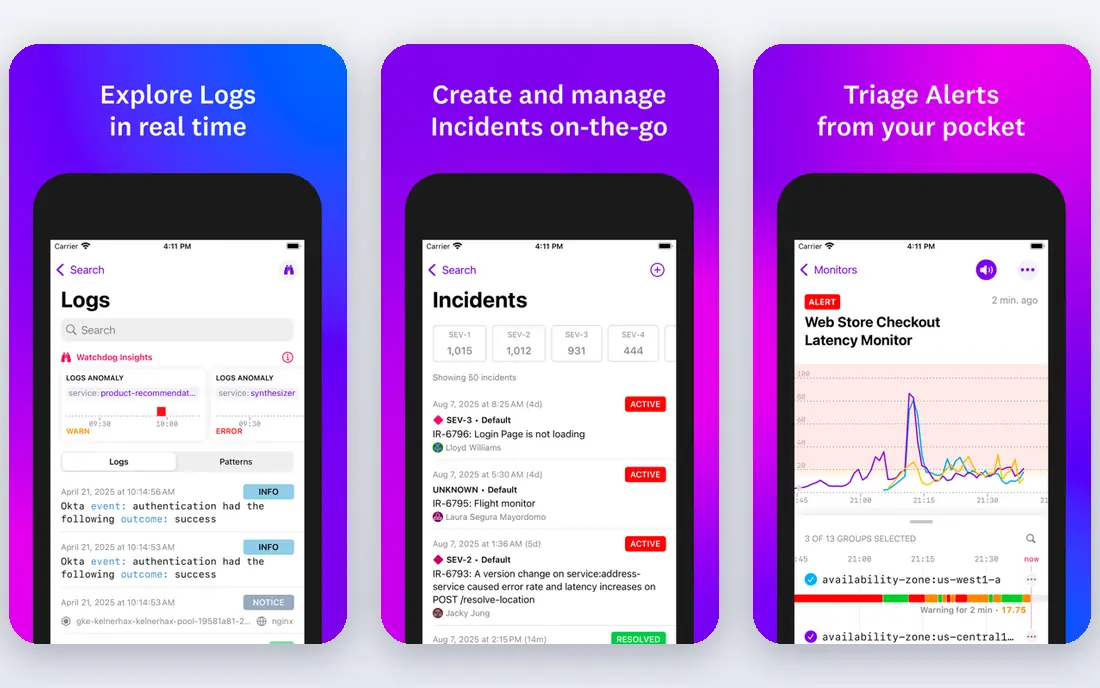
Datadog Network Performance Monitoring fits teams that already live in Datadog for servers, containers and applications. Network traffic, DNS and device data appear in the same dashboards and alerts as app performance, which makes it easier to trace a slow service back to a network path or a saturated host. For cloud-native teams, that shared context is the main reason to pick Datadog over a standalone network tool.
The catch is cost structure. Pricing is per host and per device, with separate charges across the wider Datadog platform, so a small network inside a large cloud estate can still produce a large bill. Teams that only need basic uptime and SNMP checks will find cheaper, simpler tools here. If network questions are usually app questions in your team, Datadog is our pick.
- Network data next to app, log and infrastructure data
- Strong cloud and container coverage
- Broad integrations
- Per-host and per-device pricing can grow fast
- Smaller networks may pay for breadth they do not use
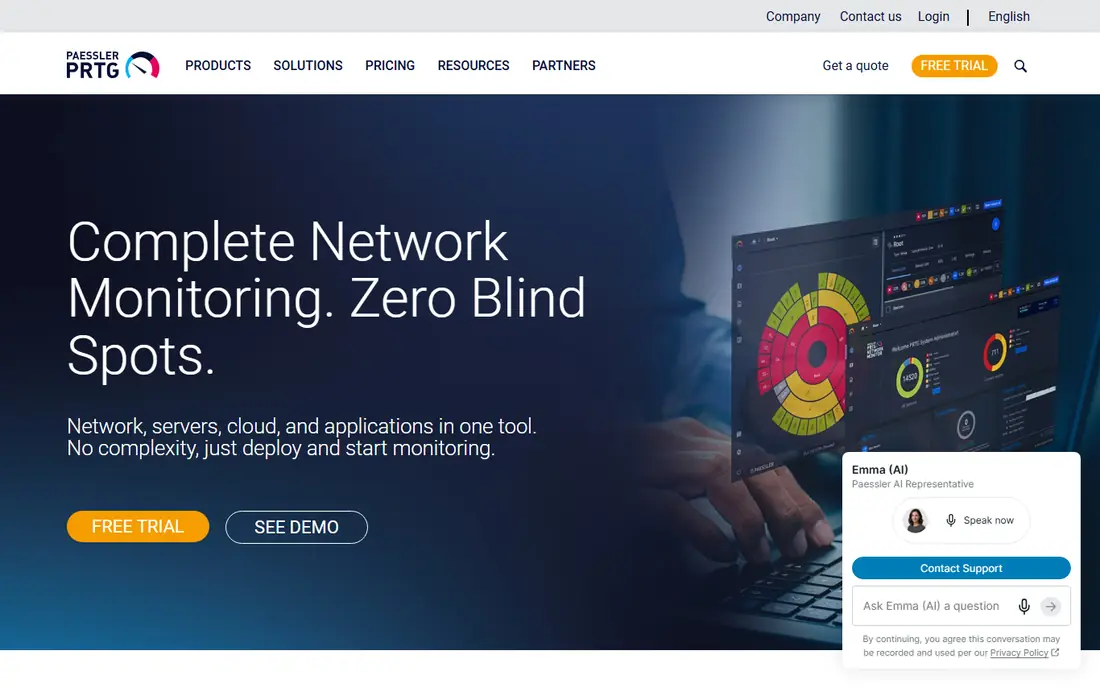
PRTG is built around sensors, where each sensor monitors one thing, such as ping, CPU load or traffic on one switch port. Auto-discovery finds devices on the network and suggests sensors for them, which gets a first dashboard running faster than many rivals. Maps, alerts and reports are included without assembling separate tools, and the free tier covers 100 sensors, which suits a small office or a home lab.
Buyers need to count sensors, not devices. A single 48-port switch can consume many sensors, so a network that looks small on paper can exceed a plan quickly. PRTG works best when you run the trial with your real device list and watch the sensor count grow. For Windows-leaning small teams that want a guided setup, it remains a strong, practical choice.
- Auto-discovery and ready-made sensors
- Clear maps and dashboards
- Free tier with 100 sensors
- Sensor counting can surprise buyers
- Windows-based server heritage
SolarWinds Network Performance Monitor
Who it suits: Large enterprise networks
SolarWinds Network Performance Monitor is aimed at large networks with many routers, switches and firewalls, where deep diagnostics matter more than a quick setup. It covers SNMP polling, traffic analysis through add-ons, and path visualisation that helps engineers find where packets slow down or drop. Organisations that already use other SolarWinds products get the extra benefit of shared data and workflows across the suite.
The trade-offs are price transparency and complexity. Pricing is quote-based and depends on element counts, and flow analysis and other capabilities may require add-ons. Smaller teams will find the setup and cost hard to justify. For large enterprise networks with dedicated network staff, SolarWinds still belongs on the shortlist.
- Deep SNMP and path analysis for large networks
- Mature enterprise feature set
- Wide device support
- Quote-based pricing
- Extra modules add cost
- Heavier setup than cloud tools
OpManager monitors routers, switches, servers and virtual machines across Cisco, Juniper, Fortinet, HP and many other vendors, which suits estates that grew by acquisition rather than by plan. It combines availability, performance, configuration and fault management in one console, with workflows that let larger teams route alarms and automate common responses. A free edition covers small device counts for evaluation and tiny networks.
The honest catch is that the full picture sometimes needs add-ons, particularly for flow-based traffic analysis, so buyers should confirm which features sit in the base plan. The interface also packs in a lot, and new users may need time to tune it down to the views they actually use. For mid-sized and large mixed networks, OpManager offers a good balance of breadth and control.
- Broad multi-vendor device support
- Workflows and alarms for larger teams
- Free edition for small setups
- Add-ons for some flow and advanced features
- Interface can feel busy
Zabbix is open source software that monitors networks, servers, virtual machines, applications and cloud services from one platform, using SNMP, agents, ICMP, IPMI and HTTP checks. Templates let teams define once how a device type should be monitored, and triggers turn metric thresholds into alerts. There is no licence meter punishing you for discovering another switch, which is why large networks with skilled staff choose it.
That freedom is not free in practice. You provide the servers, database, upgrades and tuning, and a poorly designed template set can produce noisy alerts or gaps in coverage. A two-person IT team covering everything else may find that cost higher than a paid licence. For teams with Linux skills and time to invest, Zabbix is the strongest free option on this list.
- Open source with no licence fees
- Monitors networks, servers, VMs and cloud services
- Highly customisable templates and triggers
- Needs Linux and database skills
- Setup, tuning and upgrades take staff time
Nagios has monitored infrastructure for longer than most tools on this list, and that history shows in its plugin library. If a device or service can be checked by a script, SNMP or a simple network probe, someone has probably written a Nagios plugin for it. Nagios XI adds a web interface, dashboards, reporting and configuration wizards on top of the free Nagios Core engine, which makes it easier to run than a purely hand-built setup.
The catch is presentation and setup effort. XI is more polished than Core, but it still feels like a traditional monitoring system rather than a modern cloud dashboard, and complex environments need careful configuration. Teams that already run Nagios plugins, or that value total control over checks, will get the most from it. Teams that want instant maps and minimal setup should look at PRTG or Auvik first.
- Huge plugin library built over many years
- Flexible checks for almost anything
- Nagios Core is free
- Configuration can feel dated
- Modern dashboards need more work than cloud rivals
Auvik is a cloud-managed network monitoring and management tool built for teams that run many sites, especially managed service providers. It discovers devices, builds a live topology map, tracks configuration changes and backs up device configs, all from a central cloud console. When a client site changes, the map changes with it, which saves the manual diagram work that eats time in multi-site support.
Per-device pricing means the bill grows with every site and switch you add, so a single small office may find better value elsewhere. Auvik earns its price when you manage dozens of networks and need one view, fast troubleshooting and config history across all of them. For that audience, it is one of the clearest fits on this list.
- Live topology maps that update automatically
- Cloud-managed multi-site view
- Configuration backup
- Per-device pricing across many sites adds up
- Less suited to single tiny networks
LogicMonitor is a SaaS infrastructure monitoring platform that covers networks, servers, cloud resources and applications through collectors that gather data and send it to the cloud. That design suits hybrid estates where some systems sit on premises and others sit in cloud accounts, since teams get one set of dashboards and alerts without running a large monitoring server farm. Alert grouping and automation help larger teams manage noise across many sites.
Pricing is quote-based and built around devices and metrics, so two buyers with similar device counts can still see different quotes depending on what they monitor. Buyers should ask for a quote based on their real inventory and retention needs, not on a generic device count. For hybrid teams that want SaaS simplicity with enterprise depth, LogicMonitor deserves a trial.
- SaaS delivery with minimal on-prem servers
- Broad hybrid and cloud coverage
- Strong alert operations
- Quote-based pricing
- Billing units need careful reading
Checkmk monitors servers, networks and applications with agents and SNMP, and its rule-based configuration is built for distributed setups where many sites share patterns but differ in detail. Define a rule once, apply it across sites, and let local exceptions handle the differences. The free Raw edition covers many small and mid-sized needs, while the paid Enterprise edition adds features for larger, distributed deployments.
The learning curve is real, particularly around rules, hosts and services, and new users should expect to spend time on the documentation during setup. Once configured, though, Checkmk scales cleanly and avoids the per-device surprise bills of some rivals. It is a strong pick for teams with several sites and a preference for structured, rule-driven management.
- Free Raw edition for smaller setups
- Rule-based configuration scales across sites
- Agent and SNMP coverage
- Enterprise features are paid
- Interface takes time to learn
How we picked these
We compared vendor feature pages, pricing pages, documentation and public reviews, and we required each product to monitor real network devices, not just websites or servers alone. We weighted data sources such as SNMP and flow data, alert quality, deployment options and pricing transparency, and we kept a mix of free, mid-priced and enterprise tools so small teams and large estates both have realistic options. Where a vendor did not publish a clear starting price, we wrote See website rather than repeating a third-party estimate as fact.
How to choose network monitoring software
Start by listing what you actually need to watch: routers and switches, firewalls, servers, cloud resources, or all of them. A tool that only checks website uptime will not help when a switch port saturates, and a full observability platform may be overkill for a single office. Match the data sources to the problem, with SNMP and flow data for network traffic, agents for servers, and synthetics for user-facing paths.
Count the right unit during a trial
Sensor, device, host and metric pricing all count different things, so a cheap plan on one tool can cost more than an expensive plan on another once your real inventory is loaded. Run a trial with auto-discovery on, record the counted units, and ask the vendor what happens when you add a site or a switch. That one exercise prevents most pricing surprises in this category.
Test alerts before you trust the dashboard
A pretty map is easy to demo and hard to live with if alerts are noisy or vague. During a trial, trigger a real failure, such as unplugging a test device or stopping a service, and check how fast the alert arrives, how clearly it names the fault, and whether it groups related alarms. Good monitoring earns trust in that moment, not in a sales demo.
Frequently asked questions
What is the best network monitoring tool for a small business?
Paessler PRTG is a strong small business pick, because auto-discovery, ready sensors and a 100-sensor free tier get a first setup running fast. Zabbix is cheaper in licence terms but needs more staff time, so small teams without Linux skills usually do better with PRTG or a cloud tool.
What is the best home network monitoring tool?
For home use, the free tiers of PRTG and Zabbix, or an open source tool such as LibreNMS, cover the basics without a business price tag. Keep the monitored device count small, since home routers, switches and access points can still consume many sensors or checks if you monitor every port.
What is the best cloud monitoring tool for networks?
Datadog is our pick for cloud networks, because network data sits next to application and infrastructure data in the same platform. LogicMonitor is a strong alternative for hybrid estates that mix on-premises systems with cloud accounts.
What is the best enterprise monitoring software for large networks?
SolarWinds Network Performance Monitor and ManageEngine OpManager both suit large, multi-vendor networks with dedicated network staff. SolarWinds leans deeper on enterprise diagnostics, while OpManager often feels broader across servers and network devices in one console.
Is free network monitoring software good enough?
Yes, for teams with the skills to run it. Zabbix and Checkmk Raw edition monitor large estates at no licence cost, but you pay in setup, tuning and maintenance time. If staff time is scarce, a paid tool with guided setup and support usually costs less in total effort.
What is the difference between SNMP and flow monitoring?
SNMP polls devices for counters such as interface traffic, CPU and memory, which tells you how busy a device is. Flow data records which hosts and applications generate that traffic, which tells you why the link is busy. Most serious network tools use both, since either one alone leaves half the question unanswered.
Sources we checked (9)

Online Jobs is an independent blog about careers, online work, learning new skills and the tools that help people earn. More about us.
Keep reading
All posts
Zoom Alternatives
Zoom alternatives compared for 2026: Google Meet, Microsoft Teams, Webex, Jitsi and more for free calls, large meetings and webinars for teams and classrooms.

Top Rated Poster Maker Software
Top rated poster maker software compared for 2026: Canva, Adobe Express, VistaCreate, PosterMyWall and more for events, sales and classrooms for US users.

Surfshark Alternatives
Looking for Surfshark alternatives? We compare 8 VPN services on price, privacy, streaming, and device limits to help you find a VPN that fits your needs.