Best Law Firm Accounting Software in 2026: 10 Tools Compared

How we put this together: we compare official feature and pricing pages, app store listings, privacy policies and public user reviews. Prices change, so check the provider's site before you pay.
Key takeaways
- CosmoLex and Clio suit firms that want trust and operating accounting inside the practice platform.
- LeanLaw suits firms whose bookkeeper already works in QuickBooks Online and wants legal billing on top of it.
- Time and billing only tools suit firms that already have case software and just need cleaner invoicing.
- Check three way trust reconciliation and your state rules before price, since compliance errors cost far more than a subscription.
Quick comparison
| Name | Who it suits | Starting price | Free option | |
|---|---|---|---|---|
 Clio | billing inside a full practice platform | See website | Free trial | Visit |
 CosmoLex | accounting without QuickBooks | See website | Free trial | Visit |
 MyCase | small firms wanting clear tier pricing | See website | Free trial | Visit |
 PracticePanther | all in one practice and billing | See website | Free trial | Visit |
 LeanLaw | firms that run books in QuickBooks Online | See website | No | Visit |
 TimeSolv | complex billing arrangements | See website | Free trial | Visit |
 Bill4Time | budget minded time and invoicing | See website | Free trial | Visit |
 LEAP | mid-size firms wanting practice plus accounting | See website | No | Visit |
 Tabs3 | mid-size firms needing deep billing | See website | No | Visit |
 QuickBooks Online | general ledger paired with legal tools | See website | Free trial | Visit |
The best law firm accounting software
We compared legal accounting options on trust handling, billing, time capture, and whether accounting lives inside the practice tool or links to QuickBooks. The right pick depends on firm size, trust volume, and how your bookkeeper already works.

For teams that want a proven route to both app stores, Clio combines practice management, billing, time tracking, and client tools in one cloud platform, with accounting options that reduce separate bookkeeping work. It suits small to mid-size firms that want one system for matters, clients, and money. The trade is tiering, since accounting depth, payments, and advanced features sit on different plans, so map your needs to tiers before buying. Check the current pricing page and the free tier limits before you commit, since plan details change and the entry tier may cap builds, seats, or usage.
- Broad practice management
- Built-in accounting options
- Large integration library
- Pricing grows with tiers and users
- Accounting depth varies by plan
- Setup needs time
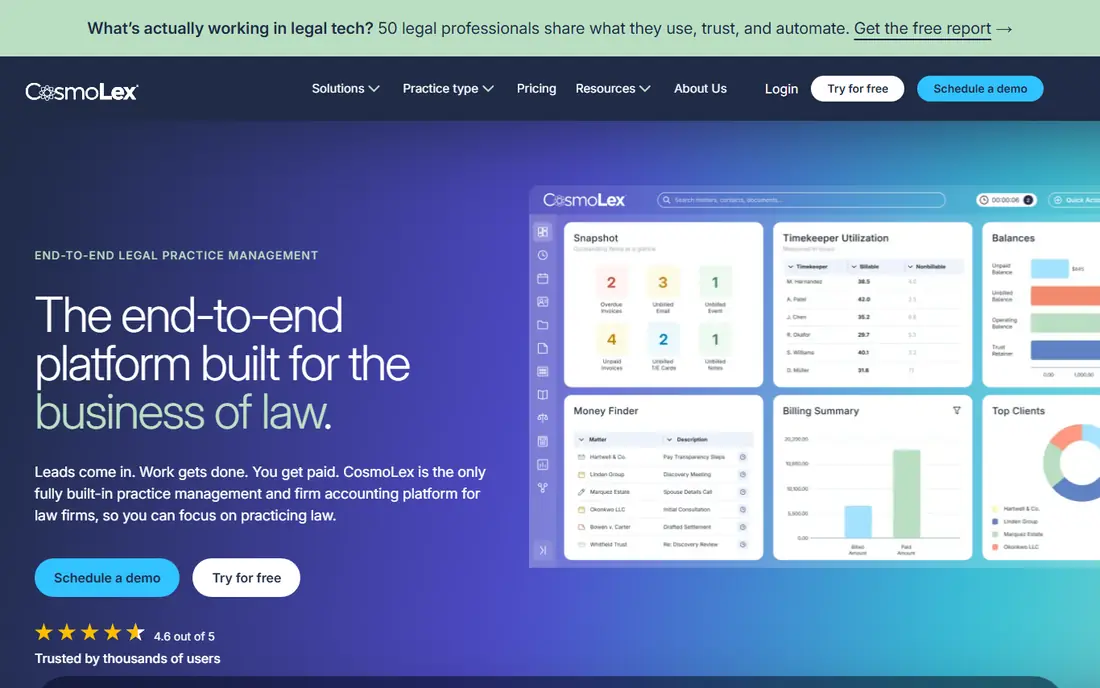
If your team already works in a matching language or stack, CosmoLex builds legal accounting into the core, so trust, operating, billing, and matters share one ledger. It suits firms where trust compliance is the main pain and a single consistent record matters more than a huge app library. The trade is breadth, since tools outside accounting are narrower, so check case and document needs during a trial. Run a small pilot with a real feature from your backlog, and judge it on build time, store submission, and how easy fixes are after release.
- Built-in legal accounting
- Three way trust reconciliation
- One ledger for matters and money
- Integration library is smaller than Clio
- Feature breadth outside accounting is narrower
- Pricing needs a quote check
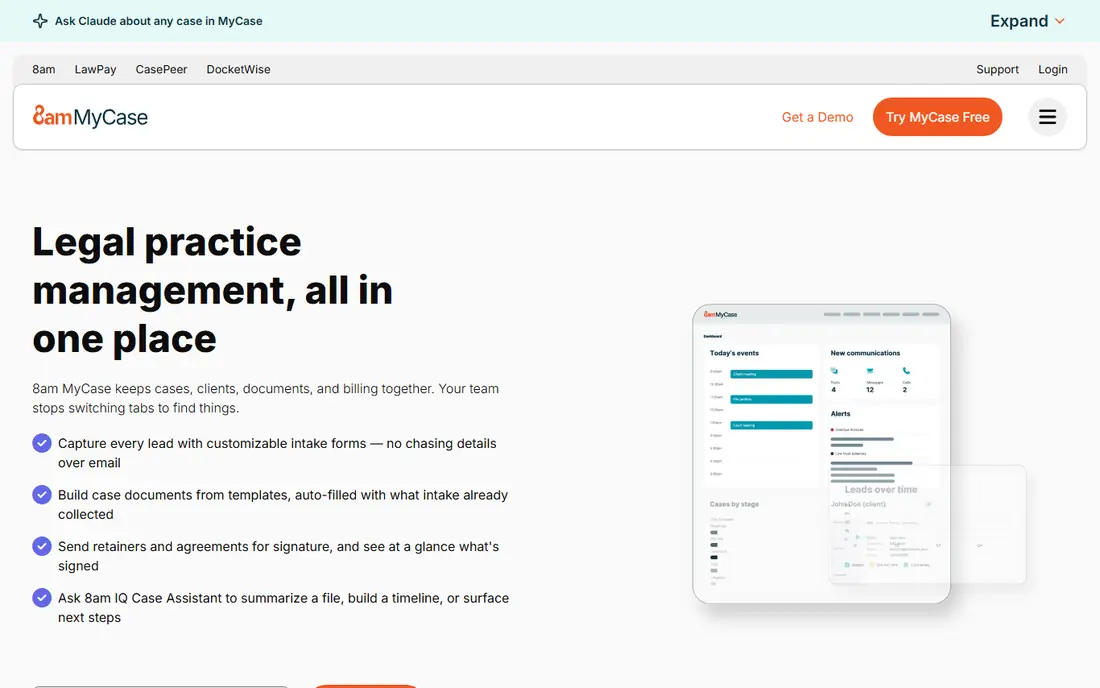
When a single shared codebase matters more than a native look, MyCase gives small firms case management, billing, time tracking, and client communication in one login, with a client portal for messages and payments. It suits solo and small firms that want one simple system. The trade is accounting depth, since full accounting may need an add-on, so price that add-on into your comparison. Ask who will maintain the project in six months, and pick the option your current team can support without hiring for a new language.
- Case, billing, and client communication in one login
- Clear tier structure
- Client portal
- Accounting add-on costs extra on some tiers
- LEDES depth varies
- Larger firm workflows may feel limited
As a practical choice for a first release, PracticePanther covers practice management, billing, payments, and client intake in one platform for small to mid-size firms. It suits firms that want billing and case work together without stitching several tools. The trade is clarity, since current pricing pages lean on quotes, so get a written quote for your user count. Check the current pricing page and the free tier limits before you commit, since plan details change and the entry tier may cap builds, seats, or usage.
- Practice management plus billing
- Payments and client tools
- Automation for routine tasks
- Pricing is quoted on current pages
- Accounting depth needs checking
- Custom workflows are limited
For projects where design control is the main concern, LeanLaw is built to run legal billing and trust work on top of QuickBooks Online, with a live two way link to the ledger your bookkeeper already uses. It suits firms whose accountant insists on QuickBooks access. The trade is dependence, since you pay for QuickBooks plus LeanLaw, and case work may need a separate tool. Run a small pilot with a real feature from your backlog, and judge it on build time, store submission, and how easy fixes are after release.
- Native QuickBooks Online sync
- Legal billing and trust handling
- Real time ledger link
- Requires QuickBooks Online
- Case management is not its core
- Per user pricing adds up
Where speed of setup beats depth of customisation, TimeSolv focuses on time tracking and billing for firms with split billing, flat fees, and varied rate structures. It suits firms that already have case software and need billing depth more than a full practice suite. The trade is scope, since case and trust work need other tools or add-ons, so price the full stack. Ask who will maintain the project in six months, and pick the option your current team can support without hiring for a new language.
- Flexible time tracking and billing
- Multiple billing arrangements
- Reporting for billers
- Case management is not included
- Trust features are limited
- Setup needs care for complex rates
If you need to reuse web skills for a mobile release, Bill4Time offers straightforward time tracking, invoicing, and payments for solo and small firms at a lower entry price than full suites. It suits firms that need clean billing without a large practice platform. The trade is depth, since trust and case features are lighter, so firms with high trust volume should look elsewhere. Check the current pricing page and the free tier limits before you commit, since plan details change and the entry tier may cap builds, seats, or usage.
- Simple time and billing
- Lower entry pricing
- LEDES on higher tiers
- Trust accounting is limited
- Case features are light
- Higher tiers are needed for advanced billing
For a smaller team that wants to keep maintenance simple, LEAP combines practice management, accounting, and document automation for mid-size firms. It suits firms that want matter workflows, billing, and documents in one system with local support. The trade is onboarding, since the full feature set takes time to learn, so plan training into the first month. Run a small pilot with a real feature from your backlog, and judge it on build time, store submission, and how easy fixes are after release.
- Practice management with accounting
- Document automation
- Matter based workflows
- Quoted pricing
- Learning curve for full feature set
- Integration depth varies by region
When the app must reach several device types at once, Tabs3 offers deep billing, practice management, and accounting tools with a long history in legal markets. It suits mid-size firms that need detailed billing control and want on-premise or cloud deployment choice. The trade is modern feel, since the interface and setup reflect its long history, so trial the daily billing workflow first. Ask who will maintain the project in six months, and pick the option your current team can support without hiring for a new language.
- Deep billing and practice tools
- On-premise and cloud options
- Long legal market history
- Entry pricing is higher than simple tools
- Interface feels older
- Cloud and on-premise plans differ
As an option for teams with a clear existing workflow, QuickBooks Online is the general accounting ledger many bookkeepers and accountants already use, and law firms often pair it with LeanLaw, Clio, or a similar legal layer. It suits firms whose finance workflow is already built around QuickBooks. The trade is legal fit, since trust accounting, matter billing, and legal reports need that added legal layer, not QuickBooks alone. Check the current pricing page and the free tier limits before you commit, since plan details change and the entry tier may cap builds, seats, or usage.
- Familiar general ledger
- Huge accountant network
- Wide app ecosystem
- No built-in legal trust accounting
- Needs a legal layer for law firms
- Trust setup is manual
How we picked these
We compared official feature pages, pricing pages, app store listings, and public reviews for each product, and we kept only products that exist and fit the topic today. Where a price or free tier could not be confirmed on a vendor page, we wrote See website rather than guessing a number. We also weighed fit for different team sizes, since a tool that suits a large enterprise may be a poor fit for a small team, and the reverse is also true. Products that needed a workaround for the core job, or that had closed or changed focus, were left out.
How to choose law firm accounting software
Start with trust accounting rules
Confirm three way reconciliation, trust to operating transfers, and audit reports for your jurisdiction. If your firm holds client funds, this check comes before billing features, integrations, or price.
Decide on one ledger or a linked ledger
A built-in ledger keeps matters, billing, and trust in one record. A QuickBooks linked setup keeps your bookkeeper in a familiar ledger but adds sync work. Pick the model your bookkeeper can actually maintain.
Test billing from time entry to payment
Run a real matter from time entry through invoice, trust payment, and operating transfer during a trial. Check LEDES billing, payment links, and reporting, since those steps reveal gaps that a feature list hides.
Frequently asked questions
What is the best accounting software for a small law firm?
Clio, MyCase, and CosmoLex all suit small firms, for different reasons. Clio offers the broadest platform, MyCase offers clear tier pricing, and CosmoLex offers built-in legal accounting without QuickBooks.
Does QuickBooks work for law firms?
Yes, with legal billing tools such as LeanLaw or with careful trust setup. QuickBooks alone does not provide legal trust accounting out of the box, so firms holding client funds need a legal layer or a legal ledger.
What is trust accounting in law firm software?
Trust accounting tracks client funds held in trust, separate from firm operating funds. It requires reconciliation of bank, book, and client ledger balances, plus clear transfer records when fees are earned.
Is legal accounting software different from general accounting software?
Yes. Legal tools add matter based billing, trust ledgers, retainer handling, and legal invoice formats that general tools do not include by default.
Can small firms start with time and billing only?
Yes, if case work lives elsewhere and trust volume is low. As trust work grows, a built-in legal ledger usually saves reconciliation time and reduces error risk.
Sources we checked (10)

Online Jobs is an independent blog about careers, online work, learning new skills and the tools that help people earn. More about us.
Keep reading
All posts
Best Legal AI Tools
Best legal AI tools compared in 2026: Harvey, CoCounsel, Lexis+ AI and more for research, drafting and contract review, with prices, pros and cons for firms.

Best AI contract review software
Best AI contract review software and tools compared for clause extraction, risk flags, playbook checks, and full contract lifecycle management work in 2026.

n8n Alternatives
n8n alternatives compared for 2026, with Zapier, Make, Activepieces, and more, covering visual builders, code steps, self-hosting, and pricing models.