Best Journal App in 2026: 8 Apps Compared

How we put this together: we compare official feature and pricing pages, app store listings, privacy policies and public user reviews. Prices change, so check the provider's site before you pay.
Key takeaways
- Day One is the strongest all-round journal, with encrypted sync, media entries and printed books, but its best features need a paid plan.
- Journey is the best choice for mixed devices, since it runs on every major platform including Windows, Linux and the web.
- Apple Journal costs nothing and needs no account beyond an Apple ID, but it only works on Apple devices.
- If writing feels hard, Daylio tracks mood in taps, while Rosebud and Reflection use AI prompts to get you started.
- Privacy varies: Day One and Journey offer end-to-end encryption, while Diarium keeps data on your own storage instead.
Quick comparison
| Name | Who it suits | Starting price | Free option | |
|---|---|---|---|---|
 Day One Day One | Best all-round journal | $49.99 per year | Yes | Visit |
 Journey Journey | Every platform | $49.99 per year | Yes | Visit |
 Apple Journal Apple Journal | Free Apple journaling | Free | Yes | Visit |
 Penzu Penzu | Private online diary | $29.99 per year | Yes | Visit |
 Diarium Diarium | No-subscription journaling | $14.99 one-time | Yes | Visit |
 Daylio Daylio | Mood tracking without writing | $2.99 per month | Yes | Visit |
 Rosebud Rosebud | AI-guided reflection | $8.99 per month | Yes | Visit |
 Reflection Reflection | AI coach and mental health | See website | Yes | Visit |
The best journal apps
A journal app only works if you actually open it, so the best choice is the one that fits your devices, your budget and your tolerance for blank pages. Some people want a beautiful writing space, others want prompts, and some just want to tap a mood and move on. The eight apps below cover all three styles, and every one has a free tier or a free version to try first.
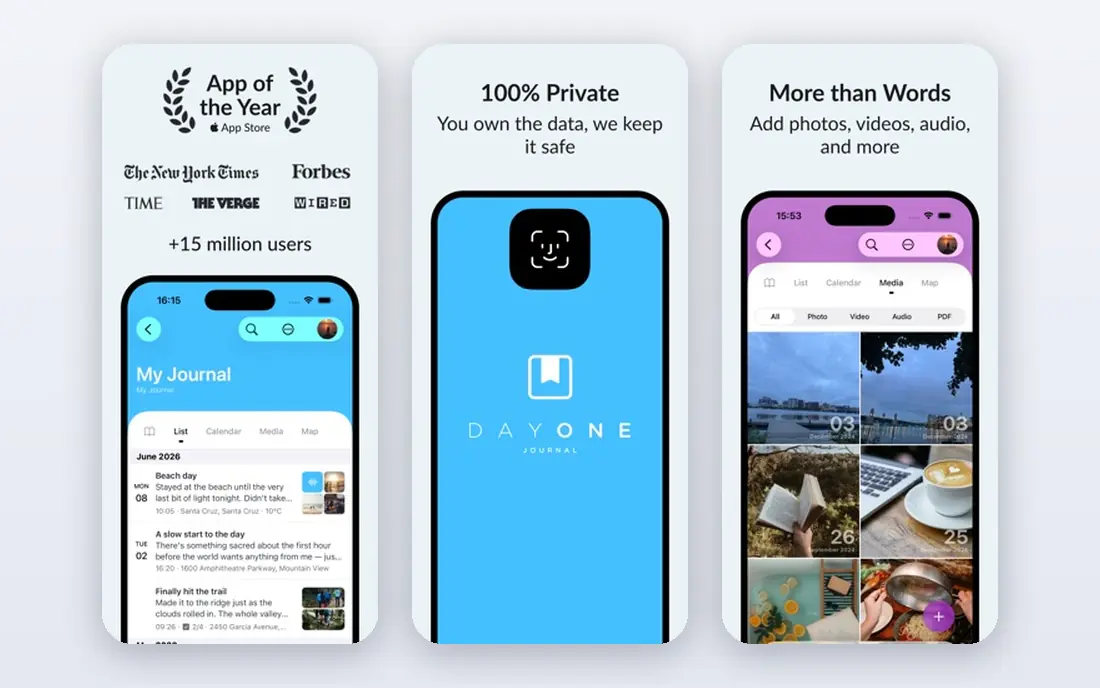
Day One is the closest thing this category has to a default pick. It runs on iPhone, iPad, Mac, Android and the web, syncs with end-to-end encryption, and handles photos, video, audio and location in each entry without fuss. The On This Day feature resurfaces old entries, which is often what turns occasional writing into a habit, and you can print entries as a physical book.
The free Basic tier covers unlimited entries, but sync, media and integrations need Silver at $49.99 per year, and AI features sit in Gold at $74.99 per year. If you want one journal that does nearly everything well and you are willing to pay annually, Day One is where most people should start.
- End-to-end encrypted sync
- Rich media entries
- On This Day memories and printed books
- Best features sit behind paid plans
- Apple experience is more polished than Android
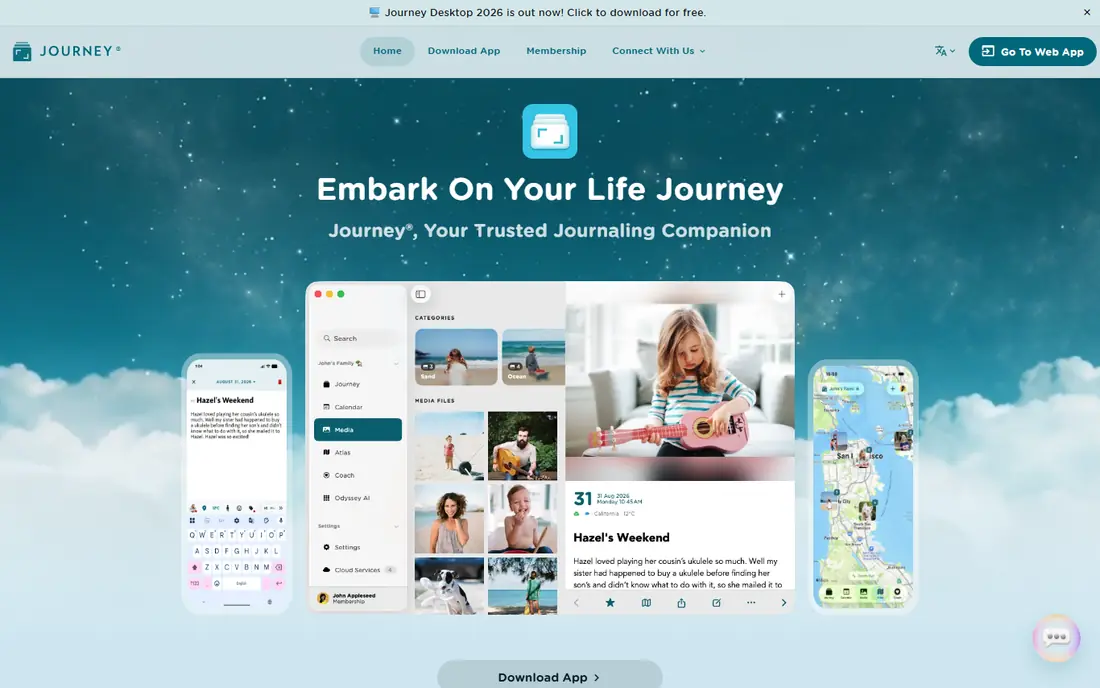
Journey wins on ubiquity. Where Day One leans Apple-first, Journey runs natively on Windows and Linux as well as Apple and Android devices, with a web app on top, so a mixed-device household can share one journal. It supports photos, video, audio, mood tracking, maps and shared journals with family, and its homepage confirms end-to-end encryption for cloud sync.
Membership costs $49.99 per year or $6.99 per month, and the free tier limits some features. The interface packs in more options than Day One, which can feel busy at first. If your devices span platforms, Journey is the practical pick.
- Runs on Windows, Linux, Mac, iOS, Android and web
- Shared journals
- End-to-end encryption
- Interface is busier than Day One
- Some features need the membership tier

Apple Journal comes built into iPhone, iPad and Mac at no cost, which makes it the easiest journal to start: there is nothing to buy and no new account to create. It suggests moments from photos, workouts, locations and music, supports photos, audio and drawings, and keeps entries private on device with encryption through iCloud.
The limits are platform and depth. There is no Android, Windows or web version, and it lacks the templates, printing and advanced organization of Day One or Journey. For Apple owners who want a free, private daily journal, it is genuinely good, and the price cannot be beaten.
- Completely free
- Built into iPhone, iPad and Mac
- On-device suggestions and encryption
- Apple devices only
- Fewer features than dedicated journal apps
Penzu has run an online diary since 2008, and its pitch is privacy first: double password protection, encryption locking on paid plans, and unlimited entries even on the free tier. It works in any browser plus iOS and Android apps, with reminders, custom journal covers and search. Its homepage lists Pro at $29.99 per year, adding encryption locking, tagging, PDF export and prompts.
The apps feel simpler than Day One or Journey, and power features like templates are thinner. For someone who wants a private diary accessible from any computer, with a long track record, Penzu is a steady choice.
- Unlimited free entries
- Double password protection
- Works in any browser
- Mobile apps are simpler than rivals
- Best customization needs Pro
Diarium takes a different approach to privacy and pricing: no account is required, entries can stay on your device, and optional sync runs through your own OneDrive, Google Drive, Dropbox, iCloud or WebDAV storage rather than a vendor cloud. Pro is a one-time purchase per platform instead of a subscription, and its homepage confirms that model. It supports rich text, attachments, maps, calendars, tags and imports from Day One, Journey and others.
The trade-off is setup. Sync requires your own cloud account and Pro on each platform, and the Windows app is paid rather than free. If subscriptions put you off and you like owning your data, Diarium is the best no-subscription journal available.
- No account required
- Sync through your own cloud storage
- One-time Pro purchase
- Windows version is paid
- Sync setup needs your own cloud account
Daylio suits people who will never keep a written diary. Each entry takes two taps: pick a mood, pick activities, done. Over weeks it builds charts and correlations showing what lifts or lowers your mood, plus a Year in Pixels view and goal tracking. Its homepage states that entries stay in the app's private storage and are not sent to Daylio servers.
It is not a writing journal, though notes and photos can be added, and the most detailed statistics need Premium. For mood tracking and habit insight with almost no effort, Daylio is the easiest habit on this list to keep.
- Two-tap entries with no writing required
- Rich mood and activity statistics
- Data stays on device
- Not a writing journal
- Deeper stats need Premium
Rosebud is an AI journal that talks back. You write or speak an entry, and its AI mentor asks follow-up questions, spots patterns across entries and writes daily summaries that connect today's thoughts with past ones. Its homepage lists Bloom at $8.99 per month billed annually, with a free tier to start, and student and disability discounts are offered.
The AI focus is also the limit: if you want a plain diary, Rosebud's conversation layer may feel like more than you asked for, and photo entries are not its strength. For people who journal to understand themselves better, its guided reflection is the most helpful in this roundup.
- AI mentor asks follow-up questions
- Daily summaries draw on past entries
- Voice journaling
- AI features are the point, so it suits reflective users more than plain diary keepers
- No photo entries highlighted
Reflection pairs a clean journal with a free AI coach that asks questions as you write, helping a short entry turn into real reflection. Its homepage states entries are encrypted, never used to train AI models, and fully exportable, with funding from subscriptions rather than data sales. Premium adds a library of over 100 guided journals and deeper insights.
The homepage does not publish the Premium price, so we list it as "See website" rather than guessing. The guided structure will not suit writers who prefer a blank page, but for building a consistent reflection habit with mental health in mind, Reflection is a thoughtful pick. These apps support reflection and habit building; they are not a substitute for professional mental health care.
- Free AI coach on the free plan
- Entries never used to train AI
- 100-plus guided journals on Premium
- Premium price not shown on the homepage
- Guided structure suits some writers less than a blank page
How we picked these
We compared official feature pages, pricing pages and app store listings for each app, and checked that every homepage listed here loads and belongs to the product named. We favored apps with a real free tier, clear privacy practices and a current version in October 2026, and we excluded general note apps without a journaling focus. Prices come from vendor pages, and we use "See website" where a price could not be confirmed on the vendor's own site.
What to check before you choose
Start with your devices, since Apple Journal only serves Apple hardware while Journey and Diarium cover nearly everything. Next, decide how you journal: blank-page writers suit Day One or Penzu, prompt lovers suit Rosebud or Reflection, and tap-only trackers suit Daylio. Finally, check the exit: confirm the app exports your entries in a usable format before you commit years of writing to it, since a journal you cannot leave is a journal you do not own.
Frequently asked questions
What is the best journal app overall?
Day One, for its depth: encrypted sync, media entries, memories and printed books, with a free tier to start. Journey is the best cross-platform alternative, and Apple Journal is the best free option for Apple owners.
What is the best journaling app for mental health?
Reflection and Rosebud both use AI coaching to guide reflection, and Reflection's free plan includes its AI coach. Daylio helps by tracking mood patterns over time. None of these replace professional care, and anyone struggling should seek qualified support.
Is there a good free journaling app?
Yes. Day One's free Basic tier allows unlimited entries, Journey and Penzu both have free tiers, Apple Journal is completely free on Apple devices, and Diarium is free on most platforms with a one-time Pro upgrade.
Can I journal without writing?
Yes. Daylio captures mood and activities in taps and builds statistics from them, and Rosebud accepts voice entries. Both suit people who will not keep a written diary.
How do I keep my journal private?
Use apps with encryption, such as Day One's end-to-end encryption, or local-first storage like Daylio and Diarium. Check export options before committing, and back up your entries regularly.
What is the best diary app for Android and Windows?
Journey, since it runs natively on Android, Windows, Mac, iOS, Linux and the web with cloud sync. Diarium is the best no-subscription alternative across the same platforms.
Sources we checked (8)

Online Jobs is an independent blog about careers, online work, learning new skills and the tools that help people earn. More about us.
Keep reading
All posts
Best workout apps for women
Compare the best workout apps for women in 2026, from free guided classes to structured strength plans, with current prices, free plans and honest trade-offs.

Best Yoga App
Find the best yoga app for home practice in 2026, with verified prices, free options, class styles, trials and honest limits for 10 yoga apps compared.
Best Workout Tracker App
We compared the best workout tracker app options for gym, home, and running training, checking prices, free plans, and logging tools in detail. See inside.