Best Investing Apps in 2026: 10 Apps Compared

How we put this together: we compare official feature and pricing pages, app store listings, privacy policies and public user reviews. Prices change, so check the provider's site before you pay.
Key takeaways
- Fidelity is our pick for most beginners, because it offers $0 stock and ETF commissions, fractional shares, and strong retirement accounts.
- Schwab is a close alternative for investors who want full-service support at DIY prices.
- Robinhood, Webull, and Public suit mobile-first investors who want a simple app and $0 stock and ETF trades.
- Acorns and Betterment suit hands-off investors, but a flat monthly fee hits a small balance harder than a percentage fee.
- This is not financial advice; trading carries risk, and you can lose money, so check fees, account types, and fund costs before you invest.
Quick comparison
| Name | Who it suits | Starting price | Free option | |
|---|---|---|---|---|
 Fidelity Fidelity | All-round beginners | Free | Yes | Visit |
 Charles Schwab Charles Schwab | Retirement and support | Free | Yes | Visit |
 Robinhood Robinhood | Mobile-first trading | Free | Yes | Visit |
 Vanguard Vanguard | Index funds and IRAs | Free | Yes | Visit |
 Webull Webull | Active traders and practice | Free | Yes | Visit |
 SoFi Invest SoFi Invest | All-in-one finance | Free | Yes | Visit |
 Acorns Acorns | Spare-change investing | $4 per month | Free trial | Visit |
 Betterment Betterment | Hands-off portfolios | $5 per month | No | Visit |
 Public Public | Social and multi-asset investing | Free | Yes | Visit |
 M1 Finance M1 Finance | Automated portfolios | Free | Yes | Visit |
The best investing apps
Investing apps differ by control. A self-directed broker lets you pick stocks and ETFs, a robo-advisor picks and manages a portfolio for you, and a micro-investing app rounds up spare change. The list below covers all three, so you can pick by how much control you want and how much you will invest.
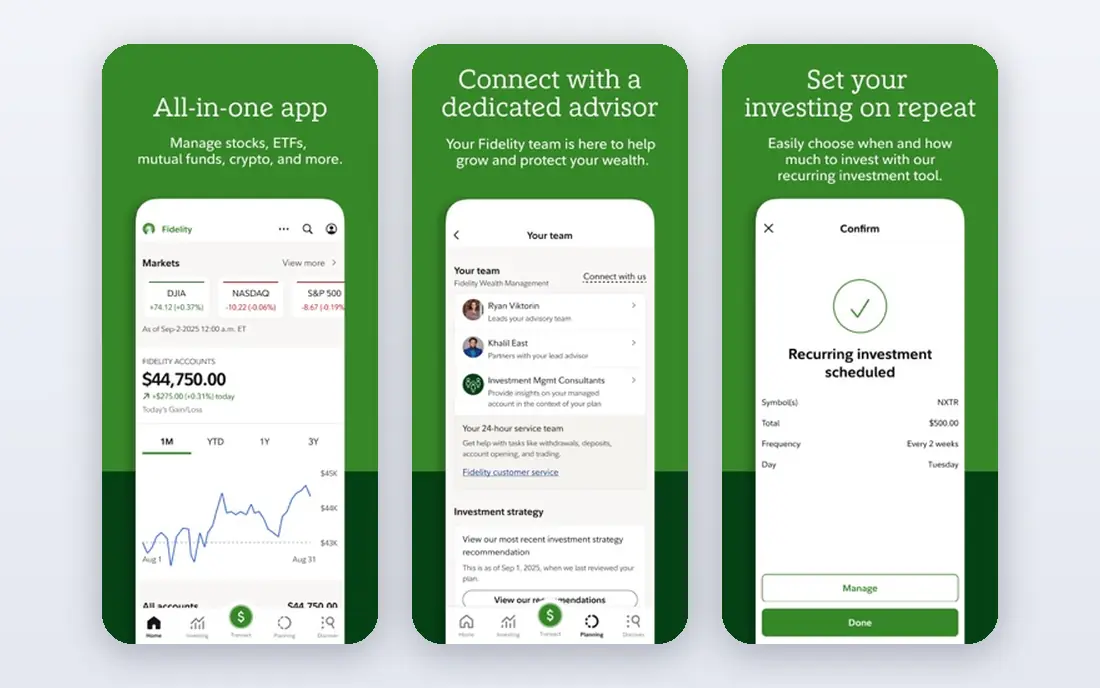
Fidelity is our pick for most beginners because it covers the full journey, from a first stock purchase to retirement accounts, without a commission on online United States stock and ETF trades. Fractional shares from $1 let you start with a small amount, and research, education, and customer support help a new investor learn without paying for advice. There is no account minimum for core brokerage accounts.
The breadth can overwhelm a first-time user, because Fidelity offers many account types, funds, and tools. Start with one account type, such as a brokerage account or a Roth IRA, and one simple plan, such as regular ETF purchases. Fidelity suits a long-term investor who wants low costs plus room to grow, not a trader who wants the flashiest mobile app.
- $0 commissions on online United States stocks and ETFs
- Fractional shares from $1
- Strong IRAs and research
- The app and site offer so much that beginners can feel overwhelmed at first
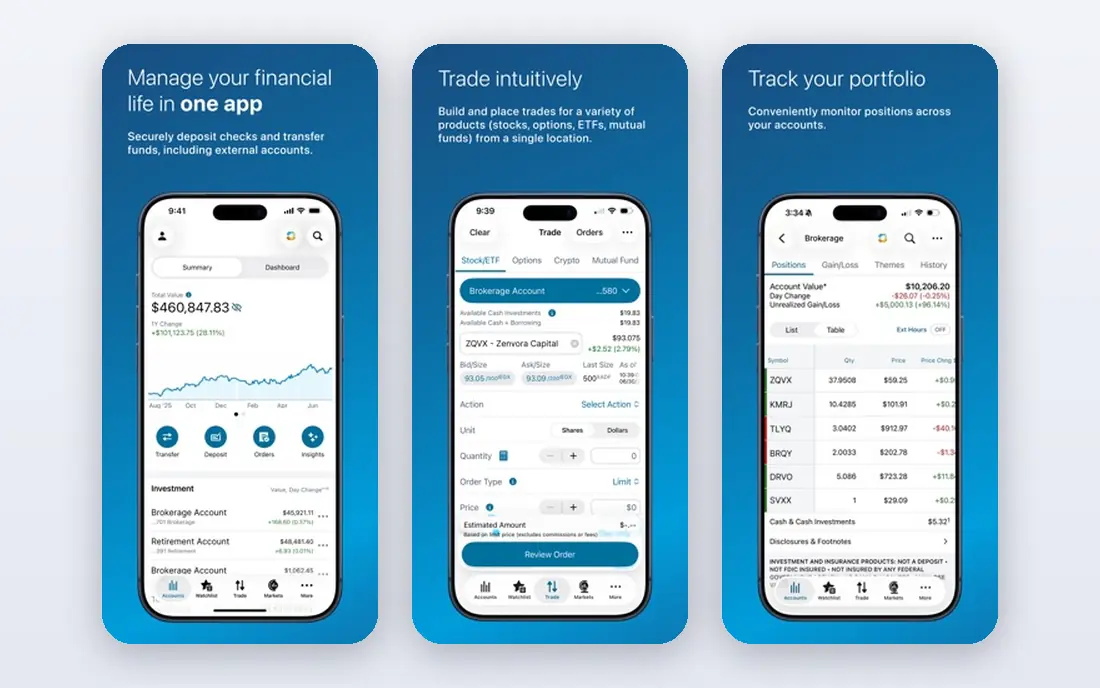
Charles Schwab is a close alternative to Fidelity for investors who want a full-service broker at DIY prices. It offers $0 commissions on online United States stock and ETF trades, no minimum to open a brokerage account, and support by phone, online, and in branches. That support matters for a retirement saver who wants help with an IRA rollover or a tax question.
Schwab tools feel more traditional than the newest mobile apps, and the app is less playful than Robinhood. That is a strength for a long-term investor who values stability and support over social features. If you want a broker you can call, with retirement accounts and research, Schwab is a strong pick.
- $0 commissions on online United States stocks and ETFs
- No minimum to open a brokerage account
- Strong support and branches
- Some tools feel more traditional than Robinhood or Public
- Cash features vary by account
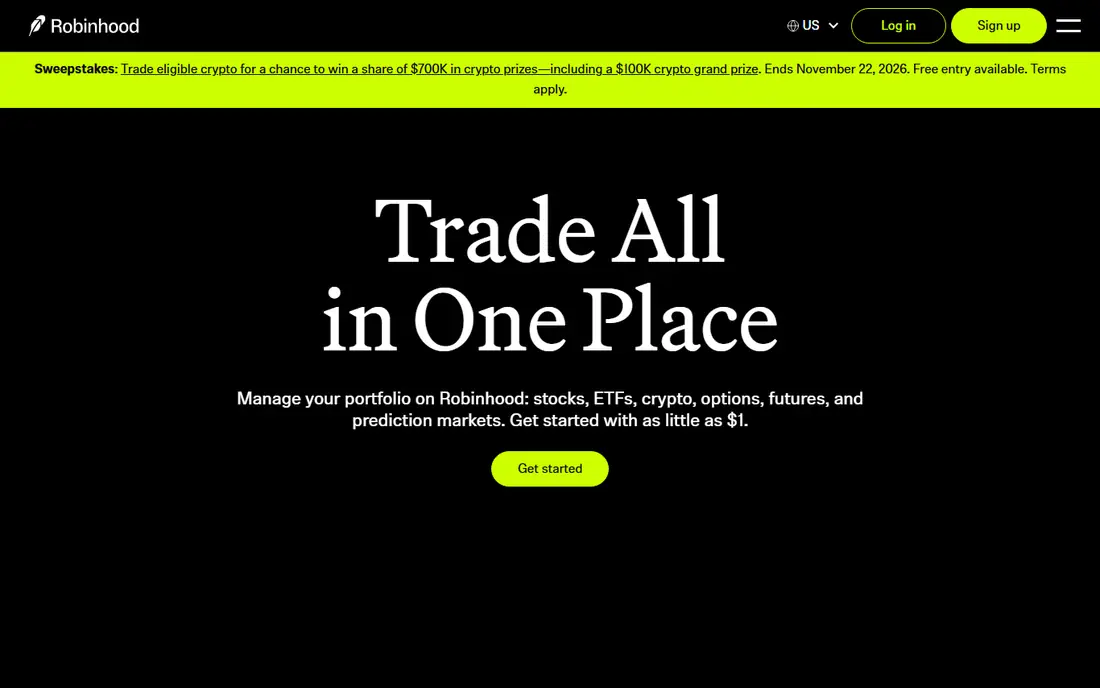
Robinhood is the most mobile-first app on this list, with a simple design that makes a first trade fast. It offers $0 commissions on stock and ETF trades, fractional shares from $1, and options trading with no contract fee in its standard offering. For a beginner who wants to learn by doing small trades, Robinhood removes many barriers.
The simplicity has a cost. Research, retirement planning tools, and education are thinner than at Fidelity or Schwab, and the app design can encourage frequent trading, which is risky for a long-term plan. Robinhood Gold, at $5 per month, adds features such as a higher instant deposit limit and research, but it is optional. Use Robinhood for simple mobile investing, and pair it with a written plan to avoid impulsive trades.
- $0 commissions on stock and ETF trades
- Fractional shares from $1
- A simple mobile app
- Research and education are thinner than Fidelity or Schwab
- Optional Gold subscription adds cost
Vanguard suits investors who want low-cost index funds and a simple retirement plan. It offers $0 commissions on online United States stock and ETF trades, and its own index funds are known for low expense ratios, which matter more over decades than a flashy app. IRA options are straightforward, which helps a first-time retirement saver.
The app and website feel plain compared with Robinhood or Public, and active trading tools are limited. Vanguard is not the pick for a day trader or a social investor. For a long-term investor who will buy index funds regularly and leave them alone, Vanguard is a strong, low-cost choice. This is not financial advice; check fund expense ratios and account terms before you invest.
- $0 commissions on online United States stocks and ETFs
- Low-cost index funds
- Simple IRA options
- The app and site feel plain
- Trading tools are lighter than Webull or Robinhood
Webull suits an investor who wants pro-level charts, data, and practice trading for free. It offers $0 commissions on stock, ETF, and options trades, plus paper trading with virtual money, so a beginner can practice without risking real cash. Advanced charts, screeners, and extended hours trading appeal to active traders who outgrow a simple app.
That depth can overwhelm a first-time investor, and the focus on active trading can encourage too many trades. Webull is a good second app for learning and practice, and a good primary app for an active trader who wants data. For a long-term buy-and-hold investor, Fidelity, Schwab, or Vanguard will feel calmer and simpler.
- $0 commissions on stocks, ETFs, and options
- Free paper trading
- Advanced charts and data
- The interface can overwhelm beginners
- Research is geared to active traders
SoFi Invest suits a user who wants investing alongside banking, loans, and budgeting in one app. Active investing starts from $5, automated investing starts from $50, and stock and ETF commissions are $0. That combination helps a young professional who wants one financial app for several needs, rather than a separate broker, bank, and loan app.
Research and advanced trading tools are thinner than at Fidelity, Schwab, or Webull, and SoFi automated portfolios still carry underlying fund costs. SoFi is a good pick for a simple, all-in-one start, especially for automated investing. If you later want deeper research or a wider fund choice, you can keep SoFi for banking and open a specialist broker account.
- $0 commissions on stock and ETF trades
- Active investing from $5 and automated from $50
- Banking and loans in one app
- Research is thinner than Fidelity or Schwab
- Automated portfolios charge no management fee but fund costs still apply
Acorns helps people who struggle to save by rounding up purchases and investing the spare change into a diversified portfolio. That habit is powerful, because it turns everyday spending into regular investing without a large monthly decision. Acorns also offers checking, retirement, and family accounts on higher tiers, which suit a household that wants one simple system.
The fee needs care. Acorns Bronze starts at $4 per month, which is $48 per year. On a $1,000 balance, that is 4.8 percent per year before fund costs, which is high. On a larger balance, the percentage drops, but a percentage-based robo-advisor may still cost less. Acorns suits a beginner who needs a habit more than a low fee, and who will grow the balance steadily.
- Round-ups turn spare change into investments
- Automated portfolios
- Simple for beginners
- A flat monthly fee hits a small balance hard
- Investment choice is limited to portfolios
Betterment is a robo-advisor that builds and manages a diversified portfolio based on your goals, risk level, and time horizon. It rebalances, reinvests dividends, and offers tax-loss harvesting on qualifying plans, which saves a hands-off investor from daily decisions. Goal-based planning helps a saver link an account to retirement, a house deposit, or a general investing goal.
Pricing starts at $5 per month, or 0.25 percent per year with a qualifying balance or monthly deposits, so check which tier applies to you. A flat $5 per month is $60 per year, which is high on a small balance. Betterment suits an investor who wants a managed portfolio and will fund it regularly, not someone with a very small, one-off balance.
- Fully managed portfolios
- Goal-based planning
- Tax-loss harvesting on qualifying plans
- No free plan
- The monthly fee can outweigh a percentage fee on a small balance
Public combines a brokerage app with a social feed, where users can follow other investors, see what they buy, and discuss ideas. It offers $0 commissions on stock and ETF trades, fractional shares from $1, and access to stocks, ETFs, bonds, and other assets in one app. For a beginner who learns by watching others, that social layer can make investing less lonely.
Social investing carries a risk. Following another user is not a plan, and popular trades can be wrong. Use Public to learn and to compare ideas, not to copy trades without research. Public suits a mobile investor who wants community and multi-asset access, while Fidelity or Schwab suit an investor who wants research and retirement depth first.
- $0 commissions on stocks and ETFs
- Fractional shares from $1
- A social feed for learning from other investors
- Social features can encourage copy trading
- Research depth varies by asset
M1 Finance lets you build a Pie, which is a portfolio of stocks and ETFs with target percentages, then automates purchases to keep those targets. Self-directed brokerage accounts carry no commissions, and recurring investments help a long-term investor buy regularly without manual trades. That structure suits a DIY investor who wants automation without handing control to a robo-advisor.
M1 uses trading windows rather than instant intraday trading for most orders, so it is not suited to active day trading. Advanced charting and research are thinner than Webull. M1 suits a long-term investor who knows what to own, wants automation, and will invest regularly. For a hands-off investor who wants a managed portfolio, Betterment or SoFi automated investing may fit better.
- Self-directed accounts with no commissions
- Automated Pie portfolios
- Recurring investments
- Trading windows limit intraday control
- Advanced tools are thinner than Webull
How we picked these
We compared official feature pages, fee schedules, app store listings, and public reviews for investing apps that serve United States investors in 2026. We favored apps with clear $0 commission terms, low minimums, fractional shares, and honest notes on flat fees versus percentage fees. We did not claim hands-on testing, and we did not rank an app higher for a social feature or a bonus that does not change long-term costs.
This is not financial advice. Investing carries risk, including loss of principal, and past performance does not predict future results. Check the fee schedule, account type, and fund expense ratios before you open an account, and consider advice from a qualified professional for retirement or tax decisions.
What to check before you open an account
Start with the account type, not the app design. A brokerage account, a Roth IRA, and a traditional IRA have different tax rules, contribution limits, and withdrawal rules, and the right choice depends on your income, age, and goals. Open one account first, fund it regularly, and learn its rules before adding more accounts.
Fees that matter most
Stock and ETF commissions are $0 at most brokers here, so look at the fees that remain. Fund expense ratios, robo-advisor management fees, flat monthly fees, margin interest, and transfer or account fees can matter more than commissions. A $4 or $5 monthly fee is small in dollars, but large as a percentage on a small balance, so compare fees at your actual balance.
Fractional shares, automation, and account types
Fractional shares let you start with $1 or $5, which helps a beginner buy a diversified ETF without saving for a full share. Automation, such as recurring investments and dividend reinvestment, helps a long-term plan survive busy months. Check that the app offers the account type you need, such as a Roth IRA, a traditional IRA, or a custodial account for a child.
Behavior, risk, and diversification
The biggest risk for a new investor is not the app, but behavior, such as panic selling, chasing popular stocks, or trading too often. A diversified ETF portfolio, regular contributions, and a written plan help more than a new feature. Set a risk level you can hold through a market fall, and review your plan yearly rather than reacting to daily news.
Frequently asked questions
What is the best investment app?
Fidelity is our pick for most investors, because it combines $0 stock and ETF commissions, fractional shares, retirement accounts, and strong support. Schwab is a close alternative, while Robinhood suits mobile-first users. The best app for investing for you depends on whether you want control, automation, or a simple mobile experience.
What is the best app for buying stock?
Fidelity, Schwab, Robinhood, Webull, SoFi Invest, Public, and M1 Finance all offer $0 stock commissions for online United States trades, with fractional shares at most of them. The best app for buying stock is the one with the account type, research, and automation you will actually use. Check the fee schedule for options, margin, and transfer fees if you use those features.
What are the best free investing apps?
Fidelity, Schwab, Robinhood, Vanguard, Webull, SoFi Invest, Public, and M1 Finance all offer free brokerage accounts with $0 stock and ETF commissions. Free does not mean cost-free, because fund expense ratios, spreads, and optional services still apply. Compare the total cost at your balance, not just the commission headline.
Is Acorns or Betterment better for beginners?
Acorns suits a beginner who needs a saving habit, because round-ups invest spare change automatically. Betterment suits a beginner who wants a fully managed portfolio with goal planning and tax-loss harvesting on qualifying plans. Compare fees at your balance, because a flat $4 or $5 monthly fee can cost more than a 0.25 percent annual fee on a small balance.
What is the best investing app for retirement?
Fidelity, Schwab, and Vanguard all offer strong IRA options with $0 stock and ETF commissions and low-cost index funds. Betterment and SoFi automated investing also offer managed retirement portfolios. Choose the account type first, Roth or traditional IRA, then pick the app with the funds, fees, and support that fit your plan.
How much money do I need to start investing?
Many apps here let you start with $1 to $5 through fractional shares, and several have no account minimum. Acorns and Betterment need a monthly fee or a qualifying deposit, while SoFi automated investing starts from $50. Start with an amount you can invest regularly, even if it is small, and increase it as income grows.
Sources we checked (10)

Online Jobs is an independent blog about careers, online work, learning new skills and the tools that help people earn. More about us.
Keep reading
All posts
Best Trading Apps for Beginners
Compare the best trading app for beginners, with $0 stock commissions, fractional shares, education, paper trading and account types explained in 2026 now.
Best Trading App
We compared the best trading apps for beginners and active traders on fees, tools, accounts and ease of use, so you can pick a platform that fits your plan.
Best Tax Software
Compare the best tax software in 2026 for simple returns, investors, freelancers, and preparers, with free options, state fees, and honest limits for filing.