Home / Personal Finance Software
Best home accounting software in 2026: 9 Apps Compared

How we put this together: we compare official feature and pricing pages, app store listings, privacy policies and public user reviews. Prices change, so check the provider's site before you pay.
Key takeaways
- YNAB is our pick for hands on budgeting that changes spending habits, while Monarch Money suits households that want one clear dashboard.
- Quicken Simplifi and Quicken Classic suit people who want automated tracking plus detailed reports and investment views.
- Empower and Goodbudget offer strong free starting points, but free tools rarely cover detailed budgeting, investments, and household sharing in one place.
- Check bank sync coverage for your banks, multi user support, and privacy terms before linking accounts, since those factors matter more than price alone.
Quick comparison
| Name | Who it suits | Starting price | Free option | |
|---|---|---|---|---|
 YNAB YNAB | Hands on zero based budgeting | $109 per year | Free trial | Visit |
 Monarch Money Monarch Money | Household dashboard and sharing | $99.99 per year | Free trial | Visit |
 Quicken Simplifi Quicken Simplifi | Automated spending plan | See website | Free trial | Visit |
 Quicken Classic Quicken Classic | Detailed reports and investments | See website | No | Visit |
 Empower Empower | Free net worth and investments | Free | Yes | Visit |
 Copilot Copilot | Apple users who value design | See website | Free trial | Visit |
 Goodbudget Goodbudget | Envelope budgeting for couples | Free | Yes | Visit |
 Rocket Money Rocket Money | Subscription and bill tracking | Free | Yes | Visit |
 PocketSmith PocketSmith | Cash flow forecasting | See website | Free trial | Visit |
The best home accounting software
We compared budgeting method, bank sync, investment tracking, household sharing, and pricing to find tools that fit different habits, from daily budgeters to investors who mainly want a net worth view.
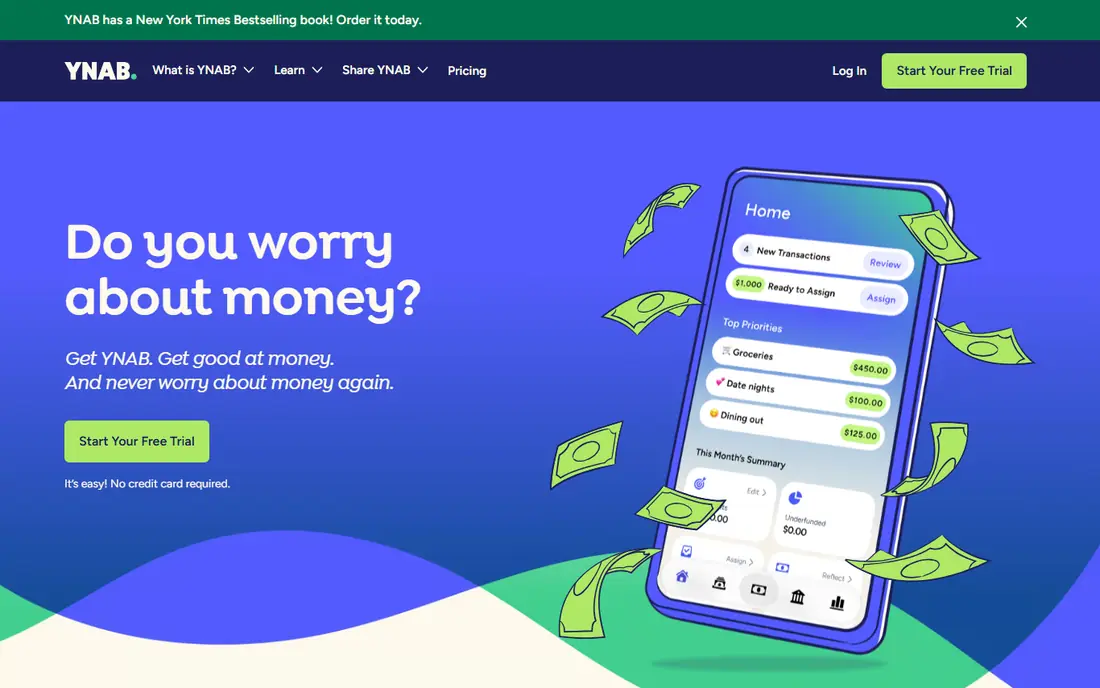
YNAB, short for You Need A Budget, is built around a method, not just a dashboard. You assign each dollar you receive to a category before you spend it, adjust as plans change, and use goals to plan for bills, debt, and savings. That hands on step is the point, and it is why many users report a change in spending habits after a few months, even though the app asks for more effort than an automatic tracker. The trade off is time. If you do not open the app regularly, categories fall behind and the method loses its value. Bank sync helps, but YNAB still expects you to review and approve spending. Investment tracking is limited compared with Quicken or Empower, so investors may pair YNAB with a separate portfolio view. If you want a budgeting habit, not just a chart, YNAB is our pick.
- Clear method for assigning every dollar
- Strong goal and debt tools
- Good learning resources and support
- Needs regular attention to work well
- Investment tracking is basic
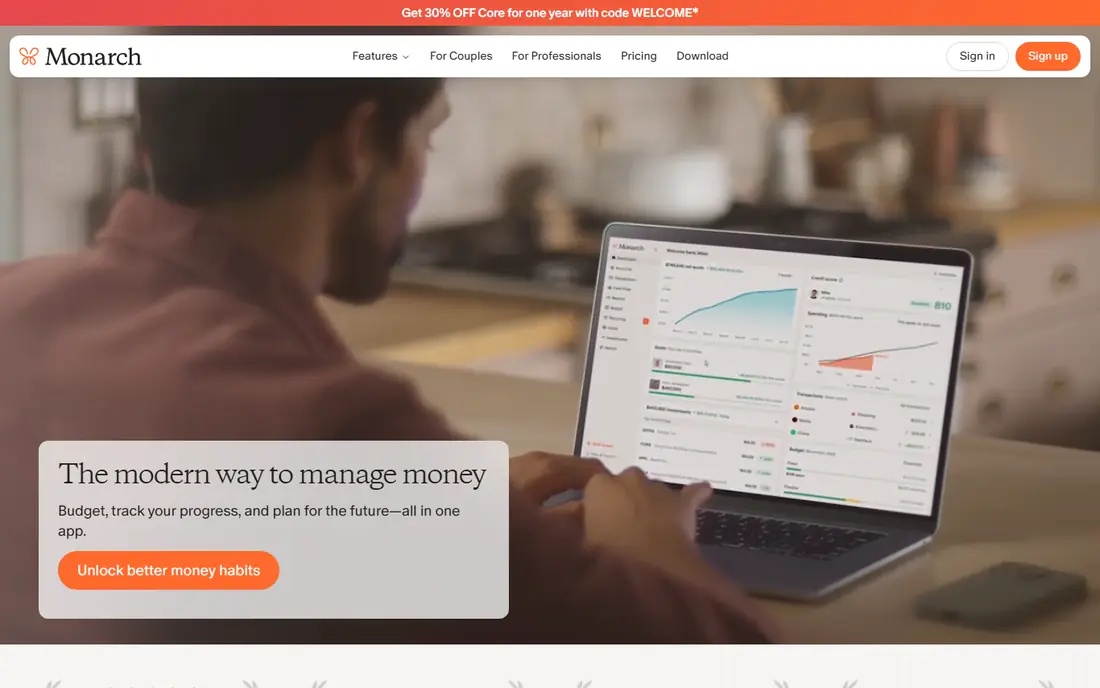
Monarch Money was built by people who understood what Mint users lost when Mint closed, and it shows in the design. You connect bank, credit card, loan, and investment accounts, see net worth, cash flow, and spending in one place, and share a household view with a partner without sharing a single login. Custom categories, rules, and reports make it flexible for couples and families with mixed accounts. Monarch is a paid product, with a trial to test bank sync and sharing before subscribing. It is less prescriptive than YNAB, which suits people who want automatic categorisation and a clear overview, but may not push a change in habits on its own. If you want one dashboard for a household, Monarch is the most complete choice here.
- Clean all in one dashboard
- Built for household collaboration
- Custom categories and reports
- No permanent free plan
- Some users miss Mint style simplicity at first
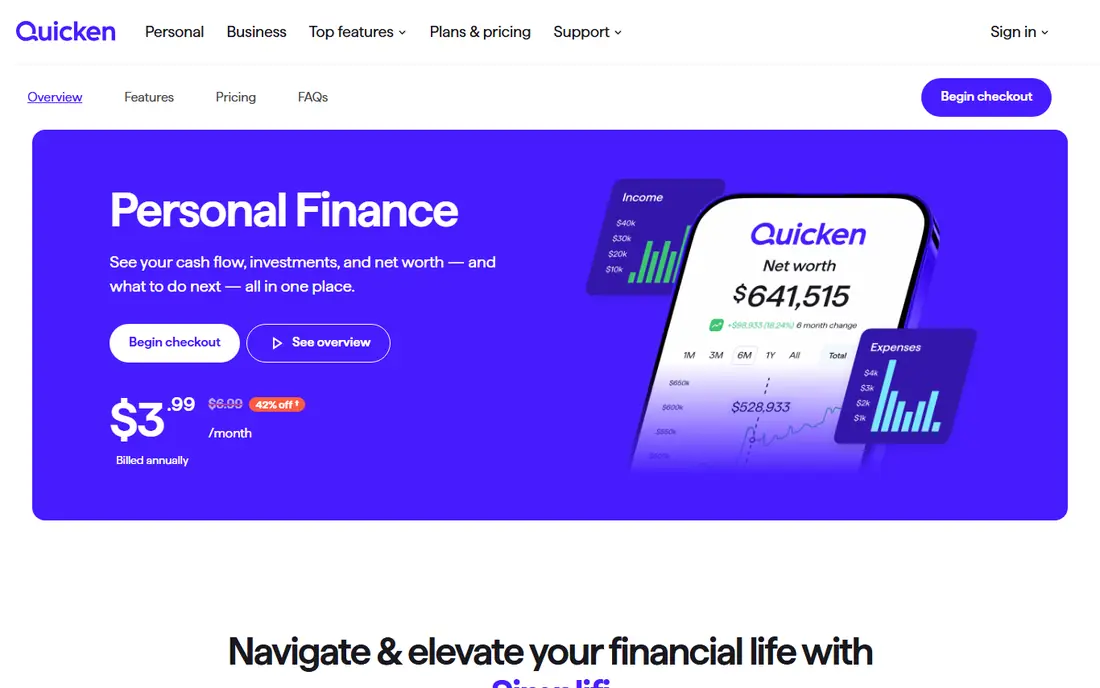
Quicken Simplifi suits people who want Quicken reliability without Quicken complexity. It builds a spending plan from your income, recurring bills, and savings goals, then tracks progress in real time as transactions sync. Bill reminders, watchlists, and projected balances help you spot a tight month before it happens, without manually assigning every dollar. Simplifi is simpler than Quicken Classic by design, so power users who want deep investment reports, rental property tracking, or business features may find it limited. Pricing has varied with promotions, so we list See website and advise checking the current annual price. For a low effort household budget with bill awareness, Simplifi is a strong middle ground.
- Automatic spending plan and bill tracking
- Watchlists for savings goals
- Works on web and mobile
- Pricing and trial terms change often
- Less detailed investment analysis than Quicken Classic
Quicken Classic remains the choice for households with complex finances. It handles investment portfolios, rental properties, detailed budgeting, bill pay tracking, and custom reports in a way that newer mobile first apps do not match. If you track cost basis, multiple properties, or detailed tax related categories, Classic gives you the depth to do it properly. That depth comes with a desktop centred workflow and a learning curve. Setup takes longer, and the interface feels dated next to Monarch or Copilot. Quicken Classic is sold as an annual subscription with different tiers, so check which tier covers your investment and property needs. For detailed home accounting, rather than simple budgeting, Classic is still hard to replace.
- Deep investment and property tracking
- Detailed reports and bill management
- Long history in personal finance
- Desktop focused workflow
- Learning curve is steeper than modern apps
Empower, formerly Personal Capital, offers the best free dashboard for investors in this list. You can link accounts, track net worth, review asset allocation, and use retirement planning tools without paying for the core dashboard. That makes it a good complement to a budgeting app, or a standalone choice if investments matter more than category level budgeting. Budgeting itself is lighter than YNAB or Monarch, with less emphasis on hands on category control. Empower also offers paid wealth management, and you will see prompts for advisory services, though you are not required to use them to track accounts. If your main question is how your investments and net worth are doing, start with Empower free, and add a budgeting app only if you need tighter spending control.
- Free dashboard for net worth and investments
- Retirement planning tools
- No cost for basic tracking
- Budgeting is less detailed than YNAB or Monarch
- Paid advisory upsells appear in the product
Copilot is the most design focused finance app here, built for iPhone, iPad, and Mac. Transactions are categorised with machine learning that learns from your corrections, cash flow is easy to read, and the interface makes reviewing spending feel less like admin. For Apple only households, that polish can be the difference between an app you open and an app you abandon. The limit is platform. Copilot does not offer a full Android or Windows experience, so mixed device households will struggle to share it. It is also a paid subscription after a trial, so check current pricing before committing. If everyone in your household uses Apple devices and design matters, Copilot is a strong pick.
- Polished Apple first design
- Smart transaction categorisation
- Good cash flow and net worth views
- Apple only, which limits mixed device households
- No permanent free plan
Goodbudget brings the envelope method to a phone. You divide money into virtual envelopes for rent, groceries, transport, and savings, then record spending against each envelope. That simple structure works well for couples and families who share spending, because both partners see the same envelopes and balances. Goodbudget does not rely on automatic bank sync in the same way as Monarch or YNAB, and the free tier limits the number of envelopes and accounts. Manual entry is a feature for some users, since it forces attention, but it is a chore for others. If you like envelope budgeting and want a simple shared system without linking every bank account, Goodbudget is a good free start.
- Clear envelope method
- Easy sharing across devices
- Free tier covers basic envelopes
- No automatic bank sync on free tier
- Manual entry suits some users and frustrates others
Rocket Money, formerly Truebill, is best known for finding recurring subscriptions and bills you may have forgotten. It lists subscriptions, flags price rises, and offers bill negotiation help, which can save money even before you build a full budget. Spending tracking and budgeting are included, making it a useful first step for households that suspect subscriptions are leaking money. It is not a replacement for detailed budgeting or investment tracking. Premium features, including some negotiation and advanced budgeting tools, require a paid plan, and pricing varies by plan choice. Use Rocket Money free to audit subscriptions, then decide whether you also need YNAB, Monarch, or Simplifi for day to day budgeting.
- Good subscription detection
- Bill negotiation features
- Free tier for basic tracking
- Full budgeting is less deep than YNAB
- Some features need a premium plan
PocketSmith suits planners who want to see the future, not just the past. Its cash flow calendar projects balances forward based on recurring income, bills, and scheduled transactions, and scenario tools let you test what happens if a bill rises or income changes. That forward view helps freelancers, households with irregular income, and anyone planning a large purchase. The interface is more detailed than Monarch or Simplifi, and bank sync availability varies by country and bank, so check coverage for your accounts first. Pricing is tiered, so we list See website. If forecasting is your main need, PocketSmith offers more control than a simple spending tracker.
- Strong cash flow calendar and forecasts
- Scenario planning for future months
- Detailed transaction rules
- Interface takes time to learn
- Bank sync coverage varies by region
How we picked these
We reviewed official feature pages, pricing pages, app store listings, and privacy policies, plus public reviews, to compare budgeting method, bank sync, investment tracking, household sharing, and platform support. We favoured tools that are currently available, publish clear pricing or trial terms, and serve a distinct household need, from hands on budgeting to investment tracking to envelope sharing. We also checked whether a free tier is permanent or trial only, since that distinction changes long term cost. Prices are list prices where confirmed, with See website used where pricing varies by tier or promotion.
How to choose home accounting software that you will actually use
Match the method to your habit
Automatic trackers suit people who want a weekly check in, while YNAB and Goodbudget suit people who will engage daily or at each purchase. Be honest about how much time you will give the app, because a powerful tool you abandon is worse than a simple tool you open. Trial two methods for two weeks before paying for a year.
Check bank sync, sharing, and exports before you pay
Confirm that your main banks sync reliably, that a partner can access a shared view if needed, and that you can export transactions. A beautiful dashboard that misses a key bank, or locks your data in, will frustrate you later. Also read the privacy policy for data use, sharing, and deletion, since financial apps handle sensitive account data.
Start free where you can, then pay for one job
Empower covers investments free, Goodbudget covers envelopes free, and Rocket Money covers subscriptions free. Use those free tiers to learn what you actually need, then pay for one main budgeting app rather than subscribing to three overlapping tools. Annual billing usually saves money, but only after a trial proves the app fits.
Frequently asked questions
What is the best personal money management software?
For hands on budgeting, YNAB is the strongest pick. For a household dashboard, Monarch Money is the most complete. For investments, Empower free is the best starting point. The best choice depends on whether your main problem is spending control, household visibility, or investment tracking.
Is there good free home accounting software?
Yes, for specific jobs. Empower is free for net worth and investments, Goodbudget is free for basic envelope budgeting, and Rocket Money is free for subscription tracking. No single free tool matches the depth of paid apps across budgeting, investments, and household sharing, but combining two free tools covers many households.
What happened to Mint?
Mint closed, and its users moved mainly to Monarch Money, YNAB, Simplifi, and Empower, depending on need. Monarch is the closest all in one dashboard replacement for many former Mint users, while YNAB suits those who want a stricter budgeting method. Export any old Mint data promptly if you still have access through Intuit tools.
Can my partner and I share one account?
Yes, on several apps, but the method differs. Monarch is built for household sharing, Goodbudget syncs envelopes across devices, and YNAB subscriptions cover multiple people. Copilot is Apple only, which can complicate mixed device sharing. Check multi user support and separate logins before subscribing.
Do these apps sell my financial data?
Policies vary, so check each privacy policy directly. Subscription funded apps like YNAB state they earn from subscriptions, not data sales. Free apps often earn from premium upsells, referrals, or adjacent services. Read data sharing, retention, and deletion terms before linking bank accounts, and use strong passwords and two factor authentication where offered.
Sources we checked (9)

Online Jobs is an independent blog about careers, online work, learning new skills and the tools that help people earn. More about us.
Keep reading
All posts
Zoom Alternatives
Zoom alternatives compared for 2026: Google Meet, Microsoft Teams, Webex, Jitsi and more for free calls, large meetings and webinars for teams and classrooms.

Top Rated Poster Maker Software
Top rated poster maker software compared for 2026: Canva, Adobe Express, VistaCreate, PosterMyWall and more for events, sales and classrooms for US users.

Surfshark Alternatives
Looking for Surfshark alternatives? We compare 8 VPN services on price, privacy, streaming, and device limits to help you find a VPN that fits your needs.