Best Gas App in 2026: 8 Apps Compared

How we put this together: we compare official feature and pricing pages, app store listings, privacy policies and public user reviews. Prices change, so check the provider's site before you pay.
Key takeaways
- The best gas app depends on your goal: lowest price nearby, cashback, or a combined navigation and fuel stop.
- GasBuddy is our pick for finding the cheapest nearby price, because its community price reports cover many stations.
- Upside is our pick for cashback, because it pays back on fuel and other purchases at participating stations.
- Prices in any app are reports, not guarantees, so check the pump price before filling, especially on a long trip.
Quick comparison
| Name | Who it suits | Starting price | Free option | |
|---|---|---|---|---|
 GasBuddy | Cheapest nearby prices | Free | Yes | Visit |
 Upside | Cashback on fuel | Free | Yes | Visit |
 Waze | Navigation with fuel prices | Free | Yes | Visit |
 Google Maps | Everyday navigation and fuel | Free | Yes | Visit |
 Gas Guru | Simple price comparison | Free | Yes | Visit |
 AAA Mobile | Roadside help plus fuel prices | Free | Yes | Visit |
 Shell App | Shell rewards and payment | Free | Yes | Visit |
 Chevron App | Chevron rewards and payment | Free | Yes | Visit |
The best gas apps
Gas apps save money in three ways: they show the cheapest station nearby, they pay cashback or rewards, or they combine fuel stops with navigation so you do not waste miles searching. The eight apps below cover those jobs, and most drivers will do best with one price app and one rewards app, rather than eight apps at once. All of them are free to download, though rewards and payment features have their own terms.
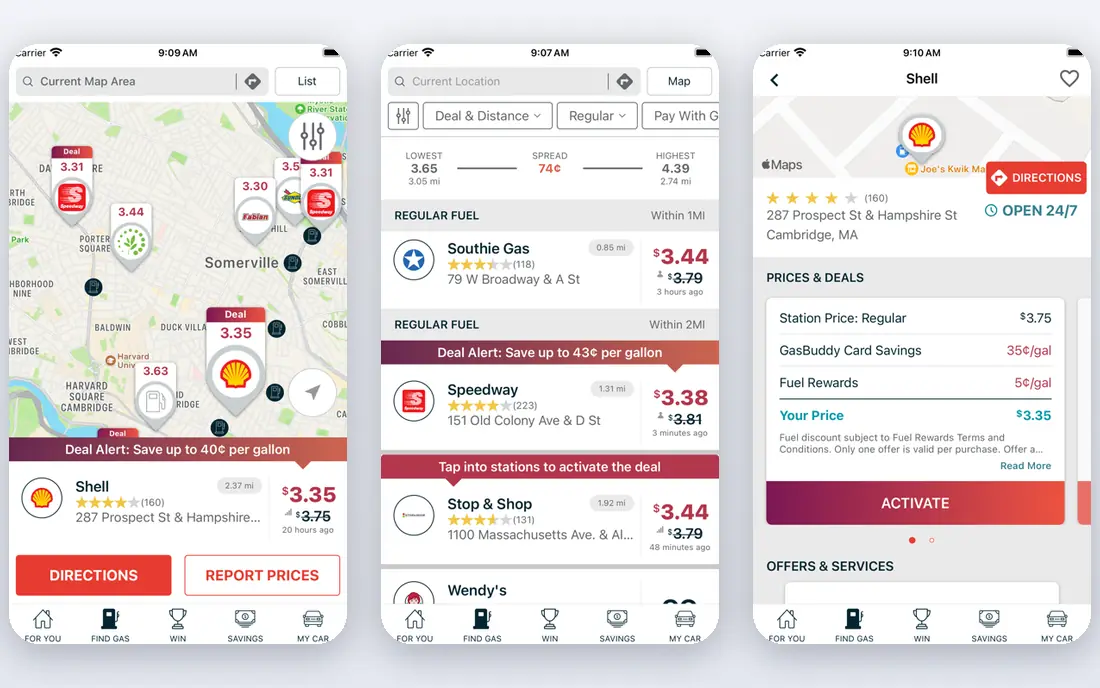
GasBuddy is the default gas price app for most US drivers, because its community reports cover a large number of stations, and you can search by current location, ZIP code, or city. It shows prices by fuel grade, lets you filter by brand or amenities, and includes a trip cost calculator that estimates fuel cost for a planned route. For a driver who wants the cheapest nearby stop, GasBuddy is the first app to open.
The main limit is freshness. Prices are user-reported, so a price can change at the pump before the app updates, especially during a price swing. Treat the app as a shortlist, not a promise, and check the pump sign before filling. Also review location and privacy settings, since GasBuddy shares location data with partners for ads and analytics unless you adjust those settings.
- Large community price reports
- Search by location or ZIP code
- Trip cost calculator
- Prices can be outdated
- Ads in the app
- Location sharing settings need review
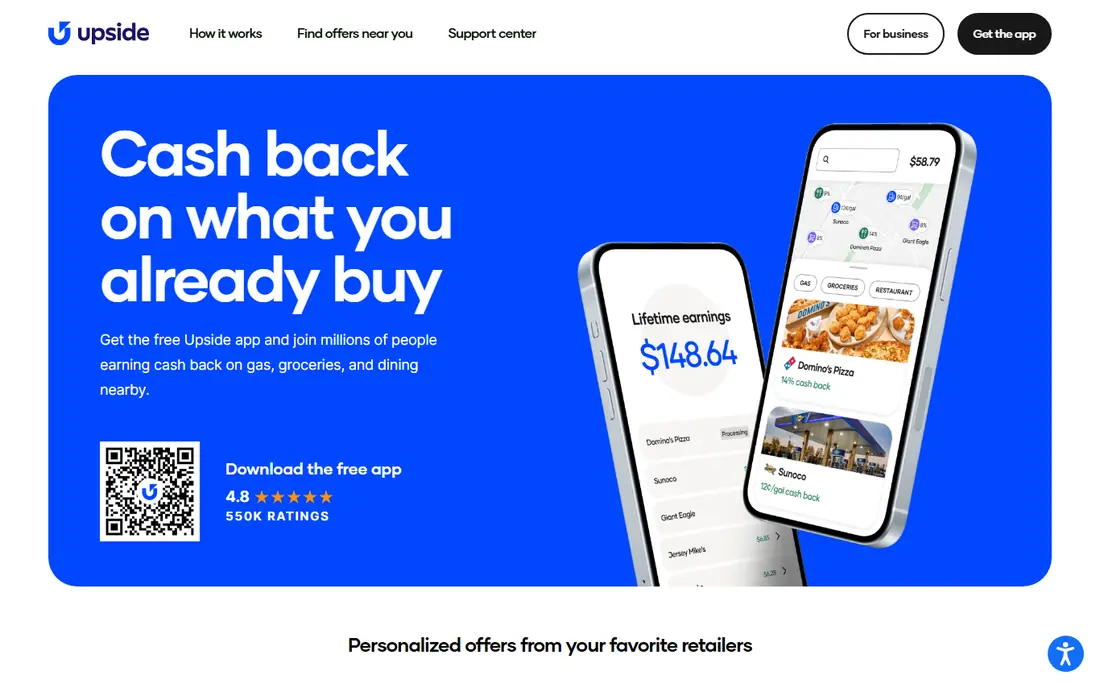
Upside pays cashback when you buy fuel at a participating station and claim the offer in the app, which makes it a good companion to a price app. You can compare the cashback offer with the pump price, so a slightly higher-priced station with strong cashback can still be the cheaper total. Upside also offers cashback at participating grocery and restaurant locations in some areas, which adds value beyond fuel.
Cashback is not the same at every station, and offers change, so the best deal depends on where you are and which stations participate near you. You also need to claim the offer and, in many cases, pay with a linked card or upload a receipt, so follow the steps in the app carefully. If you drive often and buy fuel weekly, Upside can add up over a year.
- Cashback at participating stations
- Also covers groceries and restaurants in some areas
- Simple claim flow
- Cashback varies by station and offer
- Not every station participates
- Payout needs a claim step
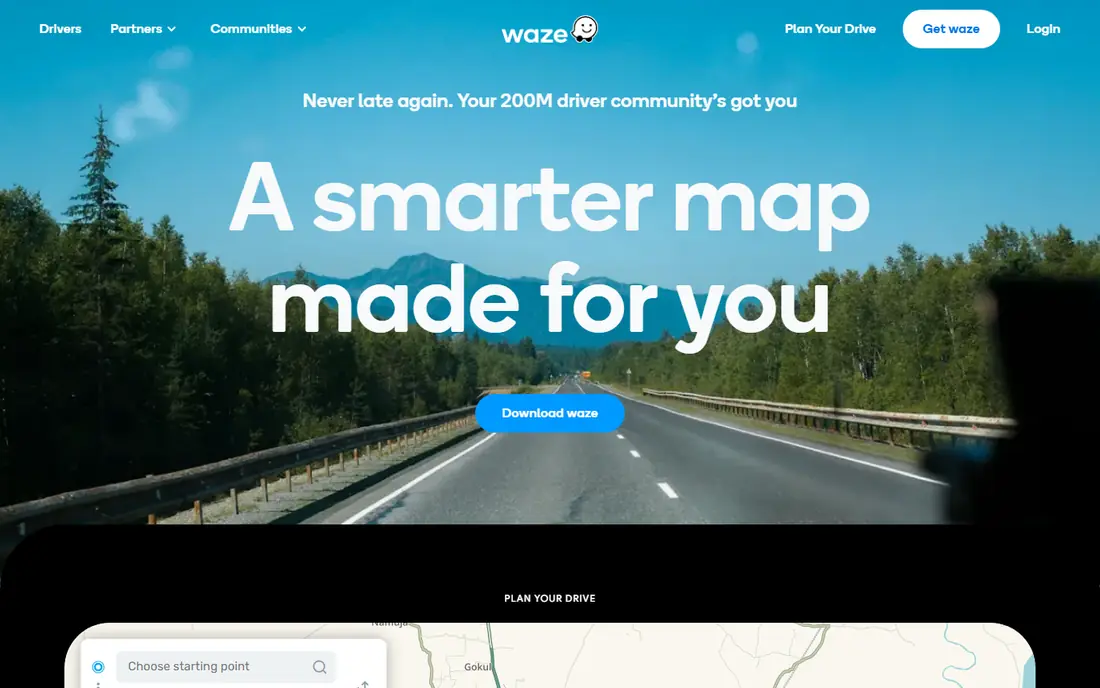
Waze is best known for navigation, but its fuel feature is genuinely useful on a drive: you can search for gas along your route, sort by price, distance, or brand, and navigate straight to the cheapest sensible stop. That combination saves a separate search when you are already driving, and community reports keep prices reasonably current in busy areas.
Sponsored stations can appear at the top of results, so the first listing is not always the cheapest, and fuel prices are not Waze's main job, so coverage can be thinner in rural areas. Use Waze for route-plus-fuel decisions, and GasBuddy for a dedicated price search when you are not yet driving. Together, they cover most trips well.
- Live navigation plus fuel prices
- Sort by price, distance, or brand
- Community reports
- Sponsored stations can appear first
- Fuel prices are secondary to navigation
Google Maps is the practical choice for drivers who do not want another app. Station listings often show fuel prices, you can search for gas along a route, and you can compare stations by distance and rating without leaving the map. For a quick stop on a familiar route, that convenience is enough.
Google Maps has fewer fuel-specific filters than GasBuddy, such as detailed fuel grade or amenity filters, and price coverage varies by area and station. It also does not offer cashback, so it pairs well with Upside if you want rewards. If you already navigate with Google Maps, checking its fuel prices before you leave is a low-effort saving.
- Already installed for many drivers
- Fuel prices on station listings
- Easy route planning
- Price coverage varies by area
- Fewer fuel-specific filters than GasBuddy
Gas Guru is a simple price comparison app that does one job well: it lists nearby stations by price, with colour cues to spot the cheapest options quickly. You can filter by distance, fuel grade, and amenities, which helps on a road trip when you need diesel, a car wash, or a specific brand. Its simplicity suits drivers who find larger apps cluttered.
Gas Guru does not offer cashback, rewards, or payment, so it is a finder, not a savings account. Its prices also depend on reported data, so they can lag during a price change. For a clean, no-account price check, Gas Guru is a good lightweight alternative to GasBuddy.
- Simple, clear price list
- Filter by distance, grade, and amenities
- No account needed for basic use
- No cashback or payment features
- Coverage depends on reported prices
AAA Mobile suits drivers who already value roadside assistance, since it combines fuel price checks with trip planning, roadside help requests, and member services. You can check gas prices near you, plan a route, and request help from the same app, which is handy on a long trip. Some AAA member discounts also apply at participating locations.
The app itself is free, but full AAA roadside benefits require a paid membership, so do not confuse the free app with the membership. Fuel price coverage is also a secondary feature, not the app's main focus. If you are already a AAA member, or you want roadside help and fuel prices in one place, AAA Mobile is a sensible addition.
- Fuel prices plus roadside assistance
- Trip planning
- Member discounts in some areas
- Full roadside benefits need a paid AAA membership
- App is broader than fuel alone
The Shell app is worth downloading if you regularly fill up at Shell, since it links to Fuel Rewards savings, lets you find stations, and supports mobile payment at many locations. That combination can save a few cents per gallon at Shell, plus time at the pump, without carrying a separate rewards card. For a loyal Shell driver, those savings add up over months.
The obvious limit is brand: savings only apply at Shell, so a cheaper independent station nearby may still be the better total, even after rewards. Check the rewards terms for your area, since offers and participating stations vary. Pair the Shell app with GasBuddy, so you can compare a Shell rewards price with the cheapest nearby price before you choose.
- Fuel Rewards savings at Shell
- Mobile payment at many stations
- Station finder
- Savings only at Shell stations
- Rewards terms vary
- App value depends on Shell use
The Chevron app serves a similar role for Chevron and Texaco drivers: it offers rewards, mobile payment, and a station finder with amenities, so you can plan a stop that fits your car and your trip. If Chevron or Texaco stations are common on your routes, the app makes rewards easier to use than a physical card, and it can save time at the pump.
As with Shell, the value depends on how often you use that brand. A cheaper station from another brand may beat a Chevron rewards price on a given day, so compare with GasBuddy before committing to a stop. For drivers who already prefer Chevron, the app is a free, practical addition to a price app.
- Chevron and Texaco rewards
- Mobile payment options
- Station finder with amenities
- Savings only at Chevron and Texaco stations
- Rewards terms vary by location
How we picked these
We compared official app listings, pricing pages, and feature pages for gas apps that serve US drivers in 2026, covering price comparison, cashback, navigation, and brand rewards. We favoured apps with free core access, broad station coverage, and clear terms for rewards and payments. Where cashback or rewards vary by station, offer, or location, we describe that variation rather than quoting a single saving that may not match your area.
How to save the most at the pump
Use two apps, not eight: one price app to find the cheapest sensible station, and one rewards app to add cashback or brand savings on top. Check prices before you leave, not after you are already low on fuel, since a low tank forces you to take the nearest station at any price. Also keep tyres inflated and avoid idling, since driving habits affect fuel cost as much as station choice over a year.
Cashback, rewards, and privacy
Read the terms for any cashback or payment feature before linking a bank account or card, and check what location and purchase data the app shares. Upside, GasBuddy, and brand apps all have different privacy and payout rules, so choose the combination you are comfortable with. A small cashback is not worth a data or payment setup you do not trust.
When the cheapest station is not the best stop
A station a few miles out of your way can cost more in fuel and time than it saves, especially for a small tank. Factor in distance, traffic, and whether you need diesel, EV charging, or amenities such as a car wash or food. On a road trip, a slightly higher price at a safe, well-lit station with good facilities can be the better overall choice.
Frequently asked questions
What is the best gas app for gas prices?
GasBuddy is our pick for gas prices, because its community reports cover many US stations and let you search by location or ZIP code. Gas Guru is a simpler alternative for a quick price list, while Waze and Google Maps add fuel prices to navigation. Always check the pump price, since app prices are reports that can lag.
What is the best gas discount app?
Upside is our pick for cashback, because it pays back on fuel at participating stations and the offer can be compared with the pump price. Brand apps such as Shell and Chevron add rewards at their own stations. The best discount depends on which stations participate near you, so check offers in your area before choosing.
Is GasBuddy free?
Yes, GasBuddy is free to download and use for finding gas prices, though it includes ads and offers optional paid features. Its Pay with GasBuddy payment feature and premium options have their own terms, so review them before linking a bank account. For basic price comparison, the free app is enough.
What is the best app for gas prices on a road trip?
GasBuddy and Waze together cover most road trips: GasBuddy for dedicated price searches by town or ZIP code, and Waze for fuel stops along your route with live navigation. Google Maps is a good alternative if you already navigate with it. Plan stops before you run low, since a low tank limits your choice.
Do gas apps really save money?
Yes, if you use them consistently. Finding a station a few cents cheaper per gallon adds up over a year, and cashback from Upside or brand rewards adds a second saving. Savings depend on how often you drive, which stations participate, and whether you check prices before you need fuel. No app can guarantee a saving on every fill-up.
Sources we checked (8)

Online Jobs is an independent blog about careers, online work, learning new skills and the tools that help people earn. More about us.
Keep reading
All posts
Best Used Car App
The best used car app options in 2026, compared on price checks, inventory, delivery, and return terms, so you can shop with more confidence and less guesswork.
Best Car Buying App
Looking for the best car buying app? We compare eight car shopping apps for used and new cars, price checks, history reports, and dealer listings in 2026.

n8n Alternatives
n8n alternatives compared for 2026, with Zapier, Make, Activepieces, and more, covering visual builders, code steps, self-hosting, and pricing models.