Best free hairstyle app in 2026: 9 apps Compared

How we put this together: we compare official feature and pricing pages, app store listings, privacy policies and public user reviews. Prices change, so check the provider's site before you pay.
Key takeaways
- YouCam Makeup offers the widest virtual hairstyle and colour try-on range in this group, with a free tier to test styles first.
- Photo AI Studio Hair Changer suits people who want a web-based preview without installing an app.
- FaceApp gives quick, fun previews, but many styles and high-quality exports sit behind a paid plan.
- Canva is a useful free route if you already use it for design and want a simple hair edit in a photo.
- No app preview is a perfect predictor, so take several screenshots to your stylist and talk through length, texture, and upkeep.
Quick comparison
| Name | Who it suits | Starting price | Free option | |
|---|---|---|---|---|
 YouCam Makeup | Virtual hairstyles and colour | Free | Yes | Visit |
 FaceApp | Quick style previews | Free | Yes | Visit |
 Fotor | Web-based hair changes | Free | Yes | Visit |
 Photo AI Studio Hair Changer | Web previews without sign-up | Free | Yes | Visit |
 Canva | Simple edits in a design app | Free | Yes | Visit |
 ImagineArt | Text-prompt hairstyle ideas | Free | Yes | Visit |
 BeautyPlus | Selfie edits plus hair colour | Free | Yes | Visit |
 AirBrush | Photo retouching and hair colour | Free | Yes | Visit |
 Style My Hair | Salon-style colour try-on | Free | Yes | Visit |
The best free hairstyle app
A good hairstyle app lets you test a cut or colour before you commit to it. The best ones blend the new hair into your photo in a believable way, work with different hair textures, and let you save the result to show a stylist. The apps below vary in realism, style range, and free limits, so the right pick depends on whether you want a quick experiment or a serious salon reference.
Use a clear, front-facing photo in good light for the best preview. A blurry or angled photo will make even a strong app look less accurate, and results for very short, very curly, or very long styles can vary.
YouCam Makeup is our pick for the best free hairstyle app overall. Its AI Hairstyle feature lets you try cuts from bobs to fades on your own photo, then test colours, highlights, and ombre looks in the same session. That combination makes it useful for both a first idea and a more focused salon discussion.
The free tier is enough to test the concept, though the full style range and unlimited saves need a subscription. Start with a well-lit front photo, try a few lengths rather than one extreme change, and save the versions that feel closest to what you want. Those saved images are far more useful to a stylist than a verbal description alone.
- Large library of hairstyles and hair colours
- AI try-on for cuts and colour in one app
- Web editor available as well as mobile apps
- Some styles and unlimited saves sit behind a paid plan
- Results vary with photo quality
- App includes many beauty features beyond hair
FaceApp is best for a fast experiment. Upload a selfie, try a different length or colour, and see in seconds whether a style feels right at a glance. That speed makes it popular for sharing ideas with friends or deciding between two broad directions, such as shorter versus longer hair.
For a salon visit, FaceApp is less precise than a dedicated try-on app. Free exports may carry a watermark, and the app smooths skin and hair in a way that can hide texture. Use it to narrow down ideas, then confirm your shortlist in YouCam Makeup or another dedicated hairstyle tool before you book.
- Very easy to use
- Quick hairstyle and colour changes
- Fun filters for experimenting with a new look
- Free exports can carry a watermark
- Many styles are paid
- Results can look smoothed rather than salon-realistic
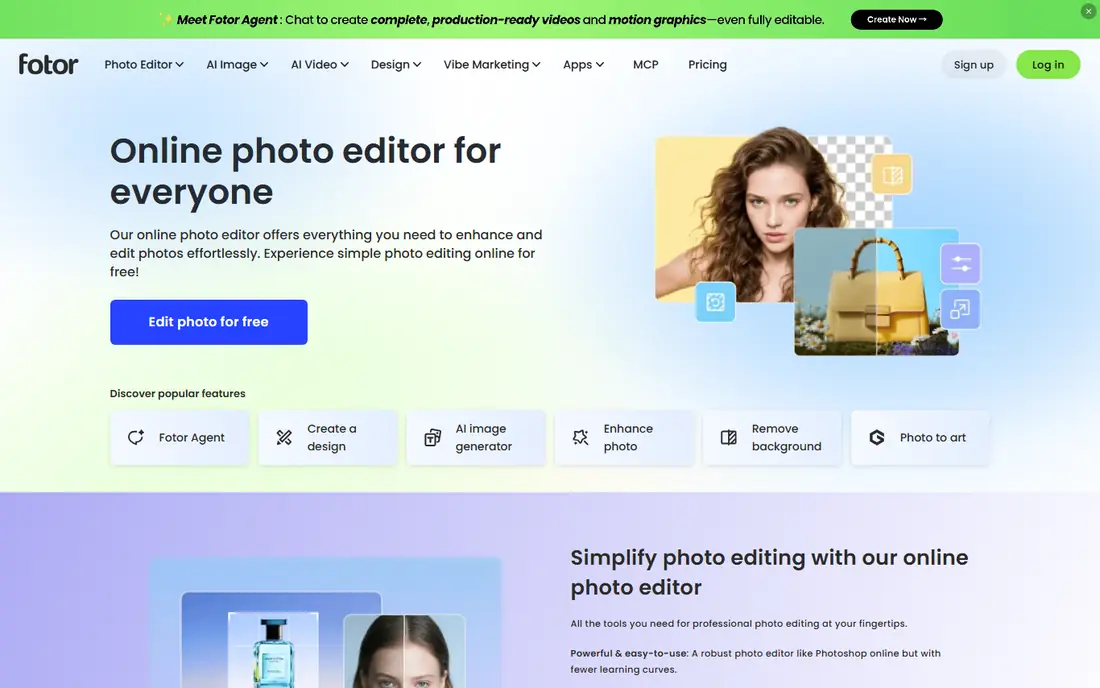
Fotor suits people who prefer to work on a computer rather than a phone. Its AI hair changer lets you upload a photo, pick a style or colour, and download a preview, with editing tools nearby for cropping and touch-ups. That browser workflow is handy if you want to compare several looks side by side on a larger screen.
Free limits mean you should plan your tests rather than running dozens of versions at once. The results are best for broad direction, such as checking a fringe or a colour family, rather than judging fine layers or texture. For a quick, no-install preview, Fotor is a practical free option.
- Works in a browser without a full app install
- Hair changer plus broader photo editing tools
- Useful for quick web-based edits
- Free use has limits and watermarks on some exports
- Realism varies by style
- Advanced AI features need credits or a plan
Photo AI Studio Hair Changer
Who it suits: Web previews without sign-up
Photo AI Studio Hair Changer is a good pick if you want to try styles without downloading anything or creating an account for a first test. You upload a photo, choose from a large set of styles, and get a preview that keeps lighting and shadows reasonably natural for a web tool. That makes it useful for a fast salon reference.
The free tier will not cover unlimited high-volume testing, and very detailed styles can still look artificial. Use a sharp, front-facing photo and try styles close to your natural texture first. If a style looks promising there, it is worth testing again in a second app before you commit.
- Web-based hair changer with no app install
- Wide style range for a web tool
- Exports without a watermark on free use in many cases
- Premium features need credits
- Processing can take time on busy days
- Results depend heavily on the source photo
Canva is not built only for hair, but its photo editing tools make it a useful free route for people who already use Canva. You can select a hair area and use an edit prompt to change length or colour, then place before-and-after images on one page to show a stylist. That comparison sheet can be more helpful than a single edited selfie.
Precision is the limit. Canva gives you less control over layers, texture, and fringe shape than a dedicated try-on app, so treat its results as inspiration rather than a final preview. If you already pay for Canva or use it daily, it is a convenient extra tool. If hair is your only goal, start with a dedicated app above.
- Free account with a familiar editor
- Magic Edit can change hair in a photo
- Easy to add text and create a comparison sheet for a stylist
- Not a dedicated hairstyle app, so style control is limited
- Results vary by prompt and photo
- Best for broad changes rather than precise cuts
ImagineArt takes a different approach. Instead of picking from a fixed style list, you describe the haircut you want, including length, layers, fringe, and colour. That freedom helps when you have a specific idea that does not appear in a standard style menu, such as a pixie with longer top layers and copper highlights.
The trade-off is control. A vague prompt gives a vague result, so be specific about length, texture, and colour, and try more than one wording. ImagineArt is best for exploring ideas and creating a visual brief, then checking the most promising version in a dedicated try-on app that maps hair to your own photo more closely.
- Describe a style in words for a custom preview
- Useful for unusual combinations of cut and colour
- Web-based workflow
- Free use has limits
- Text prompts need detail to work well
- Results can drift from your actual face and hair texture
BeautyPlus is a solid choice if you want hair colour ideas inside a general selfie editor. You can test a new shade, adjust the photo, and share the result quickly, which suits social previews and casual experiments. The app is easy to learn, even if you have never used a photo editor before.
Realism is not its main strength. Colours can look bold and polished rather than like a salon dye job, so use BeautyPlus to test a colour family, such as warm brown versus cool blonde, rather than an exact shade. For a precise colour match, a dedicated try-on app and a stylist consultation will give you a better guide.
- Easy selfie editor with hair colour options
- Quick filters and retouching tools
- Popular for social photo previews
- Many advanced features are paid
- Hair results can look stylised
- App includes ads and prompts to upgrade on the free tier
AirBrush works well as a companion app. You can refine a photo, test a hair colour, and tidy the image before you send it to a friend or stylist. Its interface is calm and easy to follow, which helps if larger editors feel overwhelming.
Do not expect a full catalogue of cuts. AirBrush is stronger on colour and retouching than on trying a completely new haircut shape. Use it after a dedicated try-on app to polish your favourite preview, or use it alone if colour, rather than cut, is your main question.
- Simple retouching and hair colour tools
- Clean interface for quick edits
- Useful for polishing a preview before sharing it
- Hairstyle range is narrower than dedicated try-on apps
- Many features need a subscription
- Results suit photos more than salon planning
Style My Hair, from L'Oreal, focuses on the colour question that many people ask first. You can try shades on your own photo and see whether a warm, cool, or bold colour suits your skin tone and current style. That brand link also helps if you plan to buy a home colour product in a similar shade family.
Cuts are not the point here, so pair Style My Hair with a cut-focused app if you want both changes at once. Lighting matters a lot for colour previews, so test in daylight and on more than one photo. A shade that looks right in one image may look different in another, and a stylist can help you match it to your hair history.
- Colour try-on linked to a major hair brand
- Useful for testing shades before buying colour or visiting a salon
- Simple photo-based workflow
- Focus is colour rather than cuts
- Shade accuracy varies with lighting and screen settings
- App availability and features vary by region
How we picked these
We checked official app pages, app store listings, and help pages for each app, focusing on whether a free tier exists, whether hairstyle or colour try-on is a real feature, and whether the app is live in October 2026. We kept only apps that let you preview hair on your own photo, rather than apps that only show stock hairstyle galleries. Where a price or free limit was not clearly confirmed on the vendor site, we used See website or described the free tier in general terms.
We also gave weight to practical use. An app ranks higher when its preview is easy to save and share with a stylist, when it works with different hair textures, and when its free tier is genuinely usable rather than a single locked demo.
Getting a useful preview before a haircut
Start with the right photo. Use a front-facing image in natural light, with hair visible and no heavy filter. A second photo from the side can help a stylist understand length at the back, even if the app only edits the front view well. Avoid hats, sunglasses, and shadows across the face, because they confuse the hair mapping.
Test one change at a time
Change length first, then colour, rather than changing both in one go. That way you can tell which change you like and which one feels wrong. Save each version with a simple label, such as shoulder length or copper balayage, so you can compare them later without relying on memory.
Take the preview to your stylist, not as an order
Show the stylist two or three favourites and talk about what you like in each one. Mention your hair texture, how much time you spend styling, and whether you colour your hair at home. A good stylist can tell you which parts of a preview are realistic for your hair and which parts would need more upkeep than the photo suggests.
Check texture, upkeep, and regrowth
A style that looks good in a preview may need daily styling, frequent trims, or regular colour top-ups. Ask about upkeep before you commit, especially for very short cuts, bold colours, and styles that rely on volume. A preview that fits your routine is more useful than a dramatic preview you will struggle to maintain.
Frequently asked questions
What is the best app for hairstyles?
YouCam Makeup is our top pick for virtual hairstyle try-ons, because it combines a large style library with colour options in one free app. Photo AI Studio Hair Changer is a strong web alternative, while FaceApp is best for quick, fun previews rather than detailed salon planning.
What is the best virtual hairstyle app?
The best virtual hairstyle app for most people is YouCam Makeup, thanks to its AI try-on for cuts and colours and its web editor option. For a no-install test, Photo AI Studio Hair Changer is a useful second choice, and Canva works if you already use it for design.
What is the best hairstyle app free?
YouCam Makeup, Fotor, Photo AI Studio Hair Changer, and Canva all offer free tiers for hairstyle previews. Free plans usually limit styles, saves, or export quality, so test the free tier first and only upgrade if you use the app often or need unlimited saves.
What is the best AI hairstyle app?
AI hairstyle apps use your photo to map a new cut or colour onto your face, rather than pasting a stock hairstyle on top. YouCam Makeup and ImagineArt are strong AI options, with YouCam Makeup better for realistic try-ons and ImagineArt better for custom text-prompt ideas.
Are free hairstyle apps accurate?
Free hairstyle apps give a useful direction, but they are not exact. Results depend on photo quality, lighting, hair texture, and how different the new style is from your current hair. Use previews as a discussion aid with a stylist, not as a guarantee of the final result.
Can I try hair colour without cutting my hair?
Yes. Most apps in this list let you change colour while keeping your current cut, which is a good way to test a shade family first. Style My Hair and YouCam Makeup are particularly useful for colour, and testing in daylight on more than one photo gives a fairer view of the shade.
Sources we checked (9)

Online Jobs is an independent blog about careers, online work, learning new skills and the tools that help people earn. More about us.
Keep reading
All posts
n8n Alternatives
n8n alternatives compared for 2026, with Zapier, Make, Activepieces, and more, covering visual builders, code steps, self-hosting, and pricing models.

eBay Alternatives
Looking for ebay alternatives? We compared 9 marketplaces for sellers on fees, buyer reach, categories and ease of listing, to help you sell with confidence.

ZoomInfo Alternatives
The best ZoomInfo alternatives in 2026, compared on price, free plans, data coverage, and which tool fits small teams or large sales teams best in detail.