Best Free AI Art Generator Apps in 2026: 9 Apps Compared

How we put this together: we compare official feature and pricing pages, app store listings, privacy policies and public user reviews. Prices change, so check the provider's site before you pay.
Key takeaways
- Google Gemini and Microsoft Designer give the most accessible free image creation for most people.
- Leonardo AI and Ideogram offer useful daily or weekly free credits for creators who want more control or text accuracy.
- Adobe Firefly and Canva give free credits for design and brand-safe work, but free allowances are small.
- Stable Diffusion and Flux open-weight options give unlimited local use for users with capable hardware.
- Free always has a limit, whether it is credits, speed, watermarks or commercial terms, so check the limit before building a workflow around it.
Quick comparison
| Name | Who it suits | Starting price | Free option | |
|---|---|---|---|---|
 Google Gemini | Free everyday images | Free | Yes | Visit |
 Microsoft Designer | Free volume for casual use | Free | Yes | Visit |
 Leonardo AI | Daily free tokens | Free | Yes | Visit |
 Ideogram | Free text in images | Free | Yes | Visit |
 Adobe Firefly | Free brand-safe images | Free | Yes | Visit |
 Canva Magic Media | Free design images | Free | Yes | Visit |
 ChatGPT Images | Free conversational images | Free | Yes | Visit |
 Stable Diffusion | Free local control | Free | Yes | Visit |
 Craiyon | Free unlimited casual images | Free | Yes | Visit |
The best free AI art generator apps
Free AI art tools differ in what free actually means. Some give daily credits, some give slower unlimited use after a fast allowance, some are free only when self-hosted, and some limit commercial use. The list below focuses on apps with a genuine free tier in October 2026, and it states the limit for each so a reader can choose by volume, quality and use case.
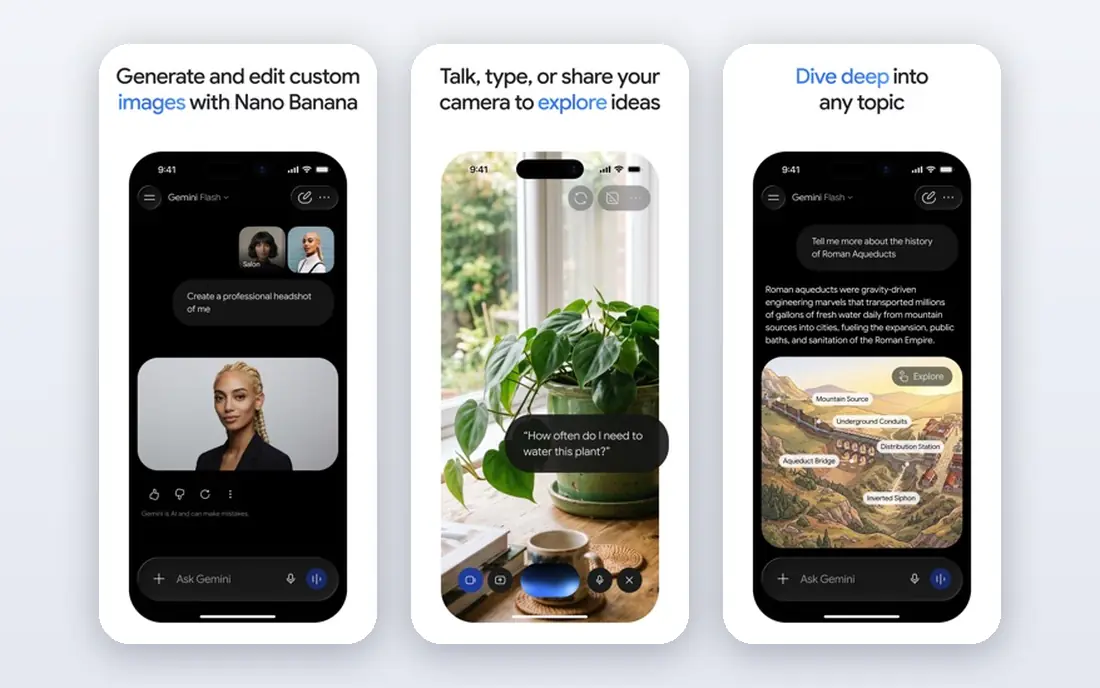
Google Gemini is the best free starting point for most people, because image generation sits inside a free Google account and works in conversation. A user can create a new image, edit a photo, change a style or adjust a detail by describing the change, without learning a specialist interface. Photoreal results are strong for everyday use, and the app works on web and mobile.
Limits apply, as with any free tier, and Google can change usage caps over time. Gemini also offers fewer fine-grained style controls than Leonardo AI or Midjourney. For casual creators, marketers and students who need good images at no cost, Gemini gives the best balance of quality, ease and free access.
- Free image generation and editing
- Strong photoreal results
- Conversational edits
- Usage limits can change
- Fewer specialist controls than paid art tools
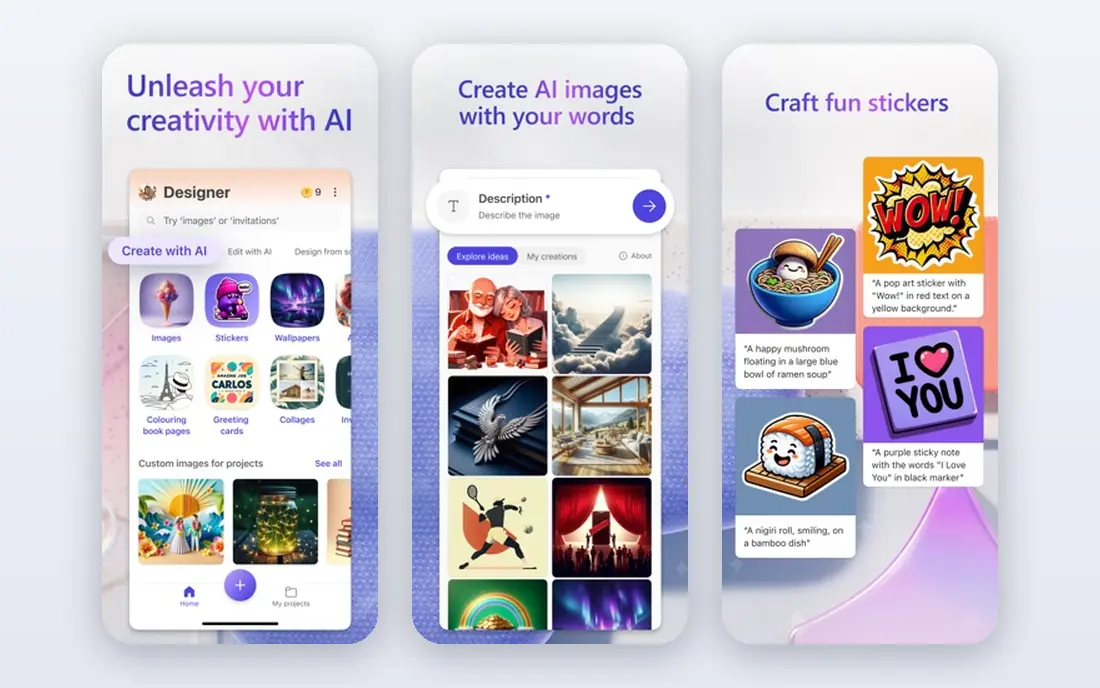
Microsoft Designer, which includes Bing Image Creator, is known for free volume. Users get a daily allowance of fast generations, with slower standard generations available after that allowance, which makes it practical for casual creators who want many images without paying. Designer also adds templates and editing tools, so an image can become a social post or design quickly.
Free use terms need care. Personal, non-commercial use is the usual free tier position, and watermark rules should be checked for the exact product and plan. For personal projects, learning and casual content, Microsoft Designer is one of the most generous free options available.
- Generous daily fast generations
- Slower standard generations after that
- Design templates beside image creation
- Free use is mainly for personal use in many cases
- Watermark rules need checking
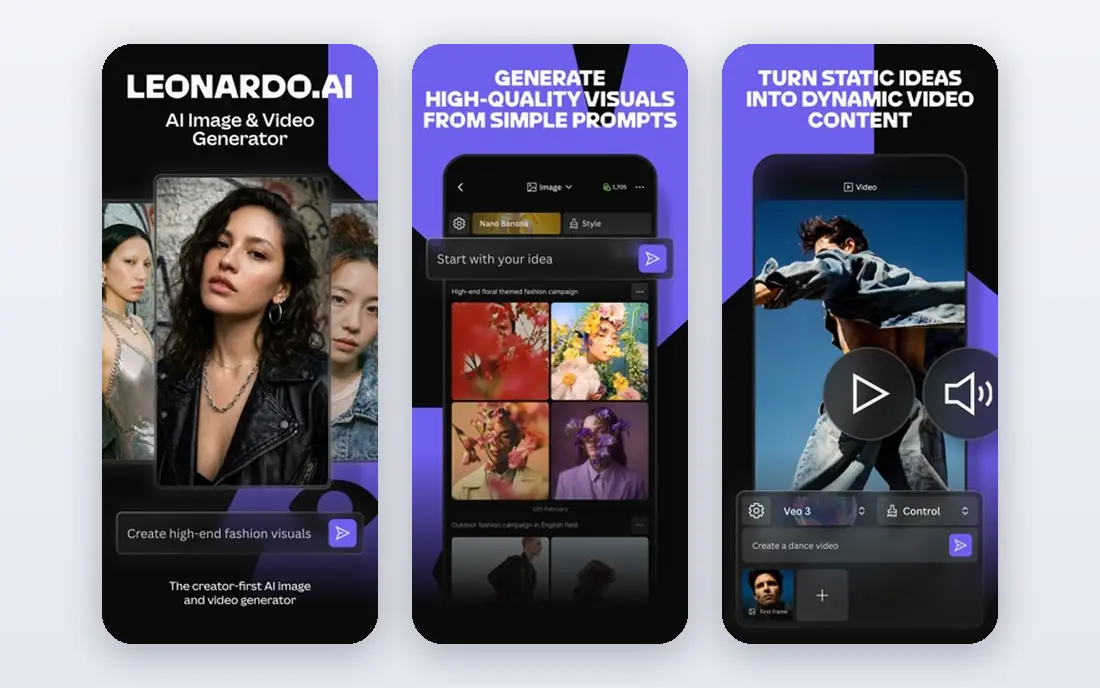
Leonardo AI gives a daily free token allowance that resets, which suits creators who make images regularly but not in huge batches. Its model library covers many styles, from fantasy and sci-fi to photographic and anime looks, and its editing tools help refine a chosen image. That combination makes Leonardo AI a strong free pick for concept art, game art and illustration.
Tokens are the limit. A heavy session can use the daily allowance quickly, and a creator who needs hundreds of images a day will need a paid plan. Quality also varies by model, so testing a few models for a style is worth the time before settling on one.
- Daily free tokens
- Many style models
- Good for game, fantasy and concept art
- Tokens run out with heavy use
- Quality varies by model
Ideogram's free tier is valuable because it solves the hardest free-tier problem: text. Posters, logos, social graphics and book covers made on the free tier come out with far more readable text than on many other free tools. A creator who needs a poster with a title, a logo with a name or a graphic with a short phrase will get more usable results from Ideogram's free credits than from a larger free allowance elsewhere.
Free credits are limited, so Ideogram is not the tool for bulk image creation at no cost. It works best as a specialist free tool: use Gemini or Designer for volume, and Ideogram when the words in the image must be correct.
- Readable text in free images
- Good for posters and logos
- Simple interface
- Free credits are limited each week
- Feature set is narrower than larger suites
Adobe Firefly offers a limited number of free generative credits each month, which is enough to try the tool and make occasional brand-safe images. Its training approach, focused on licensed and public domain content, makes it a good free trial for professional work, and its links to Photoshop help designers edit and extend images. For a designer who wants to test Firefly for client work, the free tier is a useful starting point.
The allowance is small, so Firefly is not a free bulk generator. Users who need many images a day should look at Gemini, Designer or Leonardo AI for volume, and keep Firefly for work where commercial terms and Adobe workflow matter most.
- Commercially focused training approach
- Free monthly credits
- Photoshop links
- Free allowance is small
- Output can feel more restrained than artistic tools
Canva Magic Media gives free users a capped number of AI generations inside Canva, which is enough for occasional social posts, presentations and blog headers. The advantage is workflow: an image goes straight into a design, with text, templates and export in the same app. Non-designers who already use Canva will find this the easiest free route from prompt to finished design.
The cap is the limit, and image quality for standalone art is below Midjourney or Leonardo AI. Canva is best as a free design tool with image generation included, not as a free art studio for high-volume illustration.
- Images inside Canva designs
- Easy for non-designers
- Templates and text tools in one place
- Free generations are capped
- Quality is below specialist art models
ChatGPT offers limited free image generation inside its free tier, which is enough for beginners to learn prompting and make occasional visuals. Conversational editing is the strength: a user can ask for a change in plain language and iterate without learning specialist controls. That ease makes ChatGPT a good first free tool for people who are new to AI art.
Free caps are tight, so regular creators will hit the limit quickly and need a paid plan for volume. For learning, testing ideas and occasional images, the free tier is useful, but it should not be relied on as a daily free art workflow.
- Plain-language prompts and edits
- No separate app to learn
- Good general quality
- Free usage is tightly capped
- Paid plan needed for regular use
Stable Diffusion is the free route for users who want full control and no per-image cost. Open-weight models can be run locally on a capable computer, with no daily credit limit once setup is complete, and a wide range of community models covers many styles. Privacy is also a benefit, because images are generated on local hardware rather than sent to a hosted service.
Setup is the barrier. Local use needs a capable GPU, software such as a diffusion interface, and time to learn settings and models. Users without that hardware can try free web demos, but those are slower and limited. For advanced creators, Stable Diffusion remains the most flexible free option.
- Free and open model options
- Unlimited generations once set up locally
- Full control over models and settings
- Needs capable hardware and setup
- Learning curve is steeper than hosted apps
Craiyon, formerly DALL-E mini, is a simple free image generator that anyone can use for casual images, brainstorming and fun without a subscription. It needs no complex setup, and it is useful for quick ideas, memes and rough concepts where quality does not matter as much as speed and cost. For a student, hobbyist or team brainstorming visuals, Craiyon is an easy free starting point.
Quality is clearly below Gemini, Leonardo AI, Ideogram and other leading tools, and free generation can be slower with ads. Craiyon suits casual use and idea generation, not final marketing art, product images or client work where quality and text accuracy matter.
- Free to use without a paid plan
- Simple interface
- Good for fun and brainstorming
- Image quality is below leading tools
- Ads and slower generation on free use
How we picked these
We compared official product pages, pricing pages, app listings and help documentation, and we checked that each app offers a genuine free tier in October 2026. We looked for free allowance size, image quality, text handling, commercial terms and setup effort, and we left out tools with no ongoing free tier, such as Midjourney on a paid-only basis. We mixed hosted free apps with a local open-weight option so readers with different hardware and budgets can find a fit. Free limits change often, so we advise checking the current plan page before relying on a free tier for regular work, and we did not claim hands-on trials that did not take place.
What to check before you rely on free
Read the free limit in full
Check whether free means daily credits, weekly credits, slower unlimited use, a hard cap or self-hosting only. A tool with a large headline allowance may still limit resolution, commercial use or downloads.
Check commercial use and watermarks
Some free tiers allow commercial use, some restrict it to personal use, and some add watermarks. If images will be published, sold or used for clients, confirm commercial terms and watermark rules for the exact plan.
Test text and faces on the free tier
Free tiers sometimes use lower-quality models than paid tiers. Test a poster with text, a portrait and a product shot on the free tier before choosing, because free quality can differ from paid examples.
Have a backup free tool
Free tiers change, and a single tool can cap out mid-project. Keep two free options, such as Gemini for volume and Ideogram for text, so a limit on one does not stop work entirely.
Frequently asked questions
What is the best free AI art generator app?
Google Gemini is the best free all-round pick for most people, with Microsoft Designer close for free volume. Leonardo AI suits creators who want style control, and Ideogram suits text-heavy designs.
What is the best free AI art generator app without a watermark?
Watermark rules vary by tool and plan, and they change over time. Leonardo AI, Ideogram and Gemini free images are generally presented without a large watermark, while Microsoft Designer free images may carry a visible mark in some cases, so check the current terms for the exact product.
Can I use free AI art commercially?
It depends on the tool and plan. Some free tiers allow commercial use, others restrict free use to personal projects. Read the terms for the exact plan and keep a record of the terms at the time of use for client work.
Is Stable Diffusion really free?
The open-weight models are free to use, and local generation has no per-image fee once hardware and software are set up. The cost is hardware, electricity and setup time, not a subscription, which is why it suits advanced users.
Why do free AI tools limit generations?
Free tiers use computing resources for each image, so vendors limit daily or weekly use to control costs and encourage paid plans. Slower standard generations, lower resolution or watermarking are common ways to offer free use while managing that cost.
Which free tool is best for logos and posters?
Ideogram is the best free pick for logos and posters where text must be readable. Recraft and Canva are also useful for design-led logos, but Recraft's free credits are limited and Canva's free generations are capped.
Sources we checked (9)

Online Jobs is an independent blog about careers, online work, learning new skills and the tools that help people earn. More about us.
Keep reading
All posts
n8n Alternatives
n8n alternatives compared for 2026, with Zapier, Make, Activepieces, and more, covering visual builders, code steps, self-hosting, and pricing models.

iPhone Alternatives
Looking for iPhone alternatives in 2026? Compare 9 Android phones from Samsung, Google, OnePlus, and more, with cameras, battery life, and honest trade-offs.

eBay Alternatives
Looking for ebay alternatives? We compared 9 marketplaces for sellers on fees, buyer reach, categories and ease of listing, to help you sell with confidence.