Best Food Tracking App in 2026: 8 Apps Compared

How we put this together: we compare official feature and pricing pages, app store listings, privacy policies and public user reviews. Prices change, so check the provider's site before you pay.
Key takeaways
- The best food tracking app is the one you will actually log in every day, so ease of logging matters more than a long feature list.
- MyFitnessPal suits general users who want the largest food database, while Cronometer suits users who want detailed micronutrient data.
- Lose It is the simplest choice for beginners, and MacroFactor suits lifters and athletes who want adaptive macro targets.
- FatSecret offers one of the most generous free tiers, which matters if you do not want to pay for basic food logging.
- Food tracking apps are not medical advice. If you have a health condition, are pregnant, or have a history of disordered eating, talk to a clinician before starting a calorie or macro target.
Quick comparison
| Name | Who it suits | Starting price | Free option | |
|---|---|---|---|---|
 MyFitnessPal MyFitnessPal | Largest food database | Free | Yes | Visit |
 Lose It Lose It | Simple beginner logging | Free | Yes | Visit |
 Cronometer Cronometer | Detailed nutrition data | Free | Yes | Visit |
 MacroFactor MacroFactor | Adaptive macro targets | See website | Free trial | Visit |
 FatSecret FatSecret | Generous free logging | Free | Yes | Visit |
 Yazio Yazio | Meal plans and simple tracking | Free | Yes | Visit |
 Lifesum Lifesum | Design-led meal planning | Free | Yes | Visit |
 Carb Manager Carb Manager | Keto and low-carb tracking | Free | Yes | Visit |
The best food tracking apps
Food logging apps all do the same core job, which is recording what you eat and showing calories and nutrients against a target. They differ in database quality, logging speed, nutrition detail and price, and those differences decide which app fits your habits.

MyFitnessPal remains the default food tracking app for general users, largely because its database makes logging fast. You can search for a branded food, a restaurant item or a home recipe, and you will usually find it without typing a full nutrition label by hand. That speed matters, since a food log that takes ten minutes per meal will not survive a busy week.
The catch is that faster tools, including barcode scanning and some meal features, sit behind the paid plan for many users, and user-submitted entries can contain errors. Check the nutrition label against the entry when accuracy matters, and treat the free tier as a test: if you log consistently for two weeks, the paid plan may be worth it, and if you do not, no feature set will help.
- Very large food database
- Broad device and app integrations
- Recipe and meal features on paid plans
- Some faster logging tools sit behind a paid plan
- User-submitted entries can vary in accuracy
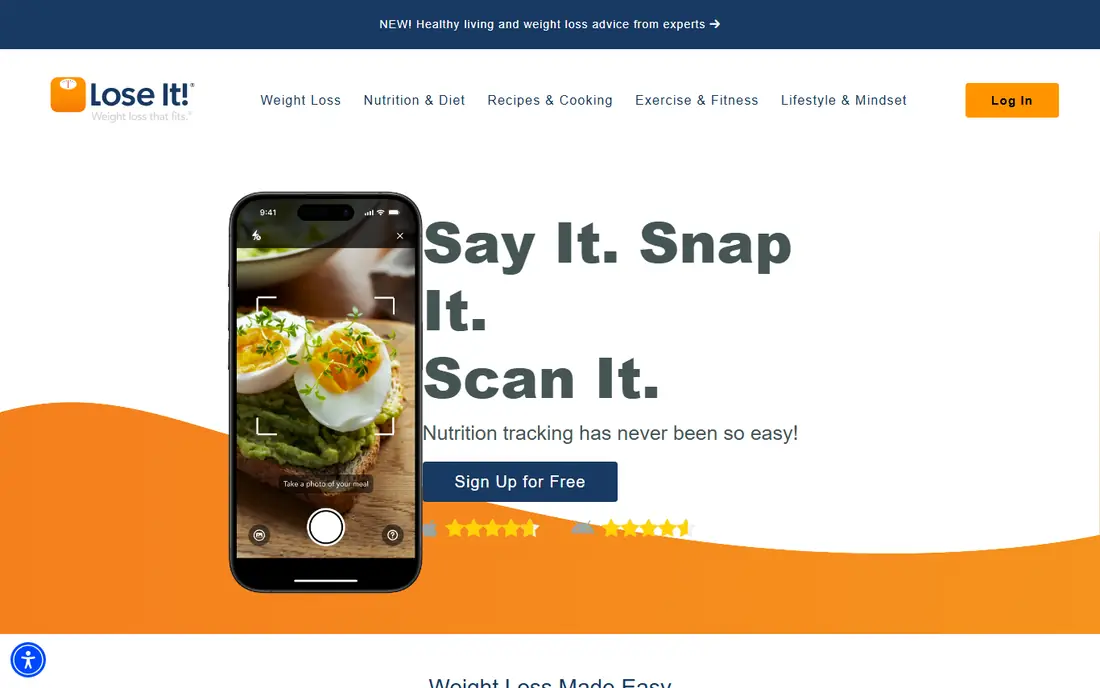
Lose It is the app we would hand to someone who has never tracked food before. The interface is clean, the calorie budget is easy to read, and logging a meal takes a few taps rather than a form. That simplicity is a strength, since a beginner needs a habit first and detailed charts second.
The trade-off is depth. Lose It tracks macros and basic nutrients well, but it does not match Cronometer for micronutrient detail, and some scanning tools sit behind the paid plan. If you want a simple diet tracker app that you will actually use, Lose It is a strong pick. If you want lab-level nutrition data, look at Cronometer instead.
- Clean and friendly interface
- Fast search and logging
- Clear calorie budget display
- Nutrition detail is lighter than Cronometer
- Some photo and scanning tools are paid
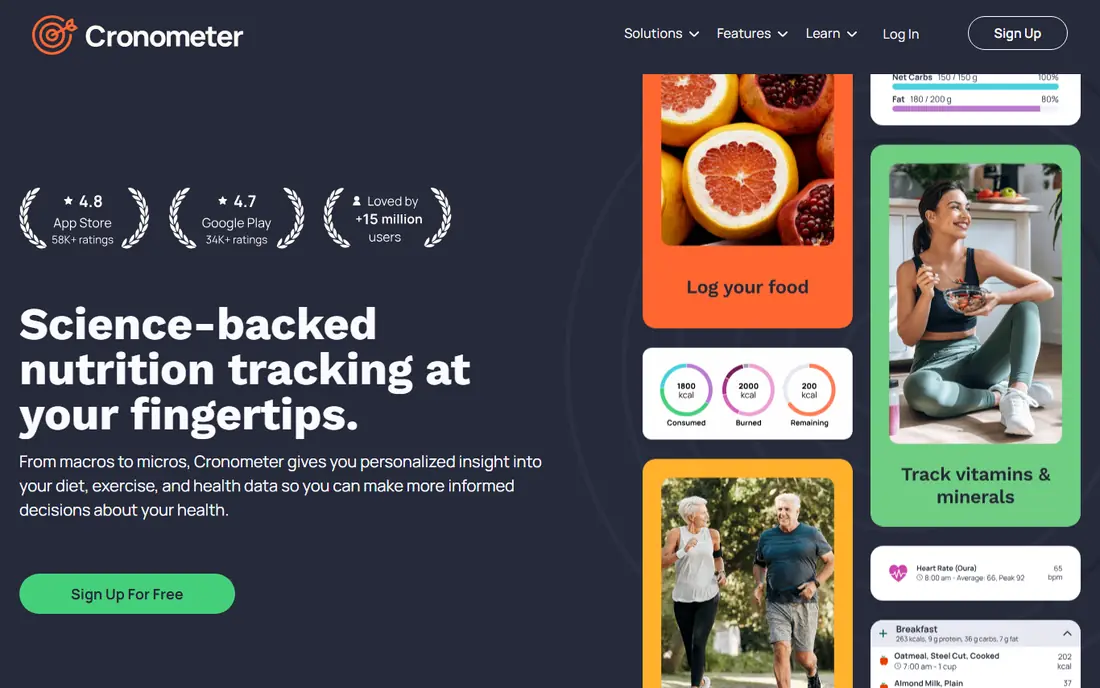
Cronometer is built for users who care about nutrients, not just calories. It tracks a wide range of vitamins and minerals from verified sources, and it shows where your diet is strong and where it is thin. That detail suits people with specific nutrition goals, athletes tracking micronutrients, or anyone who wants to know more than a calorie total.
The interface reflects that depth, and it can feel dense next to Lose It or MyFitnessPal. Casual users may find the charts and nutrient lists more than they need, and logging takes a little longer at first. If detailed food tracking is the goal, though, Cronometer is the most complete free option in this list, and its paid plan adds fasting, custom charts and more.
- Detailed micronutrient tracking
- Verified food data sources
- Barcode scanning on the free tier for many users
- Interface is denser than rivals
- Learning curve is steeper for casual users
MacroFactor is designed for lifters and athletes who run structured nutrition phases. Instead of a fixed calorie target, it estimates your expenditure from your logged food and body weight, then adjusts your targets as your data changes. That adaptive approach suits a cut or a bulk, where a static target quickly becomes outdated.
The catch is audience and price. MacroFactor has no permanent free tier, only a trial, and it assumes you understand macros and are willing to log consistently. Casual users who want simple food logging will find it more complex and more expensive than they need. For a serious training goal, though, the adaptive targets are a genuine difference, not just a chart.
- Adaptive calorie and macro targets
- Expenditure estimates that adjust with your data
- Strong for structured cuts and bulks
- No permanent free tier
- Best for users who already understand macros
- Price is higher than basic trackers
FatSecret is the best free food tracking app for users who do not want to pay for basic logging. Its free tier keeps barcode scanning and its food database available, which is a notable difference from rivals that move scanning behind a paywall. The food diary is straightforward, and the community features add support for users who like a social element.
The interface is less polished than MyFitnessPal or Lose It, and the paid plan adds less that is distinctive. If you want the best food tracking app free, and you value a generous free tier over a polished design, FatSecret is a strong choice. If design and speed matter most, Lose It may feel easier day to day.
- Free barcode scanning and full database for many users
- Food diary and community features
- Low cost if you upgrade
- Interface is less polished than rivals
- Paid features are less distinctive
Yazio suits users who want tracking plus meal ideas in one app. It offers meal plans, recipes and a clean food diary, which helps if your main problem is deciding what to eat, not just recording it. The interface is pleasant, and the basic logging tools are easy to learn.
The database is less deep for US branded foods than MyFitnessPal, so logging some packaged items may take more manual entry. Paid features, including fasting tools and advanced plans, also sit behind a subscription. For a user who wants a diet tracker app with meal planning built in, Yazio is a good fit, especially if you cook at home often.
- Meal plans and recipes
- Clean interface
- Fasting tracking on paid plans
- Database is smaller than MyFitnessPal for US branded foods
- Some features are paid
Lifesum is the most design-led app on this list, and that polish helps with daily use. Meal plans, diet programmes and visual progress tracking are presented clearly, and the app feels more like a wellness guide than a spreadsheet. That approach suits users who want structure and inspiration alongside logging.
The free tier covers basic logging, but full meal plans and deeper features require a paid plan, and nutrition detail is lighter than Cronometer. Lifesum is best for a user who values a pleasant experience and guided plans over maximum data depth. If you want the deepest nutrition data for free, Cronometer remains the better pick.
- Polished design
- Meal plans and diet programmes
- Clear visual progress tracking
- Free tier is basic
- Paid plan needed for full meal plans
- Nutrition detail is lighter than Cronometer
Carb Manager is built for keto and low-carb eaters, and it shows in every part of the app. Net carbs are tracked clearly, keto recipes and meal plans are built in, and the app includes fasting and glucose tracking options for users who want them. That focus makes it far easier to use for low-carb tracking than a general app where net carbs must be worked out by hand.
The focus is also the limit. If you do not follow a low-carb plan, much of Carb Manager is unnecessary, and a general tracker will serve you better. Some advanced features also require a paid plan. For a keto or low-carb user, though, Carb Manager is the most purpose-built food logging app in this list.
- Net carb tracking built in
- Keto recipes and meal plans
- Fasting and glucose tracking options
- Less useful if you do not follow low-carb eating
- Some advanced features are paid
How we picked these
We compared official feature pages, pricing pages, app store listings, privacy policies and public reviews for each app. We kept only apps that exist today, are available in the United States, and offer real food logging with a food database. We favoured a mix of free and paid apps, general trackers and specialist tools, and we marked pricing as "See website" where a vendor prices by subscription in a way that varies by store or promotion, rather than publishing a single number we could verify on its own site.
How to pick the right tracker
Start with logging speed
Try logging three normal days in any app before you judge it. If search is slow, if branded foods are missing, or if you must enter nutrition labels by hand, you will stop logging within a week. The best app for you is the one where a normal meal takes under a minute to record.
Decide how much detail you need
A beginner needs calories, protein, carbs and fat, plus a clear daily budget. An athlete or a user with a specific nutrition goal may need micronutrients, fibre, sodium and sugar in detail. More detail is not always better, since it adds logging time and chart reading, so match the app to the detail you will actually use.
Check what is free and what is paid
Free tiers vary a lot in this category. Some apps keep barcode scanning free, while others move it behind a paywall, and some keep meal plans paid while logging stays free. Check the free tier for the exact features you need, especially scanning, recipes and fasting tools, before you commit to a paid plan.
Frequently asked questions
What is the best food tracking app free?
FatSecret and Cronometer offer the most generous free tiers for food logging, with FatSecret keeping scanning and its database free for many users, and Cronometer offering detailed nutrient tracking free. MyFitnessPal and Lose It also offer free logging, but some faster tools sit behind paid plans. Try the free tier for two weeks before paying.
What is the best diet tracker app for beginners?
Lose It is the simplest choice for beginners, thanks to a clean interface and a clear calorie budget. MyFitnessPal is also easy to start with, and its larger database can make logging faster. Pick the one where logging feels easiest for your normal meals, since consistency matters more than features at the start.
What is the best food logging app for keto?
Carb Manager is the best choice for keto and low-carb tracking, because net carbs, keto recipes and meal plans are built in. General trackers can work for keto, but you will need to calculate net carbs yourself or rely on custom settings. If you follow a strict keto plan, a purpose-built app saves time every day.
Can a food tracking app help with weight loss?
A food tracking app can help by making intake visible and showing patterns over time, but it does not cause weight loss on its own. Targets should be realistic, and results vary with diet, activity, sleep and health. If you have a medical condition, are pregnant, or have a history of disordered eating, talk to a clinician before setting a calorie target, since tracking is not suitable for everyone.
How accurate are food tracking apps?
Accuracy depends on the database entry, portion size and how carefully you log. Verified entries and weighed portions are more accurate than user-submitted entries and estimated portions. Treat app totals as a useful estimate, not a precise measurement, and check entries against nutrition labels when accuracy matters.
Do food tracking apps work with fitness watches?
Most apps on this list integrate with Apple Health, Google Fit or common fitness watches, so activity and weight can sync automatically. Check the exact integrations on the app store listing for your device, since sync options vary by app and platform. A synced step count does not replace careful food logging, but it can make calorie estimates more useful.
Sources we checked (8)

Online Jobs is an independent blog about careers, online work, learning new skills and the tools that help people earn. More about us.
Keep reading
All posts
Best Workout Tracker App
We compared the best workout tracker app options for gym, home, and running training, checking prices, free plans, and logging tools in detail. See inside.
Best Workout Apps
Looking for the best workout apps? We compared 9 fitness apps for gym, home, running and classes on free plans, pricing and training style in 2026 now.

Best Running App
Best running app compared for 2026, with GPS tracking, training plans, route mapping, and free options for beginners and regular runners across the US.