Best Fire Computer Aided Dispatch Software in 2026: 8 Tools Compared


Agencies that want cloud CAD with multi-agency sharing · Starting price: See website
How we put this together: we compare official feature and pricing pages, app store listings, privacy policies and public user reviews. Prices change, so check the provider's site before you pay.
Key takeaways
-
- Mark43 and Hexagon suit larger or regional agencies with complex mapping needs.
-
- ProPhoenix, Tyler and CentralSquare suit agencies buying CAD inside a wider suite.
-
- Unified Solutions suits smaller EMS and fire agencies that want a modern interface.
-
- Tickets CAD suits volunteer departments with technical help and no licence budget.
-
- Always test response composition, not only nearest-unit dispatch, before you buy.
Quick comparison
| Name | Who it suits | Starting price | Free option | |
|---|---|---|---|---|
| Mark43 | Agencies that want cloud CAD with multi-agency sharing | See website | No | Visit |
 ProPhoenix Phoenix CAD | Fire and EMS agencies that want a full public safety suite | See website | No | Visit |
 Tyler Technologies CAD | Larger agencies that want CAD inside a broad public safety system | See website | No | Visit |
 Motorola Solutions PremierOne CAD | Agencies that want CAD linked to radio and field tools | See website | No | Visit |
 Hexagon Safety and Infrastructure CAD | Large and regional agencies that want advanced mapping | See website | No | Visit |
 CentralSquare CAD | Agencies that want CAD with records and mobile in one suite | See website | No | Visit |
 Unified Solutions CAD | EMS and fire agencies that want a modern, focused CAD | See website | No | Visit |
 Tickets CAD | Volunteer fire departments and small agencies with no budget | See website | Yes | Visit |
The best fire computer aided dispatch software
Fire dispatch is different from police dispatch. A structure fire needs several units at once, with the right mix of engines, ladders and rescue, and mutual aid often crosses agency borders. Good fire CAD software handles response composition, closest-unit and hydrant data, alarm processing times, and clear unit status for dispatchers and crews. The tools below range from enterprise suites to a free open source option, and we compared them on fire workflows, mapping, mobile links and multi-agency support.
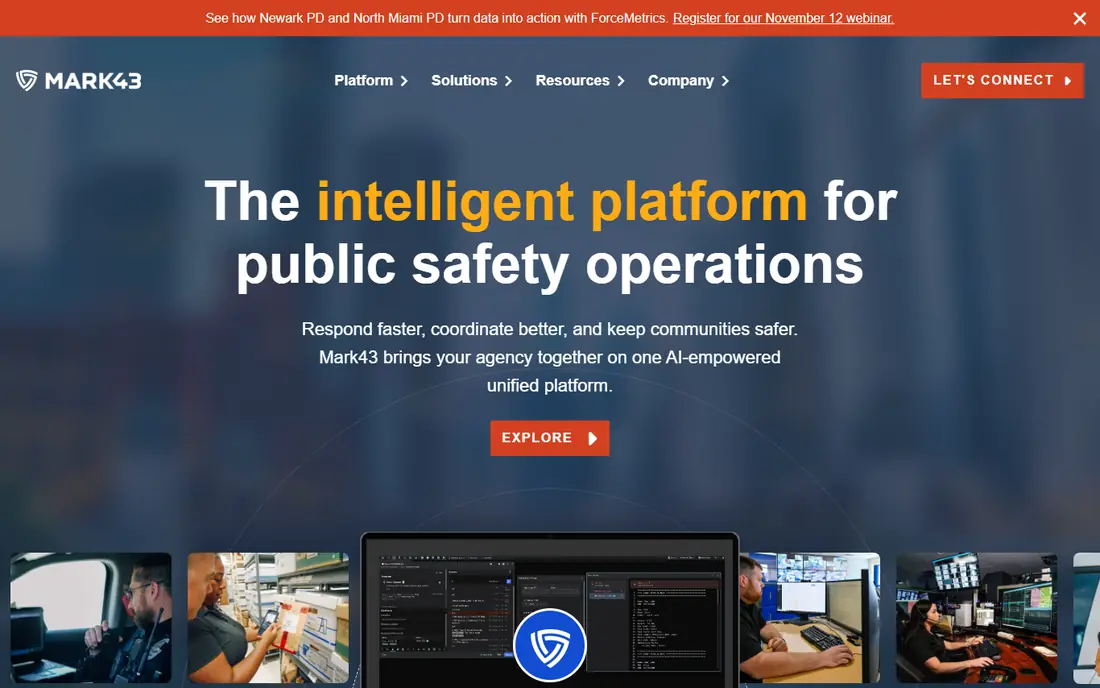
We start with Mark43 because it is built as a cloud platform for public safety. it offers computer aided dispatch with live unit tracking, mapping and data sharing across agencies. It fits agencies that want modern cloud software and closer work with neighbouring departments. Cloud migration still needs data, training and interface planning, so allow time for rollout. Ask for a live demo with your call types, and check interface support for fire and EMS records. In practice, the right test is a small, realistic job rather than a long feature list, because daily use shows where a tool helps and where it slows you down.
- Cloud CAD
- Real-time mapping
- Multi-jurisdiction data sharing
- Pricing is quote-based
- Migration needs planning
ProPhoenix Phoenix CAD
Who it suits: Fire and EMS agencies that want a full public safety suite

For many readers, ProPhoenix Phoenix CAD is the first option worth a close look, since it is designed for fire, EMS and police in one system. it supports call taking, dispatch, mapping, unit tracking and messaging to mobile units. It fits agencies that want CAD linked closely to records and mobile data. A full suite brings more setup than a standalone CAD tool, so training matters. Map your response types first, then test how the CAD assigns engines, ladders and medics together. In practice, the right test is a small, realistic job rather than a long feature list, because daily use shows where a tool helps and where it slows you down.
- Fire and EMS dispatch workflows
- Mapping and AVL
- Records links
- Pricing is quote-based
- Full suite setup takes time
Tyler Technologies CAD
Who it suits: Larger agencies that want CAD inside a broad public safety system

Consider Tyler Technologies CAD when it suits agencies buying a wider public safety platform. it offers CAD as part of a public safety suite, with mapping, unit status and links to records and mobile tools. It fits larger departments that want one vendor across dispatch, records and mobile. Enterprise scope means longer implementation and more change management. Involve dispatchers early, and test peak call volumes before you sign. In practice, the right test is a small, realistic job rather than a long feature list, because daily use shows where a tool helps and where it slows you down.
- CAD with records and mobile
- Mapping
- Multi-agency support
- Pricing is quote-based
- Enterprise rollout is complex
Motorola Solutions PremierOne CAD
Who it suits: Agencies that want CAD linked to radio and field tools
A good place to begin is Motorola Solutions PremierOne CAD, where it links dispatch closely to radio and field work. it offers CAD with unit tracking, mapping and links to radio and mobile field tools. It fits agencies already using Motorola radio or field systems. Total cost depends on radio, mobile and interface scope, so get a full quote. Check radio integration, failover and mobile coverage for your stations. In practice, the right test is a small, realistic job rather than a long feature list, because daily use shows where a tool helps and where it slows you down.
- CAD with radio integration
- Mapping
- Mobile field access
- Pricing is quote-based
- Hardware and radio links add scope
Hexagon Safety and Infrastructure CAD
Who it suits: Large and regional agencies that want advanced mapping
We include Hexagon Safety and Infrastructure CAD here because it is known for strong geographic tools. it offers CAD with advanced mapping, incident management and multi-agency coordination. It fits regional centres and large agencies with complex geography. Its scale suits larger budgets and longer projects than small departments. Test mapping with your streets, hydrants and mutual aid areas before you choose. In practice, the right test is a small, realistic job rather than a long feature list, because daily use shows where a tool helps and where it slows you down.
- Advanced GIS mapping
- Multi-agency CAD
- Incident management
- Pricing is quote-based
- Implementation is enterprise-scale
CentralSquare CAD
Who it suits: Agencies that want CAD with records and mobile in one suite
Next up is CentralSquare CAD, a choice that stands out because it offers CAD as part of a public safety suite. it supports dispatch, unit tracking, mapping and links to records and mobile units. It fits agencies that want CAD, records and mobile from one supplier. Migration from an older system needs data checks and dispatcher training. Run a parallel test with real call types, and confirm report needs before rollout. In practice, the right test is a small, realistic job rather than a long feature list, because daily use shows where a tool helps and where it slows you down.
- CAD, records and mobile links
- Mapping
- Unit management
- Pricing is quote-based
- Suite migration needs care
Unified Solutions CAD
Who it suits: EMS and fire agencies that want a modern, focused CAD
Turning to Unified Solutions CAD, we find it is a focused option for EMS and fire operations. it offers CAD with real-time unit tracking, crew assignment, scheduling and mobile data links. It fits smaller EMS and fire agencies that want a modern interface without enterprise complexity. Its smaller footprint means buyers should check support hours and interface coverage. Ask about support, data export and how the system handles mutual aid calls. In practice, the right test is a small, realistic job rather than a long feature list, because daily use shows where a tool helps and where it slows you down.
- Real-time GPS tracking
- Crew management
- Mobile terminal links
- Smaller vendor footprint than enterprise rivals
- Pricing varies
Tickets CAD
Who it suits: Volunteer fire departments and small agencies with no budget
Another strong option is Tickets CAD, where it is the free, open source option in this list. it offers incident dispatch, mapping, responder tracking and roster tools at no licence cost. It fits volunteer fire departments, training programmes and small agencies with technical volunteers. It needs hosting, setup and ongoing care, so it is not a hands-off product. Test it in training first, confirm radio and phone links, and assign a volunteer to maintain it. In practice, the right test is a small, realistic job rather than a long feature list, because daily use shows where a tool helps and where it slows you down.
- Free and open source
- Mapping
- Roster and incident tools
- Community support only
- Setup and hosting need technical help
How we picked these
We looked for CAD software used by fire or EMS agencies, with dispatch, mapping and unit tracking at its core. We favoured tools with fire-specific workflows, such as multi-unit response, station and apparatus tracking, and mobile links to crews. We noted where pricing is quote-based, since most enterprise CAD vendors do not publish prices. We did not rank on response time claims alone, since local staffing, geography and call mix shape outcomes.
How to choose fire CAD software
Start with your response model. List the unit types, station coverage, mutual aid partners and alarm levels you use. A CAD tool must assign the right mix of units, not only the nearest unit. Ask each vendor to show a structure fire, a medical call and a mutual aid call in a live demo, using your station names and unit types. Next, check mapping, interfaces and failover. Good mapping needs current streets, hydrants, pre-plans and hazard flags. Interfaces to phone, radio, records, mobile data and paging shape daily work. Also ask what happens when the network fails, since dispatch cannot stop. A clear failover plan matters as much as a clean interface. Finally, plan training and rollout. Dispatchers, crews and IT staff all need time with the new system. A parallel run, where the old and new systems run together for a period, catches problems before go-live. Budget for training, data cleanup and interface work, not only the licence or subscription cost.
Frequently asked questions
What is the best fire computer aided dispatch software?
There is no single best system. Mark43 suits cloud-first agencies, ProPhoenix suits full-suite buyers, and Hexagon suits large regional centres. Small and volunteer departments may start with Tickets CAD. Match the system to your size, response model and budget.
How is fire CAD different from police CAD?
Fire CAD must handle multi-unit responses, apparatus types and mutual aid, while police CAD often focuses on single-unit patrol dispatch. Fire CAD also tracks station coverage, hydrants, pre-plans and alarm processing times. A police-only system may miss those fire workflows.
Do fire CAD vendors publish prices?
Most enterprise vendors price by quote, based on agency size, users, interfaces and hosting. Small and open source options may be free or low cost, but still need hosting and support. Ask for a full quote that includes implementation, training and interfaces.
Can small volunteer fire departments use CAD software?
Yes. Tickets CAD is a free open source option for volunteer departments with technical help. Some commercial vendors also offer smaller packages. Start with training use, then move to live dispatch once the system is tested.
What should we test in a CAD demo?
Test a structure fire with multiple units, a medical call, a mutual aid call and a peak-volume period. Check mapping, hydrant data, unit status, mobile messages and failover. Involve dispatchers and crews in the demo, since they will use the system daily.
Sources we checked (8)

Online Jobs is an independent blog about careers, online work, learning new skills and the tools that help people earn. More about us.
Keep reading
All posts
eBay Alternatives
Looking for ebay alternatives? We compared 9 marketplaces for sellers on fees, buyer reach, categories and ease of listing, to help you sell with confidence.

ZoomInfo Alternatives
The best ZoomInfo alternatives in 2026, compared on price, free plans, data coverage, and which tool fits small teams or large sales teams best in detail.

Zoom Alternatives
Zoom alternatives compared for 2026: Google Meet, Microsoft Teams, Webex, Jitsi and more for free calls, large meetings and webinars for teams and classrooms.