Best Family Tree Software in 2026: 8 Tools Compared

How we put this together: we compare official feature and pricing pages, app store listings, privacy policies and public user reviews. Prices change, so check the provider's site before you pay.
Key takeaways
- FamilySearch is the best free starting point, with a large shared tree and free access to many historical records.
- Ancestry and MyHeritage are best when record access matters most, but their most useful collections sit behind paid plans.
- Family Tree Maker and RootsMagic suit people who want a private tree on their own computer, with control over files and backups.
- Gramps is a strong free desktop option for detailed research, while WikiTree suits collaborative work on shared ancestors.
- Check privacy, sharing controls, and export options before you add living relatives or DNA results to any tree.
Quick comparison
| Name | Who it suits | Starting price | Free option | |
|---|---|---|---|---|
 FamilySearch | Free research and tree building | Free | Yes | Visit |
 Ancestry | Largest record collections | See website | Yes | Visit |
 MyHeritage | International records and DNA matching | See website | Yes | Visit |
 Findmypast | UK and Irish records | See website | No | Visit |
 Family Tree Maker | Private desktop trees | See website | No | Visit |
 RootsMagic | Affordable desktop research | See website | Yes | Visit |
 Gramps | Free detailed desktop research | Free | Yes | Visit |
 WikiTree | Collaborative shared tree | Free | Yes | Visit |
The best family tree software
Family tree software does two different jobs, and the best pick depends on which job matters most to you. Some tools are mainly for building and sharing a tree, while others are mainly for finding records such as censuses, birth records, and military files. We compared official feature pages, pricing pages, and public documentation to separate those jobs clearly.

FamilySearch is where most beginners should start, simply because it costs nothing and covers a lot of ground. You can build a tree, search indexed records, and view many digitised documents without a subscription, which makes it easy to test if genealogy suits you. The shared tree model also means you may find ancestors already added by other researchers, along with sources attached to them.
The shared model is also the main thing to understand. Because the tree is shared, other users can change details for deceased ancestors, so you should check sources rather than accept every change at face value. Keep your own notes and copies of key records outside the site as well. For free research and a first tree, though, FamilySearch is hard to beat.
- Free to use
- Large collection of historical records
- Shared tree helps connect with distant relatives
- Shared tree means others can edit shared ancestors
- Record coverage varies by place and period
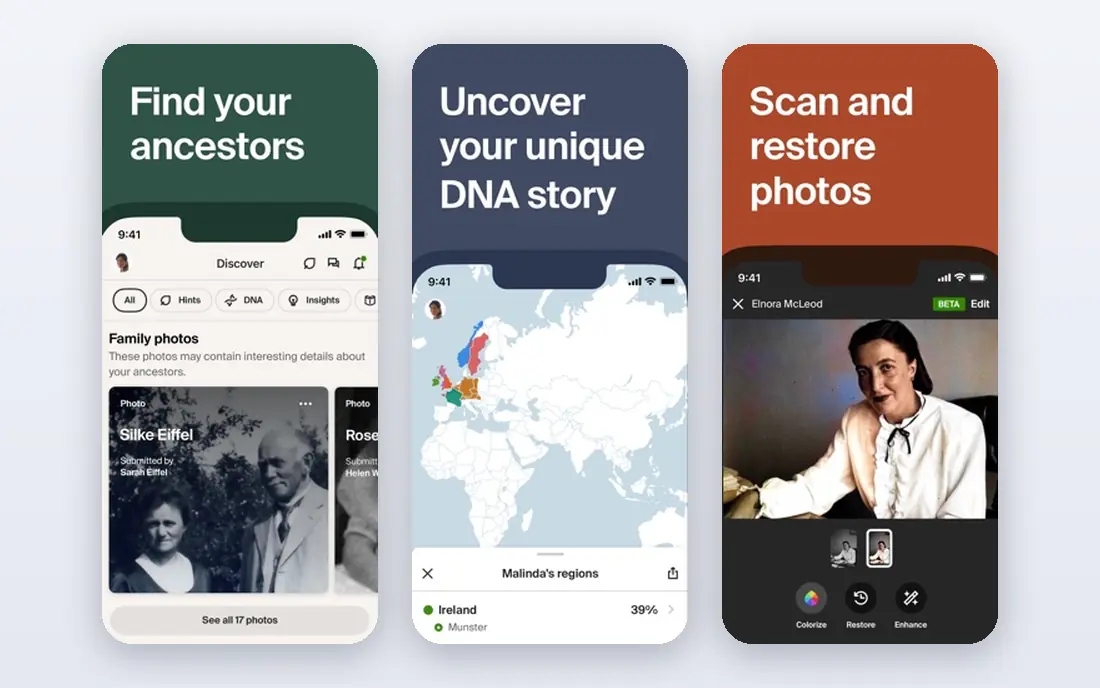
Ancestry is the research-heavy pick in this list. Its record collections cover censuses, military records, immigration lists, newspapers, and many local collections, and its hint system can surface records you would not have found by searching alone. If you have hit a wall on a free site, Ancestry is often the next step because its collections are broader, especially for US research. DNA matching can also break through brick walls by connecting you with relatives who share ancestors.
The cost is the honest catch. A free account lets you build a tree, but the records that make Ancestry useful are mostly paid, and prices vary by plan and region, so check the current pricing page before you sign up. Start with a short plan, focus on one family line, and download or note every record you find. That way you keep value from the subscription after it ends.
- Very large record collections
- Helpful hints that suggest records and relatives
- Strong DNA matching tools
- Full record access needs a paid plan
- Costs add up if you also buy DNA tests
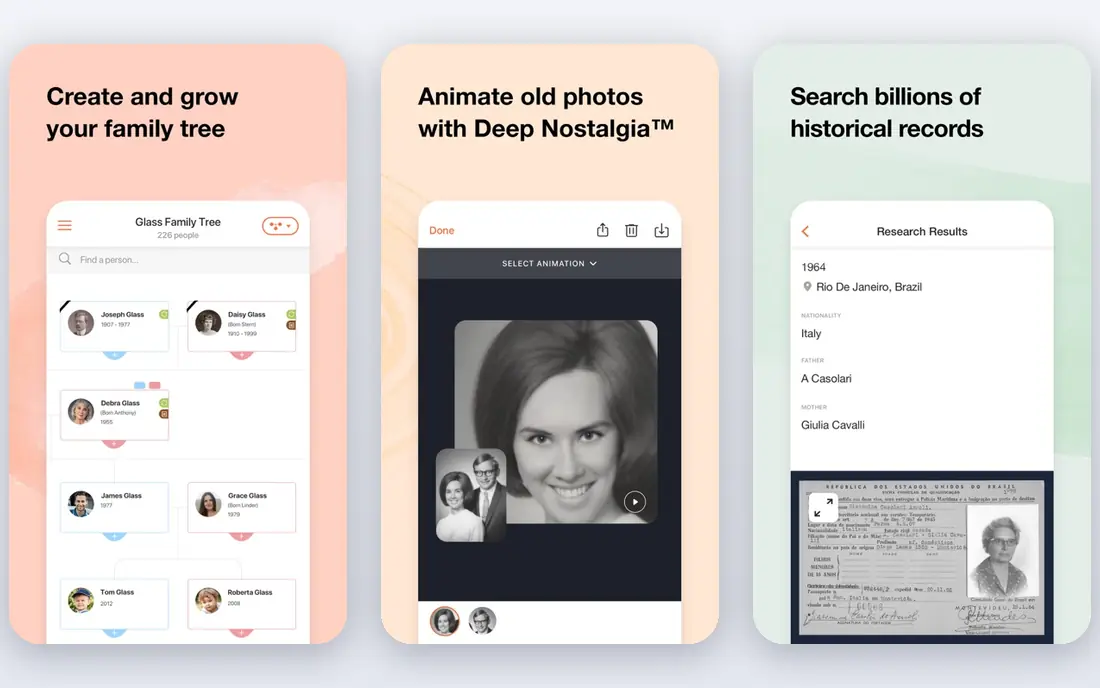
MyHeritage is a strong choice for families with roots outside the United States, especially in Europe. Its collections include records from many countries, and its matching tools can connect trees across languages and borders. Photo tools that colourise and enhance old photos are a nice bonus for sharing family history with relatives who may not care about census pages. DNA testing and matching add another route to cousins and family lines.
The free version is useful for a small tree, but larger trees and full record access need a paid plan, so check the current limits on the pricing page. Like Ancestry, it works best when you use it with a clear goal, such as tracing one immigrant line or one surname. Pair it with FamilySearch for free record checks, and you get a good mix of free and paid research.
- Strong European and Jewish record collections
- Good photo tools
- DNA matching across many countries
- Free tree has limits
- Paid plans needed for full records and larger trees
Findmypast earns its place for anyone with British or Irish ancestors. Its parish records, censuses, military collections, and newspapers cover gaps that US-focused sites miss, and its search tools are built around UK place names and record types. If your family stayed in England, Scotland, Wales, or Ireland for several generations, Findmypast can answer questions that broader sites cannot.
The downside is scope and price. There is no permanent free plan in the usual sense, and the value drops sharply if your research is mainly in the US or elsewhere. Check if your library offers free access first, since many libraries provide Findmypast or Ancestry on site. If you do subscribe, work through one county or one family line at a time to get the most from a short plan.
- Strong UK parish, census, and military records
- Good for Irish research
- Useful newspaper collections
- No permanent free plan
- Less useful if your family is mainly outside the UK and Ireland
Family Tree Maker suits researchers who want a private, local copy of their tree. Your data lives on your computer, you can print detailed charts and reports, and you can sync with Ancestry and FamilySearch when you want online records. That control matters if you have spent years on research and do not want your main tree to depend on a single website or subscription. The chart and book options are also better than most web-only tools for sharing a finished tree with family.
The cost is a one-time purchase rather than a monthly plan, so check the current price on the vendor site. Syncing is useful but needs care: sync often, back up before a large sync, and review duplicates after merging online hints. If you like working offline and keeping your own backups, Family Tree Maker is a solid home base for your research.
- Tree stays on your own computer
- Syncs with Ancestry and FamilySearch
- Rich charts and reports
- One-time purchase cost
- Syncing needs care to avoid duplicate people
RootsMagic is the value desktop pick. It offers a free Essentials version for basic tree building, and a paid full version that adds more reports, tools, and features. Like Family Tree Maker, it syncs with Ancestry and FamilySearch, so you can pull records online and keep a local copy at home. Source tools help you record where each fact came from, which matters a lot when you return to a line years later.
The interface is plain compared with modern web apps, and some users will miss the polish of Ancestry or MyHeritage. That is a fair trade for the price and for local control. Try the free version first with a small branch of your tree, and upgrade only if you need the extra reports and tools. For budget-conscious researchers, RootsMagic is a sensible middle ground.
- Lower cost than some desktop rivals
- Syncs with Ancestry and FamilySearch
- Good reports and source tools
- Interface looks dated
- Full version is a paid upgrade
Gramps is for researchers who want detail and control without paying anything. It is free and open source, runs on all major desktop systems, and lets you record sources, events, places, notes, and media in a structured way. That depth helps when a family has complex relationships, repeated names, or conflicting records that need careful notes. You can export your tree in GEDCOM format to move it to another tool later.
The learning curve is real. Gramps does not hold your hand the way a commercial site does, and it has no built-in record collections, so you will search FamilySearch, Ancestry, or archives separately and add findings by hand. If you enjoy detailed research and want a free tool that will not lock your data away, Gramps rewards the effort. If you want hints and records in one place, start with FamilySearch instead.
- Completely free and open source
- Very detailed source and event records
- Works on Windows, Mac, and Linux
- Steeper learning curve
- No built-in online record collections
WikiTree takes the shared tree idea and adds a strong focus on sources. The goal is one profile per person, built by volunteers who add sources and work together on shared ancestors. That model can connect you with distant cousins who are working on the same lines, and the emphasis on citing sources helps keep profiles honest. It is free to use, which makes it easy to join and contribute at your own pace.
As with any shared tree, you do not fully control profiles for shared ancestors, and the community rules take a little learning. Keep your own backup tree in a desktop tool, and use WikiTree for collaboration and for finding cousins. For researchers who like working with others and care about sourced profiles, WikiTree is a useful addition to FamilySearch and a desktop tool.
- Free collaborative tree
- Focus on sourced profiles
- Active community of volunteers
- Shared profiles can be edited by others
- Rules and style take time to learn
How we picked these
We compared official feature pages, pricing pages, and public documentation, and we favoured tools that are actively maintained, that let you build or research a real tree today, and that cover different needs: free research, paid record access, desktop control, and collaboration. We did not claim hands-on testing, and we used See website where a vendor price was not clearly published on its own site. Privacy and export options also mattered, since family data includes living relatives and sensitive records.
How to choose the right family tree tool
Start by naming your main goal. If you want to find records and break through a brick wall, a record site such as Ancestry, MyHeritage, or Findmypast matters most, and the right one depends on where your ancestors lived. If you want a private tree to pass to family, a desktop tool such as Family Tree Maker, RootsMagic, or Gramps is the better home base. Many researchers use both: a record site for discovery, and a desktop tool for the master tree.
Next, check the practical details. Can you export your tree as a GEDCOM file? Can you control who sees living people? Can you download photos and documents you upload? Those answers matter more over ten years than a pretty chart style. Also check if your local library offers free access to paid record sites, since that can save a subscription while you test a site.
Finally, start small. Pick one grandparent line, add what you already know, and add one source for each key fact. A tree with sources is worth far more than a large tree copied from other users without checks. Talk to older relatives early, scan photos with names and dates on the back, and keep a simple research log so you do not repeat searches later.
Frequently asked questions
What is the best family tree app for beginners?
FamilySearch is the best starting point for most beginners because it is free and includes records and a tree builder in one place. Once you know which countries and periods you need, you can add a paid record site for deeper collections.
What is the best app for family tree building only?
Family Tree Maker and RootsMagic are strong picks if you mainly want to build, print, and keep a private tree on your computer. They sync with major record sites, but the tree itself stays under your control with local backups.
Can I build a family tree for free?
Yes. FamilySearch, Gramps, and WikiTree are free, and MyHeritage and RootsMagic offer free versions with limits. Free tools cover tree building well, but full access to some paid record collections still needs a subscription or library access.
What is the best family tree software for UK research?
Findmypast is a strong pick for UK and Irish research, with parish, census, military, and newspaper collections built for those countries. Ancestry also holds many UK records, so compare collections for your specific county before you subscribe.
Can I move my tree between family tree apps?
Most desktop tools and many websites support GEDCOM export, which moves people, dates, and relationships between tools. Photos, sources, and notes may not transfer perfectly, so keep original files and a backup before you switch.
Sources we checked (8)

Online Jobs is an independent blog about careers, online work, learning new skills and the tools that help people earn. More about us.
Keep reading
All posts
n8n Alternatives
n8n alternatives compared for 2026, with Zapier, Make, Activepieces, and more, covering visual builders, code steps, self-hosting, and pricing models.

eBay Alternatives
Looking for ebay alternatives? We compared 9 marketplaces for sellers on fees, buyer reach, categories and ease of listing, to help you sell with confidence.

ZoomInfo Alternatives
The best ZoomInfo alternatives in 2026, compared on price, free plans, data coverage, and which tool fits small teams or large sales teams best in detail.