Best Face Editing Apps Free in 2026: 9 Apps Compared

How we put this together: we compare official feature and pricing pages, app store listings, privacy policies and public user reviews. Prices change, so check the provider's site before you pay.
Key takeaways
- FaceApp is our pick for natural-looking portrait edits, while YouCam Makeup is the pick for virtual makeup and style trials.
- BeautyPlus and AirBrush cover the widest range of free selfie tools, from skin retouching to filters and collages.
- PicsArt and Adobe Lightroom are the best free options when you want clean, realistic edits rather than heavy beauty filters.
- Most free apps include ads or watermarks on some features, and the best filters often sit behind a subscription.
- Check privacy terms before editing photos of other people, and avoid apps that upload full-resolution photos without a clear reason.
Quick comparison
| Name | Who it suits | Starting price | Free option | |
|---|---|---|---|---|
 FaceApp | Natural portrait edits | Free | Yes | Visit |
 YouCam Makeup | Virtual makeup trials | Free | Yes | Visit |
 BeautyPlus | All-round selfie editing | Free | Yes | Visit |
 AirBrush | Quick selfie retouching | Free | Yes | Visit |
 Perfect365 | Makeup looks and styles | Free | Yes | Visit |
 Facetune | Detailed face retouching | Free | Yes | Visit |
 PicsArt | Realistic edits plus face tools | Free | Yes | Visit |
 Adobe Lightroom | Professional mobile edits | Free | Yes | Visit |
 Remini | Photo enhancement and restoration | Free | Yes | Visit |
The best face editing apps free
Free face editing apps fall into two camps. Some focus on beauty filters and virtual makeup. Others are general photo editors that happen to handle faces well. This list mixes both, so you can pick the style you actually want, rather than downloading five apps to find one good filter.
FaceApp is the app most people mean when they talk about face editing. Its retouching tends to look natural at modest settings, smoothing skin and cleaning up blemishes without turning a face into plastic. The well-known fun filters, including age changes and hairstyle previews, are easy to try and easy to share.
The free version is a good trial, but the full filter set and higher-quality exports sit behind a paid plan, so expect prompts to upgrade. Use the sliders gently, because heavy settings are where results start to look artificial. Also check the privacy policy for how photos are processed, especially if you edit portraits of other people.
- Strong portrait retouching with a simple flow
- Well-known filters for smiles, hairstyles, and ageing effects
- Available on iOS and Android
- Best filters and HD exports need a subscription
- Fun age and gender filters can look unrealistic if pushed too far
- Privacy terms deserve a read

YouCam Makeup is the pick if you want to try makeup before buying it. You can test lipstick shades, blush, eye looks, and hair colours on a live camera view or a photo, which is more useful than a static filter pack. It also includes basic skin retouching, so a finished selfie does not need a second app.
The free tier covers a useful set of looks, but the newest palettes and advanced retouching are paid. The app also promotes its wider Perfect Corp family of tools, which can make the interface feel crowded. For makeup trials and quick selfie polish, though, it remains the most focused free option in this list.
- Wide virtual makeup range with live camera try-on
- Hair colour previews
- Skin retouching alongside makeup looks
- Many premium looks need a subscription
- App can feel busy with promotions
- Live try-on quality depends on lighting and camera
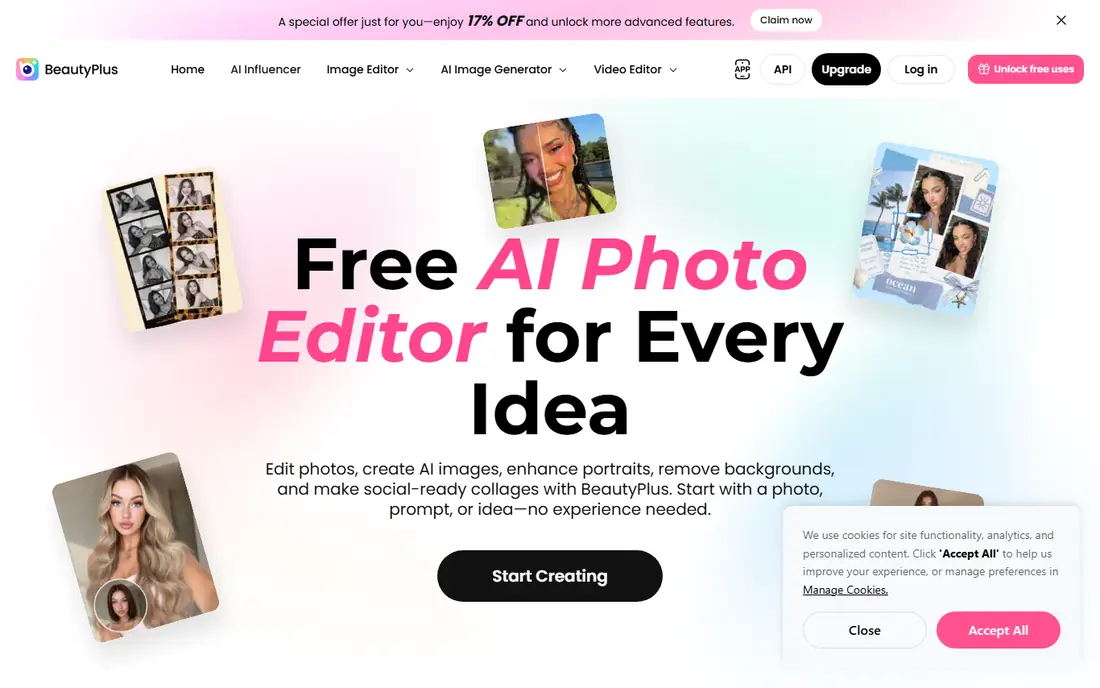
BeautyPlus is the broadest free selfie editor here. It covers the basics, including skin smoothing, teeth whitening, and eye brightening, and adds collages, background removal, and video enhancement for creators who post often. Having a web version as well as mobile apps is a plus if you sometimes edit on a computer.
Free does not mean unlimited. Premium opens a wider set of features, and the free version includes ads, so expect some friction. Still, for a single app that handles selfies, social posts, and quick video polish, BeautyPlus gives you the most free surface area before you need to pay.
- Free on iOS, Android, and web
- Skin, teeth, and eye retouching plus filters
- Collages, background removal, and video tools
- Premium tier opens many features, so free editing has limits
- Ads appear in the free version
- Some AI effects look stylised rather than natural
AirBrush is built for speed. Open a selfie, smooth skin, brighten eyes, whiten teeth, and apply a filter, all in a few taps. It suits people who edit a photo before posting and do not want to learn a full photo editor. The controls are sliders rather than complex menus, which keeps everyday edits quick.
That simplicity has a ceiling. Detailed reshaping and the larger filter library sit behind a subscription, and pushing skin smoothing too far removes natural texture. Used lightly, AirBrush produces clean, shareable selfies fast. Used heavily, it shows the same plastic look as any beauty app pushed past its best settings.
- Simple retouching flow for skin, eyes, and teeth
- Makeup filters and blemish removal
- Fast for everyday selfies
- Advanced tools and many filters need a subscription
- Heavy retouching can look flat
- Free version includes upgrade prompts
Perfect365 is a style-first app. It offers ready-made makeup looks you can apply in one tap, plus tools to adjust individual features. If you want a finished, glamorous look without building it shade by shade, its template library is the fastest route in this list.
The trade-off is taste. Perfect365 leans toward bold, stylised looks rather than subtle everyday makeup, so it suits nights out and content creation more than natural portraits. Many looks are paid, and the free set is smaller, so try the free looks first and only subscribe if you regularly use the premium styles.
- Large library of makeup looks and templates
- One-tap styles for quick results
- Video makeup features on some plans
- Free looks are a subset of the full library
- App leans heavily toward stylised beauty looks
- Subscription prompts are frequent
Facetune is the detail tool in this list. Where other apps offer one-tap smoothing, Facetune lets you adjust specific areas, refine skin texture, and reshape features with more control. That precision suits creators who edit portraits often and want consistent results across a set of photos.
Precision is also a risk, because it is easy to overdo a feature until a portrait stops looking like the person in it. The free version gives a taste of the tools, but the full set needs a subscription. If you only edit occasionally, a simpler app may be enough. If you edit portraits weekly, Facetune earns its place.
- Precise retouching tools for skin, eyes, and facial features
- AI tools for quick edits
- Long track record as a selfie editor
- Full feature set needs a subscription
- Detailed tools can tempt over-editing
- Free version is limited compared with paid plans
PicsArt is the general editor in this list that also handles faces well. It offers retouching tools for skin and blemishes, filters, and a large library of stickers and templates, alongside full photo editing for scenery, food, and social posts. Results can stay natural if you keep retouching light, which suits readers who want one app for many kinds of photos.
It has no virtual makeup try-on as focused as YouCam Makeup, so it will not suit readers who want that specific feature. For anyone who wants a cleaner portrait plus a general editor for other photos, PicsArt is a strong free starting point, with a subscription available only if you regularly use its premium assets.
- Free tier with retouching, filters, and collage tools
- Large sticker and template library
- Works for portraits and general photos
- Many premium tools and assets need a subscription
- Free version includes ads
- Interface can feel busy for simple selfie edits
Adobe Lightroom for mobile is the professional option that still offers a useful free tier. You can adjust exposure, colour, and detail, apply presets, and use masking tools to edit a face or background separately. For readers who want to learn real photo editing, it teaches skills that transfer to any camera or editor.
It is not a beauty app, and it will not give you virtual lipstick in one tap. The interface also assumes some interest in editing, so casual selfie editors may find it heavy. If you want natural, high-quality portraits and you are willing to learn a few controls, Lightroom is the strongest free starting point for serious editing.
- Free mobile app with strong editing tools
- Presets for quick looks
- Face-aware masking on supported plans and devices
- Some advanced features need a paid plan
- App is larger and more complex than a selfie editor
- Cloud sync needs an Adobe account
Remini does a different job from the other apps here: it enhances and sharpens photos, including old, blurry, or low-resolution portraits. For restoring a family photo or rescuing a soft selfie, it can produce a striking improvement in a single tap, and that specific strength earns it a place in this list.
Results vary, and AI enhancement can alter small facial details, so check the output closely before sharing a restored portrait as an accurate likeness. Free use is limited, with a subscription for regular enhancement. Use Remini for rescue jobs, and use a retouching app above for everyday selfie edits.
- AI enhancement that sharpens old or blurry portraits
- Useful for restoring family photos
- Simple one-tap flow
- Free use is limited and results vary by photo
- AI enhancement can change facial details
- Subscription needed for regular use
How we picked these
We compared official app pages, app store listings, and privacy information, and we checked that each vendor homepage loads and belongs to the product named. We favoured apps that are still actively updated, offer a real free tier, and fit the topic: face editing, selfie filters, or portrait enhancement. Where a price or free limit could not be verified on the vendor or store page, we wrote Free for the download tier and left paid details to the app listing rather than guessing.
How to get natural results from a free app
Start with the lightest setting that fixes the problem, then stop. Smooth skin only until blemishes fade, not until texture disappears, and brighten eyes and teeth in small steps. Compare the edited photo with the original at full size, because small phone previews hide over-editing that looks obvious on a larger screen.
Also think about privacy. Face editing apps process portraits, and some upload photos for AI processing, so read the privacy policy and avoid editing photos of children or other people without a clear reason. Finally, remember that free tiers change: a filter that is free today may move behind a subscription tomorrow, so judge an app on its current free set, not on a promotion you saw months ago.
Frequently asked questions
What is the best free face editing app?
FaceApp is our pick for natural portrait edits, YouCam Makeup is the pick for virtual makeup, and PicsArt is a strong pick for realistic editing alongside face tools. BeautyPlus is the broadest free all-rounder. Your best choice depends on whether you want beauty filters, makeup trials, or clean photo editing.
What is the best free filter app for selfies?
BeautyPlus and AirBrush offer the widest free selfie filter sets for everyday use, while FaceApp offers the most natural-looking portrait filters. PicsArt has a smaller beauty focus than dedicated selfie apps, so it suits readers who prefer realistic edits. Try two apps with the same photo and compare results before settling on one.
Are free face editing apps safe?
Reputable apps from major app stores are generally safe to install, but face apps handle sensitive photos, so read privacy terms and permissions before use. Avoid apps that ask for contacts or location without a clear need, and avoid editing or sharing photos of other people without their permission.
Can I edit selfies for free without a watermark?
Many free apps add watermarks or limit exports on some features, while the free tier of Lightroom does not watermark core edits in the same way. If a watermark appears, check whether it applies only to a premium filter or to all exports, because that detail varies by app and by feature.
What is the best selfie editing app for natural results?
PicsArt and Adobe Lightroom give the most natural results, because they focus on light, colour, and detail rather than beauty filters alone. FaceApp at low settings also looks natural. Avoid pushing skin smoothing or reshaping sliders to their maximum, because that is where portraits start to look artificial.
Do face editing apps work on both iPhone and Android?
Yes, all of the apps in this list are available on both iOS and Android, though some features and subscription prices differ by platform. Check the app store listing for your device before subscribing, because a feature on one platform is not always available on the other.
Sources we checked (9)

Online Jobs is an independent blog about careers, online work, learning new skills and the tools that help people earn. More about us.
Keep reading
All posts
Best workout apps for women
Compare the best workout apps for women in 2026, from free guided classes to structured strength plans, with current prices, free plans and honest trade-offs.

Best Yoga App
Find the best yoga app for home practice in 2026, with verified prices, free options, class styles, trials and honest limits for 10 yoga apps compared.
Best Workout Tracker App
We compared the best workout tracker app options for gym, home, and running training, checking prices, free plans, and logging tools in detail. See inside.