Best Document Management Software for Law Firms in 2026: 8 Tools Compared


Mid-size to large firms with strict governance · Starting price: See website
How we put this together: we compare official feature and pricing pages, app store listings, privacy policies and public user reviews. Prices change, so check the provider's site before you pay.
Key takeaways
- Dedicated legal systems file by matter and client, while general cloud storage leaves that structure for staff to build by hand.
- Email filing matters as much as document storage, because so much case material still arrives in an inbox.
- Published prices are clearest for smaller firms, while larger firms usually need a quote for NetDocuments and iManage Work.
- A practice management system can be enough for a small firm, but a dedicated system fits firms with strict filing and permission needs.
Quick comparison
| Name | Who it suits | Starting price | Free option | |
|---|---|---|---|---|
| NetDocuments | Mid-size to large firms with strict governance | See website | No | Visit |
 iManage Work | Large firms with complex security needs | See website | No | Visit |
 Clio Manage | Small to mid-size firms wanting one system | $49 per user per month | Free trial | Visit |
 MyCase | Small firms focused on client communication | $50 per user per month | Free trial | Visit |
 LexWorkplace | Small firms wanting a dedicated system | $395 per month for 3 users | Free trial | Visit |
 PracticePanther | Small firms wanting automation | $49 per user per month | Free trial | Visit |
 Smokeball | Document-heavy small firms | See website | Free trial | Visit |
 SuiteFiles | Small firms already using Microsoft 365 | $210 per month for 5 users | Free trial | Visit |
The best document management software for law firms
A law firm does not just need a place to store files. It needs a system that ties each document to the right client and matter, controls who can open it, and keeps a clear version history. The eight options below cover dedicated legal systems and practice management tools with document features built in.
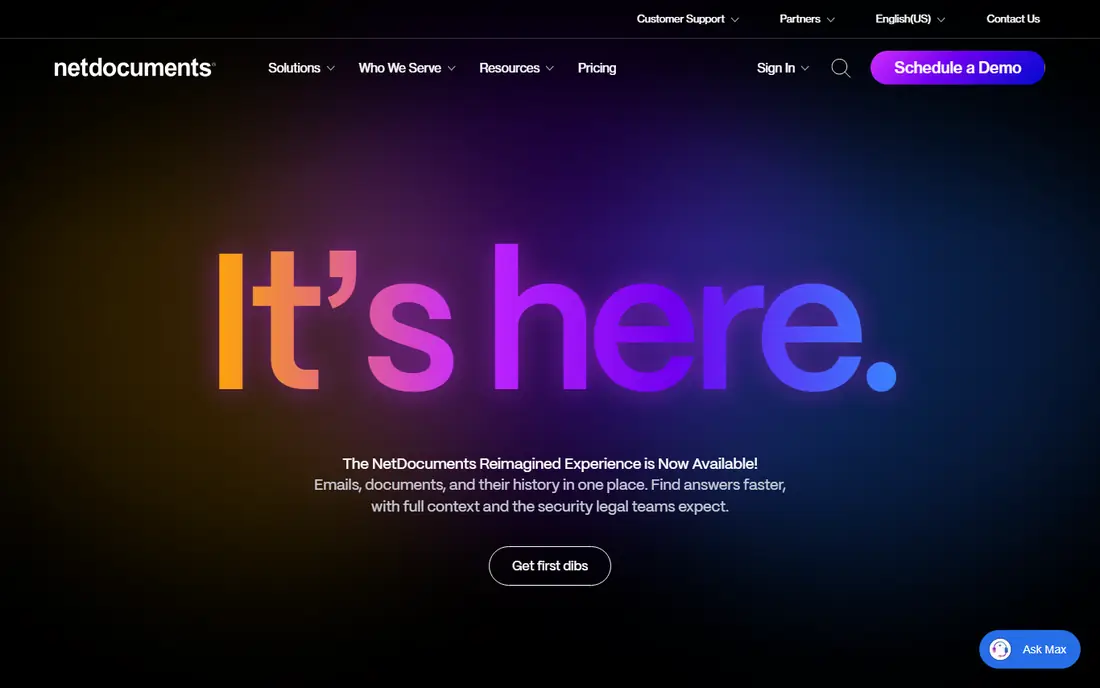
NetDocuments is a cloud system built around legal workspaces, so documents, email, and related material sit together under a matter rather than in loose folders. That structure helps larger teams keep filing consistent, and it gives administrators firm controls over access and sharing. Its integrations include Microsoft 365 and DocuSign, which covers much of the daily work in a typical firm.
The trade-off is cost clarity. NetDocuments does not publish a starting price, so a firm must speak with sales or a reseller to get a figure for its headcount. Implementation can also take planning, especially for a firm moving years of files from servers or another system. For a mid-size or large firm that needs governance first, that effort can be worth it. For a solo practice, the same process may feel heavy.
- Matter-based workspaces
- Strong email filing
- Wide integration list
- Pricing is not published
- Setup usually needs outside help

iManage Work is the established choice at many large firms, and its strength is control. Permissions, ethical walls, and records controls are built for firms where a filing error can create real risk. Search is also a selling point, since staff can find material across a large document set without knowing exactly where it was filed.
That depth comes with complexity. iManage is priced by quote, and larger deployments often involve a reseller or implementation partner. Small firms may find the process and the price hard to justify when a simpler system covers their filing needs. Large firms with IT staff and many users are the natural audience, and for them the governance features are the point, not a bonus.
- Deep security and governance controls
- Strong search
- Long legal track record
- Pricing is not published
- Best suited to firms with IT support

Clio Manage suits firms that want billing, calendaring, client contact, and documents in a single login. Documents attach to matters, and staff can work from one matter view instead of jumping between separate tools. The integration list is broad, which helps firms that already use other legal or accounting tools.
The catch is that Clio is a practice management platform first. Firms that need advanced document governance may still want a dedicated system alongside it. Pricing also rises sharply across tiers, so the entry price is only the start for firms that need advanced features. Still, for a small or mid-size firm that wants one system to run the practice, Clio is a practical pick.
- Practice management plus documents in one place
- Large integration list
- Clear matter structure
- Higher tiers cost much more
- Document tools are part of a wider system, not a standalone DMS
MyCase pairs document storage with a client portal, so clients can see shared files, messages, and invoices without a string of email attachments. That client-facing side is where MyCase stands out for consumer-facing practices such as family law or personal injury. Staff get a clear matter view, and billing sits in the same system.
Document depth is more limited than a dedicated system. Features such as desktop sync and optical character recognition appear on higher tiers, so firms should check the tier they plan to buy rather than assuming the entry plan covers everything. For a small firm that values client communication and simple billing, MyCase offers good value. For a firm with strict filing rules, a dedicated tool may fit better.
- Built-in client portal
- Straightforward interface
- Billing and documents together
- Advanced document features sit on higher tiers
- Fewer governance controls than dedicated systems
LexWorkplace is a dedicated legal document system aimed at firms too small for iManage or NetDocuments but too structured for general cloud storage. It files by client and matter, includes an Outlook add-in for filing email, and publishes its price plainly, which makes budgeting simple. Support for both Mac and Windows also helps mixed-device firms.
The limits are worth noting. The entry plan does not include a client upload portal, and real-time co-editing is not part of the package. Firms that collaborate heavily inside documents may need Microsoft 365 alongside it. Even so, LexWorkplace fills a clear gap: a true legal filing system, at a published price, for firms with a handful of users.
- Published pricing
- Built for legal filing only
- Works on Mac and Windows
- No client upload portal on the entry plan
- No built-in co-editing
PracticePanther appeals to firms that want routine work handled by rules rather than by memory. Intake, task creation, and billing steps can be automated, which helps high-volume practices keep cases moving. The interface is straightforward, and setup is faster than a dedicated enterprise system.
As with other practice management tools, documents are one part of a wider platform. Firms that need deep version control or records management may find it lighter than NetDocuments or iManage. Price also climbs across tiers, so firms should map the features they need to the right tier before committing. For a small firm that wants automation first, PracticePanther is a strong contender.
- Strong workflow automation
- Easy setup
- Billing and CRM features included
- Higher tiers rise in price
- Document tools are part of a wider platform
Smokeball is built for firms that produce many similar documents, such as conveyancing or estate work. Its document assembly tools pull matter data into forms and letters, which cuts repetitive typing and reduces copy errors. Automatic time capture also helps firms bill work that would otherwise go unrecorded.
The main drawback is price transparency, since Smokeball is quote-based rather than published. Mac users should also check current support, because the desktop app has been Windows-focused. For a Windows-based firm with heavy document volume, the assembly and time capture features can pay for themselves. For a small Mac-based firm, another option may be simpler.
- Automatic document assembly
- Automatic time capture
- Strong Microsoft Office integration
- Pricing is quote-based
- Desktop app is Windows-focused
SuiteFiles builds on Microsoft 365, adding document templates, email filing, electronic signing, and a client portal around the Office tools many firms already use. That makes it a natural fit for a small firm that lives in Word, Outlook, and Teams. Flat pricing for a small team also makes the monthly cost easy to predict.
The trade-off is legal specificity. SuiteFiles is not a dedicated legal system in the same way as NetDocuments or LexWorkplace, so firms with strict matter filing rules should test how it handles their structure. Firms already committed to Microsoft 365, though, may find it the least disruptive option, since staff keep working in familiar apps.
- Documents, email, signing, and client portal in one
- Built on Microsoft 365
- Flat team pricing
- Not legal-specific in the same way as dedicated systems
- Needs a Microsoft 365 setup
How we picked these
We compared official feature pages, pricing pages, and public reviews for systems that serve law firms in 2026. We favored tools with matter-based filing, email filing, permission controls, and a clear place for client documents. We included both dedicated systems and practice management platforms, because small firms often choose one system for everything, while larger firms choose a dedicated system for documents alone. Prices shown are vendor-published figures where available, and we wrote See website where a vendor does not publish a starting price.
What to check before you buy
Start with how your firm files today, not with a feature list. Look at a sample matter and ask where each document type lives, who needs access, and how email gets filed. A system that fits that flow will be adopted. A system that forces a new flow on every file will be worked around, and worked-around filing is worse than no system at all.
Matter structure and email filing
Matter-based filing should be the default, not an add-on. Check whether email can be filed from Outlook without saving attachments by hand, and whether the system keeps a version history when a document is edited. Ask how permissions work for staff, clients, and outside counsel, and whether a document can be locked during review. These controls matter most when a case grows and more people touch the file.
Migration, security, and total cost
Migration is where many projects stall. Ask what the vendor or partner charges to move old files, how folder names map to matters, and how long staff will need training. On security, confirm encryption, audit trails, and access controls in writing, and check whether the vendor supports your compliance needs. On cost, add up per-user fees, implementation, training, and any storage or integration charges, because the entry price alone rarely tells the full story.
A short shortlist test
Run a two-week trial with real matters, not demo files. File email, share a document with a client, search for an old file, and check permissions from a staff account. If those four tasks feel natural, the system is likely a fit. If any of them needs a workaround, keep looking, because that workaround will become daily work.
Frequently asked questions
What is the best document management software for law firms?
There is no single winner, because firm size drives the choice. Large firms usually pick NetDocuments or iManage Work for governance, while small firms often pick Clio Manage, MyCase, or LexWorkplace for simpler pricing and setup. Match the system to your headcount, your filing rules, and your budget, then test it with real matters.
What is the best law firm document management software for a small firm?
LexWorkplace, Clio Manage, and MyCase are the most practical small-firm picks. LexWorkplace is a dedicated system with published pricing, while Clio and MyCase combine documents with billing and client tools. A solo firm with simple files may manage with a practice management tool alone, while a firm with strict filing rules should favor a dedicated system.
Is document management software for law firms different from general cloud storage?
Yes, in structure and control. Legal systems file by client and matter, keep version history, control access by role, and file email directly from Outlook. General cloud storage can hold the same files, but staff must build and maintain that structure by hand, which is where filing errors creep in.
How much does document management software for law firms cost?
Small-firm options in this guide start around $49 per user per month, or $395 per month for a three-user LexWorkplace plan. SuiteFiles starts at $210 per month for five users. Larger systems such as NetDocuments and iManage Work are quote-based, so firms should budget for a sales conversation and possible implementation costs.
Can a practice management system replace a dedicated document system?
For many small firms, yes, because Clio, MyCase, and PracticePanther include matter documents, client portals, and billing in one place. Larger firms with strict governance, records, and permission needs usually keep a dedicated system for documents and use practice management tools alongside it. The right answer depends on how strict your filing and security rules are.
Do these tools work with Microsoft 365?
Most do, including NetDocuments, iManage Work, and SuiteFiles, which is built on Microsoft 365. LexWorkplace and others also offer Outlook filing. Check the exact integration on the plan you intend to buy, because desktop Office support and Mac support can differ by product and tier.
Sources we checked (8)

Online Jobs is an independent blog about careers, online work, learning new skills and the tools that help people earn. More about us.
Keep reading
All posts
n8n Alternatives
n8n alternatives compared for 2026, with Zapier, Make, Activepieces, and more, covering visual builders, code steps, self-hosting, and pricing models.

ZoomInfo Alternatives
The best ZoomInfo alternatives in 2026, compared on price, free plans, data coverage, and which tool fits small teams or large sales teams best in detail.

Yotpo Alternatives
Find cheaper alternatives to Yotpo for reviews and loyalty, with Judge.me, Loox, Stamped, and more compared for Shopify stores in 2026, all in one guide.