Best Diabetes App in 2026: 8 Tools Compared

How we put this together: we compare official feature and pricing pages, app store listings, privacy policies and public user reviews. Prices change, so check the provider's site before you pay.
Key takeaways
- The best app depends on how you record data, because manual logging, meter sync, and sensor apps work in different ways.
- Look for clear graphs, exportable reports, and food, insulin, and activity records that match your daily routine.
- Check device support before you choose, because meter and sensor links vary by app, phone, and region.
- Note: These apps log data and show reports. They do not replace medical advice or a clinician, and treatment decisions should be discussed with a clinician.
Quick comparison
| Name | Who it suits | Starting price | Free option | |
|---|---|---|---|---|
 mySugr | Daily glucose and meal logging | Free | Yes | Visit |
 Glucose Buddy | Simple manual logging | Free | Yes | Visit |
 Diabetes:M | Detailed daily records | Free | Yes | Visit |
 One Drop | Logging plus coaching options | Free | Yes | Visit |
 Sugarmate | Sensor data views and alerts | Free | Yes | Visit |
 Dexcom G7 | Dexcom sensor users | Free | Yes | Visit |
 FreeStyle LibreLink | FreeStyle Libre sensor users | Free | Yes | Visit |
 Tidepool | Shared data and reports | Free | Yes | Visit |
The best diabetes app
Diabetes apps help people record glucose readings, meals, insulin, and activity in one place, and turn those records into graphs and reports. The eight apps below cover manual logging, meter links, sensor apps, and shared data, so you can match the app to your devices and routine.
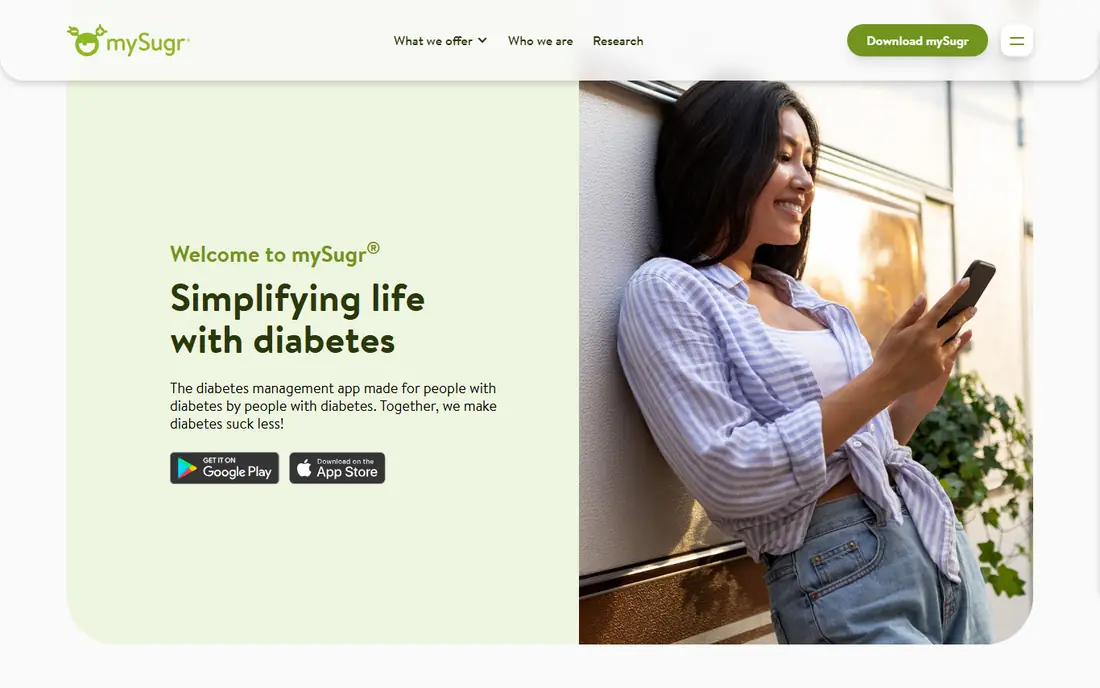
mySugr suits people who want a clear daily logbook. You can record glucose readings, meals, carbohydrate amounts, insulin, and activity, and view the day as a timeline or graph. Reports can be shared with a clinician, which helps prepare for appointments with organized records.
The limit is plan and device detail. Some features, such as advanced search and extra report options, need a paid plan, and meter links depend on your device and region. Check the supported devices for your meter before you rely on automatic sync.
- Clear daily log
- Meal, insulin, and activity records
- Shareable reports
- Some features need a paid plan
- Device links vary by region
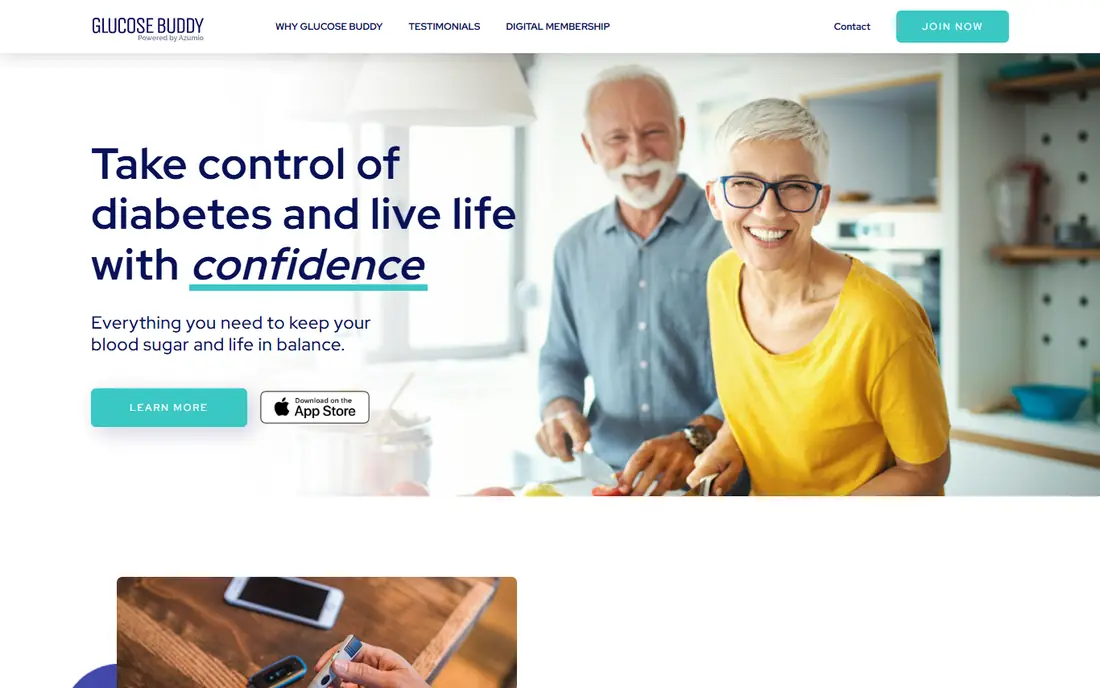
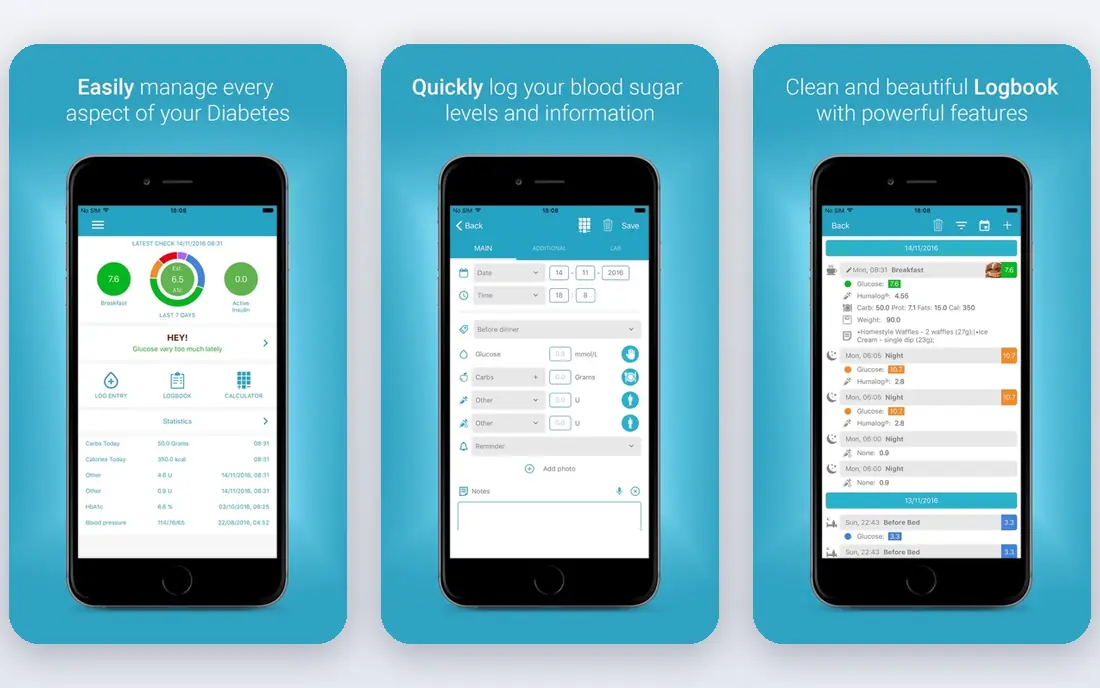
Glucose Buddy fits people who prefer simple manual logging. You can enter glucose readings, food, medication, and activity, and view trends in graphs over days and weeks. The interface stays simple, which helps when logging must fit into a busy day.
Device support is the trade-off. It is not a sensor app, so people who want automatic sensor data should look at a sensor-specific app. For manual records with clear graphs, Glucose Buddy is a practical, low-cost choice.
- Simple manual entry
- Food and medication records
- Clear graphs
- Fewer device links than sensor apps
- Some features need a paid plan
Diabetes:M suits people who want detailed records. It covers glucose, insulin, food, activity, and weight, with a food database and graphs that show patterns over time. That detail helps people who track several factors each day and want them in one record.
The interface can feel busy at first, because so many options sit in one app. New users should start with the records they use daily, and add other fields later. Paid features add more reports and options, so check the plan if you need the full set.
- Detailed logging options
- Food database
- Useful reports and graphs
- Interface packs in many options
- Some features need a paid plan
One Drop combines logging with optional coaching and support options. You can record glucose, food, medication, and activity, and view daily summaries in a clear layout. Coaching options, where available, add a human contact for questions about routine and records, separate from medical advice.
Paid plans cover coaching and extra features, so the free app alone is mainly a logbook. Check what coaching covers in your region, and what it costs, before you count it as part of the choice. For logging alone, the free tier is a good test.
- Glucose and activity logging
- Coaching options
- Clear daily views
- Coaching and some features need paid plans
- Device support varies
Sugarmate suits people who already use a compatible continuous glucose monitoring system and want clearer views and alerts. It can show sensor data in graphs, send alerts, and let followers view data, which helps carers and family members stay informed. The interface focuses on current readings and trends.
It is not a standalone logging app for manual users. You need a compatible sensor system, and features depend on how that system shares data. If you use a compatible sensor, Sugarmate is worth testing beside the sensor maker's own app.
- Clear sensor data views
- Alert options
- Useful for followers and carers
- Needs a compatible sensor system
- Features depend on that system
Dexcom G7 is the companion app for Dexcom G7 sensor users. It shows sensor glucose data, graphs, and alerts on a phone, and it can share data with followers. For Dexcom users, it is the direct route to sensor data, without a third-party app in between.
The app itself is free, but the sensor system is a separate purchase, and availability varies by region and health system. Check phone compatibility and sensor supply in your area before you choose, and talk to your clinician about sensor use.
- Direct Dexcom G7 data
- Clear graphs and alerts
- Share options
- Needs Dexcom G7 hardware
- Sensor cost is separate from the app
FreeStyle LibreLink is the companion app for FreeStyle Libre sensor users. It reads sensor data, shows graphs and daily patterns, and can share data with others. For Libre users, it keeps sensor data, notes, and reports in one place on a phone.
As with other sensor apps, the app is free but the sensor system is separate, and phone and region support vary. Check compatibility for your phone model and sensor type, and confirm sensor availability before you plan your routine around the app.
- Direct FreeStyle Libre data
- Simple scanning and graphs
- Share options
- Needs FreeStyle Libre hardware
- Sensor cost is separate from the app
Tidepool suits people who use several devices and want one shared view. It can bring glucose, insulin pump, and sensor data together where devices are supported, and it creates reports that can be shared with clinicians and carers. That shared view helps when data lives in more than one app.
Setup takes more effort, because each device must be supported and linked. It is less of a simple daily logbook than mySugr or Glucose Buddy. If shared reports from several devices matter most, Tidepool is a strong choice.
- Brings data from several devices together
- Clear shared reports
- Nonprofit focus
- Setup needs compatible devices
- Less focused on manual daily logging
How we picked these
We checked official feature pages, pricing pages, and app store listings, and we compared logging options, device support, graphs, reports, and free plan limits. We also read public reviews for reports on sync problems and plan limits, and we kept only apps that are current and clearly built for diabetes data logging. Where pricing was not clear on the vendor site, we wrote See website, and we made no claims about health outcomes.
How to choose a diabetes app
Start with your devices. If you use a sensor, start with its companion app, and only add a third-party app if it supports your sensor and adds a view you need. If you log manually, pick the app whose entry steps fit your day, because a log you skip is not useful.
Next, check reports and sharing. Look at how graphs show days and weeks, whether you can export or print a report, and whether you can share data with a clinician or carer. Test the report with a week of test entries, so you know what an appointment review will look like.
Finally, check privacy and cost. Read the privacy policy for how health data is stored and shared, check whether a paid plan is needed for the features you want, and confirm that the app works on your phone. Note again: these apps do not replace medical advice or a clinician.
Also test logging on a normal day before you commit. Enter a full day of readings, meals, and notes, then look at the graphs and reports the next morning. If entry feels slow, or the report is hard to read, try another app while your routine is still fresh, because the app you will actually use each day is the one that fits your habits.
Frequently asked questions
What is the best diabetes app for daily logging?
mySugr, Glucose Buddy, and Diabetes:M all suit daily logging, with different levels of detail. mySugr is the clearest for most daily routines, Glucose Buddy is the simplest, and Diabetes:M offers the most detailed records.
What are the best apps for diabetics who use a sensor?
Dexcom G7 suits Dexcom sensor users, FreeStyle LibreLink suits FreeStyle Libre sensor users, and Sugarmate suits people who want extra views and alerts from a compatible sensor system. Check phone and sensor compatibility first.
What is the best app for diabetes with food and insulin records?
Diabetes:M, mySugr, and One Drop all support food, insulin, and activity records beside glucose readings. Diabetes:M offers the most detailed food options, while mySugr keeps daily entry simpler.
What is the best blood glucose app with reports for a clinician?
mySugr, Tidepool, and Diabetes:M all offer reports that can be shared, with Tidepool best for data from several devices. Test a report before an appointment, so you know what your clinician will see.
Are diabetes apps free?
Many offer free tiers for basic logging, with paid plans for extra reports, coaching, or advanced features. Sensor apps are often free to download, but the sensor hardware itself is a separate cost.
Do diabetes apps replace a clinician?
No. These apps record data and show reports, but they do not replace medical advice or a clinician. Discuss treatment decisions, target ranges, and any concerns about your data with your clinician.
Sources we checked (8)

Online Jobs is an independent blog about careers, online work, learning new skills and the tools that help people earn. More about us.
Keep reading
All posts
Best workout apps for women
Compare the best workout apps for women in 2026, from free guided classes to structured strength plans, with current prices, free plans and honest trade-offs.

Best Yoga App
Find the best yoga app for home practice in 2026, with verified prices, free options, class styles, trials and honest limits for 10 yoga apps compared.
Best Workout Tracker App
We compared the best workout tracker app options for gym, home, and running training, checking prices, free plans, and logging tools in detail. See inside.