Home / Customer experience tools
Best Customer Journey Mapping Tools in 2026: 9 Tools Compared

How we put this together: we compare official feature and pricing pages, app store listings, privacy policies and public user reviews. Prices change, so check the provider's site before you pay.
Key takeaways
- UXPressia and Smaply are the dedicated choices, with built-in personas, emotion lanes and journey structures.
- TheyDo suits teams that want to manage many journeys and link them to product work over time.
- Miro, FigJam, Mural and Lucidchart are flexible visual tools that work well for workshops and early mapping.
- Custellence is a simpler, presentation-ready option for teams that need clear maps without a large system.
- A tool does not create a good map on its own; research, ownership and regular updates matter more than templates.
Quick comparison
| Name | Who it suits | Starting price | Free option | |
|---|---|---|---|---|
 UXPressia | Dedicated journey maps | See website | Yes | Visit |
 Smaply | Journey portfolios | See website | Yes | Visit |
 TheyDo | Journey management | See website | No | Visit |
 Miro | Workshop mapping | Free | Yes | Visit |
 FigJam | Design team mapping | Free | Yes | Visit |
 Custellence | Presentation-ready maps | See website | No | Visit |
 Lucidchart | Structured diagrams | Free | Yes | Visit |
 Mural | Facilitated workshops | Free | Yes | Visit |
 Cemantica | CX journey programmes | See website | No | Visit |
The best customer journey mapping tools
A customer journey map shows stages, actions, channels, emotions, pain points and opportunities for one persona trying to reach one goal. Dedicated tools add structure for that job, while whiteboards and diagram tools add flexibility. The list below covers both, so a team can choose by how often it maps and how formal its maps need to be.
UXPressia is the tool most CX teams picture when they hear journey mapping, because its builder follows the classic map layout. Stages run across the top, and lanes below cover actions, channels, emotions, pain points and opportunities, with personas linked to each map. That structure helps a new team produce a readable map without designing a framework from scratch.
The free plan lets a team try the core builder, but it caps the number of maps and collaborators, so active teams move to paid plans quickly. For product, UX and CX teams that map regularly and need presentation-ready output, UXPressia is a strong default. Teams that only map once a year may find a whiteboard tool enough.
- Column-based journey builder
- Personas, impact maps and stakeholder maps
- Exports for presentations
- Free plan limits maps and sharing
- Paid pricing rises per user
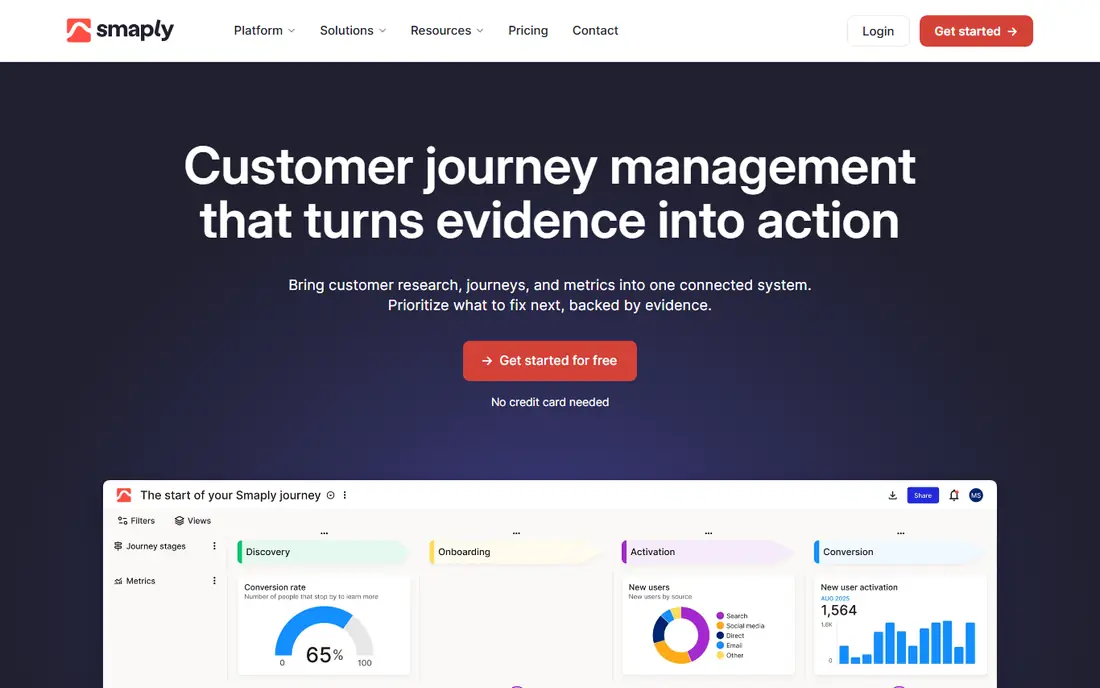
Smaply treats journey mapping as ongoing work rather than a single deliverable. Its hierarchy feature lets a team nest smaller journeys under a larger journey, which helps when a broad journey such as buying a policy contains many smaller flows. Persona and stakeholder builders sit beside journey maps, so a team can keep the people and the journeys in one place.
That depth suits CX and service design teams that manage a portfolio of journeys across departments. Pricing per editor means costs grow as more people need write access, so a team should plan who edits and who only views. For a single workshop map, Smaply is more than needed, but for a programme of maps it is one of the strongest dedicated options.
- Journey hierarchies for complex programmes
- Personas and stakeholder maps
- Research links on paid plans
- Per-editor pricing can rise fast
- More system than a one-off workshop needs
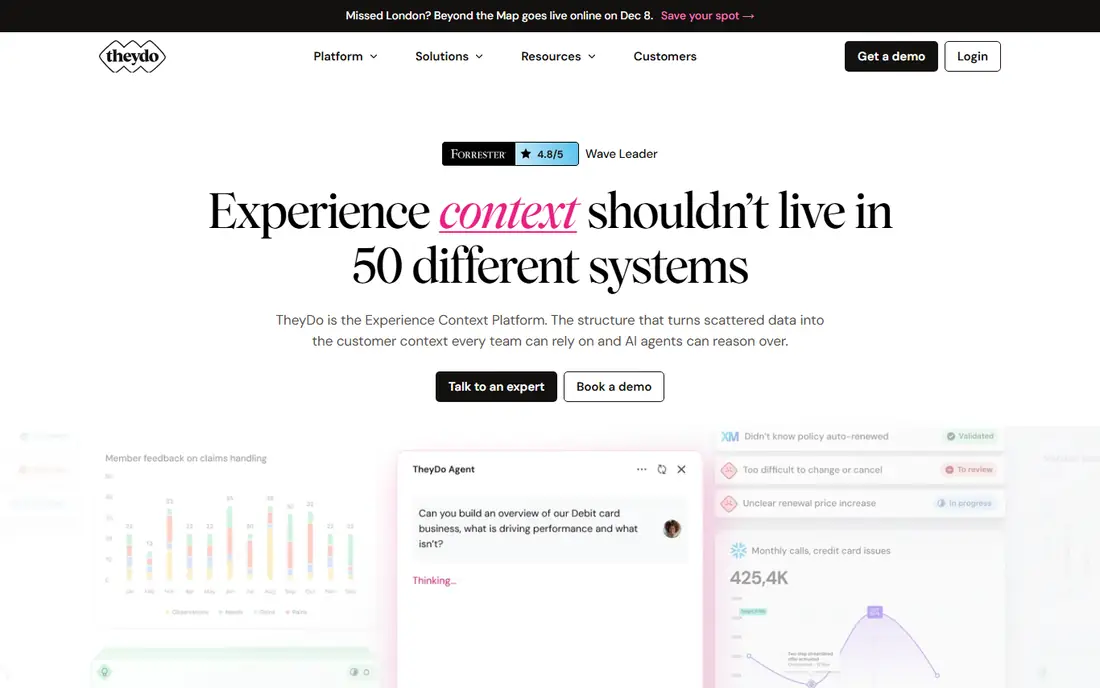
TheyDo is aimed at organisations that want to manage journeys as a shared system, not as separate files. Teams can build a library of journeys, link insights and opportunities to stages, and connect journey work to product planning. That shared view helps larger organisations avoid duplicate maps for the same customer goal in different departments.
The trade-off is structure. A team needs to agree how journeys are named, split and owned before the library becomes useful, and there is no free tier to test that discipline casually. For CX leaders who need governance and scale, TheyDo is worth a trial. For a small team with one map, a simpler tool will be faster.
- Journey management across teams
- Links to product and CX work
- Shared journey library
- No free plan for most teams
- Setup needs a clear journey taxonomy
Miro is a visual whiteboard that many teams already use for workshops, and its journey map templates make it a fast starting point. A team can run a live session, add sticky notes for pain points and ideas, and rearrange stages in real time with people in different locations. That workshop strength is why Miro appears on almost every journey mapping shortlist, even though it is not a dedicated CX tool.
The limit is structure. Miro does not enforce persona, emotion or evidence fields, so a map can drift into a pretty poster without clear ownership or next steps. Teams that use Miro should agree a template, assign an owner and set a review date, or the map will age quickly after the workshop ends.
- Flexible whiteboard for workshops
- Many journey templates
- Real-time collaboration
- No dedicated journey data model
- Maps can become messy without ownership
FigJam is Figma's whiteboard tool, and it suits design teams that already work in Figma and want to map journeys beside their product work. Templates, sticky notes and simple diagramming let a team sketch a journey quickly, share it with stakeholders and link it to design files. The free tier is enough for many small teams to start.
FigJam does not offer the persona management, journey hierarchies or CX reporting of UXPressia, Smaply or TheyDo. It is a good choice for early, collaborative mapping and for teams that value speed over governance. Teams that need a managed journey library should look at a dedicated tool once mapping becomes regular work.
- Lightweight whiteboard inside Figma
- Easy for design teams
- Free tier for starters
- Limited dedicated journey features
- Best for teams already in Figma
Custellence focuses on making a clear, presentation-ready journey map without a steep learning curve. A team can build stages, touchpoints, emotions and pain points in a clean layout and share the result with stakeholders who need to understand the journey at a glance. That simplicity helps CX teams that spend more time presenting maps than managing a large library.
The narrower scope means Custellence is less suited to teams that need journey hierarchies, research hubs or product planning links. For a team that needs a small number of polished maps and a tool that non-specialists can use, it is a practical middle ground between a whiteboard and a full journey management system.
- Clean, simple journey maps
- Persona and touchpoint focus
- Easy sharing and presentation
- No free tier
- Narrower feature set than Smaply or TheyDo
Lucidchart is a general diagramming tool with journey map templates, and it suits teams that need structured, formal maps. A team can build swimlanes, stages and touchpoints with precise layout controls, share diagrams with stakeholders and keep maps beside process and system diagrams. That formality helps in organisations where maps sit alongside service blueprints and process documentation.
Like Miro and FigJam, Lucidchart does not provide a dedicated journey data model, so the team must define its own lanes and fields. It works best for teams that already use Lucidchart for other diagrams and want journey maps in the same system, rather than for CX teams that need persona and insight management.
- Strong diagramming and templates
- Collaboration and sharing
- Links to other work tools
- General diagram tool, not a CX system
- Journey structure must be set up by the team
Mural is built for facilitated workshops, with features that help a facilitator guide a group through mapping, voting and discussion. Journey templates, timers, voting and guided activities make it a good choice for remote or hybrid workshops where structure matters. A CX team can run a session, capture pain points live and leave with a shared map that participants helped build.
After the workshop, Mural has the same limit as other whiteboards: it does not manage journeys as data over time. A team should export the map, assign owners to the opportunities found and decide where the live journey record will live, or the workshop output will fade once the session ends.
- Workshop facilitation features
- Templates for journey mapping
- Real-time collaboration
- General whiteboard, not a dedicated journey system
- Paid plans for larger teams
Cemantica is a dedicated customer journey mapping tool for CX teams that want structured maps, personas and collaboration in one place. It supports journey stages, touchpoints, emotions and opportunities, and it is designed for teams that return to maps regularly rather than treating them as one-off posters. That CX focus puts it closer to UXPressia and Smaply than to a general whiteboard.
Pricing is quoted and the user community is smaller than for the largest tools, so a team should trial it with a real journey and check support and export options. For CX teams that want a dedicated tool but find Smaply or UXPressia a poor fit on price or workflow, Cemantica is worth including in the comparison.
- Dedicated journey mapping with CX focus
- Persona and journey structures
- Team collaboration
- Pricing is quoted
- Smaller community than Miro or UXPressia
How we picked these
We compared official product pages, pricing pages, feature documentation and template libraries, and we checked that each tool is still available in October 2026. We looked for journey-specific structure first, then for persona support, collaboration, export options and pricing transparency. We mixed dedicated journey tools with whiteboard and diagram tools because many teams start mapping in a workshop before they need a managed system. Where pricing is quoted rather than published, we wrote See website, and we did not claim hands-on trials that did not take place.
What to check before you buy
Start from research, not a template
A map is only as good as the research behind it. Gather interviews, support data, analytics and survey findings before choosing a tool, and check that the tool can link evidence to stages or pain points where that matters to your team.
Decide how often you will map
A team that maps once a year can use Miro, FigJam or Lucidchart. A team that maps every month, manages many journeys or needs governance should trial UXPressia, Smaply, TheyDo or Cemantica and compare how they handle a portfolio over time.
Assign ownership and review dates
Every map needs an owner, a persona, a goal and a next review date. Without those, even the best tool produces a poster that ages. Check how the tool shows owners, versions and changes, not just how pretty the first map looks.
Test exports and sharing
Stakeholders often need a PDF, image or presentation version, while the working team needs the live map. Trial the export, check how viewers without a paid seat can read a map, and confirm that formatting survives the export.
Frequently asked questions
What tools are best for customer journey mapping?
UXPressia and Smaply lead for dedicated mapping, TheyDo leads for journey management at scale, and Miro or FigJam lead for fast workshop mapping. The best pick depends on how often a team maps and how formal its journey library needs to be.
What is the best customer journey mapping software for a small team?
UXPressia on a paid plan, Custellence, or a whiteboard such as Miro or FigJam are common small-team choices. A small team should start with one persona, one goal and one map, and only buy a larger system when it has several maps to manage.
How do I choose between UXPressia and Smaply?
UXPressia is often easier for a single, presentation-ready map, while Smaply is stronger for a portfolio of linked journeys with hierarchies. Trial both with the same journey and compare editing speed, persona handling and export quality.
Can I map a customer journey in Miro?
Yes, Miro has journey templates and real-time collaboration for workshops. It lacks a dedicated journey data model, so a team should agree its own template, lanes and ownership rules before the workshop.
What should a journey map include?
At minimum, it should include a persona, a goal, stages, customer actions, channels, emotions, pain points and opportunities. Stronger maps add evidence, owners and metrics for each stage, so the map leads to work rather than just description.
How often should journey maps be updated?
Review a map when research, products or customer behaviour change, and at least once per quarter for core journeys. A map without a review date quickly becomes a record of how customers used to behave, not how they behave now.
Sources we checked (9)

Online Jobs is an independent blog about careers, online work, learning new skills and the tools that help people earn. More about us.
Keep reading
All posts
n8n Alternatives
n8n alternatives compared for 2026, with Zapier, Make, Activepieces, and more, covering visual builders, code steps, self-hosting, and pricing models.

iPhone Alternatives
Looking for iPhone alternatives in 2026? Compare 9 Android phones from Samsung, Google, OnePlus, and more, with cameras, battery life, and honest trade-offs.

eBay Alternatives
Looking for ebay alternatives? We compared 9 marketplaces for sellers on fees, buyer reach, categories and ease of listing, to help you sell with confidence.