Best Calorie Counter App in 2026: 9 Apps Compared

How we put this together: we compare official feature and pricing pages, app store listings, privacy policies and public user reviews. Prices change, so check the provider's site before you pay.
Key takeaways
- MyFitnessPal suits most people because of its huge food database, but its best macro features sit behind Premium.
- Cronometer is the best free pick for micronutrient detail, while MacroFactor suits lifters who want adaptive macro coaching.
- Lose It and MyNetDiary are the easiest starting points for beginners, because logging is fast and the free tiers are genuinely useful.
- Carb Manager is the clear pick for low carb and keto tracking, while FatSecret is the budget pick for a free barcode scanner.
- No app can measure your food perfectly, so weigh portions for a week when you start, and check entries against labels for packaged foods.
Quick comparison
| Name | Who it suits | Starting price | Free option | |
|---|---|---|---|---|
 MyFitnessPal MyFitnessPal | Large food database | Free | Yes | Visit |
 Lose It Lose It | Beginners | Free | Yes | Visit |
 Cronometer Cronometer | Micronutrients | Free | Yes | Visit |
 MacroFactor MacroFactor | Adaptive macros | $11.99 per month | Free trial | Visit |
 MyNetDiary MyNetDiary | Fast logging | Free | Yes | Visit |
 Carb Manager Carb Manager | Low carb and keto | Free | Yes | Visit |
 FatSecret FatSecret | Budget tracking | Free | Yes | Visit |
 Yazio Yazio | Simple plans | Free | Yes | Visit |
 Lifesum Lifesum | Guided meal plans | Free | Yes | Visit |
The best calorie counter app options
We compared official feature pages, pricing pages, app store listings and public reviews for the apps below. Prices are US list prices reported in 2026 coverage and can change, so check the vendor site or app store listing for the current plan. This guide is for general nutrition tracking, not medical advice. Talk to a clinician or dietitian if you have diabetes, an eating disorder, kidney disease or another condition that affects diet.

MyFitnessPal is our default pick because it finds almost any food you search for, including restaurant items and branded products. That breadth matters in real life, when you are logging a sandwich from a cafe rather than a plain chicken breast at home. Barcode scanning, photo logging and voice logging in recent versions also cut the time spent typing entries.
The catch is that the free tier is less complete than it once was. Per meal macro targets, recipe import and an ad free experience sit behind Premium, which costs $79.99 per year in reported 2026 pricing. MyFitnessPal still works free for basic calorie and macro tracking, but check which features you need before paying.
- Very large food database
- Barcode scanner and photo logging
- Syncs with many fitness apps and devices
- Gram level macro targets and some tools need Premium
- Free tier includes ads
- User submitted entries can be inaccurate
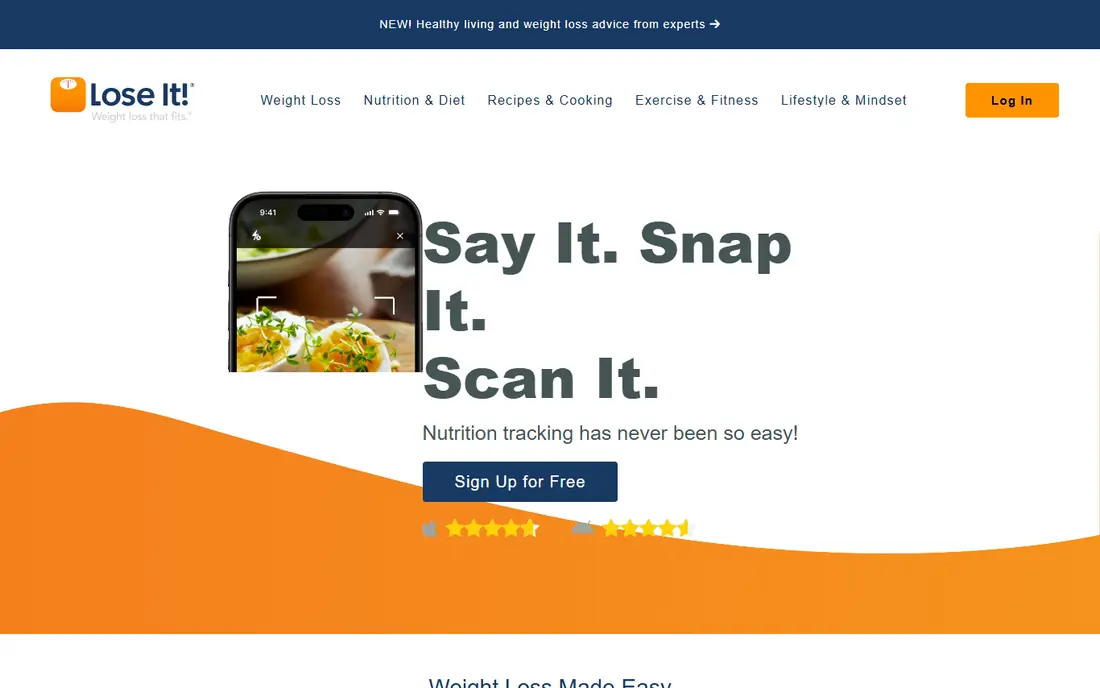
Lose It is the easiest app in this list to start with, because it gives you a clear daily calorie budget and a simple way to log against it. The interface avoids clutter, and photo logging helps when you do not want to search a database for every meal. For someone tracking for the first time, that simplicity keeps the habit alive longer than a feature heavy app.
Lose It is less suited to detailed nutrition work. The free tier shows ads, barcode scanning is listed as Premium, and micronutrient tracking is thinner than Cronometer. Premium costs $39.99 per year in reported 2026 pricing, which is reasonable if you want the full feature set, but beginners should start free and only upgrade if logging feels limited.
- Simple calorie budget and clear daily view
- Photo logging
- Friendly interface for new trackers
- Barcode scanner is a Premium feature in reported listings
- Macro customisation is limited on free
- Fewer micronutrient details than Cronometer

Cronometer is our pick for people who care about more than calories and protein. It tracks vitamins, minerals and other micronutrients in detail, and its food data leans on verified sources rather than unchecked user entries. That makes it useful for vegans, people with restricted diets, and anyone who wants to check whether a diet is actually balanced.
The interface is the trade off. Cronometer looks and feels like a nutrition tool, not a lifestyle app, and new users may need a few days to get comfortable. Gold costs $59.99 per year in reported 2026 pricing and adds features such as a macro scheduler, but the free tier already covers serious tracking.
- Tracks up to 84 nutrients on the free plan in reported coverage
- Verified food data
- Custom macro targets by grams on free
- Interface feels more technical than rivals
- Free tier includes ads
- Meal planning features are thinner than Lifesum
MacroFactor is for lifters and athletes who run structured nutrition phases. Instead of a fixed calorie target, it adjusts your targets based on your logged intake and weight trend, which helps when a cut stalls or a bulk overshoots. That coaching logic is the reason people pay for it, and it is more useful than a static target for long training blocks.
MacroFactor is not a good casual pick. There is no free tier beyond a trial, and the annual cost of $71.99 in reported 2026 pricing is higher than Lose It or Cronometer Gold. If you only want to log meals a few days a week, a free app will do the same job for less.
- Adaptive calorie and macro targets that adjust weekly
- Strong for structured cuts and bulks
- Detailed expenditure estimates
- No permanent free tier
- Higher annual cost than most rivals
- Overkill for casual calorie counting
MyNetDiary stands out for speed. In a timed test reported by the vendor, logging the same foods took fewer steps than in rival apps, and that speed matters when you are logging three meals and snacks every day. Free macro targets by grams, with no ads on the free plan in reported coverage, make it a strong free alternative to MyFitnessPal.
The database is smaller, so you may need to create custom foods more often for branded or restaurant items. Premium costs $59.99 per year in reported pricing, with a higher Plus tier above it. MyNetDiary is best for people who value a fast, clean free app over the largest possible database.
- Fast logging in timed comparisons
- Free macro targets by grams or percentages
- No ads on the free plan in reported coverage
- Food database is smaller than MyFitnessPal
- Premium features cost more on higher tiers
- Community features are thinner
Carb Manager is the specialist pick for low carb and keto eating. It tracks net carbs clearly, offers keto specific calculators and recipes, and lets you set macro targets free. For someone following keto, that focus saves the work of adapting a general tracker to a low carb plan.
For general calorie counting, Carb Manager can feel cluttered, because keto features sit front and centre. Premium costs $39.99 per year in reported 2026 pricing, but the free tier already covers core keto tracking. Choose Carb Manager only if low carb is your actual plan, not just a short experiment.
- Net carb tracking and keto calculators
- Low carb recipes and meal plans
- Free macro targets
- Interface is busy for non keto users
- Premium adds many features that casual users may not need
- Some foods need manual checking
FatSecret is the budget pick that surprises people. Its free app includes a barcode scanner, photo recognition, calorie and macro goals and health app sync, features that other apps charge for. Premium Plus costs $19.99 per year in reported 2026 pricing, which is the cheapest paid tier in this list.
FatSecret is less polished than MyFitnessPal or Lose It, and its food data needs more checking against labels. It is best for a cost conscious tracker who wants core features free and can tolerate ads and occasional data cleanup.
- Free barcode scanner and photo recognition in reported coverage
- Free calorie and macro goals
- Low cost Premium
- Interface includes ads on free
- Food data quality varies
- Fewer coaching features than MacroFactor
Yazio suits people who want a calm, simple tracker with a clear plan, rather than a database heavy tool. The daily view is easy to read, fasting tracking is built in for those who use it, and Pro adds meal plans and recipes for users who want guidance. It is popular in Europe, which shows in its recipe and food coverage.
In the US, Yazio food database is thinner than MyFitnessPal, so branded items may need manual entry. Pro costs $40 per year in reported 2026 pricing. Yazio is best for a simple, guided approach, and weaker for US users who log many branded or restaurant foods daily.
- Clean interface and simple daily view
- Fasting and activity tracking options
- Pro adds meal plans and recipes
- Smaller US food database than MyFitnessPal
- Pro pricing and scanner details vary by listing
- Fewer advanced macro tools than Cronometer
Lifesum is for people who want a plan, not just a log. It offers guided diets, meal ideas and a health score that rates meals, which helps beginners who are unsure what to eat next. The design is pleasant, and the daily view makes progress easy to see at a glance.
Lifesum is weaker for precise macro work. Premium opens most plans and detailed features, and the calorie targets can feel generic compared with MacroFactor adaptive coaching. It is best as a guided starter app, and users who need precise macro control should move to Cronometer or MacroFactor later.
- Guided diet plans and meal ideas
- Clean visual design
- Health score for meals
- Best features need Premium
- Calorie estimates can feel generic
- Macro control is less detailed than Cronometer or MacroFactor
How we picked these
We compared official feature pages, pricing pages, app store listings and public reviews, and we weighted database quality, logging speed, macro and micronutrient detail, free tier usefulness and price. We mixed general trackers with specialists for keto, micronutrients and adaptive coaching, so different goals each have a relevant pick.
We did not claim hands on weighing of every food entry. Where prices differed between sources, we used the most consistently reported 2026 figures and noted that prices change, so readers check the app store listing or vendor site for the current plan.
How to track calories without burning out
Start with a week of weighed portions for staple foods, so you learn what a portion actually looks like. After that week, you can estimate more confidently for familiar meals, while still weighing new foods or foods that are easy to underestimate, such as oils, sauces and snacks. Accuracy matters more than perfection: a consistent log you keep for months beats a perfect log you abandon in a week.
Check entries before you trust them
User submitted entries can be wrong, especially for restaurant and branded foods. Compare the entry against the label for calories, protein and serving size, and save a corrected custom food if you eat it often. For home cooked meals, build a recipe once in the app instead of logging each ingredient separately every time.
Use macros and micronutrients in proportion
Calories decide weight direction, protein supports muscle and fullness, and micronutrients show whether a diet is balanced. Do not chase a perfect macro split in week one. Set a calorie target you can sustain, hit a protein range that fits your training, and use Cronometer style micronutrient views weekly, not daily, to spot gaps.
Frequently asked questions
What is the best free calorie counter app?
MyFitnessPal, Cronometer, Lose It and FatSecret all offer useful free tiers, but they suit different users. MyFitnessPal has the largest database, Cronometer has the best micronutrient detail, Lose It is simplest for beginners, and FatSecret offers a free barcode scanner. Start with the one that matches your goal, and upgrade only if a paid feature solves a real logging problem.
What is the best macro tracking app?
MacroFactor is best for adaptive macro coaching during cuts and bulks, while Cronometer and MyNetDiary offer free gram level macro targets. MyFitnessPal offers gram targets in Premium, and Lose It limits gram customisation on free. Choose MacroFactor for coaching, Cronometer for nutrient depth, and MyNetDiary for free simplicity.
Are calorie counter apps accurate?
Apps are only as accurate as the entries and portions you log. Database errors, restaurant variation and portion estimates all create error, which is why weighing staple foods for a week helps. Use the app trend over weeks, not a single day total, to judge progress, and check entries against labels for packaged foods.
Do I need to pay for a calorie counter app?
No, for most people. Free tiers cover calorie and macro logging, barcode scanning in some apps, and basic reports. Paid tiers add ad free use, recipe import, per meal targets, coaching or meal plans. Pay only if you use a paid feature weekly, and cancel if you stop using it.
Can a calorie counter app help with weight loss?
An app can help by making intake visible and by showing patterns, such as weekend overeating or liquid calories, that are easy to miss. It does not cause weight loss by itself. Sustainable weight loss also depends on sleep, activity, food choices and, for some people, medical support. Talk to a clinician if you have a history of disordered eating before tracking calories.
How do I log restaurant meals?
Search for the restaurant item first, since major chains are often in the database. If the exact item is missing, log a similar item, adjust the portion, and note the meal as an estimate. For local restaurants, log the main components separately, such as protein, starch, sauce and vegetables, rather than skipping the meal entirely.
Sources we checked (9)

Online Jobs is an independent blog about careers, online work, learning new skills and the tools that help people earn. More about us.
Keep reading
All posts
Best Workout Tracker App
We compared the best workout tracker app options for gym, home, and running training, checking prices, free plans, and logging tools in detail. See inside.

Best Workout Apps
Looking for the best workout apps? We compared 9 fitness apps for gym, home, running and classes on free plans, pricing and training style in 2026 now.

Best Running App
Best running app compared for 2026, with GPS tracking, training plans, route mapping, and free options for beginners and regular runners across the US.