Best Budgeting Apps in 2026: 9 Apps Compared

How we put this together: we compare official feature and pricing pages, app store listings, privacy policies and public user reviews. Prices change, so check the provider's site before you pay.
Key takeaways
- YNAB is our pick for people who want a strict method, not just tracking, with every dollar assigned a job.
- Rocket Money suits people whose main leak is forgotten subscriptions, with free tracking and bill tools.
- Monarch Money suits couples and households who want budgeting plus net worth and investment views in one place.
- Free plans cover real budgeting, especially manual apps such as Goodbudget and EveryDollar, so start free before paying.
- This guide is general information, not financial advice. Check bank sync security and privacy policies before linking accounts.
Quick comparison
| Name | Who it suits | Starting price | Free option | |
|---|---|---|---|---|
 YNAB YNAB | Strict zero-based budgeting | See website | No | Visit |
 Rocket Money Rocket Money | Subscription tracking | Free | Yes | Visit |
 Monarch Money Monarch Money | Couples and households | See website | No | Visit |
 EveryDollar EveryDollar | Simple zero-based budgets | Free | Yes | Visit |
 Goodbudget Goodbudget | Envelope budgeting by hand | Free | Yes | Visit |
 Quicken Simplifi Quicken Simplifi | Low-cost automated tracking | See website | No | Visit |
 PocketGuard PocketGuard | Safe-to-spend number | Free | Yes | Visit |
 Copilot Money Copilot Money | Apple users and categorisation | See website | No | Visit |
 Fudget Fudget | Simple manual expense lists | Free | Yes | Visit |
The best budgeting apps
Budgeting apps fail when they ask for more effort than the budget saves. We compared official feature pages, pricing pages, app store listings and public reviews, and we weighted method clarity, bank sync reliability, free plan limits and privacy controls. This guide is general information, not financial advice.
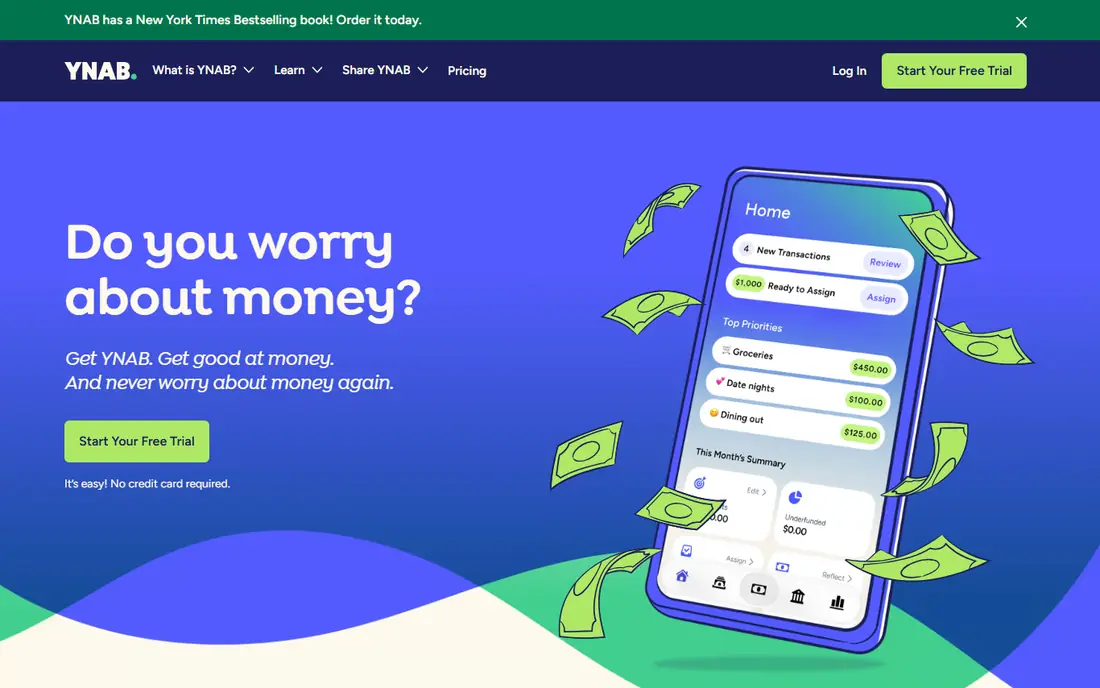
YNAB, short for You Need A Budget, is less a tracker and more a method. You assign every dollar you own to a category, fund future bills ahead of time, and adjust when life changes the plan. That discipline suits people who overspend despite knowing where money goes, since the app forces a decision before spending, not a report after it.
The trial is generous, but there is no free plan, and the method takes a few weeks to feel natural. Users who want a quick spending overview will find YNAB heavy. Users who want to break a cycle of living paycheck to paycheck often find that the method, not the charts, is what finally changes behaviour.
- Clear method that assigns every dollar a job
- Strong goal and age-of-money tracking
- Good education and support for new budgeters
- No permanent free plan, only a trial
- Learning curve is steeper than simple trackers
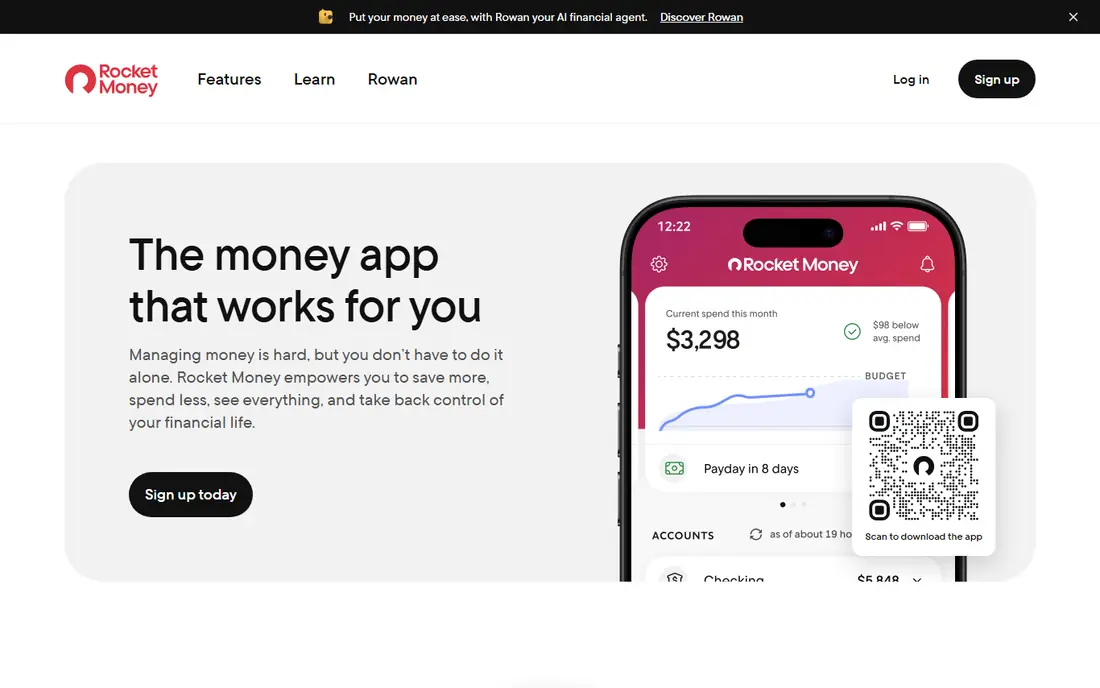
Rocket Money starts from a different problem. Many budgets leak through subscriptions, free trials and recurring charges that no one remembers signing up for, and Rocket Money surfaces those charges in one list. From there you can cancel, track bills and set spending views, with paid plans adding negotiation and fuller budgeting tools.
Strict budgeters will miss YNAB's method and Monarch's net worth depth, since Rocket Money is primarily a tracker and subscription tool. For households whose main goal is stopping leaks and seeing recurring costs clearly, the free tier already delivers real value, and the paid plan is worth testing only after the free tier proves useful.
- Free account syncing and subscription tracking
- Bill negotiation tools on paid plans
- Clear view of recurring charges in one place
- Full budgeting features are thinner than YNAB
- Paid plan price varies with the pay-what-you-want model
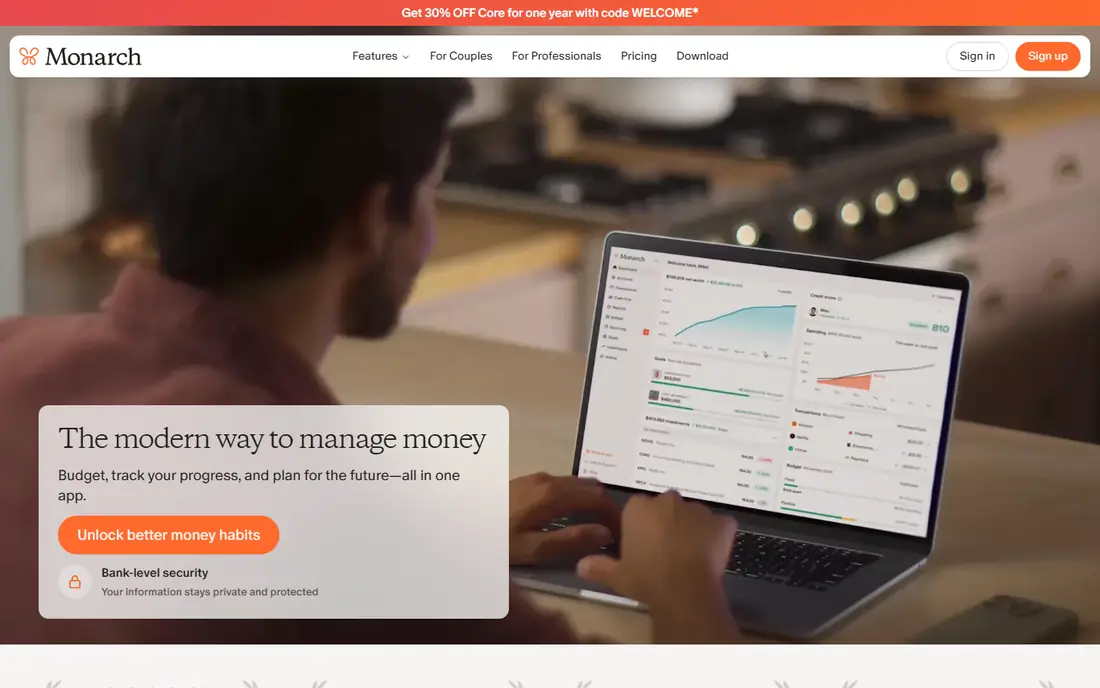
Monarch Money suits households that want one financial picture. Budgets, accounts, investments, goals and net worth sit in a single dashboard, and partners can share access without sharing logins or spreadsheets. That shared view helps couples align spending, since both people see the same numbers rather than separate reports.
There is no free plan, only a trial, and the price sits above simple trackers. Solo users who only need a budget may find it more than they need. For couples, families and users with investment accounts, the combined view justifies the cost better than a budget-only app plus a separate net worth tracker.
- Shared budgets for couples and households
- Net worth, investment and goal views in one dashboard
- Broad bank and investment account connections
- No permanent free plan, only a trial
- Price is higher than simple trackers
EveryDollar keeps zero-based budgeting simple. You create a monthly budget, assign income to categories, and track spending by hand on the free plan, which suits users who want control without linking a bank account. The interface stays focused on one month at a time, so beginners rarely feel lost.
Automatic syncing sits behind the paid plan, and reporting tools are thinner than rivals. For users who like manual entry, or who follow a simple monthly budget method, the free plan is enough. For users who want automatic syncing and detailed reports, YNAB or Monarch will feel more complete.
- Simple zero-based budgeting without complexity
- Free plan for manual entry
- Clear monthly budget view for beginners
- Automatic bank syncing requires the paid plan
- Reporting is thinner than YNAB or Monarch
Goodbudget digitises the cash envelope method. You divide money into envelopes for groceries, transport, bills and fun, spend from each envelope, and see at a glance what remains. No bank linking is needed on the free plan, which suits users who prefer manual control or who are wary of connecting accounts.
Free limits on envelopes, devices and history will push larger households toward the paid plan, and automatic syncing is paid where available. For envelope budgeters, couples sharing a cash-style system, and users who want budgeting without bank connections, Goodbudget remains the clearest option.
- Digital envelope method without bank linking
- Free plan covers core envelopes and devices
- Good fit for cash-style budgeting
- Free plan limits envelopes and history
- Bank syncing, where offered, requires the paid plan
Simplifi, from Quicken, aims at users who want automation without a high price. Bank syncing, categorisation, spending plans and projections cover the core needs of most households, and the price in many comparisons sits below YNAB and Monarch. That value suits users who want a set-and-forget tracker with occasional budget checks.
There is no free plan, and the experience varies across web and mobile. Users who want a strict method will still prefer YNAB, while users who want net worth depth may prefer Monarch. For straightforward automated tracking at a lower cost, Simplifi is a strong middle option.
- Automated syncing, categorisation and projections
- Spending plan view for day-to-day decisions
- Lower price than YNAB or Monarch in many comparisons
- No permanent free plan
- Interface and features vary by platform
PocketGuard answers one question well: after bills, savings and goals, how much can I spend safely. That single number suits users who find full budgets tedious, since it turns a complex plan into a daily guide. The free plan covers basic tracking, with paid plans adding more accounts and features.
Detailed budgeters will find categories and reporting thin, and free limits may push active users toward payment. If a full budget feels like homework, PocketGuard's simple number may be the system you actually follow, and a followed system beats a perfect one you abandon.
- Single safe-to-spend figure after bills and goals
- Free plan for basic tracking
- Simple interface for users who hate detailed budgets
- Free plan limits features and accounts
- Detailed budgeting is thinner than YNAB
Copilot Money is built for Apple users first, with a polished design on iPhone, iPad, Mac and Apple Watch. Categorisation feels smart, spending insights are clear, and net worth views sit beside budgets without clutter. Users inside the Apple ecosystem often praise its design over rivals that treat mobile as an afterthought.
Android users cannot use it, which rules it out for mixed-device households, and there is no free plan beyond a trial. For Apple-only users who want a beautiful, automated tracker with good categorisation, Copilot is worth trialling. For everyone else, Monarch or Simplifi cover similar ground across platforms.
- Polished Apple-first design
- Smart categorisation and spending insights
- Net worth and investment views alongside budgets
- No Android app
- No permanent free plan, only a trial
Fudget offers the simplest manual expense list on this list. Add income and expenses by hand, see a running balance, and keep a short list without linking any account. That simplicity suits users who want a quick record before choosing a dedicated budget app.
Budgeting itself is thinner than YNAB or Monarch, since Fudget is a list rather than a full budget system. Use Fudget as a simple daily record, and pair it with a dedicated budget app if you need categories, goals and reports. For a quick manual list, it is hard to beat at no cost.
- Free net worth, account and spending views
- Investment and retirement planning tools
- No subscription needed for core tracking
- Budgeting features are thinner than YNAB
- Wealth management upsells appear alongside free tools
How we picked these
We compared official feature pages, pricing pages, app store listings and public reviews, and we weighted method clarity, sync reliability, free plan limits and privacy controls. We treated bank sync claims with care, since connection success varies by bank and region, and we favoured apps that explain data handling clearly. Prices vary by term and promotion, so we used See website where a current vendor price was not confirmed, and we focused on fit rather than headline price.
How to choose without linking everything at once
Start manual, then sync
Begin with a manual app or a free plan for two weeks, entering spending by hand, to learn where money actually goes. Manual entry feels slow, but it teaches categories and habits that automatic syncing can hide. Once the budget feels stable, switch to a syncing app if you want automation, and keep manual entry for cash spending that syncing misses.
Check security before you link
Read the app's security and privacy pages for encryption, data sharing and account connection methods before linking bank accounts. Prefer apps that use established aggregation services and that state clearly whether they sell data. If a policy is vague, use a manual app instead, since a budget that needs bank access is not worth a privacy risk you cannot assess.
Review monthly, not daily
Set a short monthly review to adjust categories, check subscriptions and update goals, rather than checking the app obsessively each day. Daily checks help during the first month, but long-term success comes from a calm monthly habit that catches leaks early. A budget you review monthly and adjust honestly will outlast a perfect budget you check once and forget.
Frequently asked questions
What is the best budgeting app?
YNAB is our pick for strict zero-based budgeting, Rocket Money suits subscription tracking, and Monarch Money suits couples and net worth tracking. The best app depends on whether you need a method, a tracker or a household dashboard. Start free where possible and pay only when a paid feature solves a real problem.
What are the best free budgeting apps?
Rocket Money, EveryDollar, Goodbudget, PocketGuard and Fudget all offer free plans that cover real budgeting or tracking. Manual apps such as Goodbudget and EveryDollar suit users who do not want to link bank accounts, while Rocket Money suits users who want free syncing. Test free plans for a month before paying.
What is the best money management app for couples?
Monarch Money suits couples best, with shared budgets, shared account views and net worth tracking in one dashboard. Goodbudget also works for couples who prefer envelope budgeting by hand, without bank linking. Choose Monarch for shared automation, and Goodbudget for shared manual control.
Is YNAB worth the price?
YNAB is worth the price if you need a strict method and you will use it weekly, since its approach changes spending behaviour for many users. It is less worth it if you only want a spending overview, where a free tracker covers the job. Use the trial for a full month, including a payday cycle, before deciding.
Do budgeting apps need bank access?
No, manual apps such as Goodbudget and EveryDollar work without bank linking, and many users prefer that control and privacy. Syncing apps save time and catch transactions automatically, but they require trust in the provider's security and data handling. Start manual if you are unsure, and link accounts only after reading the privacy policy.
What is the best budgeting software for small businesses?
These apps are built for personal budgets, not business accounting, so small businesses should look at accounting software instead for invoicing, tax and payroll. For a sole trader tracking personal spending beside business income, YNAB or Monarch can help separate personal budgets, but they do not replace proper bookkeeping. This guide is general information, not financial advice.
Sources we checked (9)

Online Jobs is an independent blog about careers, online work, learning new skills and the tools that help people earn. More about us.
Keep reading
All posts
Best Trading Apps for Beginners
Compare the best trading app for beginners, with $0 stock commissions, fractional shares, education, paper trading and account types explained in 2026 now.
Best Trading App
We compared the best trading apps for beginners and active traders on fees, tools, accounts and ease of use, so you can pick a platform that fits your plan.
Best Tax Software
Compare the best tax software in 2026 for simple returns, investors, freelancers, and preparers, with free options, state fees, and honest limits for filing.