8 Best Brain Training Apps for Memory, Focus, and Daily Practice

How we put this together: we compare official feature and pricing pages, app store listings, privacy policies and public user reviews. Prices change, so check the provider's site before you pay.
Key takeaways
- Lumosity has the broadest game library in this list, while BrainHQ has the strongest published research base for processing speed and attention.
- Every app here offers a free tier or a free trial, but the free tier usually limits you to a few games per day, so check the daily limit before you commit.
- For seniors, BrainHQ and Lumosity are the easiest starting points because their exercises are short, their text is clear, and their difficulty adapts slowly.
- Peak and MindPal are the best low-cost starting points if you want a daily habit without a large subscription.
- Brain training apps improve performance on the games they train, but they are not a treatment for memory loss, so talk to a clinician about real cognitive concerns.
Quick comparison
| Name | Who it suits | Starting price | Free option | |
|---|---|---|---|---|
 Lumosity | Broadest game library | See website | Yes | Visit |
 Peak | Polished daily workouts | See website | Yes | Visit |
 BrainHQ | Research-backed training for seniors | See website | Yes | Visit |
 CogniFit | Detailed cognitive assessment | See website | Yes | Visit |
 NeuroNation | Memory and concentration | See website | Yes | Visit |
 MindPal | Budget-friendly daily games | See website | Yes | Visit |
 Impulse | Focus and attention drills | See website | Yes | Visit |
 Brainwell | Fully free daily workouts | Free | Yes | Visit |
The best brain training apps
We compared game variety, free tier depth, adaptive difficulty, progress tracking, and how well each app suits beginners, seniors, and busy adults.
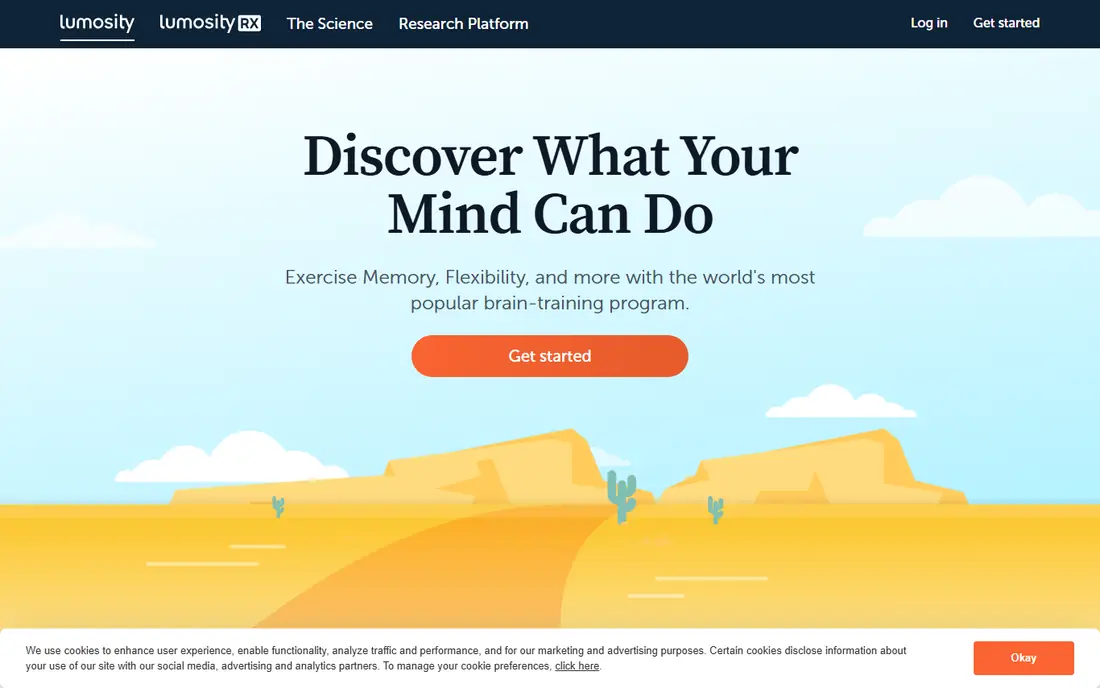
Lumosity is the most complete starting point in this list. Its games cover memory, attention, flexibility, processing speed, and problem solving, and each day brings a fresh workout built from that library. The app adapts difficulty to your performance, and its progress reports show strengths and weak spots across skill areas rather than a single score.
The catch is the free tier. Free users get a baseline test and a limited daily workout, while the full library sits behind a subscription. That is still enough to learn whether you enjoy the format, but heavy users will hit the paywall fast. Lumosity suits people who want variety and a structured daily habit, and who are willing to pay for the full set of games.
- Large library of games across memory, attention, speed, and problem solving
- Daily workouts
- Detailed progress tracking
- Free tier limits daily play
- Full library requires a subscription
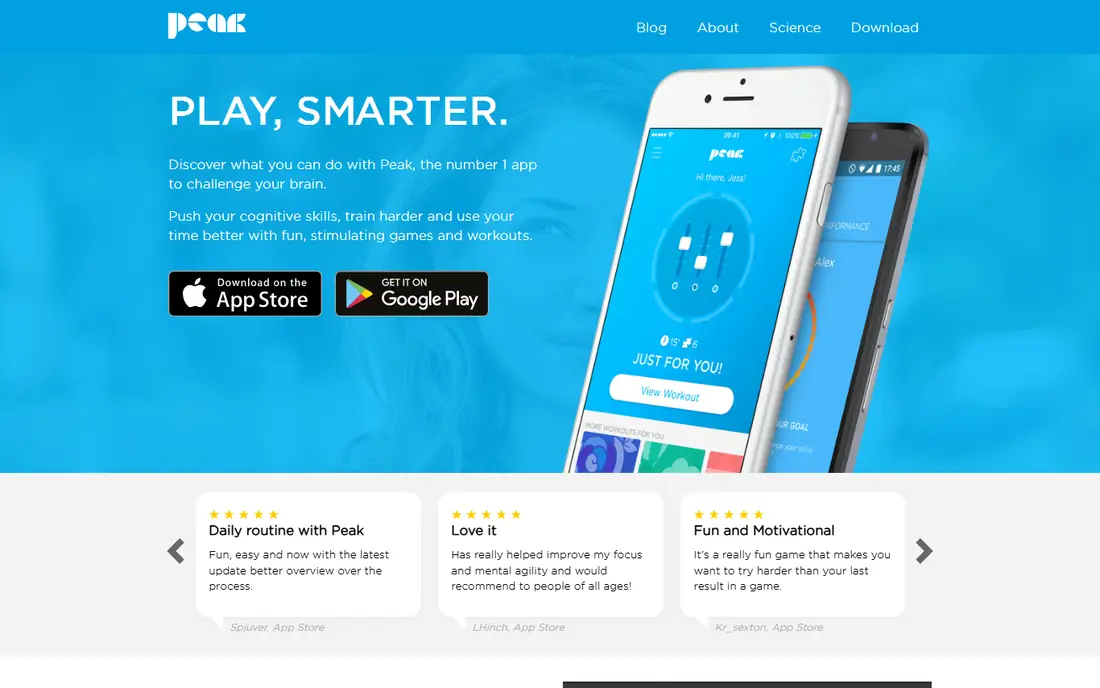
Peak feels like a game first and a training tool second, which is why it keeps people coming back. Workouts are short and intense, the design is polished, and a personal coach feature sets daily goals and tracks progress. Games test focus, memory, problem solving, and mental agility, and the difficulty rises as you improve.
The free tier gives you the full game library with capped sessions, so casual users may never need to pay. People who want unlimited play or the advanced training programs will need a subscription. Peak is a strong pick for commuters and busy adults who want a five-minute daily habit that feels more like play than homework.
- Clean design and short daily workouts
- Personal coach feature
- Games for focus, memory, and mental agility
- Some advanced training programs are paid only
- Free sessions are capped
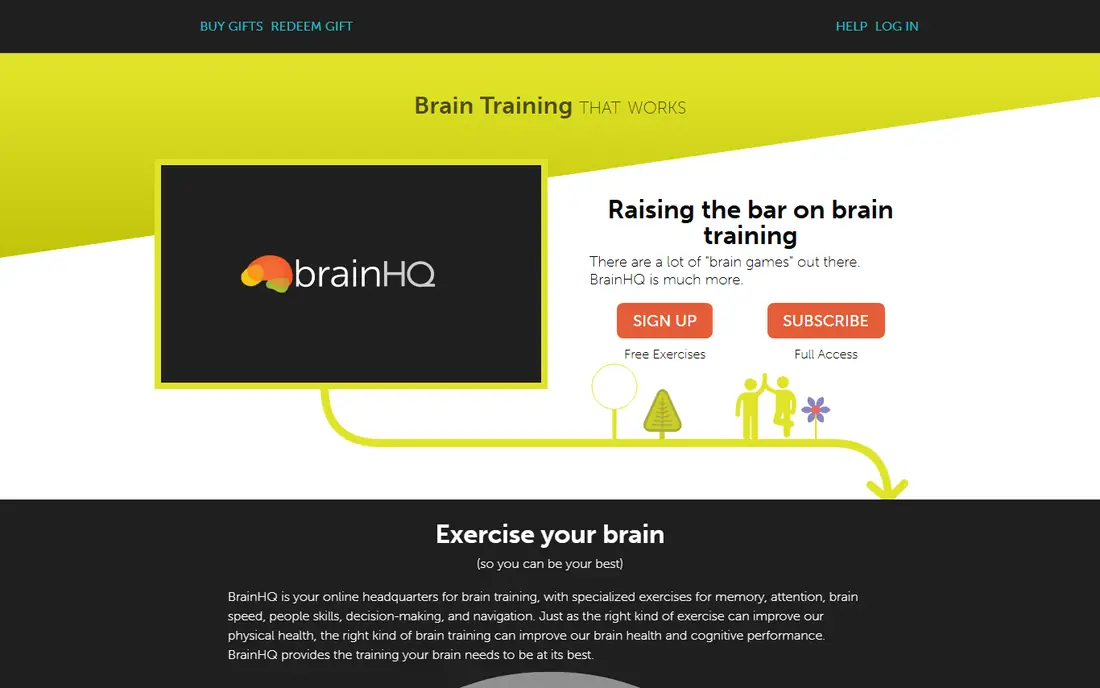
BrainHQ takes a different tone from the game-first apps on this list. Its exercises were designed by neuroscientists, and the program points to more than 100 published research papers on its exercises. Levels take under five minutes, difficulty adapts to your performance, and a personal trainer feature serves up the exercises that fit your goals. It also works on computers and mobile devices, and many libraries offer it free to members.
The trade-off is style. BrainHQ looks and feels more clinical than Lumosity or Peak, so younger users may find it less fun. For seniors and for anyone who cares more about the research base than about bright graphics, that trade is worth making. Check your local library first, since free library access can remove the subscription cost entirely.
- Exercises built on published brain science research
- Short levels under five minutes
- Available through many libraries
- Design feels more clinical than playful
- Full access requires a subscription
CogniFit starts with an assessment rather than a game menu. You complete a set of tasks, get a profile of your cognitive strengths and weaknesses, and then follow a training plan built from that profile. That structure suits people who want to know where they stand before they start training, and it is one reason CogniFit is used in clinical and professional settings as well as at home.
The price is the main drawback. CogniFit costs more per month than Lumosity or Peak, and its design is functional rather than fun. If you want a detailed baseline and a tailored plan, the extra cost buys something real. If you just want a quick daily game, a cheaper app will serve you better.
- Initial cognitive assessment with a detailed profile
- More than 60 games
- Training plans tailored to assessment results
- Higher monthly price than most rivals
- Interface feels clinical
NeuroNation focuses on the two skills most people ask about first: working memory and concentration. After an initial assessment, the app builds a personal training plan and adjusts difficulty as you improve. Its exercises are straightforward, its progress tracking is clear, and its price sits below several rivals, which makes it a good mid-range choice.
The library is smaller than Lumosity, with around 30 exercises rather than dozens more, so variety seekers may tire of it sooner. For a focused goal, such as better concentration at work or sharper recall of names and lists, that focus is a strength rather than a weakness. NeuroNation is best for people with one or two clear goals rather than a general interest in brain games.
- Assessment plus targeted memory and concentration exercises
- Around 30 exercises
- Clear progress tracking
- Smaller game library than Lumosity
- Some features require a subscription
MindPal is the quiet value pick in this list. Its free tier is generous enough for a real daily workout, its interface is simple, and its games cover memory, attention, logic, and language without clutter. For someone who wants to try brain training without paying, or who wants a second app alongside a paid one, MindPal is an easy download.
The limits show up over time. The library is smaller than Lumosity or Peak, and progress reports are basic rather than detailed. MindPal will not replace a research-heavy program for a senior with a specific goal, but as a free starting point for a daily habit, it is hard to beat on price.
- Free tier covers a full daily workout
- Simple interface
- Games across memory, attention, and logic
- Smaller library and fewer advanced features than top rivals
- Progress reports are basic
Impulse is built for people whose main complaint is wandering attention. Its drills target focus, reaction time, and short-term memory in short sessions that fit into a commute or a coffee break. The free tier covers the core exercises, so you can build a habit before paying anything, and the mobile design is clean and easy to use on a small screen.
The scope is narrower than Lumosity or BrainHQ. Impulse does not try to cover every cognitive skill, and its paid tier is needed for the full content set. If focus is your main goal, that narrow scope keeps sessions short and relevant. If you want broad training across many skills, pair Impulse with a broader app or choose one of the larger libraries above.
- Full free tier for core exercises
- Short focus and attention drills
- Clean mobile design
- Narrower scope than broad brain training apps
- Paid tier needed for full content
Brainwell closes the list as the best fully free option. It offers daily brain workouts across memory, attention, and problem solving with no subscription required for its core content, and its library covers more than 50 exercises. For students, seniors on a fixed income, or anyone who wants to test brain training for a month without entering payment details, Brainwell removes the cost barrier entirely.
The trade-off is depth. Progress analytics are simpler than those in Lumosity or BrainHQ, and feature updates arrive more slowly. Brainwell is best treated as a free daily habit rather than a clinical program. If you later want detailed tracking or an assessment, you can move to BrainHQ or CogniFit with a clearer sense of which skills you enjoy training.
- Fully free daily brain workouts
- More than 50 exercises
- No subscription needed for core content
- Fewer advanced analytics than paid rivals
- Smaller team and slower feature updates
How we picked these
We compared official feature pages, app store listings, pricing pages, and public reviews for each app, and we checked that each app is still available and maintained. We favored apps with a usable free tier, adaptive difficulty, and clear progress tracking, and we included a mix of large libraries, research-backed programs, and free options. We did not test these apps as a clinical trial, and we did not verify any claim about preventing or treating cognitive decline.
How to choose the right brain training app
Start with your goal, not the app store chart. If you want variety and a daily habit, Lumosity or Peak will keep you engaged. If you are older or you care about published research, BrainHQ is the safer first choice, especially if your library offers it free. If cost is the main barrier, start with MindPal or Brainwell and see whether a daily habit sticks before you pay for anything.
Set a realistic daily target
Five to fifteen minutes a day beats an hour once a week. Short sessions keep the habit alive, and most of these apps are built around that length. Pick a fixed time, such as after breakfast or on the train, and let the app remind you. If you miss a day, restart the next day rather than doubling up.
Match the app to the person
Seniors often do best with large text, slow difficulty ramps, and short levels, which favors BrainHQ and Lumosity. Students and workers who want memory and focus drills may prefer NeuroNation or Impulse. Children should not use adult brain training apps as a substitute for schoolwork or clinical help, and any app used by a child should be checked by a parent first.
Keep expectations honest
Brain training games improve the skills they practice, and some studies show gains on similar tasks. That is not the same as a higher IQ or protection against dementia. Pair app training with sleep, exercise, reading, and social activity, which all support thinking skills in daily life.
Frequently asked questions
What are the best free brain training apps?
MindPal, Brainwell, and Impulse offer the most usable free tiers in this list, with daily workouts available at no cost. Lumosity, Peak, BrainHQ, CogniFit, and NeuroNation also have free tiers, but they limit daily games or reserve parts of the library for subscribers. For a fully free habit, start with Brainwell or MindPal.
What is the best brain game app for seniors?
BrainHQ is our pick for seniors because its levels are short, its difficulty adapts gently, and its exercises rest on published research. Lumosity is a good second choice for seniors who want more game variety and a brighter design. Check whether your local library offers BrainHQ free before you subscribe.
What is the best app for brain training and memory?
NeuroNation and CogniFit are the most memory-focused choices here, since both start with an assessment and build a plan around memory and attention. Lumosity also covers memory well within a broader library. If memory problems affect daily life, talk to a clinician rather than relying on an app alone.
Do brain training apps actually work?
Apps improve performance on the tasks they train, and some programs, such as BrainHQ, have published studies showing gains on related tasks. Evidence for broad gains in everyday thinking is more limited, and no app here is a treatment for memory loss or dementia. Treat brain training as one healthy habit among several, not as a cure.
Which brain exercise app is best for focus?
Impulse is the most focus-specific app in this list, with short drills for attention and reaction time. Peak and NeuroNation also include focus and concentration games within broader programs. If focus problems come with anxiety or poor sleep, addressing those causes will help more than any single drill.
Are there good free brain training apps with no subscription?
Yes. Brainwell offers fully free daily workouts, and MindPal and Impulse offer generous free tiers. These apps cover the core habit well, though their progress reports are simpler than paid rivals. Start free, and only pay if you want deeper tracking, a larger library, or an assessment.
Sources we checked (9)

Online Jobs is an independent blog about careers, online work, learning new skills and the tools that help people earn. More about us.
Keep reading
All posts
Best Grocery List App
Best grocery list app compared on sharing, recipes, cost totals, and price, so your household stops buying duplicates and forgetting milk. Updated for 2026.
Best App for International Calls
We compared the best app for international calls for free app-to-app chats and low-cost calls to mobiles and landlines abroad, so you can pick with confidence.

n8n Alternatives
n8n alternatives compared for 2026, with Zapier, Make, Activepieces, and more, covering visual builders, code steps, self-hosting, and pricing models.