Best Blood Pressure App in 2026: 9 Apps Compared

How we put this together: we compare official feature and pricing pages, app store listings, privacy policies and public user reviews. Prices change, so check the provider's site before you pay.
Key takeaways
- The best blood pressure app for most people is the one made for the cuff they already own, because Bluetooth sync removes typing errors.
- A phone alone cannot measure blood pressure reliably, so we only list apps that log readings from a validated upper-arm cuff or a connected device.
- OMRON connect and SmartBP are the strongest general starting points, while Apple Health and Samsung Health work best as central health hubs.
- Sharing a clear trend report matters more than a single reading, so check export options before you commit to an app.
- This is not medical advice. These apps do not replace a medical device or a clinician, and unusual readings should be discussed with a clinician promptly.
Quick comparison
| Name | Who it suits | Starting price | Free option | |
|---|---|---|---|---|
 OMRON connect | OMRON cuff owners | Free | Yes | Visit |
 Qardio | Connected cuff and trend reports | Free | Yes | Visit |
 Withings | Withings device owners | Free | Yes | Visit |
 SmartBP | Manual logging and reports | Free | Yes | Visit |
 Apple Health | iPhone health hub | Free | Yes | Visit |
 Samsung Health | Galaxy phone owners | Free | Yes | Visit |
 iHealth MyVitals | iHealth cuff owners | Free | Yes | Visit |
 MedM | Many Bluetooth cuffs | See website | Yes | Visit |
 Hello Heart | Employer and plan members | Free | Yes | Visit |
The best blood pressure apps
We focused on apps that store readings clearly, show trends over time, and make it simple to share a report. A good log helps you and a clinician see patterns, not just one high or low number.
OMRON connect fits anyone who already uses a compatible OMRON upper-arm monitor and wants readings to land in the app without retyping. The history view makes it easier to spot morning and evening patterns across weeks. It also keeps weight, activity, and sleep data in the same place when those features are used.
The free tier covers the core job well, with a basic health report and a detailed history. Premium adds deeper reports, medication tracking with reminders, and a care team feature for some users. The honest catch is the closed device link, since an older OMRON cuff without Bluetooth will not sync.
- Bluetooth sync from compatible OMRON cuffs
- Detailed reading history
- Links to other health apps
- Only syncs with OMRON Bluetooth models
- Availability varies by region
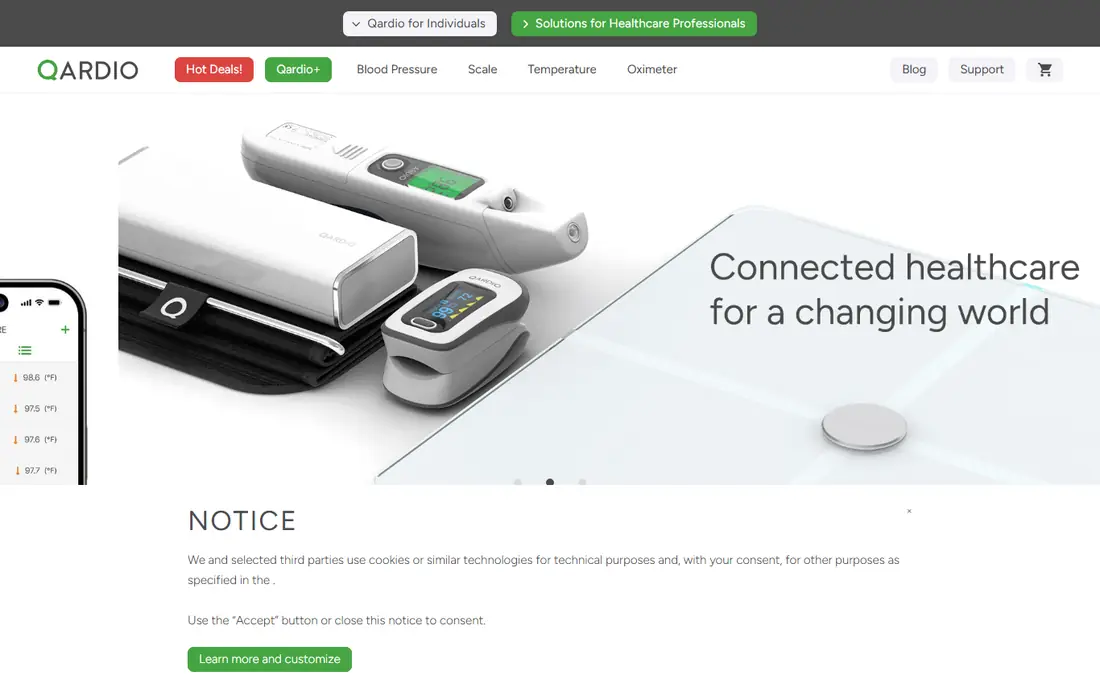
Qardio suits people who want a clean, visual record and a report they can hand to a clinician. Readings arrive automatically from a paired QardioArm cuff, which cuts down on missed or mistyped entries. Colour coding and averages help turn a long list of numbers into a readable pattern.
The app also tracks related measures when other Qardio devices are connected, which can be useful for a fuller health picture. That breadth is a strength only if you already use that system, since the app is far less useful as a standalone manual log. Check device compatibility before buying a cuff for this app alone.
- Automatic sync with QardioArm
- Trend charts and averages
- Shareable reports
- Best experience needs a Qardio device
- Some features depend on device ownership
Withings fits households that already use Withings scales, watches, or blood pressure monitors. The app pulls readings in automatically and places them beside activity, sleep, and weight trends. That context can help you see whether changes line up with changes in routine.
The design is calm and easy to read, which matters when you check the same chart every day. Manual entry is possible, but the real value is the connected setup. If you do not own a Withings device, a general log such as SmartBP may be a better first choice.
- Automatic sync with Withings BPM devices
- Long-term trend views
- Health report sharing
- Needs a Withings cuff for automatic sync
- Some advanced features sit behind Withings+
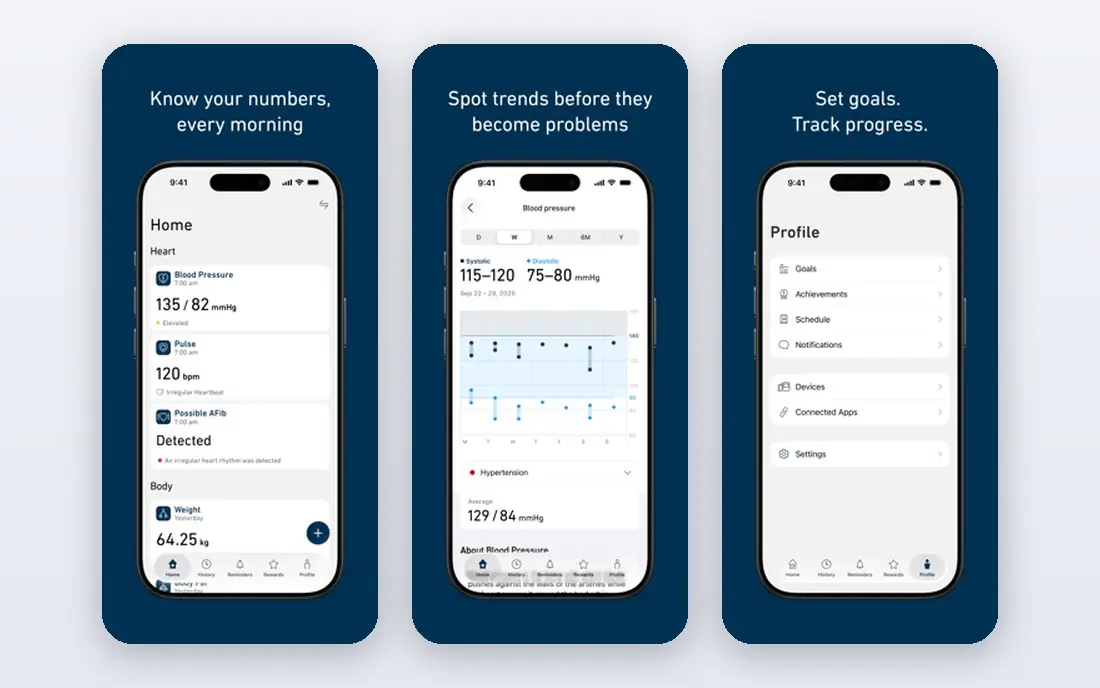
SmartBP is our pick for people who do not want to be tied to one cuff brand. You can type readings in by hand, add notes about symptoms or medication, and review averages by day, week, or month. The charts are direct, and the report options suit clinic visits.
The free version covers daily logging well, while premium adds cloud backup and fuller export options. Manual entry does demand discipline, since a missed evening reading leaves a gap in the trend. Set a reminder at the same times each day to keep the record useful.
- Works with any cuff through manual entry
- Clear charts and statistics
- PDF and CSV reports
- Bluetooth support varies by device
- Premium is needed for some backup and export features
Apple Health works best as a central store rather than a specialist blood pressure journal. Readings from a cuff app can flow into it, where they sit beside steps, sleep, weight, and other measures. That single view can be helpful at a check-up, especially when a clinician asks about wider habits.
The trade-off is focus. Apple Health does not guide a measurement routine in the same way a dedicated app does, and its blood pressure charts are plain. Pair it with a dedicated log if you want reminders, averages, and a clean clinic report.
- Built into iPhone
- Gathers readings from many apps and devices
- Sharing controls for family and clinicians
- Needs a separate cuff for readings
- Charting is less focused than a dedicated blood pressure app
Samsung Health suits Galaxy owners who want one app for daily health data. You can log blood pressure readings by hand and review them beside activity, sleep, and weight. The familiar layout makes it easy to keep up a routine without learning a new tool.
The limits matter here. Some watch-based blood pressure features are restricted by model and region, and they do not replace a cuff reading. Treat Samsung Health as a log and hub, and use a validated upper-arm cuff for the numbers themselves.
- Built into many Galaxy phones
- Manual blood pressure logging
- Activity and sleep in one place
- Blood pressure features vary by device and region
- Still needs a validated cuff
iHealth MyVitals fits people who already own an iHealth blood pressure monitor and want a simple companion app. Readings sync over Bluetooth, and the history view makes it easy to check recent values before a visit. The app also covers other iHealth measures, such as weight, when those devices are used.
It is not the right choice for a mixed-device household, since its strength is the iHealth link. The interface stays focused, which some users will prefer over a crowded health hub. If you switch cuff brands later, you may need a new log as well.
- Bluetooth sync with iHealth monitors
- Simple history and trend views
- Export options
- Best with iHealth hardware
- Feature set is narrower than general health hubs
MedM stands out for people whose cuff brand is less common, or who have changed devices over time. It supports many Bluetooth monitors, so you are less likely to be locked into one maker. Readings can sync to the cloud and be shared, which helps when more than one person follows the record.
The broad compatibility is also the catch. Pairing steps and feature availability can vary by device, so check your exact model before relying on it. Once paired, though, it gives a flexible log that travels with you even if the cuff changes.
- Supports a wide range of Bluetooth blood pressure monitors
- Cloud sync and sharing
- Trend views
- Some features need a paid plan
- Setup can take care with older devices
Hello Heart fits people who can access it through work or a health plan and want more guidance than a plain log. It pairs a connected cuff with coaching-style prompts, reminders, and reports that can be shared with a clinician. The structure suits users who respond well to a set routine.
The main limit is access. If your employer or plan does not offer it, you cannot simply buy the same experience as an individual. In that case, OMRON connect, SmartBP, or a device companion app will cover the core logging job.
- Guided blood pressure program
- Reports for clinicians
- Medication and habit tracking
- Access usually comes through an employer or health plan
- Not a general download for everyone
How we picked these
We compared official feature pages, app store listings, pricing pages, and privacy pages, and we kept only apps that are live and tied to real blood pressure logging. We favoured apps that use a validated cuff, show trends clearly, and offer a usable export or sharing option. We left out apps that claim to measure blood pressure from a phone camera or finger alone, since those readings are not a substitute for a cuff measurement.
We also weighed device lock-in, cost, and who can actually use each app. An employer-only app can be excellent for members, but it is not a fair general recommendation without that warning. Prices and plan limits change, so check the vendor page before you buy a cuff or pay for premium.
What to check before you choose
Pick the app that matches your cuff first, then look at reminders, charts, and export options. A free app that you use every day beats a paid app that you open once a month.
Cuff first, app second
Start with a validated upper-arm cuff that fits your arm. Check that the app syncs with that exact model, or that manual entry is quick enough to use twice a day. If sync fails often, the best charts in the world will not help.
Routine and reports
Look for reminders at consistent morning and evening times, plus averages that cover at least a week. Before a clinic visit, export a PDF or CSV and check that dates, times, and notes are clear. Bring the report, not just a single reading.
Privacy and sharing
Read who can see your data and how sharing works. Some apps share only when you send a report, while others offer family or care team access. Choose the level you are comfortable with, and turn off sharing you do not need.
Frequently asked questions
What is the best app to track blood pressure?
The best app to track blood pressure is usually the companion app for your cuff, such as OMRON connect for OMRON owners or Qardio for QardioArm owners. If you log by hand, SmartBP is a strong general choice. Pick the one you will use at the same times each day.
What is the best free app for blood pressure?
Several strong apps are free to use for core logging, including OMRON connect, Withings, SmartBP, Apple Health, and Samsung Health. Free plans usually cover history and charts, while premium adds backup, deeper reports, or medication tools. Check what is locked behind pay before you build a long history in one app.
What is the best blood pressure tracking app for sharing with a doctor?
SmartBP, OMRON connect, Qardio, and Withings all offer reports that can be shared with a clinician. Look for PDF or CSV export, clear date and time stamps, and averages over several days. Ask the clinic which format it prefers before your visit.
Can a phone measure blood pressure without a cuff?
No, a phone alone cannot give a reliable blood pressure reading for medical use. Apps that claim camera-only measurement should not be used to guide treatment decisions. Use a validated upper-arm cuff and use the app to log, chart, and share the results.
Is a free blood pressure app accurate?
An app is only as accurate as the cuff and technique behind each reading. Sit with back supported, feet flat, and arm at heart level, and rest for a few minutes first. Take two readings about a minute apart when your clinician advises that routine.
Which app is best for high blood pressure and hypertension?
Any app that supports a steady routine, clear trends, and sharing will help with hypertension follow-up. OMRON connect and SmartBP are good starting points, and Hello Heart adds guidance for eligible members. This is not medical advice, and treatment changes should be discussed with a clinician.
Sources we checked (9)

Online Jobs is an independent blog about careers, online work, learning new skills and the tools that help people earn. More about us.
Keep reading
All posts
Best workout apps for women
Compare the best workout apps for women in 2026, from free guided classes to structured strength plans, with current prices, free plans and honest trade-offs.

Best Yoga App
Find the best yoga app for home practice in 2026, with verified prices, free options, class styles, trials and honest limits for 10 yoga apps compared.
Best Workout Tracker App
We compared the best workout tracker app options for gym, home, and running training, checking prices, free plans, and logging tools in detail. See inside.